
Application
What is Microsoft Purview? Business uses, benefits, and limits
Understand how Microsoft Purview combines data governance, security, and compliance, with practical use cases and the licensing and coverage checks needed before deployment.
Browse more Find practical software and app guides, setup instructions, troubleshooting steps and productivity tips for popular desktop and online applications.
Understand how Microsoft Purview combines data governance, security, and compliance, with practical use cases and the licensing and coverage checks needed before deployment.
Install a font in Windows, select it with Paint's Text tool, fix a missing font, and uninstall a downloaded font through Windows Settings.

January 2026 reports raised concerns about exposed app data. Check the incident date and publisher response, limit sensitive submissions, and secure affected accounts.
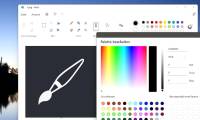
Use Paint's Background tile to choose a canvas color, remove an opaque photo background when needed, and save a copy with the result you want.

Open protected Word, Excel, and PowerPoint files in Drive with the correct password, understand why Edit removes protection, and check sharing before making changes.

Send documents, organize ebooks, borrow eligible library titles, and track reading with seven Kindle companion tools, including important format and subscription limits.

Choose Day or Night colors for navigation, set miles or kilometers, and use the separate app-theme setting for browsing Google Maps.

Keep reminder alerts now come from Tasks or Calendar. Find migrated reminders, check notification settings, and understand the loss of location-based reminders.

Try sound, proximity, battery-temperature, and magnetic-field measurements, with simple experiments and the hardware and accuracy limits to watch for.

Block Netflix app alerts on Android, iPhone, and Windows, check TV-specific controls, and manage promotional email separately from essential account messages.
Disable automatic word replacement on the iPhone keyboard or Android Gboard, keep suggestions if you want them, and check which keyboard WhatsApp is using.

Compare Windows and browser resource usage, isolate heavy tabs or extensions, and reduce memory pressure without assuming every slowdown is the browser's fault.

Compare Unprocess for Android and Halide Process Zero for iPhone, including RAW output, device limits and the trade-offs of reducing camera processing.

See how DuckDuckGo handles trackers, cookie pop-ups, YouTube viewing and email aliases, plus what to check before moving from Chrome.

Translate supported webpages on your iPhone or iPad, return to the original text, and check why Firefox's translation controls may be missing.
Restore Edge's standard new tab page, find the Copilot setting in different versions, and check whether an organization controls it.

Explore 4 YouTube add-ons that make watching long videos more enjoyable.

Stop motion photos from playing in the Google Photos grid, and understand which camera setting controls whether new photos include motion.

Create a Google Photos photo book, arrange pages and captions, check image quality, and confirm printing availability and the full order cost.

Choose a balance sheet, income statement, RACI matrix, Gantt chart, or random group template, with download sources and practical setup tips.