Apple's latest update may fix a frustrating issue with iOS 26.

In addition to the new devices, Apple also announced the release date for iOS 26. The software update will be available for compatible iPhones, iPads, and Apple Watches starting Monday, September 15th. The update brings a new user interface design and several new AI-powered features.

Liquid Glass looks great, but after a few months, your excitement for the iOS 26 theme may have waned and been replaced by a focus on the practical features of iOS 26.

The introduction of such a feature on iOS 26 excited biometric enthusiasts, but it was soon discovered to be not yet ready for release. Fortunately, that could change in the coming weeks.

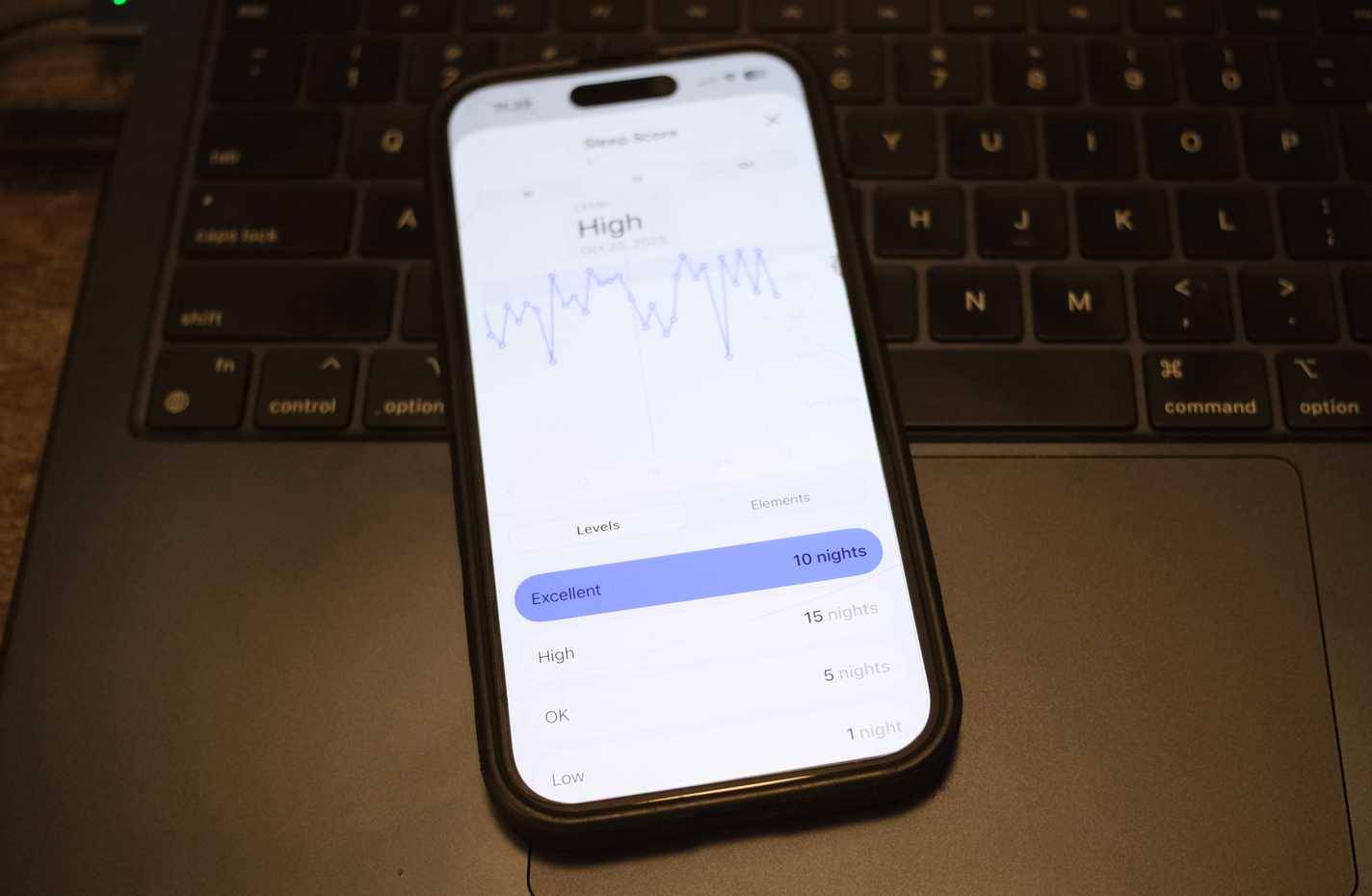
Of course, we're talking about Apple's introduction of sleep scores, which launched with iOS 26 in September. Many people have been tracking their sleep for over a decade across dozens of devices and countless apps. And as residents of the Apple ecosystem, many have long wondered when they could use sleep scores with Apple's native software. Surely it would be as reliable as the scores provided by Google's Fitbit.

Explore the issue with Apple's sleep score.

Picture 1 of Apple's latest update may fix a frustrating issue with iOS 26.

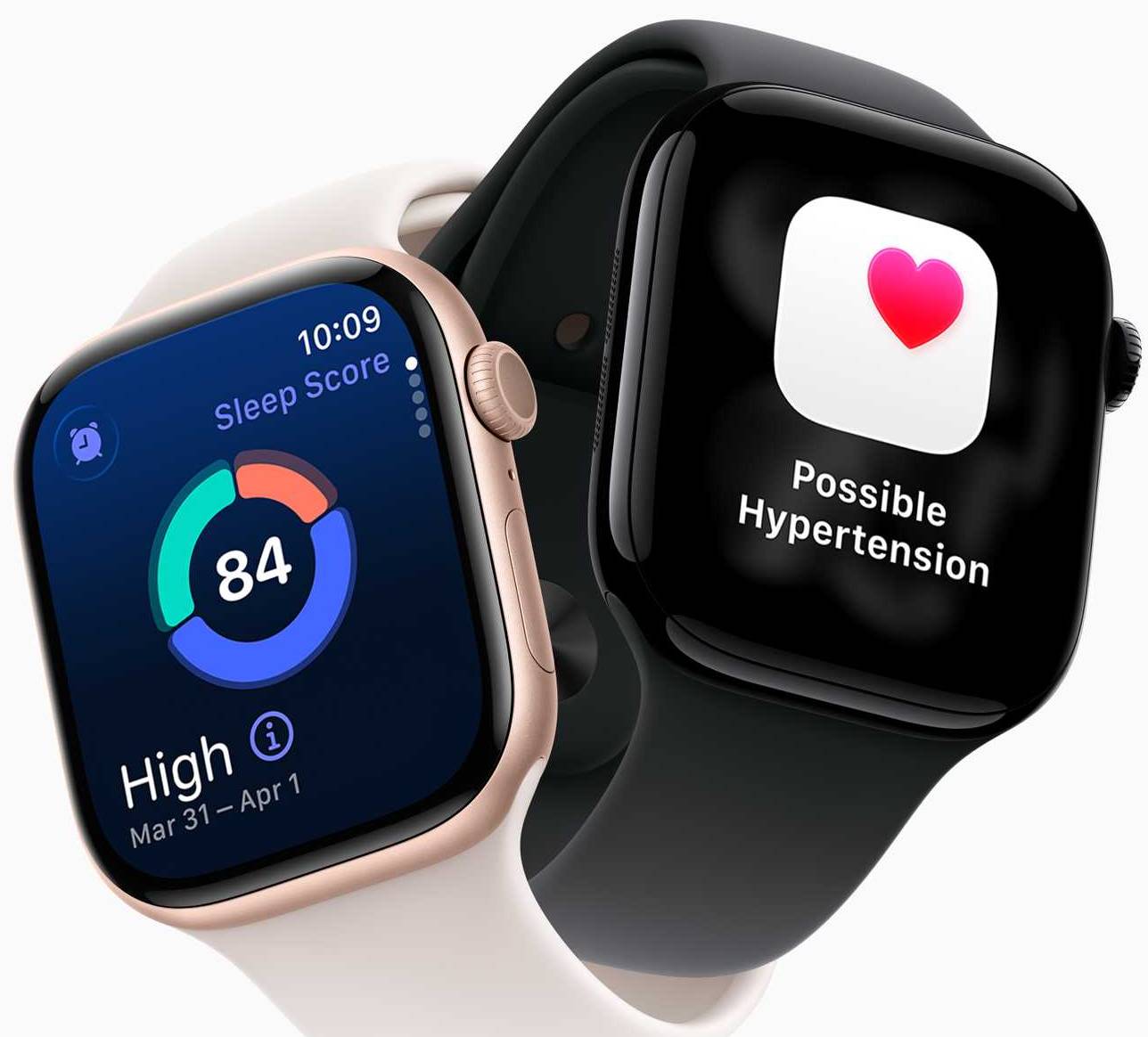
Apple has had a sleep tracking feature since 2014, measuring rest stages such as deep sleep, light sleep, and REM sleep. But things changed when Apple started scoring sleep, as this scoring system had been used by Apple's competitors for years. However, after just a few nights, many people realized that Apple's sleep scoring system, specifically the frequent "Excellent" ratings, wasn't actually accurate. For example, there might be mornings when you wake up feeling exhausted, but Apple scores your sleep at 90 (on a scale of 100) and rates it as "Excellent." The measurements are taken on the Apple Watch while the user sleeps.

"That's funny, I don't feel well," many people think before taking off their Apple Watch, plugging it in for fast charging, and starting their day. This happens so often that they completely lose faith in sleep tracking scores and switch to Fitbit.

It seems your experience is similar, as Apple is changing how sleep scores are expressed in iOS 26.2.

The table below shows how sleep scores are currently described and how they will be described in iOS 26.2. As you can see, Apple has completely removed the word "Excellent".

iOS 26.1 Sleep Score Ranking

Current classification

iOS 26.2 Sleep Score Ranking

New classification

0-29 points

Currently

0-40 points

Currently

30-49 points

Low

41-60 points

Low

50-69 points

OK

61-80 points

OK

70-89 points

High

81-95 points

High

90-100 points

Excellent

96-100 points

Very high

How Apple calculates sleep scores

However, the components that make up your sleep score remain the same: You get 50 points for sleep duration, 20 points for uninterrupted/uninterrupted sleep, and 30 points for going to bed on time.

Apple could be forgiven for only making these changes to the sleep score after reading criticism on Reddit that it was "too easy," but these changes are a result of Apple collecting more data from study participants. Here's how Apple explains how the sleep score is calculated:

The scoring methodology and preferred algorithms for sleep scores are based on the latest guidelines published by the American Academy of Sleep Medicine, the National Sleep Foundation, and the World Sleep Association. Over 5 million nights of sleep data from Apple's Cardiovascular and Exercise Research were used to develop and test the scoring algorithms.

Of course, simply changing the wording associated with the scores applied to sleep data won't be enough for those who value precise sleep scores, delving deeper into the terminology Apple uses for the data, whether it's "Excellent" or simply "Very High." However, as Apple continues to incorporate more data into its assessment of a person's sleep quality, perhaps changing the way it names nighttime sleep patterns would be a welcome first step.

Will Apple add heart rate monitoring to the Sleep menu in the Health app?

Picture 2 of Apple's latest update may fix a frustrating issue with iOS 26.

If you've used Fitbit, you'll know that their sleep trackers prominently display overnight heart rate in sleep score data. After reviewing the data for several nights (or years), many people realize that a consistently lower sleep heart rate is the best indicator of how well they rested the following day. Apple Watch users might want Apple to put sleep heart rate in a more prominent reporting format. (Currently, users have to exit the Health app's Sleep menu and go to the Heart menu to see their overnight heart rate.) The science may be right, but the user experience on the app seems flawed.

Other things to know about iOS 26.2

The new iPhone operating system update is expected to launch in December.

The most noticeable feature of iOS 26.2 will be the "Liquid Glass" slider used to unlock the phone. The Apple Reminders app will also be improved, another feature that has been criticized for years, especially when compared to many other reminder apps. If you use the Apple Podcasts app, updates and upgrades will be coming soon.

Additionally, it's worth noting that if you're in the European Union, the AirPods Live Translation feature is finally available.

All the information known about iOS 26.1 so far.

Picture 3 of Apple's latest update may fix a frustrating issue with iOS 26.

After a summer of beta testing, Apple released iOS 26 to everyone last month. Now, attention has shifted to iOS 26.1. This update is now available to developers and public beta testers, and will likely be released to everyone later this month. Here's everything you need to know about the new features in iOS 26.1.

What's new in iOS 26.1?

iOS 26 brought important new features to your iPhone, most notably the new Liquid Glass design. iOS 26.1 is another significant update, bringing a host of major changes.

Liquid Glass toggle switch

Picture 4 of Apple's latest update may fix a frustrating issue with iOS 26.

The biggest change in iOS 26.1 is a new toggle in the Settings app that lets you minimize the new Liquid Glass design.

  1. Open Settings
  2. Select Display & Brightness
  3. Click on Liquid Glass

Here, you'll see two options: Clear and Tinted. The Clear option is a similar Liquid Glass version that launched with iOS 26 in September. However, the Tinted option is more opaque, reducing the transparency of the Liquid Glass design.

"Choose your preferred look for Liquid Glass. Clear is more transparent, revealing the content underneath. Tinted increases opacity and enhances contrast ," Apple explains.

This is a clear way for Apple to address some of the complaints about Liquid Glass without changing the design for those who actually like it.

To adjust Liquid Glass on the home screen, press and hold the screen, tap Edit in the upper left corner, then tap Customize . From there, set the app icon to Clear or Tinted, then you can tap Light, Dark, or Auto at the bottom of the Customize menu to adjust the Liquid Glass elements on the home screen.

You can also go to Settings > Accessibility > Display & Text Size , and then tap the Reduce Transparency toggle switch to adjust the new design.

Automatically install Security Improvements

Apple introduced a useful new security setting in iOS 26.1, allowing iPhones to automatically download and install Security Improvements. You can find this setting by going to Settings > Privacy & Security > Background Security Improvements .

Picture 5 of Apple's latest update may fix a frustrating issue with iOS 26.

"Background Security Improvements provide additional protection for your iPhone between software updates ," according to Apple. "In rare cases of compatibility issues, these security improvements may be temporarily removed and then improved upon in a future software update . "

This feature reminds us of Apple's Rapid Security Responses (RSR). The company introduced RSR in 2023 as a way to quickly deploy security fixes to devices. While theoretically a good idea, Apple hasn't used iOS's RSR since the release of iOS 16.5.1(c) in July 2023.

This isn't a flashy setting, but it's very useful and allows you to get smaller security updates without any extra effort. Once enabled, this setting handles the rest, so you don't have to check your iPhone every day for new updates for potential security issues.

Disable the swipe-to-open camera feature on the lock screen.

If you accidentally activate the Camera app from the lock screen, iOS 26.1 includes a new toggle switch to address those concerns.

  1. Open Settings
  2. Select Camera
  3. Find the new option Lock Screen Swipe to Open Camera

New alarm design

Picture 6 of Apple's latest update may fix a frustrating issue with iOS 26.

iOS 26.1 redesigned the alarm screen to make it harder to accidentally turn off your alarm each morning and oversleep. Now, you'll have to "slide to stop" the alarm each morning, instead of just tapping the large "skip" option.

New Apple TV app icon

Picture 7 of Apple's latest update may fix a frustrating issue with iOS 26.

Apple has renamed Apple TV+ to Apple TV, and iOS 26.1 includes a new app icon. This new icon is more vibrant than before and is part of what Apple calls a "vibrant new identity" for its streaming service.

Control haptic feedback during phone calls.

In iOS 26, there's a new option to disable haptic feedback when your iPhone connects to or ends a call. This prevents your iPhone from vibrating and giving you the impression that you've received a message or other notification every time you receive or end a call.

To access this setting, go to Settings > Apps > Phone and tap the Haptics toggle switch .

Picture 8 of Apple's latest update may fix a frustrating issue with iOS 26.

New accessibility options

The iOS 26.1 update introduces a new option that prioritizes single-tap gestures over swipe gestures on your iPhone screen. You can find this new option by going to Settings > Accessibility > Touch and scrolling to the bottom of the page.

Picture 9 of Apple's latest update may fix a frustrating issue with iOS 26.

Other minor tweaks to the user interface.

Picture 10 of Apple's latest update may fix a frustrating issue with iOS 26.

iOS 26.1 brings some minor tweaks to the user interface.

  1. In the Phone app, the numeric keypad now uses a Liquid Glass design.
  2. In the Photos app, the video scroll bar and navigation bar have a blurred background for improved readability.
  3. Application folder titles are now left-aligned, as are the titles within the Settings app.

Improvements to the Music app

Picture 11 of Apple's latest update may fix a frustrating issue with iOS 26.

One of the biggest redesigns in iOS 26 is the Music app, which gets a new Liquid Glass paint scheme as well as a complete overhaul of the navigation system.

In iOS 26.1, Apple made a change that users really appreciated. Now you can swipe left and right on the Now Playing bar at the bottom of the app to easily switch between songs. This quick access to the controls is a great improvement over the design of iOS 26.

Apple Intelligence

Apple Intelligence continues to expand its global reach with iOS 26.1. This update adds support for eight new languages:

  1. Traditional Chinese
  2. Danish
  3. Dutch
  4. Norwegian
  5. Portuguese
  6. Swedish
  7. Turkish language
  8. Vietnamese

New video slider

The iOS 26.1 update also brings a small change to the video slider in the Photos app. When you go into Photos and watch a video, you'll see the slider at the bottom of the screen is designed to be more compact and seamless compared to the previous slider, which had play/pause and volume buttons at the top.

This is another small change that you may not have noticed.

Picture 12 of Apple's latest update may fix a frustrating issue with iOS 26.

Local Capture feature in Settings

iOS 26.1 and iPadOS 26.1 add the ability to adjust the gain level when recording local audio using a connected microphone. In the Settings app, you'll also find new options to change the location where Local Capture files are saved. You can now also enable/disable Local Capture to include only audio.

Expanding the features of AirPods Live Translation

Picture 13 of Apple's latest update may fix a frustrating issue with iOS 26.

The Live Translation feature launched last month for AirPods Pro 2, AirPods Pro 3, and AirPods 4, supporting English (US and UK), French, German, Portuguese (Brazil), and Spanish. iOS 26.1 adds support for five new languages:

  1. Chinese (Simplified)
  2. Chinese (Traditional Chinese)
  3. Italian
  4. Japanese
  5. Korean

Other changes

The iOS 26.1 source code also references two major changes Apple made to the iPhone:

  1. Apple is developing MCP support to enable agentic AI on Macs, iPhones, and iPads.
  2. iOS 26.1 hints at iPhone support for third-party smartwatches.
  3. The iOS 26.1 beta 3 reveals new third-party AI integrations that may be coming soon.

As you can see, iOS 26.1 is a notable update for the iPhone. If you haven't updated to iOS 26 yet, iOS 26.1 would be a great option to try because it's generally more stable and refined than the original iOS 26 release.

Details about iOS 26

Apple's latest software update, iOS 26, has been released. On September 9, 2025, Apple announced the highly anticipated iPhone 17. The tech giant also announced the launch of the iPhone 17 Pro and Pro Max, the iPhone Air , three new Apple Watch models, and AirPods Pro 3. iOS 26 launched on Monday, September 15, 2025, according to Apple's press release.

In addition to the new devices, Apple also announced the release date for iOS 26. The software update will be available for compatible iPhones, iPads, and Apple Watches starting September 15th. The update brings a new user interface design and several new AI-powered features.

Here are the details about iOS 26.

New interface: Liquid Glass

One of the most notable features of iOS 26 is Liquid Glass, a new user interface design on Apple devices. This design stands out with its clearer, smoother elements. For example, when Liquid Glass is activated, users can keep apps on the home screen or change them to a transparent form, revealing the wallpaper.

Liquid Glass also features more dynamic controls. In some apps, including Apple Music, users can swipe their finger to switch between screens or features, instead of having to tap each one individually.

Liquid Glass is available on eligible iPhones, iPads, and Apple Watches.

Picture 14 of Apple's latest update may fix a frustrating issue with iOS 26.

Notable new features

iOS 26 includes several other new features, including some powered by Apple Intelligence. Here's a detailed breakdown of some of the key features:

Mud Translation

According to Apple's website, Live Translation uses artificial intelligence to translate text messages, phone calls, and FaceTime calls on iPhone, iPad, and Apple Watch.

In the Messages app, Live Translation is available in Chinese (simplified), English (UK and US), French (France), German, Italian, Japanese, Korean, Portuguese (Brazil), and Spanish (Spain), according to Apple's website. For phone calls and FaceTime, the feature can translate English (UK and US), French (France), German, Portuguese (Brazil), and Spanish (Spain).

Picture 15 of Apple's latest update may fix a frustrating issue with iOS 26.

Live Translation is also available with Apple's latest AirPods model: AirPods Pro 3. Users wearing the headphones can activate Live Translation in their natural surroundings. For example, if a user is moving and near people speaking different languages, the new AirPods will listen to the surrounding conversation and translate it almost in real time.

Live Translation also works in the reverse direction. Users wearing AirPods Pro 3 can speak in their native language, and the headphones will then translate it into the chosen language via voice or text on the connected iPhone.

Picture 16 of Apple's latest update may fix a frustrating issue with iOS 26.

New calling and messaging features.

The software update includes several new calling and texting features, including Call Screening. When a user receives a call from an unknown number, the iPhone will automatically answer the call, ask for the caller's name and reason for calling, and then translate this information for the user to decide whether or not to accept the call. Similarly, the Messages app will filter text messages from unknown numbers into a separate folder.

iOS 26 also features Hold Assist. When activated, Hold Assist keeps the caller's position level with that of the live operator and notifies the user when the call is ready, according to Apple's website.

Finally, iOS 26 users will get a new polling feature in the Messages app and will be able to change the background image of text messages to a pre-designed photo or template from Apple's library.

Most of these features are available on iPhone, iPad, and Apple Watch.

Visual map

Do you use Apple Maps to commute to work, school, or a general destination? According to Apple's website, with iOS 26, the app uses artificial intelligence to learn users' preferred routes, providing updates on delays before users set off.

Picture 17 of Apple's latest update may fix a frustrating issue with iOS 26.

In iOS 26, users can choose to have their iPhone automatically detect when they are at a location such as a restaurant or store, and see all their visited locations in Maps.

Store your passport in Apple Wallet.

Apple Wallet, which allows users to store digital debit and credit cards, concert tickets, boarding passes, and more, now lets users store their passports with iOS 26.

Arrange your iPad screen like a desktop with multiple windows.

While most of the features of iOS 26 are available on iPhones, iPads, and Apple Watches, some devices receive unique updates, including the window system for iPads. This update allows iPad users to open multiple windows on the screen, similar to a desktop on a computer.

New gestures added to skip songs in Apple Music.

Apple Music users just got to experience a host of new features in iOS 26 last week, but it seems Apple has even more features in store for the next major iPhone update. iOS 26.1 has already launched in beta and introduces a new swipe gesture to switch between tracks in the Apple Music app.

Picture 18 of Apple's latest update may fix a frustrating issue with iOS 26.

Apple's Music app in iOS 26 changed the bottom of the screen, where MiniPlayer is located.

Now that the tab bar is collapsed, it will be merged into a single row with MiniPlayer and the search controls.

Although MiniPlayer is already smaller for most of the time within the Music app, it will get a new feature in iOS 26.1. You can now swipe left and right on MiniPlayer to change tracks.

Picture 19 of Apple's latest update may fix a frustrating issue with iOS 26.

This feature works whether MiniPlayer is fully expanded above the tab bar or minimized to the side of the tab bar.

The new swipe gestures feel great, supported by some fantastic Liquid Glass effects and a tactile feedback touch when switching songs. Swiping left will skip to the next song in the playlist, while swiping right will go back to the previous song.

After a short trial period, this gesture will become familiar. It's a great alternative to using the conventional search controls on the Now Playing screen.

Which Apple devices are eligible for the iOS 26 upgrade?

Apple's latest software update, iOS 26, is available for free download on the following devices.

iPhone Apple Watch

iPhone SE (2nd generation and later)

iPhone 14 Pro Max

Apple Watch Series 7

iPhone Air

iPhone 14 Pro

Apple Watch Series 6

iPhone 17 Pro Max

iPhone 14 Plus

Apple Watch SE 3

iPhone 17 Pro

iPhone 14

Apple Watch SE 2

iPhone 17

iPhone 13 Pro Max

Apple Watch Series 8

iPhone 16e

iPhone 13 Pro

Apple Watch Ultra

iPhone 16 Pro Max

iPhone 13 mini

Apple Watch Series 11

iPhone 16 Pro

iPhone 13

Apple Watch Series 10

iPhone 16 Plus

iPhone 12 Pro Max

Apple Watch Series 9

iPhone 16

iPhone 12 Pro

Apple Watch Ultra 3

iPhone 15 Pro Max

iPhone 12 mini

Apple Watch Ultra 2

iPhone 15 Pro

iPhone 12


iPhone 15 Plus

iPhone 11 Pro Max


iPhone 15

iPhone 11 Pro


iPhone 11


You've just finished reading the article "Apple's latest update may fix a frustrating issue with iOS 26." edited by the TipsMake team. You can save apples-latest-update-may-fix-a-frustrating-issue-with-ios-26.pdf to your computer here to read later or print it out. We hope this article has provided you with many useful tech tips and tricks. You can search for similar articles on tips and guides. Thank you for reading and for following us regularly.

« PREV Create a basic agent and publish it to Microsoft Teams.
NEXT » AI performs poorly when context is lacking: Causes and solutions.