Table of Contents
Calibre can convert many document formats to EPUB, the standard eBook format supported by Apple Books. Add the source file to Calibre, choose EPUB as the output, review the book details, and save the converted file.
The screenshots below show an older Calibre and iBooks workflow, but the core conversion steps remain similar. Button names and transfer options may differ in newer versions.
Prepare the source document
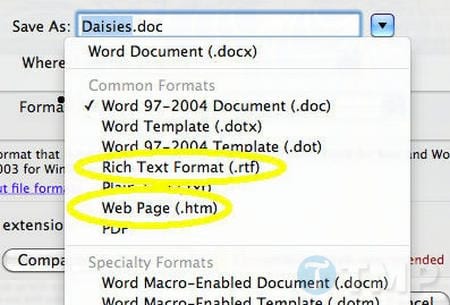
Install Calibre on your computer, then check whether it accepts your source file. Calibre supports common document and eBook formats, although support can vary by file type and software version. If a DOC file will not import, open it in Word and use File > Save As to save it as DOCX, HTML, or RTF, then import that copy.
Convert the document to EPUB
1. Add the document
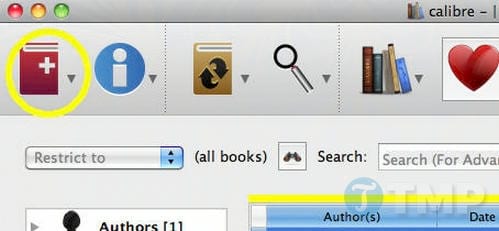
Open Calibre and select Add books, then choose the document you prepared.
2. Open the conversion window
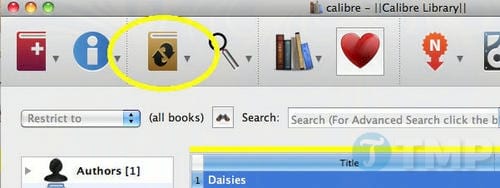
Select the imported document in the Calibre library and choose Convert books.
3. Review metadata and output settings
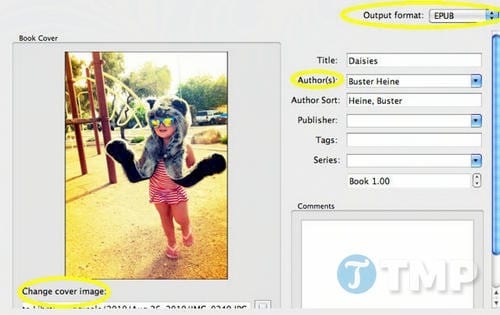
Check the title and author, add a cover if needed, and select EPUB as the output format. You can leave advanced layout settings at their defaults for a straightforward text document. Choose OK to begin.
4. Save the EPUB file
When conversion finishes, use Calibre's save or open-folder option to locate the EPUB. Older versions may also display a Send to device command.
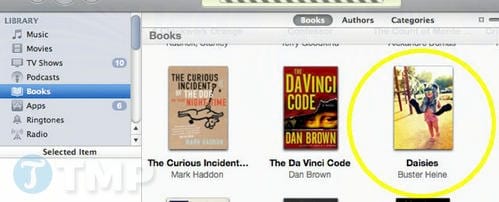
Open the eBook in Apple Books
On a Mac, open the EPUB with Apple Books. To use an iPhone or iPad, transfer the EPUB through a method available to you—such as Files, AirDrop, or cloud storage—then use the Share menu to open it in Books. Older systems used iTunes and iBooks for this step.
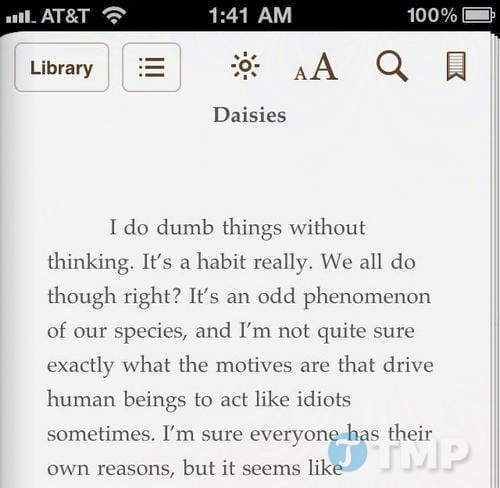
Check the result
Open several chapters and verify headings, paragraph breaks, images, and the table of contents. Complex Word layouts may not translate cleanly to EPUB; simplifying columns, text boxes, and decorative formatting in the source document usually produces a better result.
Related Articles
 How to Use Epubor Ultimate Ebook Converter4 minutes read
 Summary of Websites That Download the Best Ebook Today18 minutes read
 5 Convenient Free Ebook Libraries for Kindle: Guide4 minutes read
 How to Convert a WordPerfect Document to a Microsoft Word Document4 minutes read
 Top Android E-reader Apps of 202613 minutes read
 Convert PDF Format to EPUB, MOBI or HTML: Instructions3 minutes read
Reader Comments 0
Sign in with email or Google to join the discussion.