Table of Contents
In Endless Nightmare 5: Curse, gift codes are entered through the game's settings and redemption menu. A valid code can provide an in-game reward, but an old code list does not establish that a code is still active or that a particular weapon will be awarded.
Code recorded in this guide
3A9V6P3F2 was listed in the original guide. Its current validity and reward have not been verified here. You can try it in the official game, but do not treat it as a confirmed active code or pay someone to activate it.
How to enter a code

- Open Endless Nightmare 5: Curse and go to its main interface.
- Open Settings using the gear icon. Its position can vary between versions.
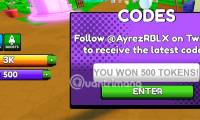
- Choose Redeem Code or the equivalent promo-code option.
- Paste the code exactly, with no spaces at either end.
- Tap the confirmation button and read the response. Check the awarded items or balance if the game confirms success.
The older source uses “change code” for this action. It means redeeming a gift code, not changing an account password or modifying the game.
Older codes from the source

The following strings appeared in the source's expired-code section. Their individual reward descriptions could not be confirmed, so they are omitted. This archive is for recognizing outdated lists, not a set of guaranteed rewards.
EVL5TAL, EVT3PWR, XQTZGHS, YPL9FHT, EVT6KLP, XPT4JHD, CDE2QWF, BVC-HNK, JKL8MNH, EVT9YUI, TGBOUM, HJN3CVB, ASDDPLK, BVC4FGB, JKL3POI, QWEIMNB, BVC3JHG, GHF2VBN, TYU8OPI, IOP1NHY, BVC9POL, JKLIMNB, MNB6JHG, OIU7VFR.
If redemption fails
Start with the exact error message. An expired code, an already-used code, a typing error, and a connection failure require different responses. Copy the original code rather than guessing similar characters. If it is expired or already claimed, reinstalling the game will not create another reward.
If the redemption menu is missing, check for an official app update and confirm you are using the correct game edition. On Android, see using Google Play for app updates; the current route is your profile menu, then Manage apps & device. Avoid clearing data or reinstalling before checking how your progress is saved.
Find announcements from the developer
The official Google Play listing identifies the publisher and links its community channels. Follow those links to find original announcements rather than assuming every social-media code list is official.
A redemption should not require your password, payment details, or installation of a modified APK. If you browse third-party reward posts, use the account-protection guidance in TipsMake's online security course. Keep gift-code redemption inside the game.




Reader Comments 0
Sign in with email or Google to join the discussion.