Table of Contents
The consumer versions of ChatGPT and Microsoft Copilot are both powerful AI chatbots with many similar features.
ChatGPT and Microsoft Copilot are two of the most widely used artificial intelligence (AI) tools. ChatGPT is the chatbot that started the current AI boom, while Microsoft Copilot is built into Windows (the world's most popular operating system) and Microsoft Office (arguably the most famous software suite ever created). Although initially they were standalone conversational bots, both are now deeply integrated with other applications, the open web, and – through your phone – even the real world.
Both ChatGPT and Microsoft Copilot have improved significantly over the past few years. As their feature lists grow longer, a quick and easy comparison between the two applications becomes more difficult.
Comparing Copilot and ChatGPT: An Overview

First, here's a quick comparison between ChatGPT and Copilot.
|
Microsoft Copilot |
ChatGPT |
|
|---|---|---|
|
Power and features |
⭐️⭐️⭐️⭐️ Although not as versatile as ChatGPT, its ability to integrate with Microsoft 365 applications is a great feature. |
⭐️⭐️⭐️⭐️⭐️ With the latest LLM models and cutting-edge implementations, ChatGPT has set a very high standard. |
|
Available |
⭐️⭐️⭐️⭐️⭐️ Web and mobile applications; integrates with Microsoft applications. |
⭐️⭐️⭐️⭐️⭐️ Web, desktop, and mobile applications |
|
Free package |
⭐️⭐️⭐️ This app is functional, but lacks the built-in features that are Copilot's strength. |
⭐️⭐️⭐️⭐️ This app is pretty good, but it lacks many of ChatGPT's best features. |
|
Reliability |
⭐️⭐️⭐️ There have been some strange issues using Copilot, including a bug that caused it to mistakenly identify as ChatGPT. |
⭐️⭐️⭐️⭐️ ChatGPT can still make mistakes, but it's one of the best AI tools in terms of reliability. |
ChatGPT has many more advanced features.
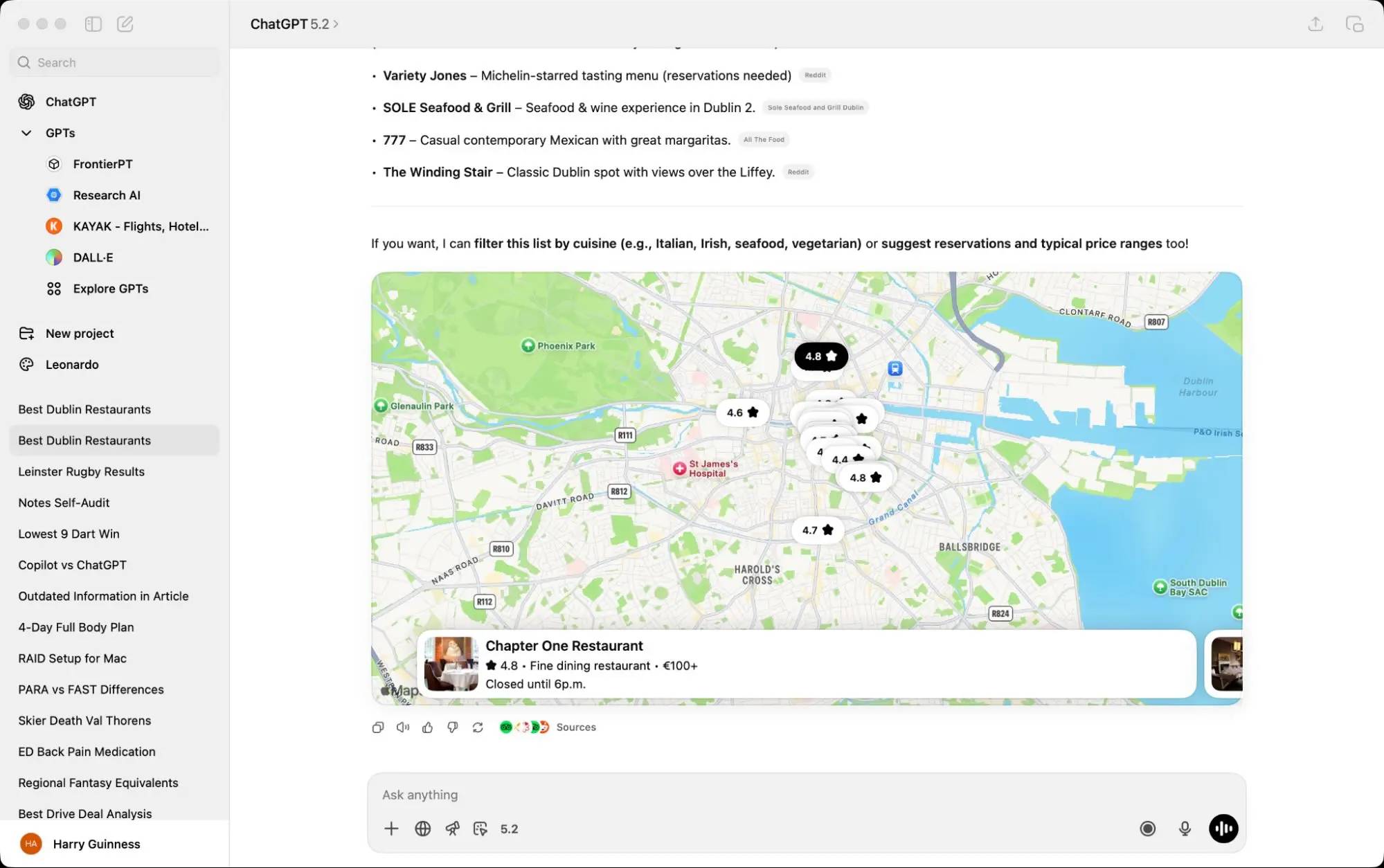
OpenAI has spearheaded the current AI boom, so it's no surprise that ChatGPT incorporates many advanced features. While there's too much to list, here are some of ChatGPT's standout features compared to Microsoft Copilot:
- Improved web search and news, including better integration with sources of information on sports scores, locations, etc.
- The ability to create custom chatbots and integrate them with other applications.
- Other applications can now build integrations with ChatGPT, so you can control apps like Photoshop, Spotify, and Canva directly through the chat interface. (This feature is still in its early stages, so its usefulness and support need to be assessed.)
- There is a dedicated Images section that makes it easy to create and edit images.
- Codex, an AI programming agent that integrates with GitHub, your computer's terminal, and other programming tools.
- Agent, an AI tool with its own browser and virtual environment that you can send out to perform any task you can imagine. (Whether it succeeds is the big question).
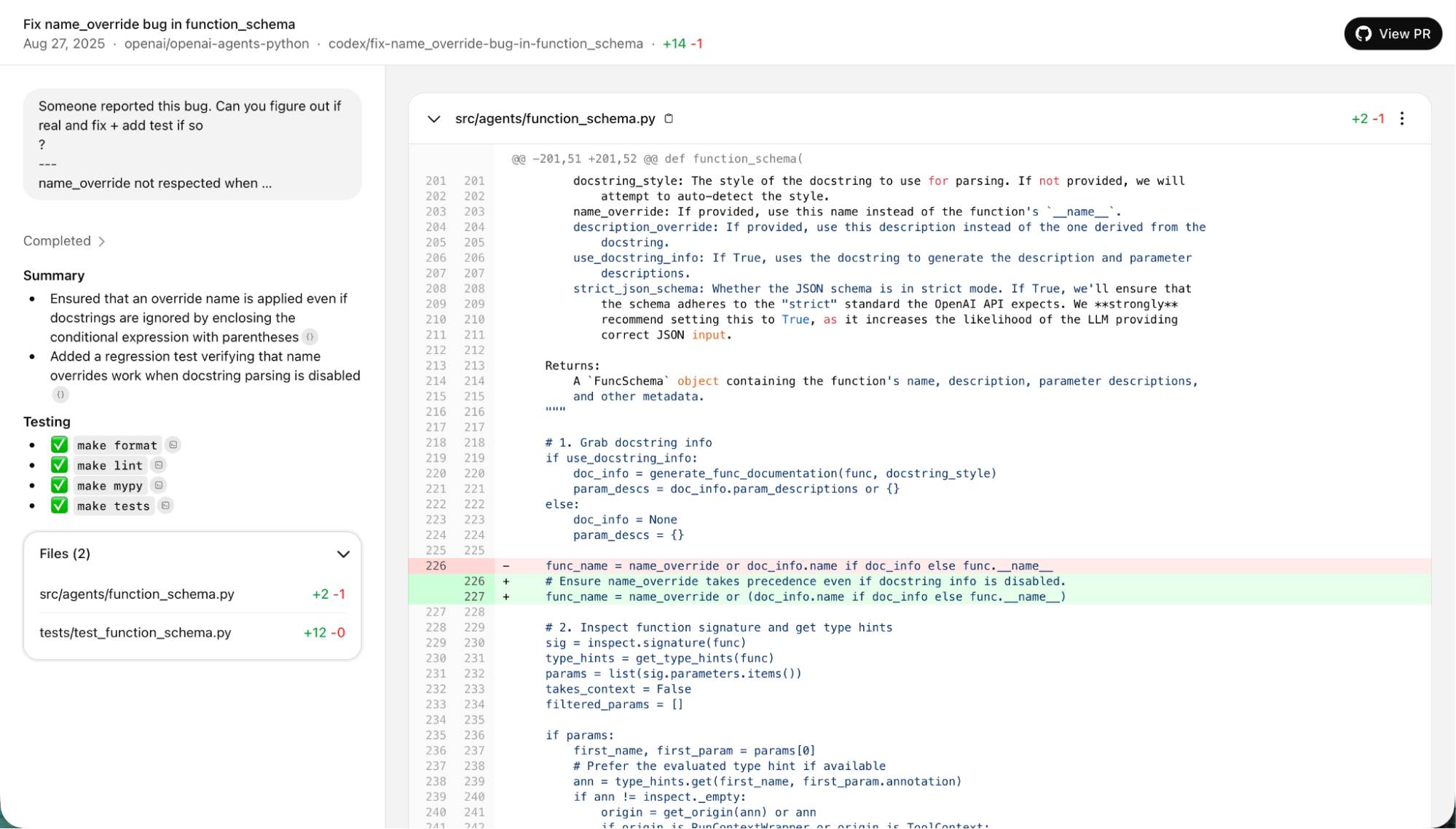
It's important to note that ChatGPT doesn't have consistent functionality across all of its applications. The web application typically gets features added first, although the desktop and mobile applications clearly have better integration capabilities with your device.
After listing all of that, many of these features are gradually being integrated into Copilot over time. Microsoft's implementation requirements seem to be a bit higher.
Of course, AI is developing so rapidly that these examples may no longer be true by the time you read this article, but the main point remains the same. ChatGPT is developing features faster than Copilot.
Copilot integrates with the Microsoft ecosystem.
A major advantage of Microsoft Copilot is its ability to integrate with everything Microsoft offers. The Copilot application is built into Windows and prominently displays on the taskbar. In fact, Copilot is currently being promoted as a helper service for several applications, including Settings, Edge, Windows Store, Photos, Notepad, and Paint.
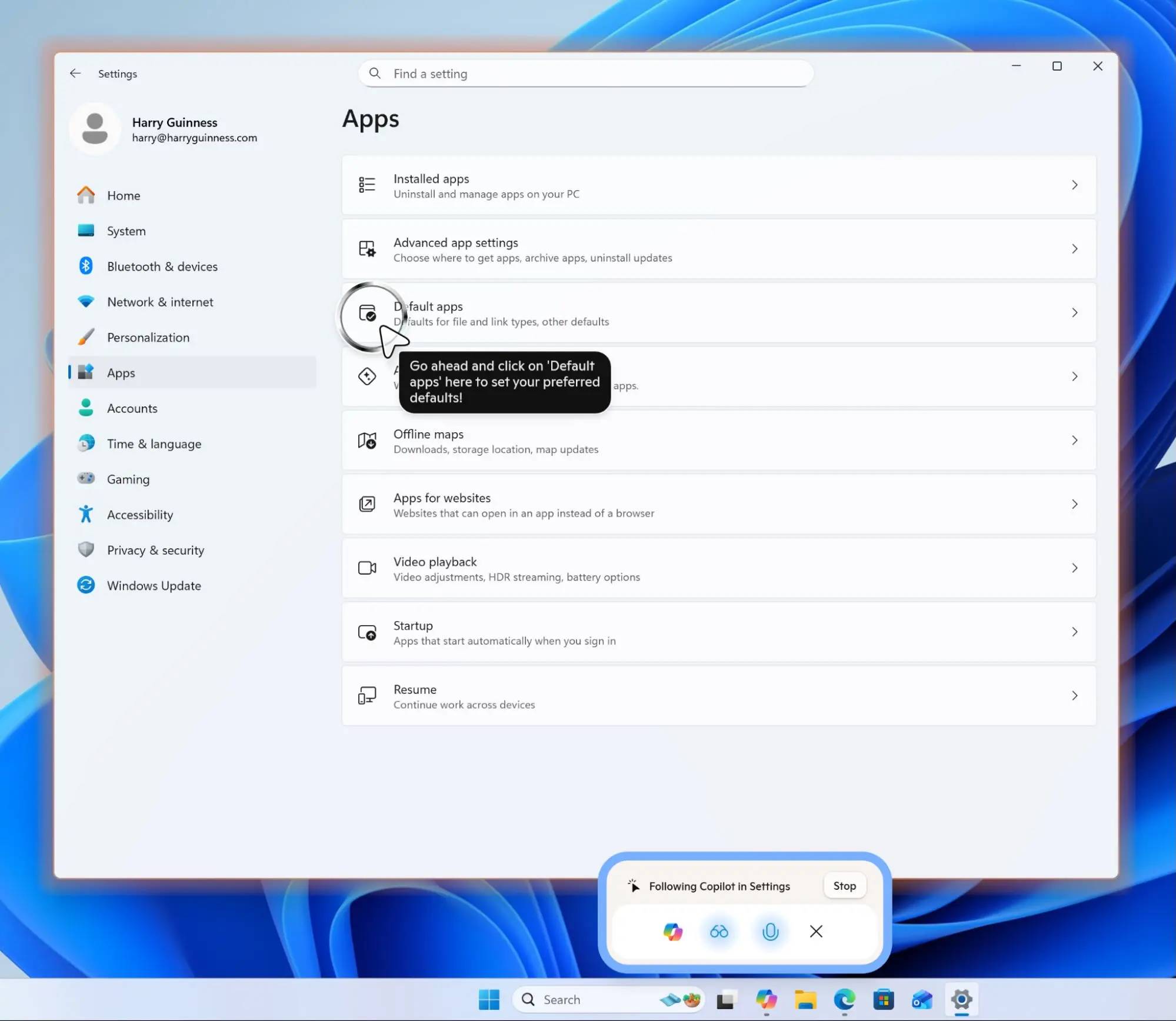
The idea is that you share your screen with Copilot and use your voice to tell it what you want to do. Then, it will guide you through using the applications. It worked well during testing.
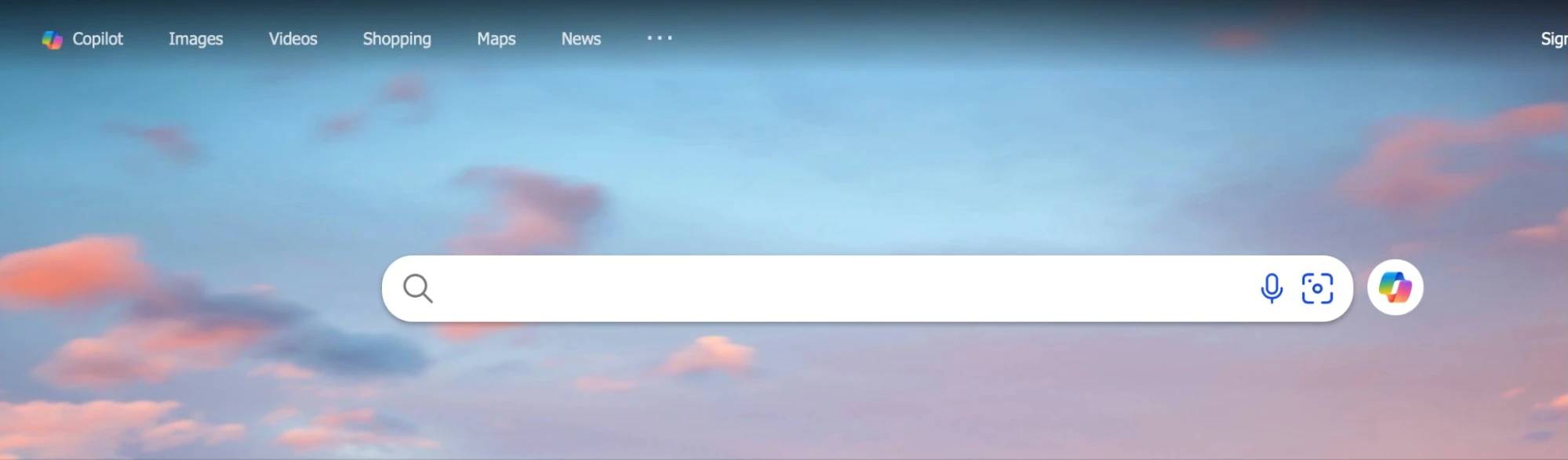
Similarly, if you use Bing, there will be a large Copilot button on your homepage.
If you use Edge, it will be available in the sidebar to answer questions.
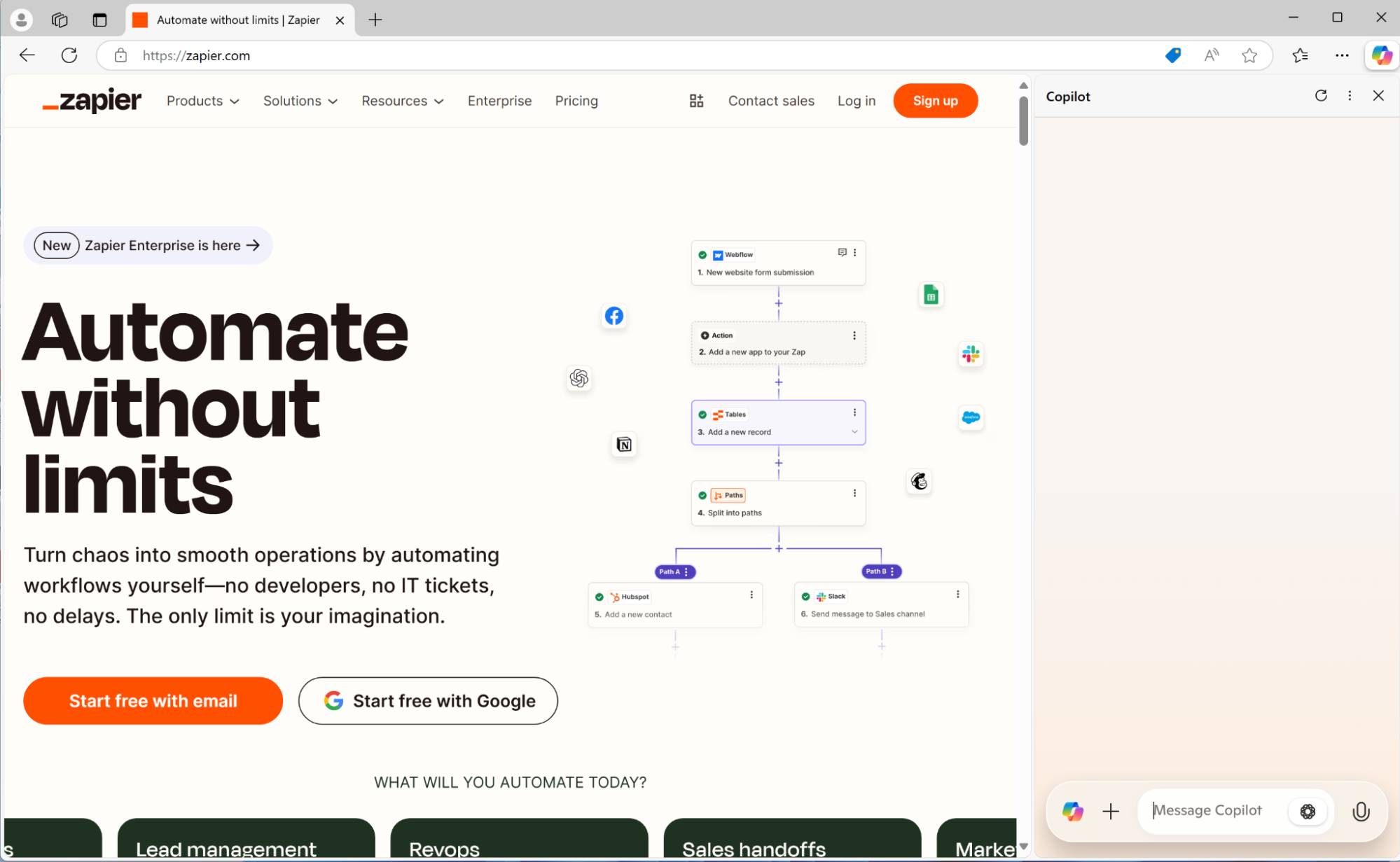
As long as you pay for Copilot Pro (for individual users) or Microsoft 365 Copilot (for businesses), you can use Copilot across most Microsoft 365 applications.
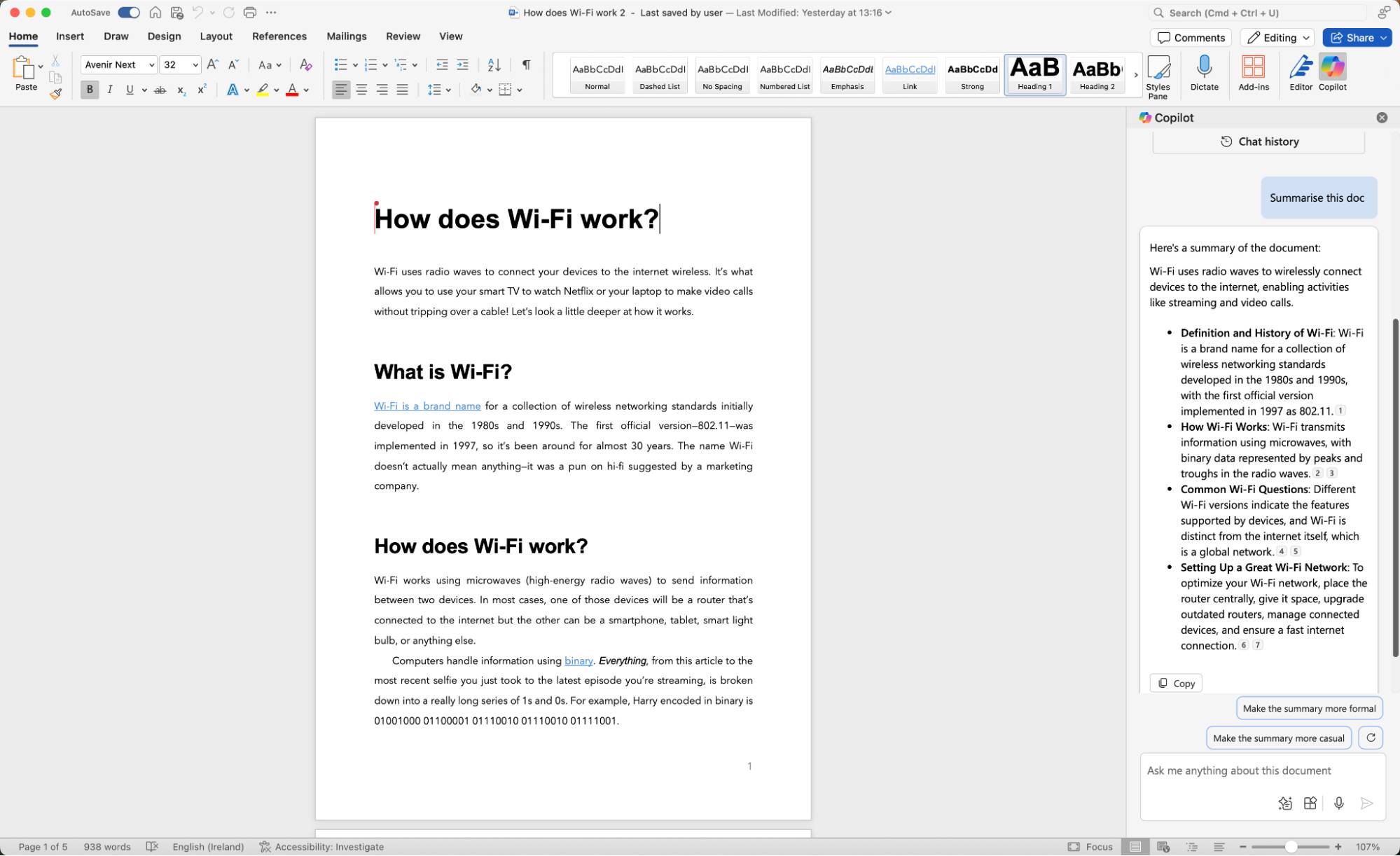
For example, Copilot can:
- Summarize documents, answer questions, and create text and images in Word and OneNote.
- Create formulas, apply formatting, and access general support in Excel.
- Create presentation slides and summaries in PowerPoint.
- Summarize long email threads and draft replies in Outlook.
And those are just the main features. If you're using the Microsoft ecosystem, this is truly a standout feature. While ChatGPT is catching up, integration isn't as easy and extensive as with Copilot and the Windows ecosystem.
When you delve deeper into the enterprise version of Copilot, this difference becomes even more significant. While outside the scope of this comparison, for multinational companies already relying on Microsoft's enterprise software, Copilot can integrate deeply across your entire system.
You can also use Copilot Studio to build AI agents that integrate with your existing tools. Obviously, this requires a certain level of IT knowledge to implement.
Should I use ChatGPT or Copilot?
The consumer versions of ChatGPT and Microsoft Copilot are both powerful AI chatbots with many similar features – the number of things one can do that the other cannot is quite small. When it comes to advanced features like AI programming agents and integration with Microsoft Office applications, things are a little different.
However, ultimately, the decision between them boils down to one big question: Do you use Microsoft 365 applications? Copilot's integration with Microsoft's suite of applications is a great feature if you spend all day switching between PowerPoint presentations and Excel spreadsheets. However, if you don't rely on applications like Word, Excel, and Outlook, then ChatGPT is a more powerful, reliable, and feature-rich tool. While the AI models are fundamentally the same, OpenAI has built and deployed more features than Microsoft.
And in terms of free tools, both are pretty much on par, but Microsoft Copilot has a slight edge because it gives you more access to features like image creation. However, if you're only going to try one tool, ChatGPT is the best option – it's the app that created this genre.
Related Articles
 ChatGPT vs Microsoft Copilot: Which AI Is Best?16 minutes read
 7 Reasons Copilot Is Worth Using7 minutes read
 Comparing the Prices of Paid AI Chatbot Packages10 minutes read
 Is GitHub Copilot or ChatGPT Better for Programming: Complete Overview8 minutes read
 Chatbot Microsoft Copilot Claims to Be the Master, Calling Users Slaves5 minutes read
 Meta AI vs ChatGPT (2026): Which Assistant Is Better?17 minutes read
Reader Comments 0
Sign in with email or Google to join the discussion.