Table of Contents
Synthesia is an AI-powered video creation tool that uses AI avatars to replace actors or voice actors.
One such example is Synthesia, which focuses its AI video technology on enterprise use cases such as instructional and employee training videos—videos that typically don't have the surreal expectations of videos created for entertainment purposes.
What is synthesia?
Synthesia is an AI-powered video creation tool that uses AI avatars to replace actors or voiceovers. Synthesia's entire product line focuses on the needs of businesses and technology companies, which often store hundreds (or thousands) of videos for employee training, product demonstrations, and customer guides.

The traditional way of creating these videos – with actors or voiceovers – is expensive and time-consuming. Updating them is also complicated. But creating videos in Synthesia, editing existing videos, or even translating them into other languages is quick and doesn't require re-recording.
The exclusive avatars are created based on real actors who have licensed the use of their image to Synthesia. Over one hundred actors were filmed by Synthesia's team using 160 cameras simultaneously to capture a wide range of natural movements and facial expressions. Add a touch of artificial intelligence, and you get some of the most realistic AI avatars on the market.
Explore Synthesia's features in more detail.
Synthesia's core features include AI video avatars, a text-to-speech tool, and a presentation design tool.
Avatar video AI
Synthesia's avatar library is huge, with over 230 diverse avatars. Because these avatars are licensed to use images of real actors, they look much more realistic than their competitors. To find a suitable avatar, simply enter what you're looking for ("a businesswoman," "a stylish young man") and you'll see many options.
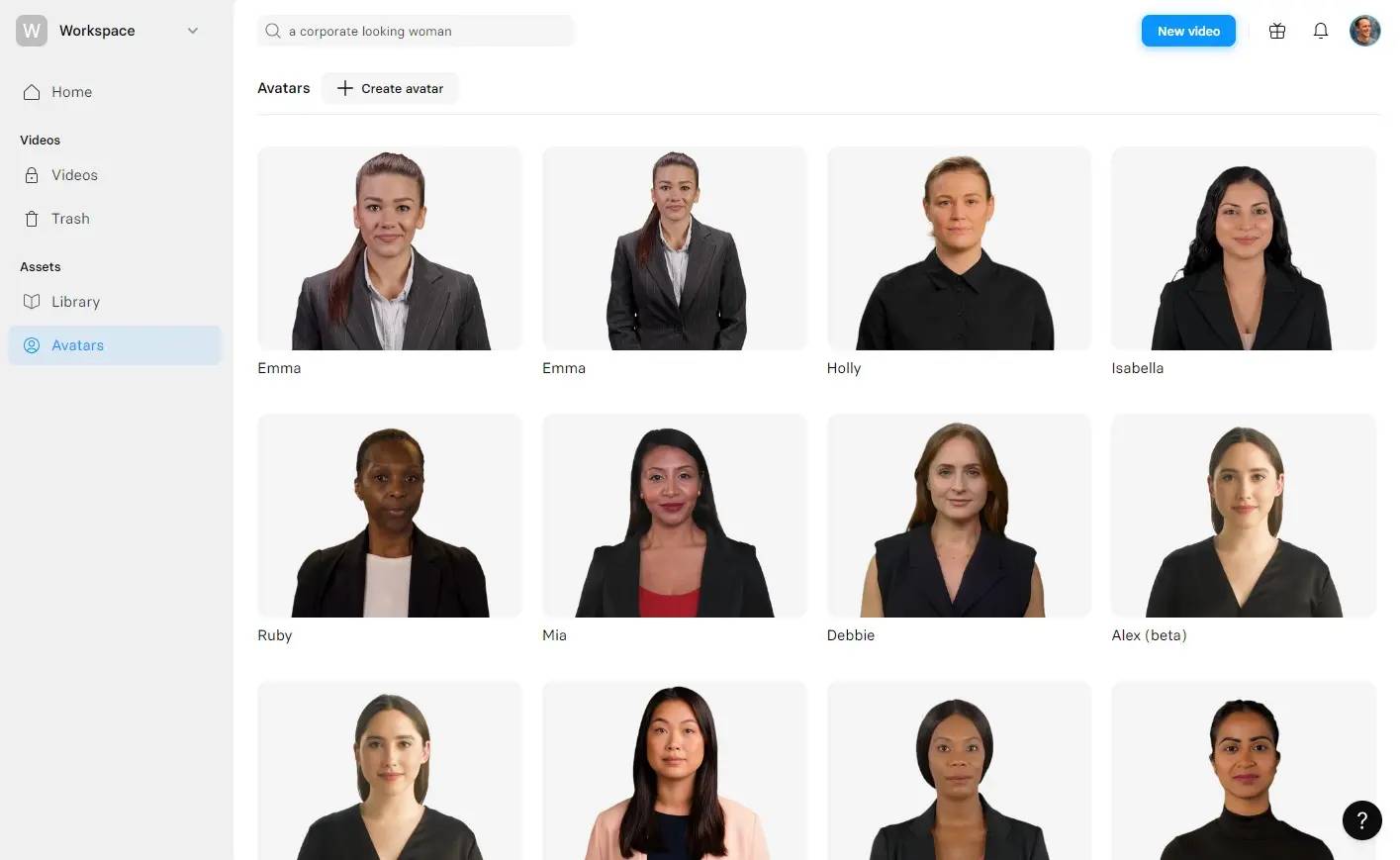
These avatars are created using multi-camera filming techniques to produce full-body models whose gestures and movements are synchronized with the script.
When creating Synthesia videos, you can change your avatar at any time. You can also display different avatars on each slide.
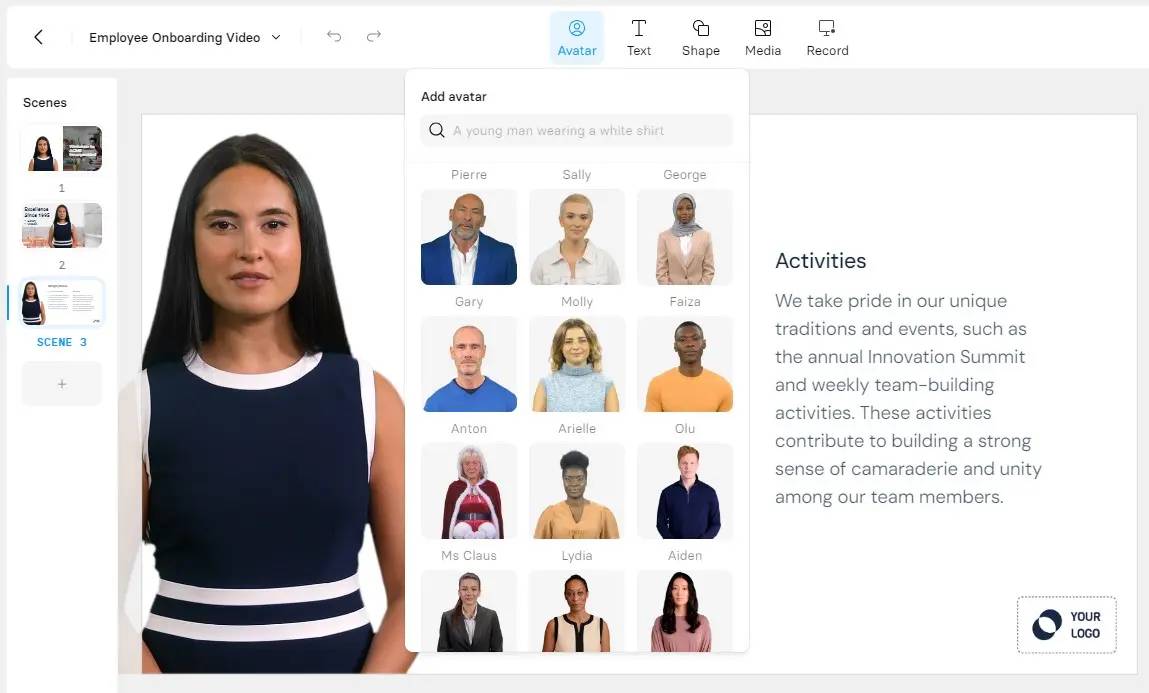
Synthesia also has the ability to create custom AI avatars based on your images. (You can also "clone" your voice.) The main drawback is that custom AI avatars cost $1,000 per year, which is higher than the Synthesia subscription fee.
After adding a script to the presentation creation tool, you can customize the avatar's performance with gestures and expressions. With Avatar Express-2, these movements are now automatically generated in sync with the script, making the avatar look much more natural without manual adjustments. This eliminates one of the biggest drawbacks from previous versions, where timing could be difficult and time-consuming. Learn more about the process by watching this video:
Text-to-speech
Synthesia currently offers over 140 languages and accents, along with a wide variety of tones. Recent upgrades to its voice technology have also raised the bar – to the point that in blind tests, Synthesia's voices are rated highly compared to other leading models. For English voices alone, Synthesia includes a wide range of accents, from Irish and Nigerian to Indian, and most voices offer numerous variations and styles.
After adding the script, you can change the avatar's voice at any time. You can also change the language, although that requires you to change the script's language.
When browsing through the available voices, you can listen to a short sample of each voice. Each voice is labeled, for example, "realistic" or "professional".
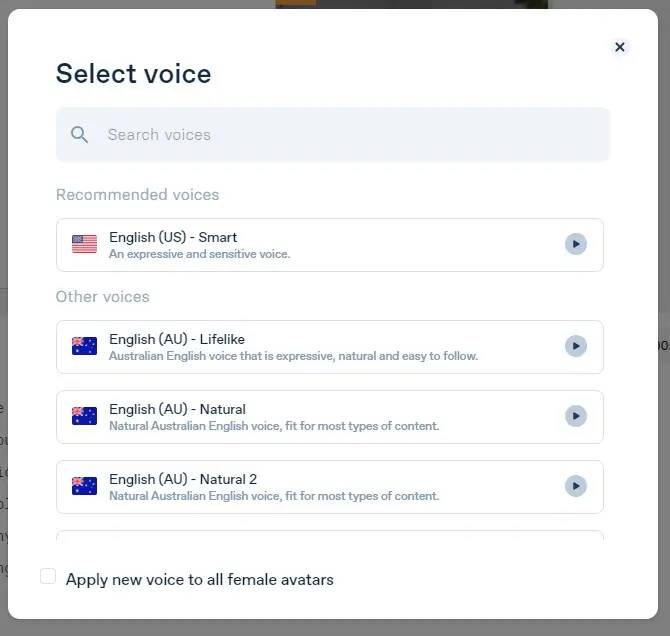
The quality is inconsistent. Some AI voices are excellent; many are quite good; others sound very robotic and monotonous. The Spanish voices are acceptable, but still sound quite robotic. It's possible Synthesia loaded the latest voice models without removing the older ones; therefore, users need to experiment to distinguish between good and bad voices.
Synthesia's AI voices—even the best ones—don't pronounce everything perfectly. In my experience, there's probably a word mispronounced in some way on every slide. Synthesia struggles with pronouncing five words naturally. Fortunately, there's a solution: Synthesia's Diction feature, which lets you provide custom pronunciation guidance. Overall, this feature works well.
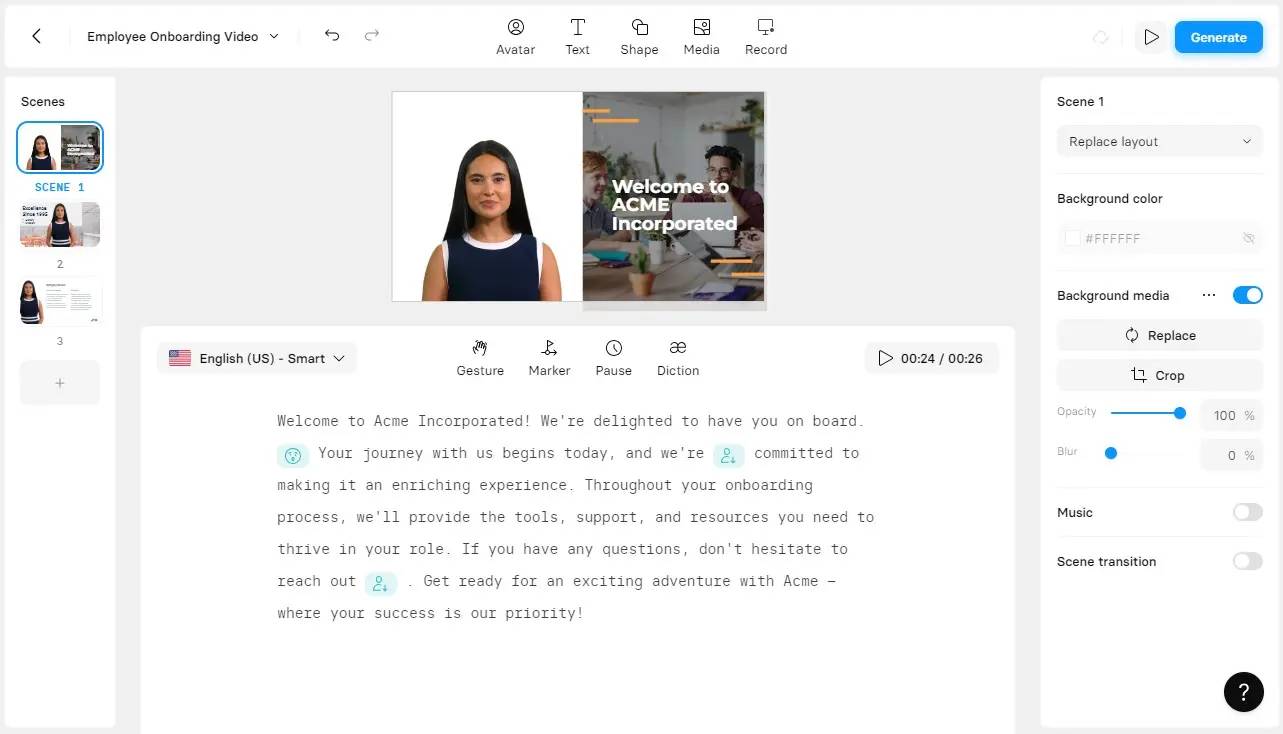
Synthesia's text-to-speech tool also allows you to add pauses anywhere in the script and automatically generate subtitles in the final video – a key feature that enhances accessibility for corporate video production.
Designing a presentation
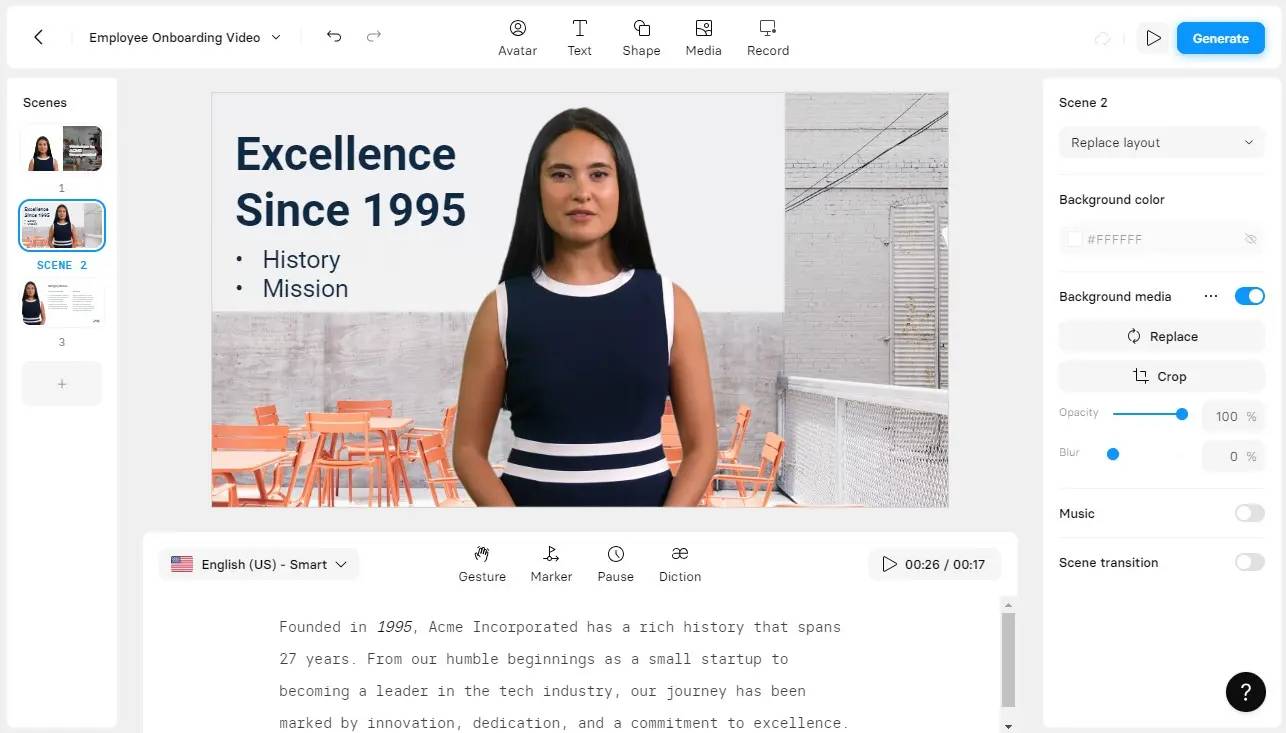
One of Synthesia's highlights is its user interface, which is very familiar from the first use. Creating videos with AI is very similar to composing a PowerPoint presentation. The learning process is quick, and features like Synthesia's AI scripting assistant and over 65 video templates make video creation easy.
Like other presentation tools, you can use animations to make your presentations more lively. Synthesia also includes a built-in screen recorder, perfect for creating product demonstrations and tutorial videos. Collaboration features allow colleagues to add comments after your video is complete; each comment is linked to the video's timestamp, so you can quickly see what needs to be changed.
For such an advanced platform, it's surprising how intuitive the tool is. In my experience, there's only one problem: speed. Creating a 1-minute video takes about 15 minutes. While this is understandable, as animating AI avatars requires a significant amount of computing power, navigating the rest of the slideshow tool is also a bit slow.
See also this guide: How to use Synthesia to create simple AI videos.
Related Articles
 9 Best AI Video Creation Tools12 minutes read
 Google Veo 3: Is It Time for Full-fledged, End-to-end AI Video?9 minutes read
 How to Add AI Background Music to Videos on Google Vids3 minutes read
 PhotoPrism Explained: How It Works and Key Features10 minutes read
 How to Create a Long Video on Grok10 minutes read
 How to Create a 3D Animated 'Stomach Crying for Help' Video with Veo 3 in Genminigen AI7 minutes read
Reader Comments 0
Sign in with email or Google to join the discussion.