Table of Contents
This guide provides detailed instructions on how to create a Telegram bot using BotFather and connect the API to n8n to automate the messaging process effectively.
Instructions on how to create a bot on Telegram
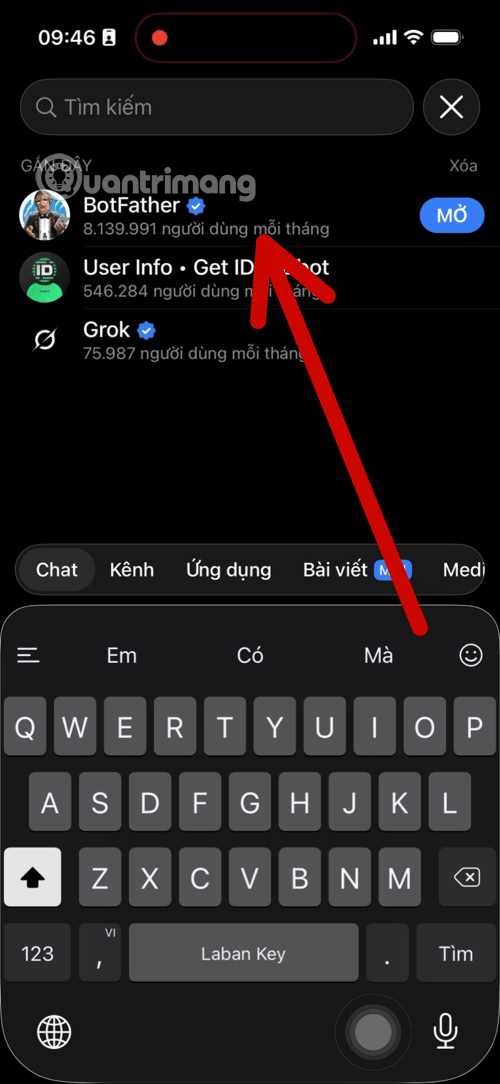
Step 1: Search for and launch BotFather
First, you need to access the Telegram app and search for the official bot management tool.
Open the search bar on Telegram and type in the keyword "BotFather". Choose the result with a blue checkmark to ensure safety.
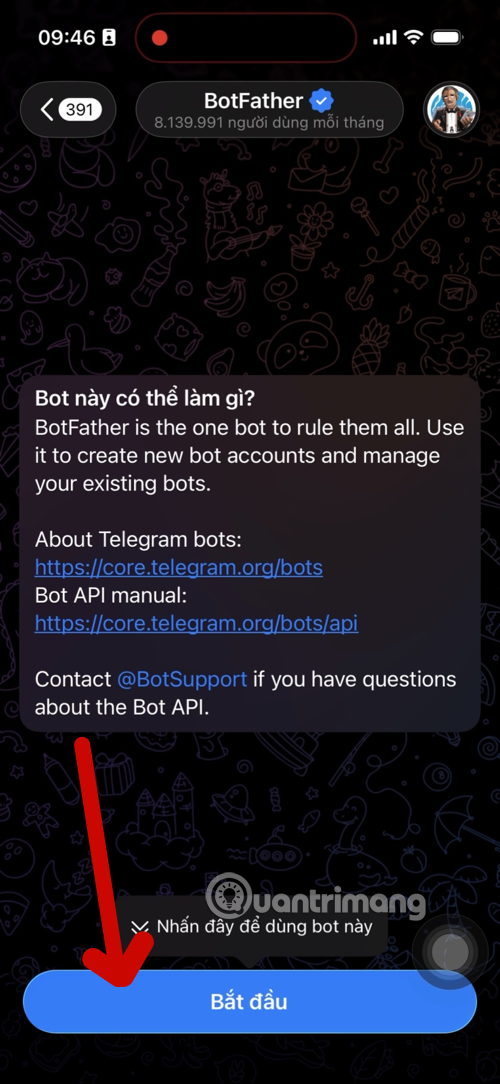
Press the Start button to see a list of control commands.
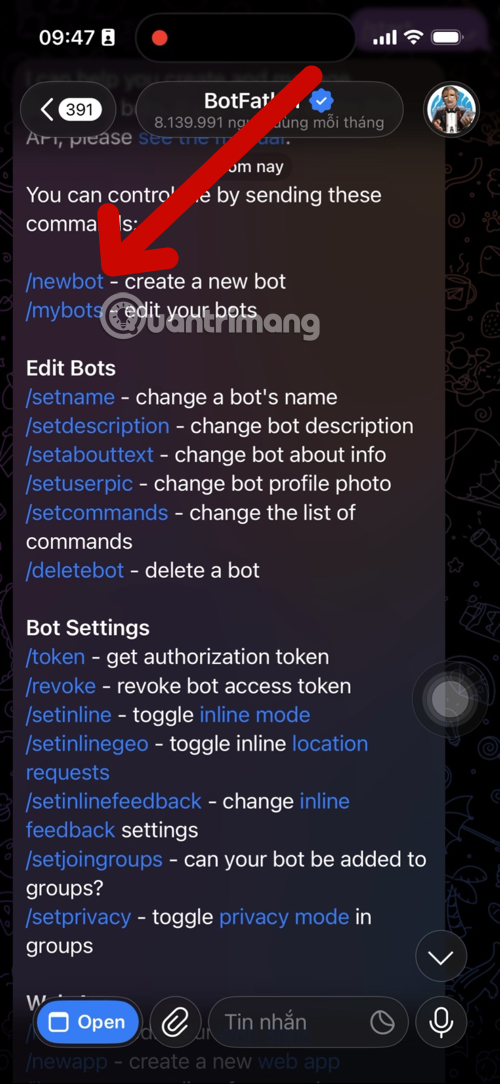
Step 2: Create a new bot using the command /newbot
After activating BotFather, proceed with the steps to set up an identity for your bot.
Send commands /newbotthrough the chat window.
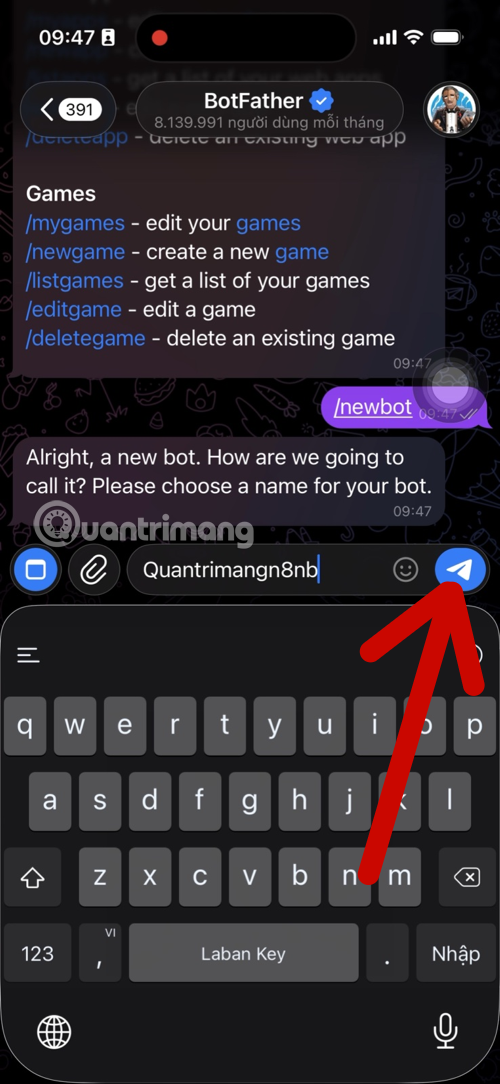
Set the display name (Name): This is the name the user will see when chatting with the bot (Example: TipsMaken8nb).
Set Username: This is a unique identifier and must end with a wordbot (e.g., QTMn8n_bot).
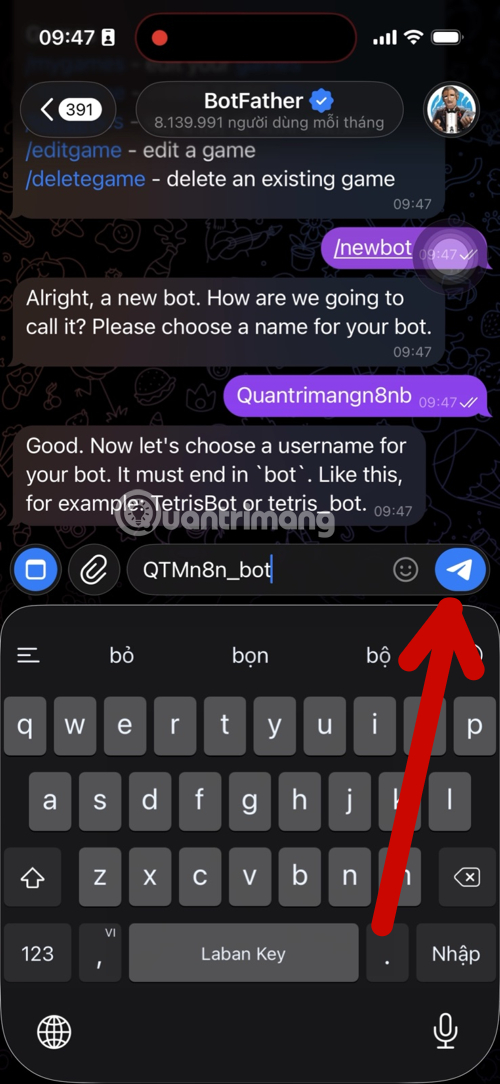
Step 3: Obtain the HTTP API Token
Once you've finished naming it, BotFather will send you a congratulatory message along with the most important "key".
- Copy the string of characters located in the " Use this token to access the HTTP API" section.
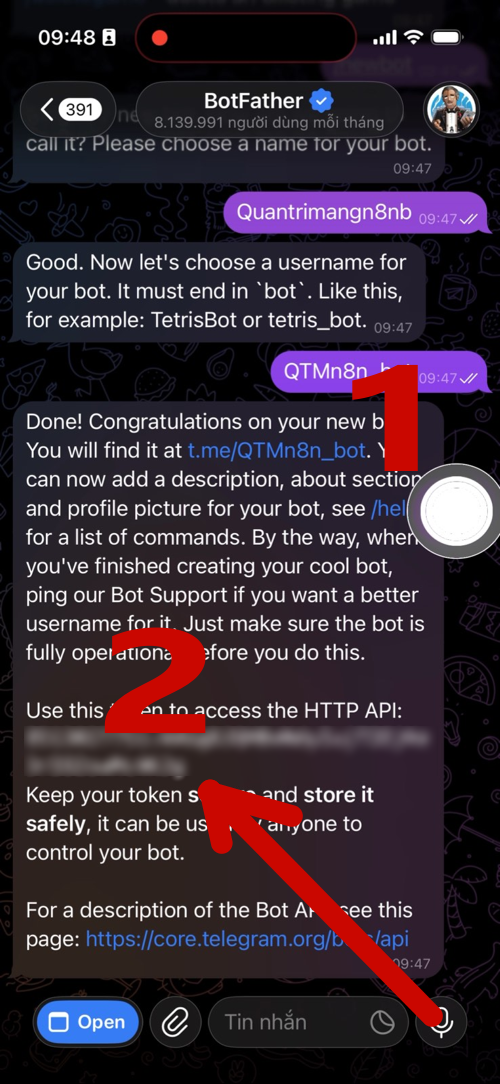
- Note: Please keep this token very secure, as anyone with this code can control your bot.
Step 4: Test the Bot's functionality
Before connecting to n8n, you need to check if the bot is ready.
Click the link t.me/[tên_bot_của_bạn]in BotFather's message to open the bot. (Part 1 in the image above)
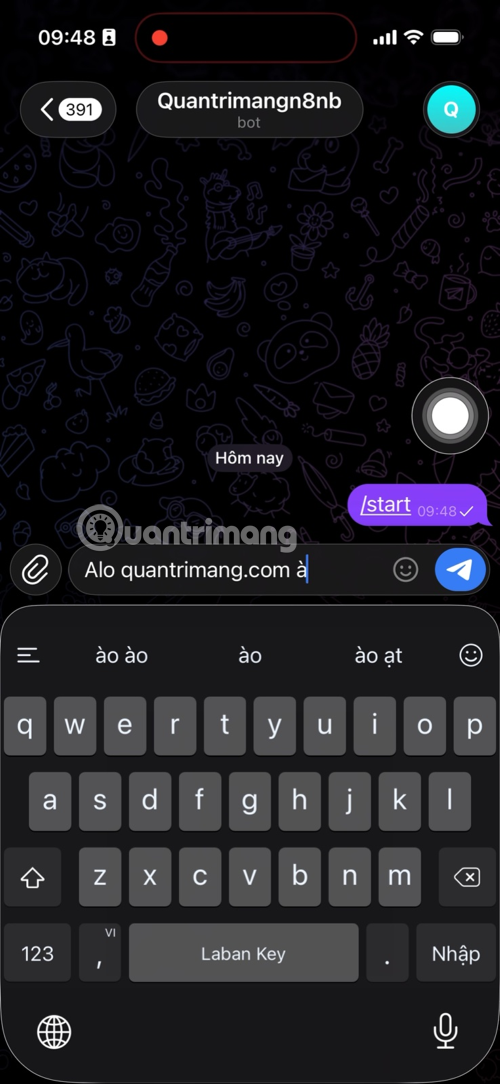
Press Start and send any test message (e.g., "Hello, TipsMake.com?").
Step 5: Add the Telegram API to n8n
This is the final step in integrating the bot into the automation process.
- In the n8n interface, add a Telegram node (usually the Send a text message node ).
- In the Credential section, select Create New and paste the API Token you obtained in Step 3.
- Set the content of the message to be sent in the Text section; you can use expressions to retrieve data from previous nodes (e.g.,
{{ $json.noi_dung_bao_cao }}). - Press Execute Step to check. If the message is successfully sent to Telegram, you have completed the integration.
See details at: Detailed guide on how to quickly integrate Telegram API into n8n
What can Telegram bots do?
Many people think Telegram bots are simply "automatic replies." In reality, when combined with n8n, a properly configured bot can handle a range of repetitive tasks that you previously had to do manually every day.
- Scheduled automated report delivery: The bot can pull data from Google Sheets, databases, or internal APIs, then compile it into a report and send it directly to your team's Telegram group at the exact time you set - 8 AM, 5 PM, or any other time.
- Real-time alerts: When a system error occurs, a new order is placed, or a metric exceeds a threshold, the bot immediately pings the relevant person in charge – much faster than email or dashboards.
- Collecting user data: Bots can ask questions, receive answers, and push the data directly into Google Sheets, Notion, or CRM systems – turning Telegram into a mini survey form or internal data entry tool.
- Control the n8n workflow with chat commands: Instead of having to open a browser, log into n8n, and manually press buttons, you just type a command into Telegram like
/baocao`n8n` or/xuathang`n8n` - n8n receives the command and runs the workflow immediately. - Internal information distribution: Meeting schedule announcements, policy updates, deadline reminders - all sent to the right people, the right group, at the right time, without anyone having to manually compose and send them.
Benefits of creating a Telegram bot for businesses and individuals.
Investing time in setting up a Telegram bot to connect to n8n usually only takes a few hours, but the benefits last for months, even years afterward.
- Significant time savings: Repetitive tasks like sending morning reports, compiling end-of-day data, or setting reminders can take up 30–60 minutes a day for an employee. Bots handle everything in seconds, without supervision.
- Reduced human error: Manually copying and pasting data is prone to errors. When data is automatically processed through n8n and then to Telegram, everything is retrieved directly from the source – no human intervention, no risk of typing errors.
- No need for a separate app: Instead of spending money on hiring internal notification software, you can leverage Telegram – the messaging app your team already uses daily. No additional installations or employee retraining required.
- Easily expandable to meet your needs: Start with a simple workflow like sending order notifications, then you can expand to include confirmation features, processing workflows, or integrate other services like Gmail, Slack, or ERP systems—all within the same n8n platform.
- The cost is virtually zero: The Telegram Bot API is completely free. n8n has a free self-hosted version. You only need a small server or even a VPS costing a few dollars a month to run the entire system.
Related Articles
 Detailed Guide on How to Quickly Integrate the Telegram API into N8n9 minutes read
 Instructions for Using Free Chat Software Telegram on Your Computer4 minutes read
 How to Create Secret Telegram Messages: Clear Instructions4 minutes read
 How to Create a Telegram Group Topic for Discussion4 minutes read
 How to Create Your Own Telegram Sticker8 minutes read
 How to Generate QR Code for Telegram Account3 minutes read
Reader Comments 0
Sign in with email or Google to join the discussion.