Table of Contents
Meta AI provides several tools to help you enhance your images, such as creating motion for still images based on the content you input.
Meta AI now supports creating high-quality, sharp videos from images using a prompt you input. Importantly, you can add music to your videos with many different genres and themes to choose from. Furthermore, the style of the video you create in Meta AI makes it more engaging. Below is a guide on creating videos from images using Meta AI.
How to create a video from images using Meta AI
Step 1:
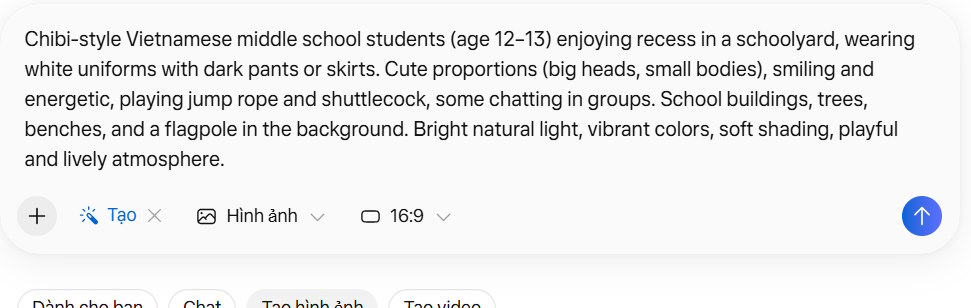
First, access Meta AI using your Facebook account, then enter the command to create an image along with your chosen dimensions below.
Step 2:
Meta AI displays the image created from the command you entered. You can then view the image you like best and click on the image you want to convert into a video.
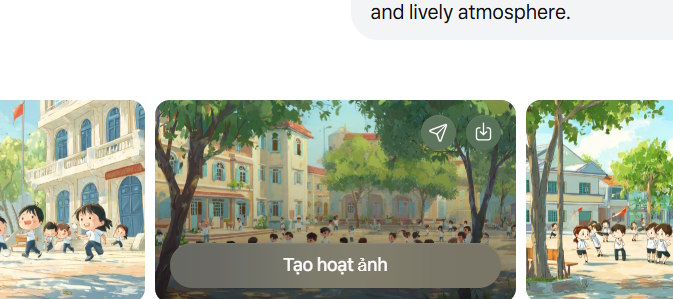
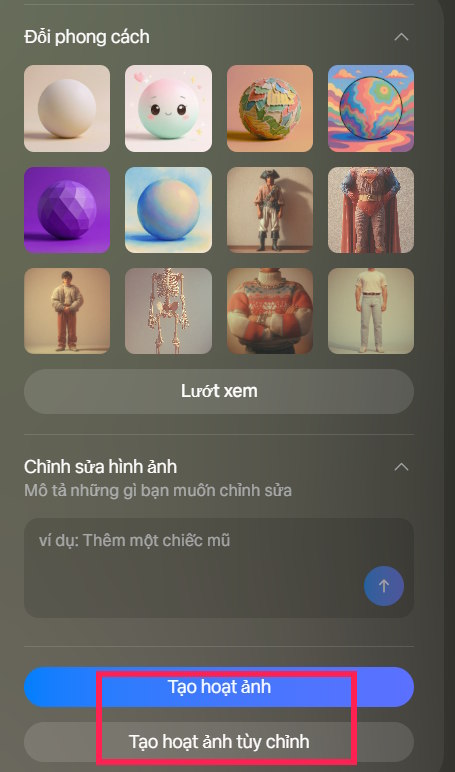
Next to your image, you'll see the option to create a short video. You can click "Create animation now" to convert the image into a 5-second video, or you can click " Create custom animation ".
Step 3:
Then, an interface will appear allowing you to input a prompt to create animation for the video. You can use ChatGPT to create videos from photos on Meta AI.
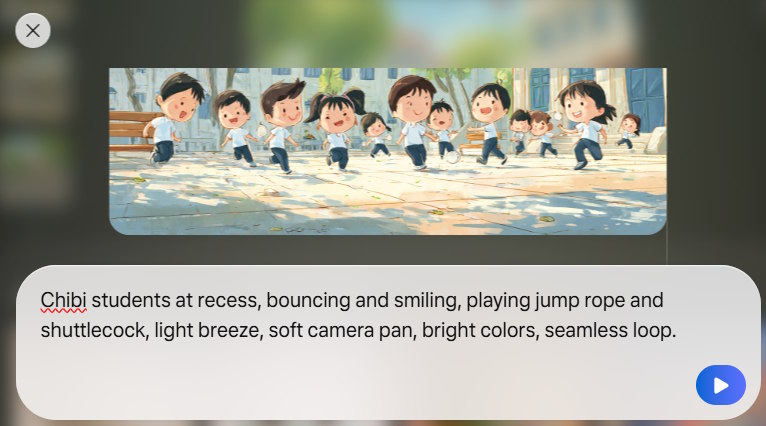
The result is a video created in Meta AI. To increase the video length, on the right side of the interface, select "Extend animation". This will increase the video length to 9 seconds.
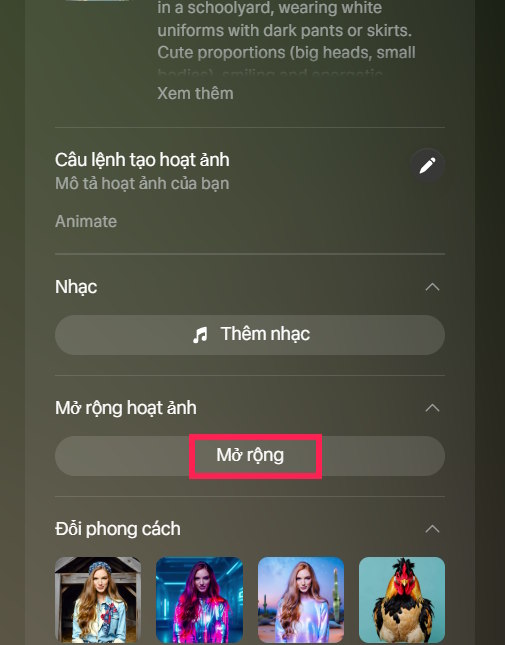
As a result, you now have a 9-second video. You can now add music to the video to make it more lively.
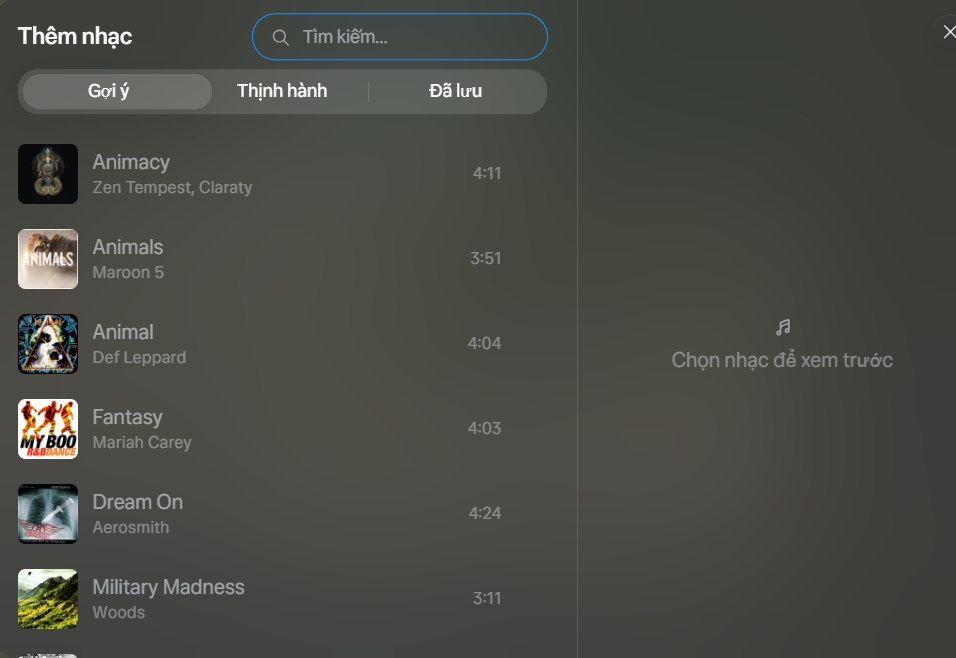
Step 4:
Finally, we click the save icon in the upper right corner of the interface to download this video.
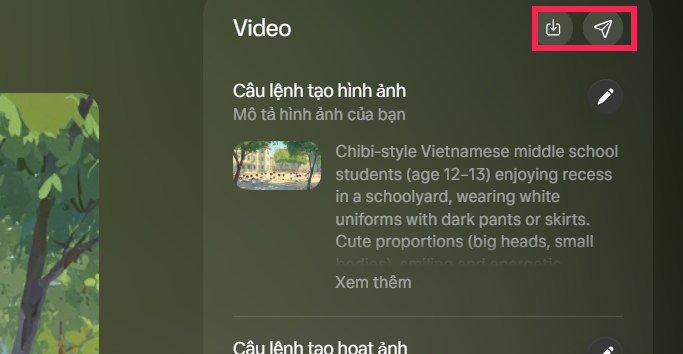
Overall, the video quality created on Meta AI is average, lacking the movement and realism of other AI video creation tools, so you need to be mindful of that.
How to add motion to photos using Meta AI
Step 1:
We access the Meta AI website, then you need to log in using your Facebook account.
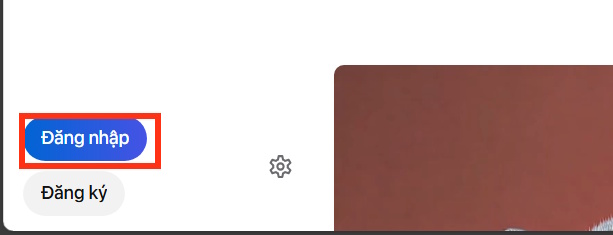
Step 2:
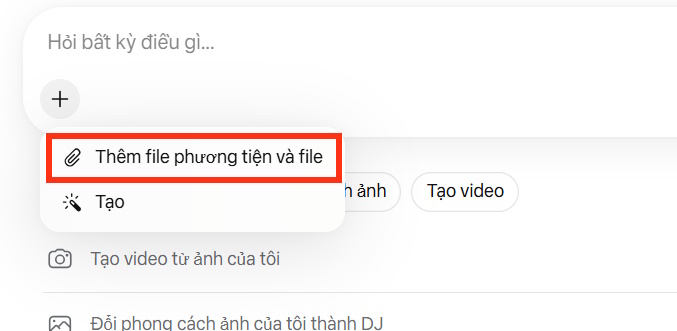
Next, we click the plus sign in the chat box to upload a static image to Meta AI.
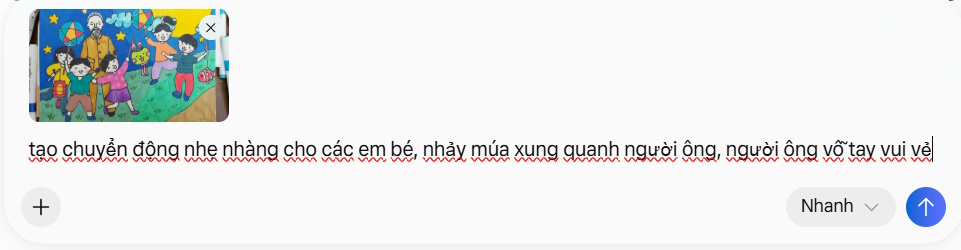
Once the image has been successfully uploaded, enter the command to create motion for the characters or subjects in the image, providing a brief and detailed description of the movement so that Meta AI can easily analyze and execute the command.
Step 3:
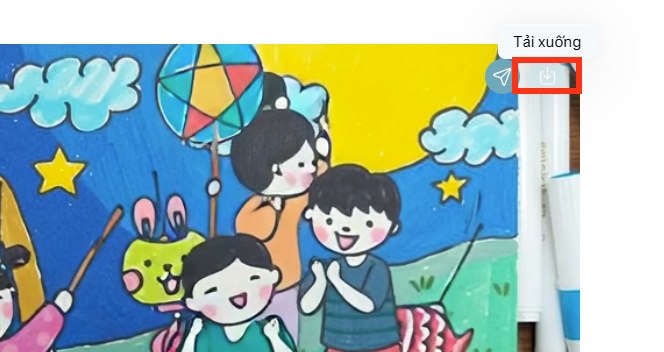
Wait a moment and you'll have a video created from the photos you uploaded to Meta AI. To download the video from Meta AI, simply click the save icon.
Basically, creating motion from photos on Meta AI is only at an average and very simple level. For more advanced motion effects, you should use Google Flow or Grok AI to get videos with richer motion.
- The most complete and detailed guide on how to create videos on Grok AI in 2026.
- Turning two photos into one video using Google Flow is very simple.
You can refer to the video below for instructions on creating a Meta AI model.
Related Articles
 Guide to Creating Visual Simulations Using Muse Spark on Meta AI4 minutes read
 How to Create AI Instagram Story Videos: Step-by-Step Guide3 minutes read
 Instructions for Using Imagine with Meta AI to Create Images from Text Explained6 minutes read
 Guide to Creating AI Images Automatically with N8n and OpenAI10 minutes read
 How to Create GIF Images on Viber2 minutes read
 Meta Launches Vibes: New AI Video Feed, Potential TikTok Rival?4 minutes read
Reader Comments 0
Sign in with email or Google to join the discussion.