Table of Contents
Restoring an unknown Windows “Ghost” image gives its creator control over the operating system, installed software, and settings you inherit. For a personal or work computer, official installation media or a backup you created yourself is usually a more accountable choice.
Disk imaging itself is a useful backup and deployment technique. The concern is the trustworthiness and suitability of the particular image, not whether its filename ends in GHO, TIB, or another archive extension.
Why ready-made images are attractive
An image can restore Windows, applications, and settings together, reducing repeated setup work. Organizations also use tested reference images to deploy consistent systems. Recovery speed depends on the archive, hardware, and configuration; there is no universal completion time.
The convenience is valuable only if you know what the image contains and can maintain the restored system afterward.
You cannot easily audit the inherited system
A public image may contain added applications, services, scheduled tasks, account settings, or changes to security controls. An image described as “clean” or “optimized” does not provide independent evidence of those claims.
This does not mean every shared image is malicious. It means that a familiar username, download count, or reassuring comment thread is not enough to establish how the system was built or whether it has been altered since.
Bundled cracked applications and unofficial activation tools add further uncertainty. Microsoft notes that pirated downloads can be bundled with malware and unwanted software in its malware-prevention guidance. Do not disable protection just because the image's instructions ask you to ignore detections.
A matching checksum has limits
A checksum can confirm that a downloaded file matches the version associated with that checksum. It does not prove that the original image was trustworthy. If an untrusted distributor supplies both the archive and its checksum, matching them does not independently establish a safe system.
Hardware and maintenance may not match your PC
Images prepared on different hardware may lack the required storage, network, or graphics drivers. They may also include unnecessary drivers or configuration choices. Compatibility depends on the preparation and target hardware, rather than on a “multi-configuration” label.

It is inaccurate to claim that every restored image is slower than a fresh installation. A well-prepared image can work well. Problems arise when the particular image is outdated, poorly configured, or unsuitable for the target.
Check Windows support status, update behavior, firmware mode, disk layout, and application licensing. An image that boots successfully may still need substantial maintenance.
Prefer an official installation or your own tested backup
- Install Windows from official Microsoft media appropriate to the computer and license.
- Install the required updates and manufacturer drivers.
- Add only the applications you need from their publishers.
- Create a system backup on separate storage.
- Test that the recovery media can find the backup and, where practical, verify a restore on spare hardware or a disposable VM.
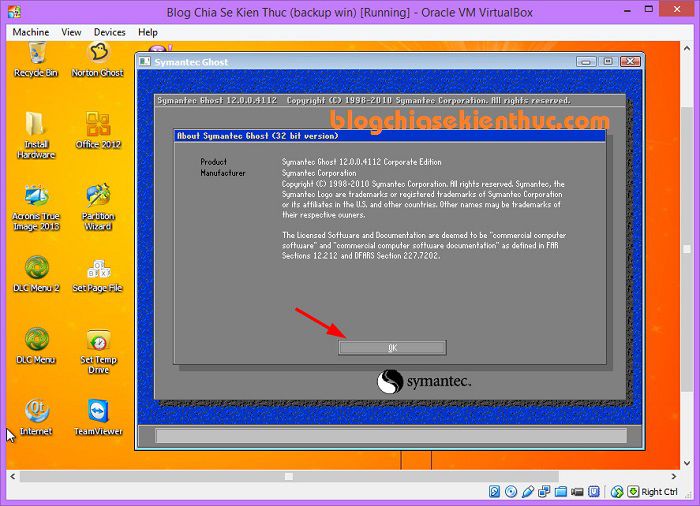
The Windows installation USB guide and system image backup walkthrough provide starting points.
When a supplied image can be appropriate
A manufacturer's recovery image for your exact model or an image supplied through your organization's managed deployment process has a clearer source and purpose than an anonymous public archive. Still confirm the intended device, included software, and restore effects.
If you lack installation experience, ask a trusted technician to use official media or the manufacturer's documented recovery process. Convenience does not require handing an unknown system image your everyday accounts.
If you already installed an unknown image
Do not assume that removing visible bundled apps proves the system is trustworthy. Back up personal documents, review account security from a trusted device if you suspect compromise, and consider a clean installation from official media to establish a known starting point. Keep executable files and scripts from the old installation separate until you have assessed whether they are needed and trustworthy.
Related Articles
 How to ghost UEFI-GPT standard tib file for computer, laptop
 Instructions to use Onekey Ghost to create and extract Ghost files quickly
 How to create Ghost files and extract ghost files with Norton Ghost
 How ghost Windows 7/8, Windows 10 with OneKey Ghost
 Impressive sentences of Jack Ma with Vietnamese students
 Link Download Windows And Ghost Windows Latest 2020
Reader Comments 0
Sign in with email or Google to join the discussion.