Table of Contents
dbForge Studio for MySQL is a graphical development and administration tool for working with MySQL and supported related database services. It can help with SQL editing, database design, comparison, data transfer, and administration, but it does not replace the database server.
A database server and a GUI are different tools
MySQL Server stores data and executes database operations. A client such as dbForge Studio or MySQL Workbench connects to that server and provides an interface for running queries and managing objects. Installing a GUI alone does not necessarily create a running local database.
If you are learning the distinction, see installing MySQL Workbench for another client example.
Features to evaluate
The screenshots illustrate an older release. Feature availability depends on the edition and supported server version; confirm the current edition matrix before purchasing.
Visual database design
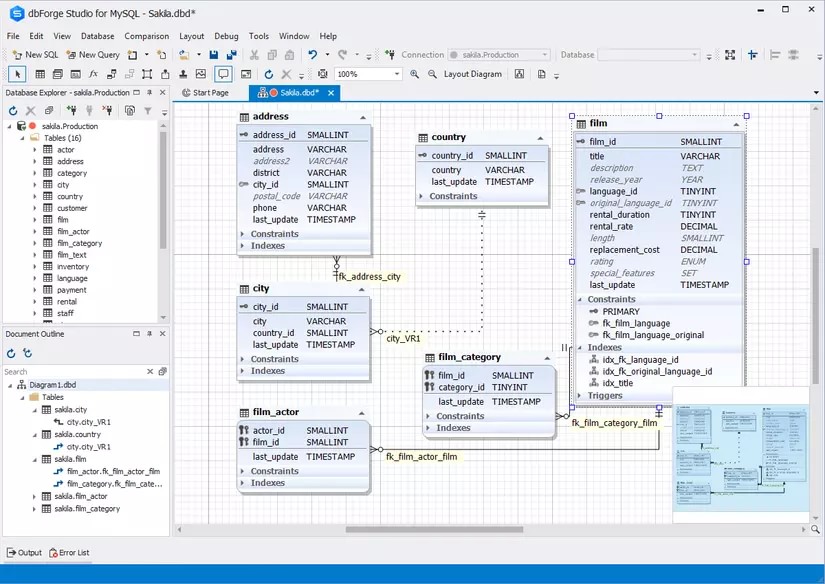
Diagrams and table designers help inspect relationships and define columns, indexes, and constraints. A diagram is useful for understanding a schema, but changes still need review and testing.
Schema and data comparison
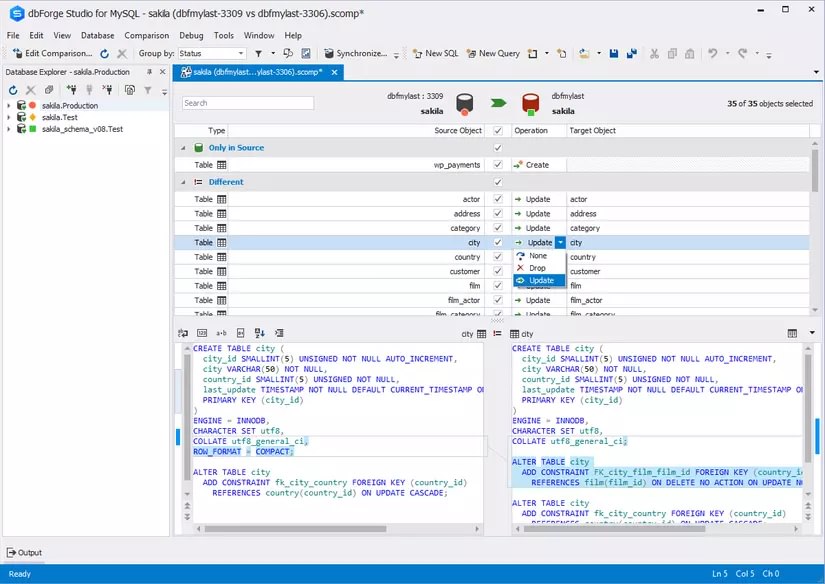
Comparison tools can reveal differences between development and staging databases. Inspect the generated synchronization script before running it: the wrong source/target direction can overwrite or drop objects.
Test-data generation
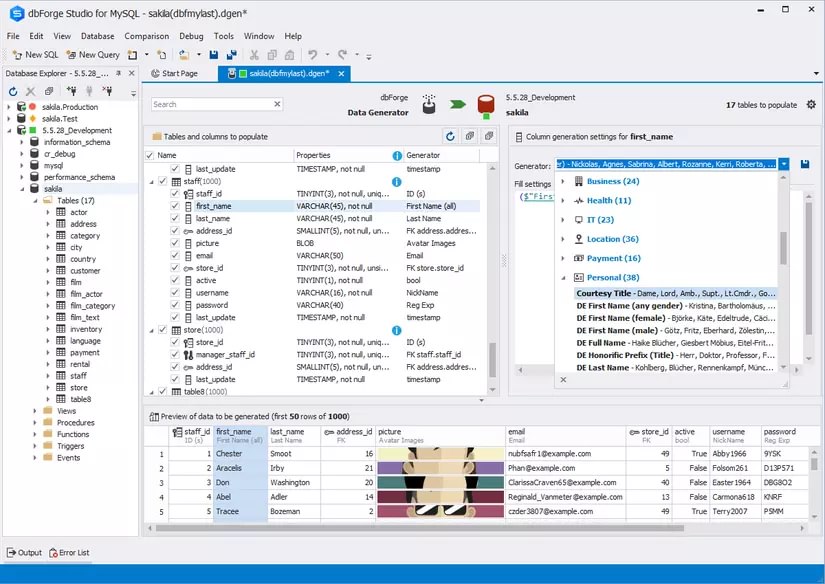
Data-generation features can populate a test database. Check current edition limits rather than relying on an old trial row count. Generated data should satisfy relationships and constraints without copying sensitive production records.
Backup and restore
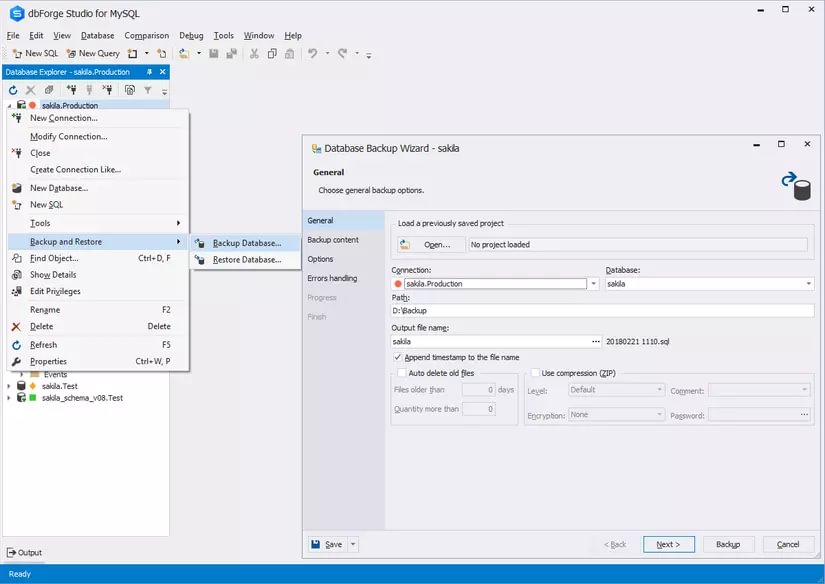
Backup tools simplify export and recovery tasks, but a backup is only useful if it can be restored. Test restoration into a separate environment and confirm that the required objects and data are present.
Query analysis
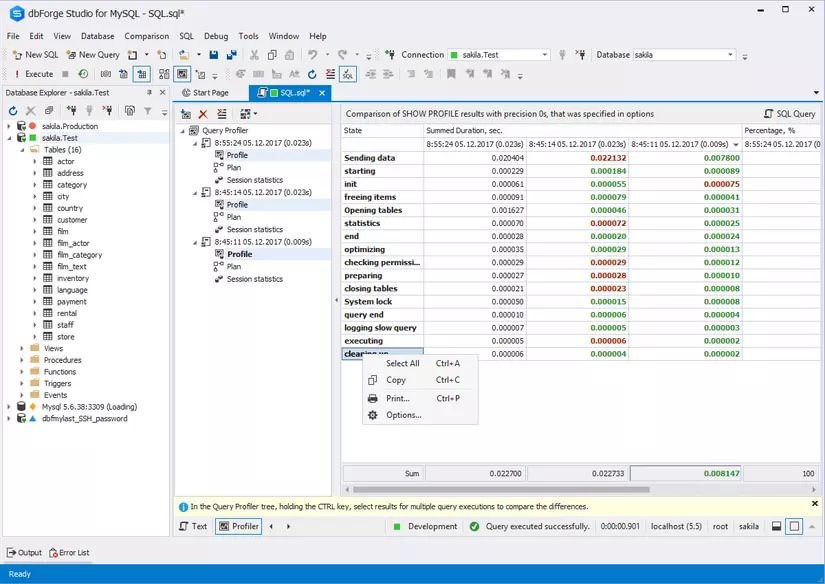
A profiler can help examine query behavior. Use representative data and execution plans to investigate a bottleneck rather than assuming a suggested rewrite is faster. For related options, see SQL query optimization tools.
SQL completion and formatting
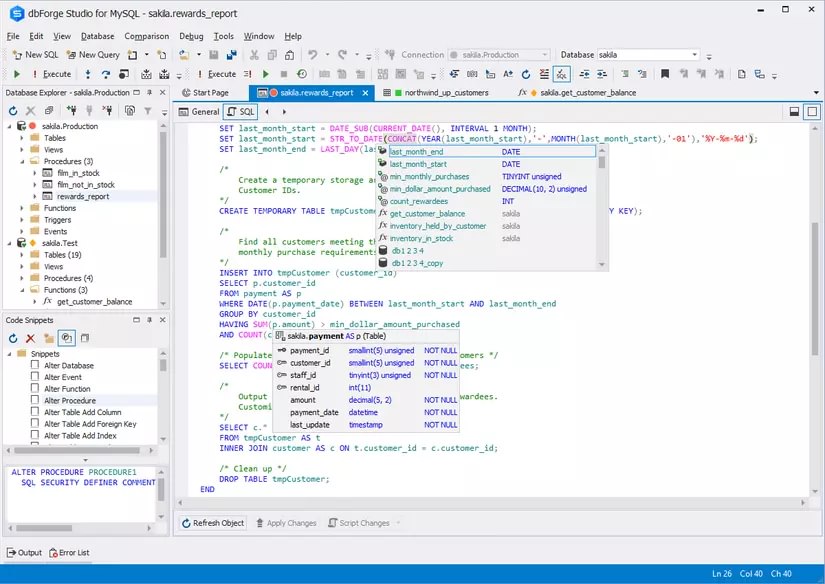
Completion and formatting can reduce repetitive work. Check suggested identifiers against the selected schema and understand the SQL before executing it.
Reporting and documentation
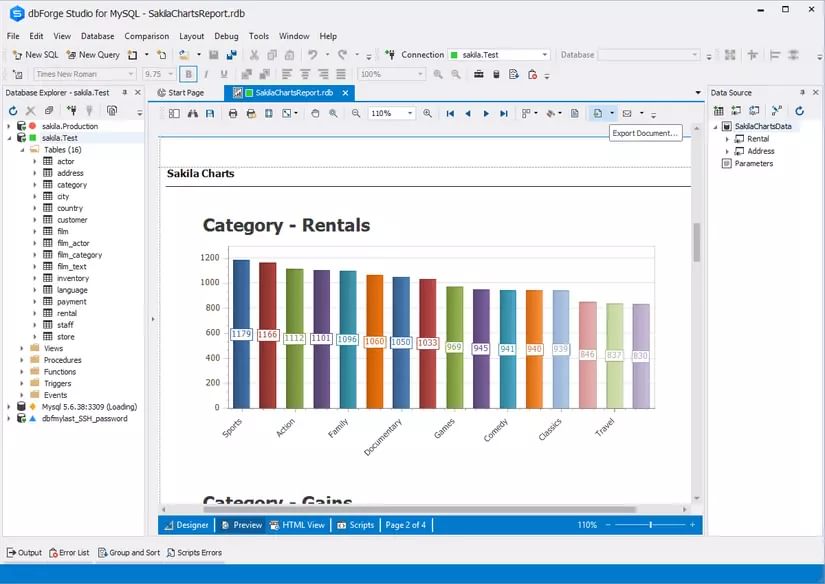
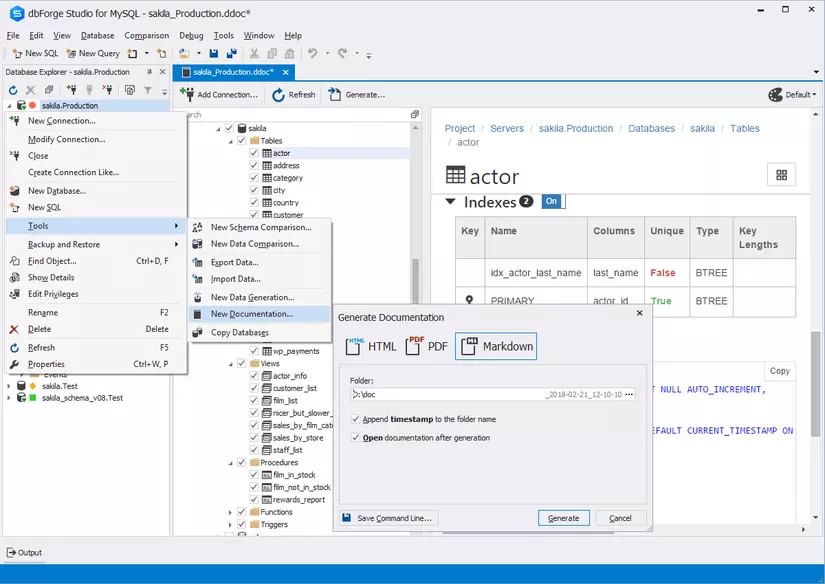
Reporting and visualization tools can present results, while documentation features help record database structure. Review exported reports for confidential data before sharing them.
Import, export, and debugging
Data-transfer options vary by format and edition. Test mappings, character encoding, dates, null values, and duplicate handling with a small sample. Debugging capabilities also depend on the database objects and server support.
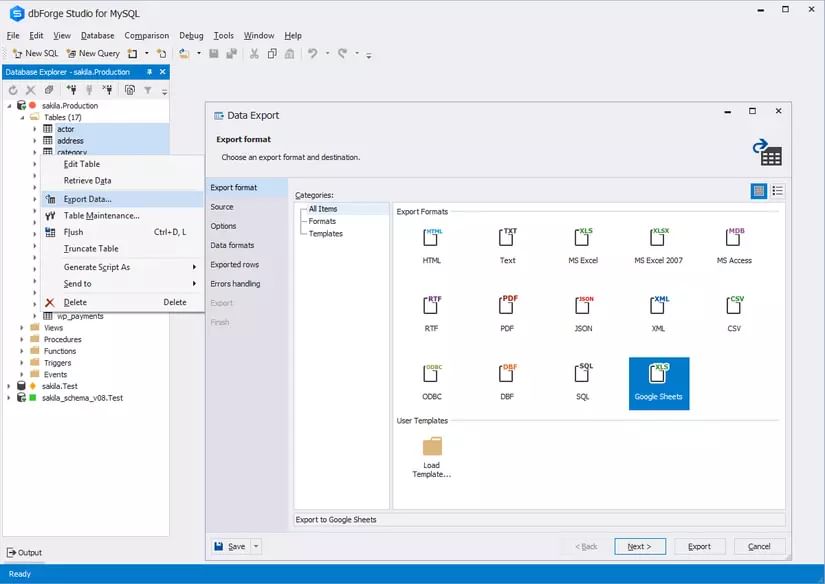
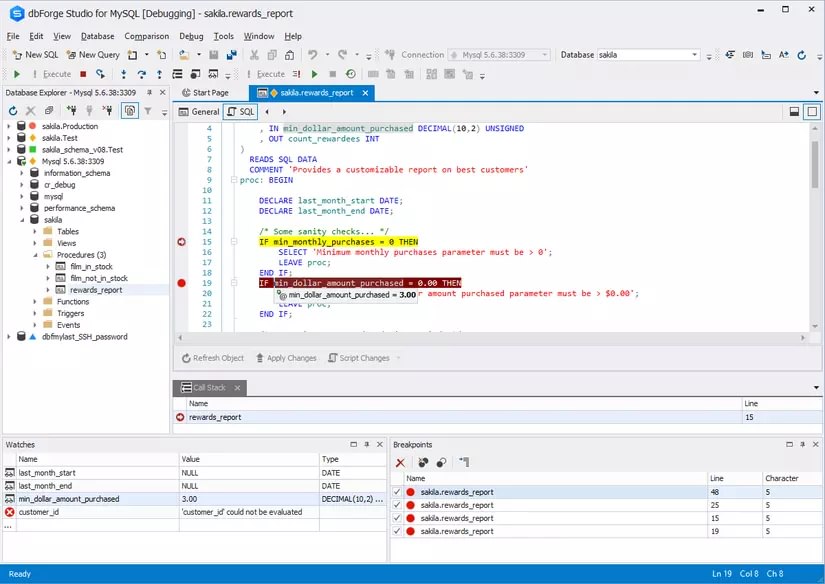
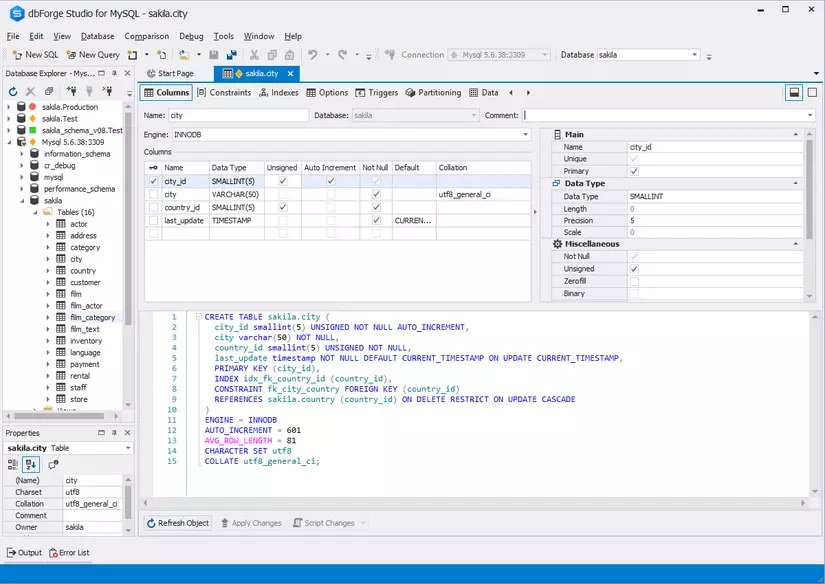
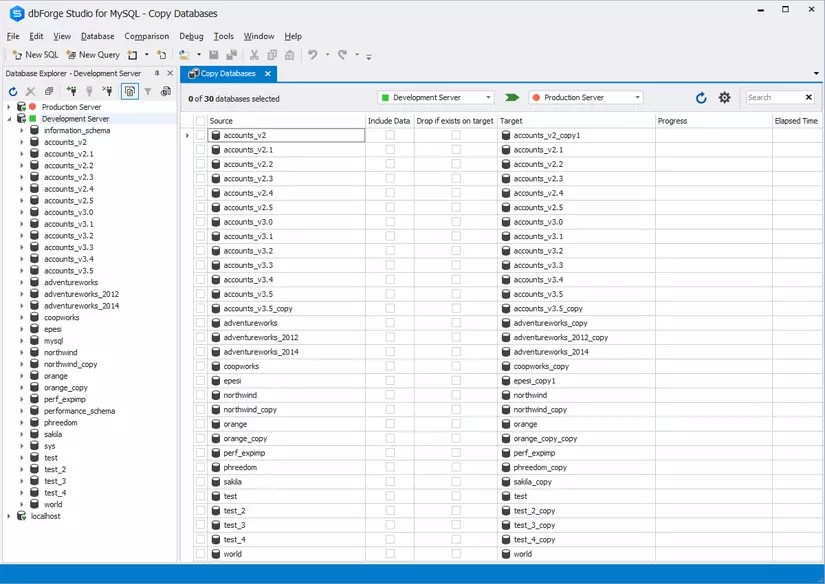
Table editing and database copying
Visual table editing and server-to-server copying can save time, but both can change real data. Verify the active connection, selected objects, destination, and permissions before applying changes.
Limitations and licensing
Choose the product for your database engine; similarly named dbForge editions for other engines are separate offerings. Compare only the features your workflow needs.
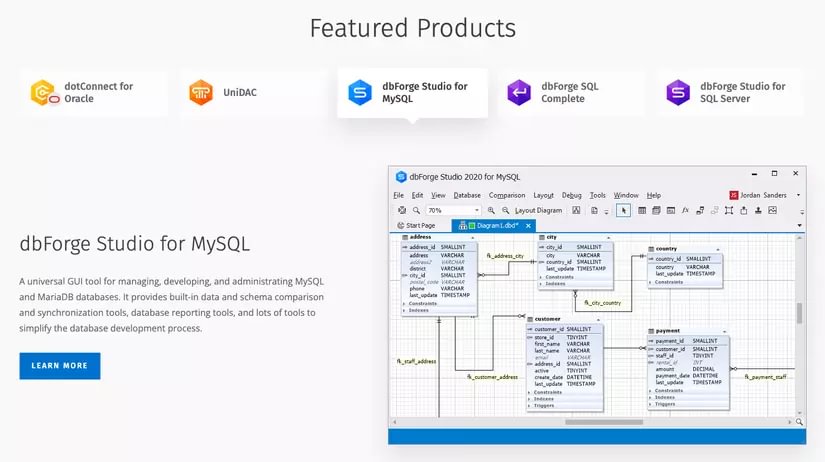
Prices, trial restrictions, and edition bundles change. Use the publisher's current terms and a valid license rather than a workaround or modified installer.
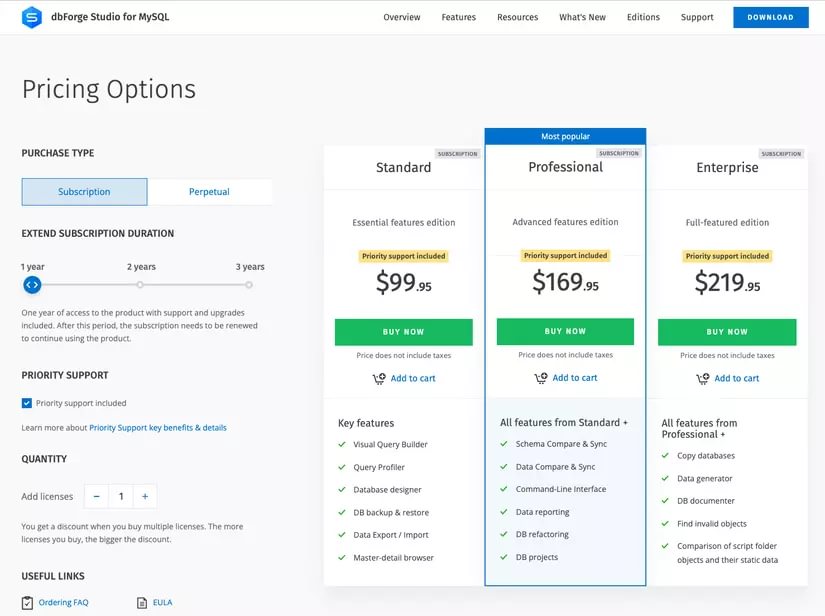
Historical pricing illustration; check current terms before making a purchase.
The product is a Windows application. Devart documents running it on macOS and Linux through CrossOver; check the current requirements and compatibility before choosing this route. It should not be described as a native application on every platform.
Evaluate it on a disposable database first
- Download from the official dbForge Studio for MySQL page.
- Connect to a local or test server using an account with only the required permissions.
- Try a representative query, schema comparison, import, and backup/restore workflow.
- Inspect generated SQL and compare the results with your expected data.
- Decide whether the edition's features justify its cost for your actual work.
Beginners should learn SQL and database fundamentals alongside the GUI. A convenient interface can reduce typing, but it cannot determine whether a query or schema change is correct for your application.
Related Articles
 Best tools for designing and administering Mysql databases
 5 best SQL query optimization software to speed up MySQL
 Backup and restore MySQL with mysql-zrm on Debian Sarge
 What Is MySQL? A Beginner’s Guide to the Database Server
 How to Send Sql Queries to Mysql from the Command Line
 How to install MySQL on Ubuntu 20.04
Reader Comments 0
Sign in with email or Google to join the discussion.