Table of Contents
For those who use this Messenger for PC version, you need to perform some operations to avoid losing messages.
15/12 Messenger on computer officially stopped working, including Windows and Mac versions. For those who use Messenger for computer, You should do some operations to avoid losing data, especially messages. Below are some operations to do before Messenger computer stops working.
Instructions for storing Messenger messages on your computer
After Messenger on the computer stops working, this guide will switch to using the web version of Messenger, or use it directly on Facebook web platform. Besides, the Messenger version for phones is also an option when Messenger on the computer stops working.
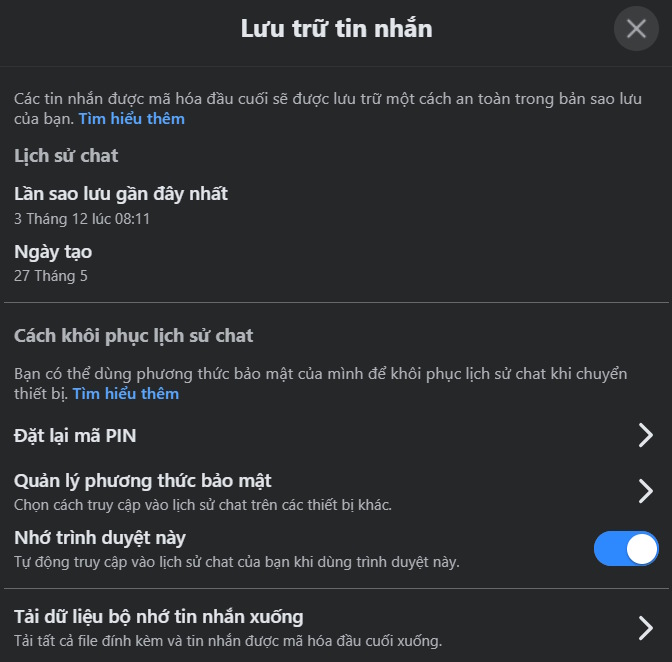
To avoid losing Messenger messages on your computer, you now need to enable Secure Storage mode and set up a PIN to log in to Messenger on other platforms without losing content.
At the Messenger interface, we go to Settings > Privacy & Safety > End-to-end encrypted chats , then select To enable Secure Storage .
Then we Enter the PIN code To synchronize chat history.
When you log in to Messenger on other devices for the first time, you will be asked to enter your PIN to retrieve your entire chat history.
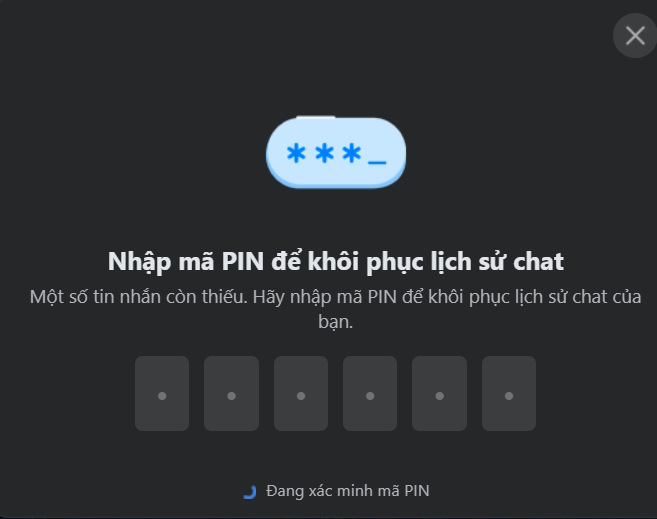
Immediately all Messenger message history on the computer will be displayed on other platforms for you to use. We need to enable this setting before December 15 to retrieve all Messenger messages on the computer.
FAQ
How do you fix messenger on a computer stops working?
In practical terms, for those who use this Messenger for PC version, you need to perform some operations to avoid losing messages.
What should you check before getting started?
Review the requirements, compatible device or software version, and any warnings described in the guide before making changes.
What should you do if the steps do not work?
Repeat the steps in order, confirm that your app or system is up to date, and review the troubleshooting details provided above.
Related Articles
 Sinhvienit.net Forum Stopped Working After 10 Years3 minutes read
 How to Unblock Messenger on Phone, Computer4 minutes read
 How to Fix Windows 11 Taskbar Not Working8 minutes read
 Have You Experienced 'My Day' on the Messenger App?: Messenger Day5 minutes read
 Skype 8.0 Was Criticized by Users, Microsoft Decided to Keep Skype Classic2 minutes read
 How to Fix Laptop Camera Not Showing Image: Step-by-Step Guide5 minutes read
Reader Comments 0
Sign in with email or Google to join the discussion.