Table of Contents
This updated guide explains how to Outlook Mail through clear steps, practical examples, and important checks that help prevent common errors.

Here TipsMake. com share to you what is Outlook Mail, how to register an Outlook mail account and how to use Outlook mail for beginners, invite you to follow along.
What Is Outlook Mail?
Outlook Mail is a free email service delivered and provided by Microsoft, unlike some other mail applications that need to be accessed via web browsers, Outlook Mail has a version of the Microsoft Outlook application on the desktop to help users. You can access and manage your work and email more easily.

Outlook is often used primarily as an email application, Outlook also supports other features such as calendar, task management, contact management, notes.
To use Outlook Mail, you need to register for an Outlook mail account, if you do not know how to register for an Outlook account, follow these steps:
Sign Up for an Outlook Mail Account
Step 1: First, you visit https://signup. live. com
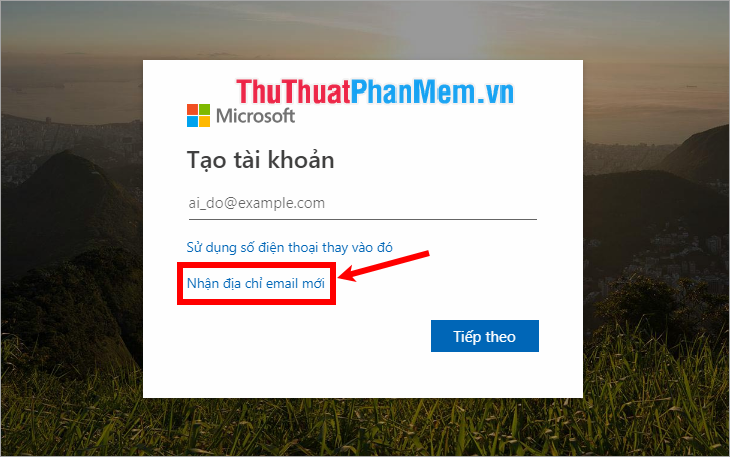
Step 2 : On the account creation page, select Receive new email address .
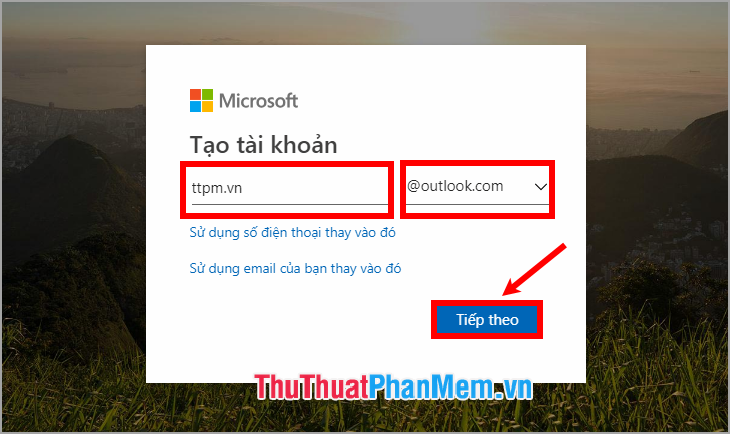
Step 3 : In this section, you enter the email account name you may need to create and choose the type of email is outlook. com or hotmail. com and select Next.
Step 4 : In the Create a password section , enter the password for your outlook account and select Next.
Note: Password must contain at least 8 characters and contain at least two of the elements: uppercase letters, lowercase letters, numbers and symbols.
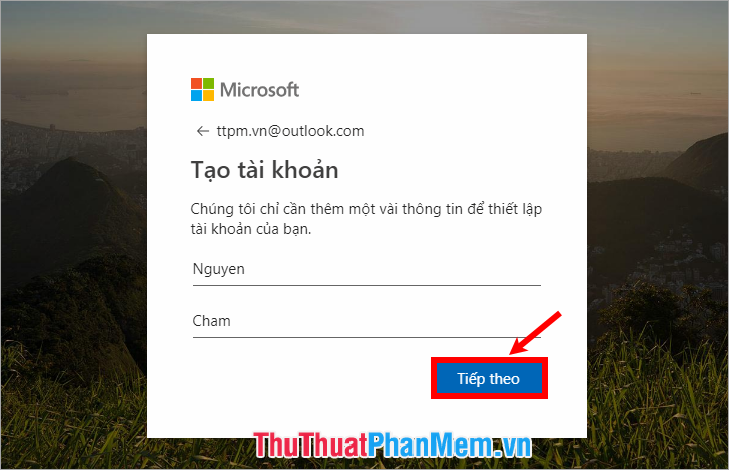
Step 5 : Next you enter the information they and name to set up your account and select Next.
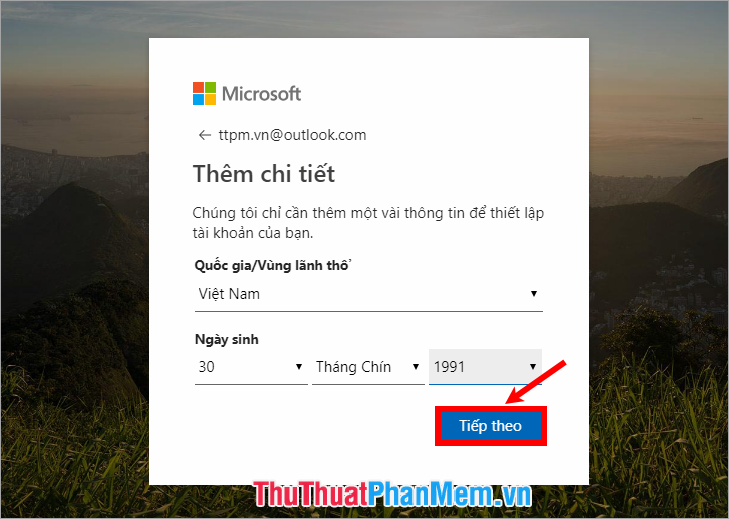
Step 6 : Next, select Next Country / Region and Date of Birth then select Next.
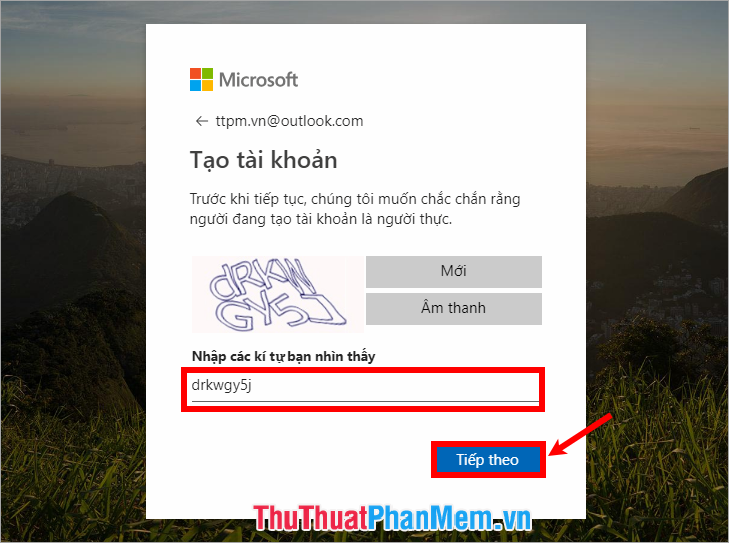
Step 7 : Next enter the verification characters and select Next.
So you have registered your Outlook Mail account, you can use Microsoft Outlook if you have installed the full Office suite on your computer. If not, you can download the full Office and install Office on the system.
Set Up Outlook Configuration
To use you set up your Outlook account as follows:
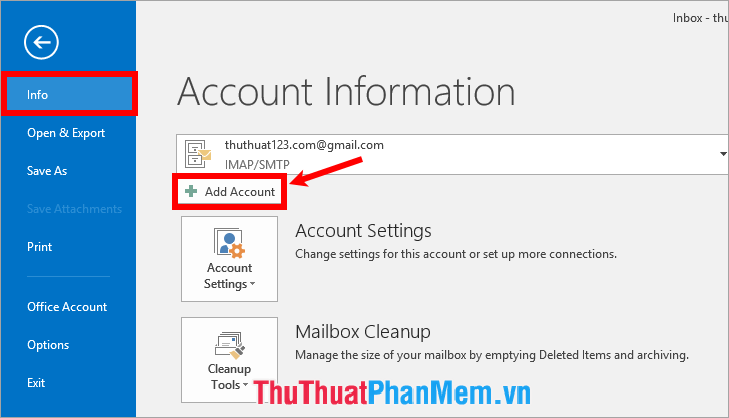
Step 1: Open Microsoft Outlook, select the File interface , then select Info -> Add Account.
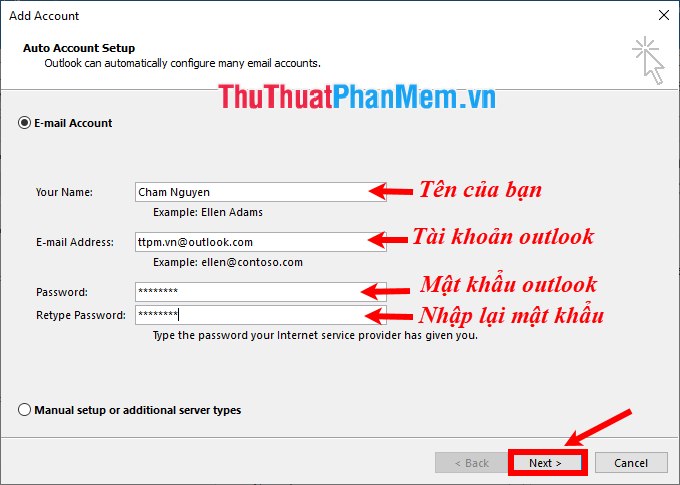
Step 2 : The Add Account window appears , select E-mail Account and set:
- Your Name : Your name.
- E-mail Address : outlook account that you have registered above.
- Password : enter the password of the outlook account.
- Retype Password: retype the password of the outlook account.
After setup is complete you select Next .
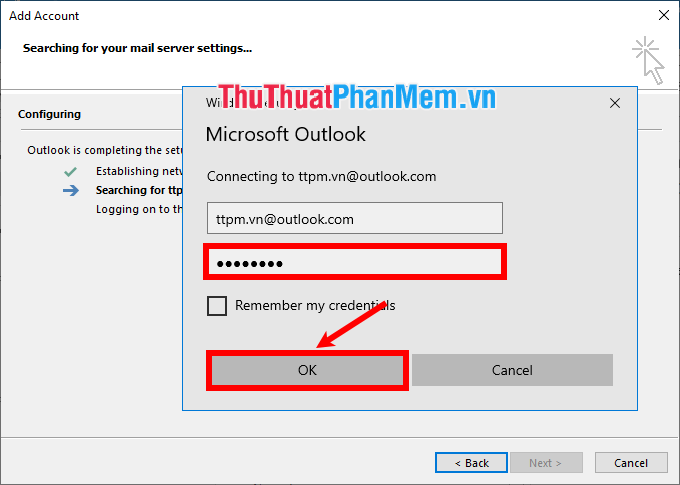
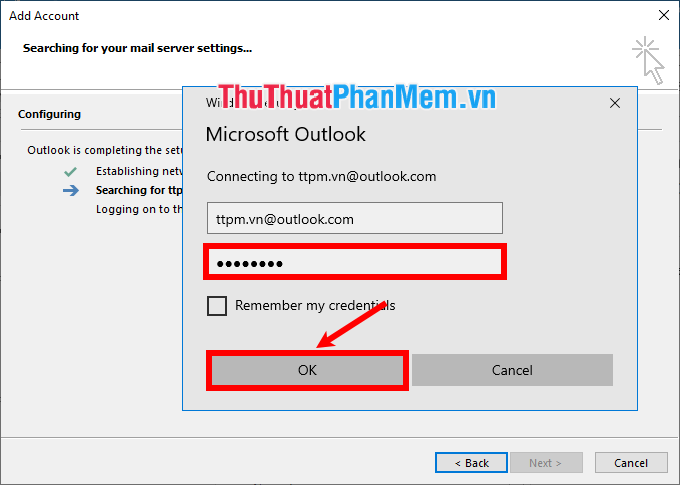
Wait for outlook to automatically configure, a window will appear asking for a password for the outlook account, enter the password and select OK .
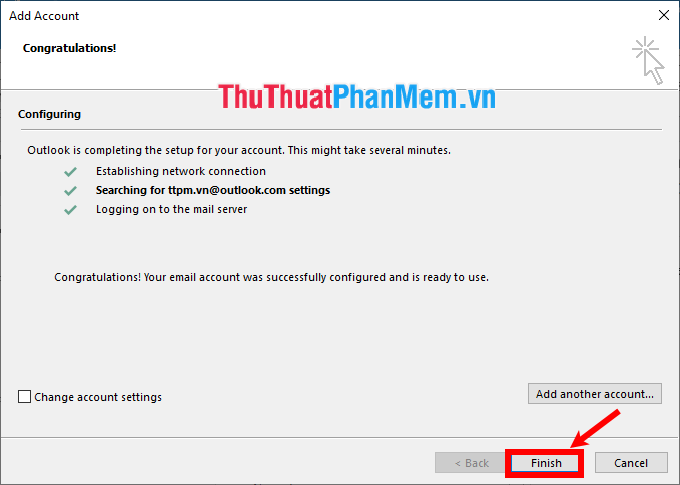
A message appears complete you select Finish .
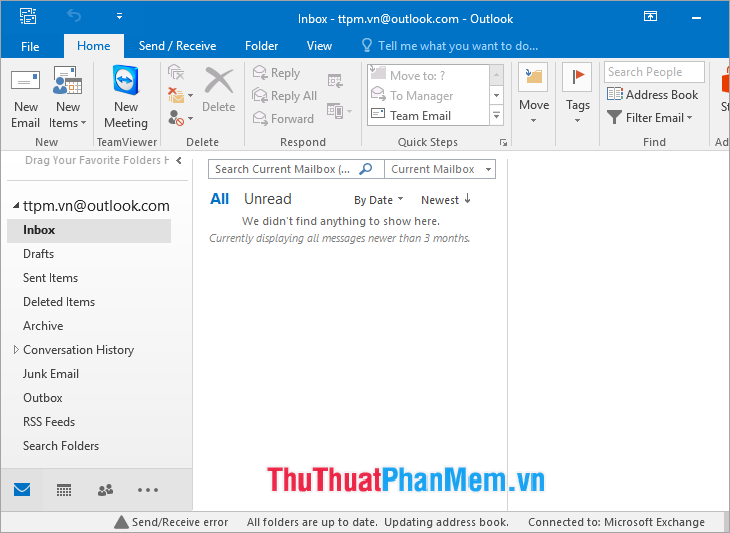
So you can use Outlook mail with the Outlook account you just registered.
How to Use Outlook for Beginners
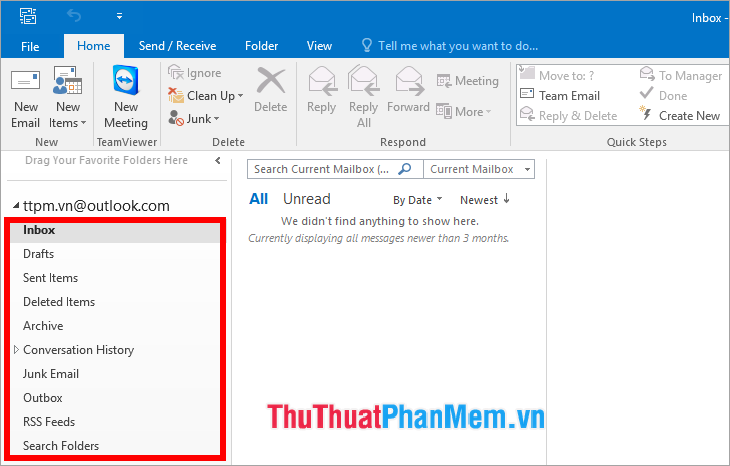
On the outlook interface, you can view incoming mail in Inbox , sent mail in Send Items , deleted messages in Deleted Items, etc.
Create a New Email
To create a new email, select Home -> New Email.
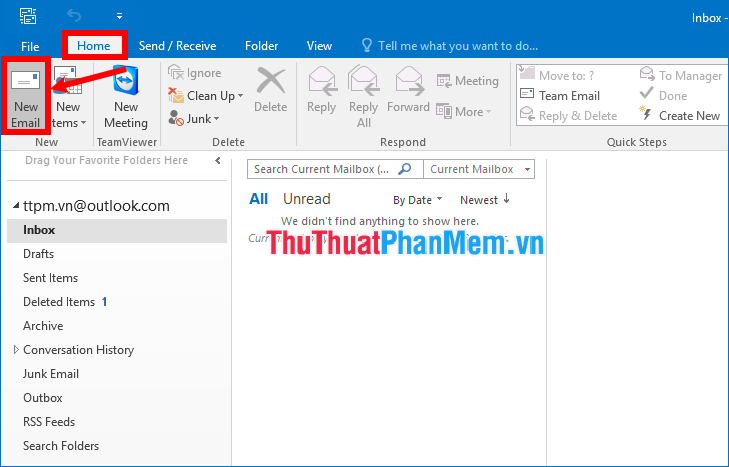
A new window appears and you enter the account you may need to send in To (can enter in CC, BCC similar to other email sites). Enter the text of the message you may need to send in the space below. Then select Send to send email.

Forward or Reply to Email Messages
To reply to the email, select the email in the Inbox mailbox that you may need to reply and then select Reply .
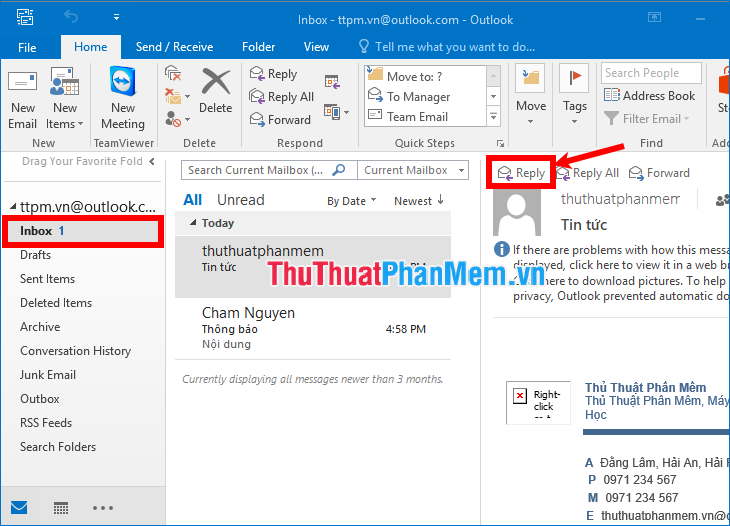
Appearing email reply interface for you to enter content and send email. If you may need to forward emails, choose Forward in the mail you may need to forward or choose Home -> Forward.
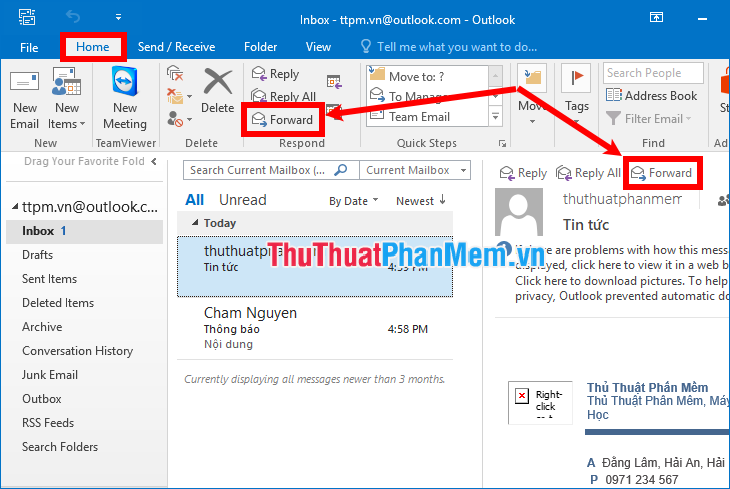
In addition to sending and receiving emails, replying and forwarding emails, Outlook also provides you with a lot of other features that you can learn more carefully while working with Outlook.
So, here TipsMake. com has shared with you the concept of Outlook mail, how to register an Outlook mail account and how to use Outlook mail for beginners. Hopefully through this article, you can better understand Outlook mail and be able to use Outlook mail effectively.
FAQ
What is the easiest way to Outlook Mail?
Start with the requirements in this guide, then follow each step in order. Check the result after every major change so problems are easier to identify.
Can beginners follow these instructions?
Yes. The process is organized into practical steps, and you can repeat any step before moving forward.
What should I check if the method does not work?
Confirm your software or device version, permissions, settings, file format, and internet connection when the task depends on online services.
Related Articles
 Discover 6 Features of Outlook Mail: Complete Guide5 minutes read
 How to Recall or Recover Sent Email in MS Outlook7 minutes read
 Instructions on How to Use Outlook from AZ for Beginners4 minutes read
 How to Retrieve an Outlook Account Password: Reset Outlook Password3 minutes read
 How to Use Rules in Outlook to Manage Your Inbox7 minutes read
 How to Sign in to Outlook on Windows 10 Mail4 minutes read
Reader Comments 0
Sign in with email or Google to join the discussion.