Table of Contents
This guide explains a Workstation? What Is a Workstation Workstation That Is Different, why it matters, how it works, and how to evaluate or use it in practical situations.
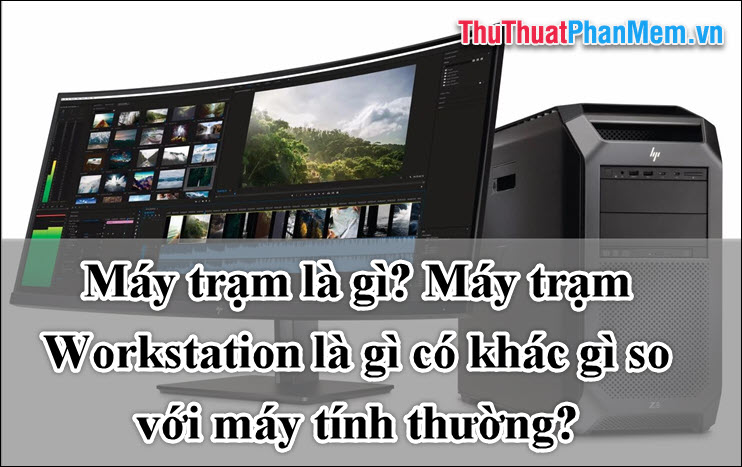
What is a workstation?
Workstations (workstations) are computers reserved for use by individuals or businesses to run scientific and technical applications. It is more powerful, runs faster, and has more capabilities than a normal computer. The feature of the workstation is to connect with each other via the network and serve multiple users at the same time.
Workstations are built with outstanding components, mainly CPU, graphics, memory and multitasking capabilities. It is optimized for the processing of complex data such as drawings, mathematical formulas, simulations, etc.
Workstations are often used in the fields of mechanical engineering, graphics, architecture, construction, 3D film making, audio processing, image editing.
Advantages of workstations compared to conventional computers
- Configuration and high performance : Workstations are often built with high configuration to ensure large computing volumes, professional graphics processing, large storage space and extremely fast access speed.
- High reliability : Due to equipped with advanced hardware such as memory capable of checking ECC errors, large power source, powerful cooling system, the workstation can work tirelessly for long periods.
- Professional and easy to upgrade : Most workstations are assembled in tool-less form so they can be easily disassembled without using tools.
Use a workstation workstation
Workstations are primarily for business or professional use. Workstations are built based on the needs of technical applications, software development, catering for IT engineers, architects, graphic designers.
Currently there are leading workstation manufacturers such as Sun Microsystems, Dell, IBM, HP. The major operating systems on workstations are Unix and Windows NT.
Workstation components
1. CPU : To handle dense workloads quickly and efficiently, workstations do not use the common type of CPU but are equipped with Xeon processors with outstanding speed, caching and The most advanced technology.
2. Mainboard : The mainboard is equipped with workstation with the following characteristics:
- Use high-end chipsets such as x58, 5520, C602.
- Support bigger memory channel, more RAM slots with more capacity
- RAID configuration chipset, providing multiple interfaces SATA, SAS, SSD.
- High quality components, can attach more than 1 processor
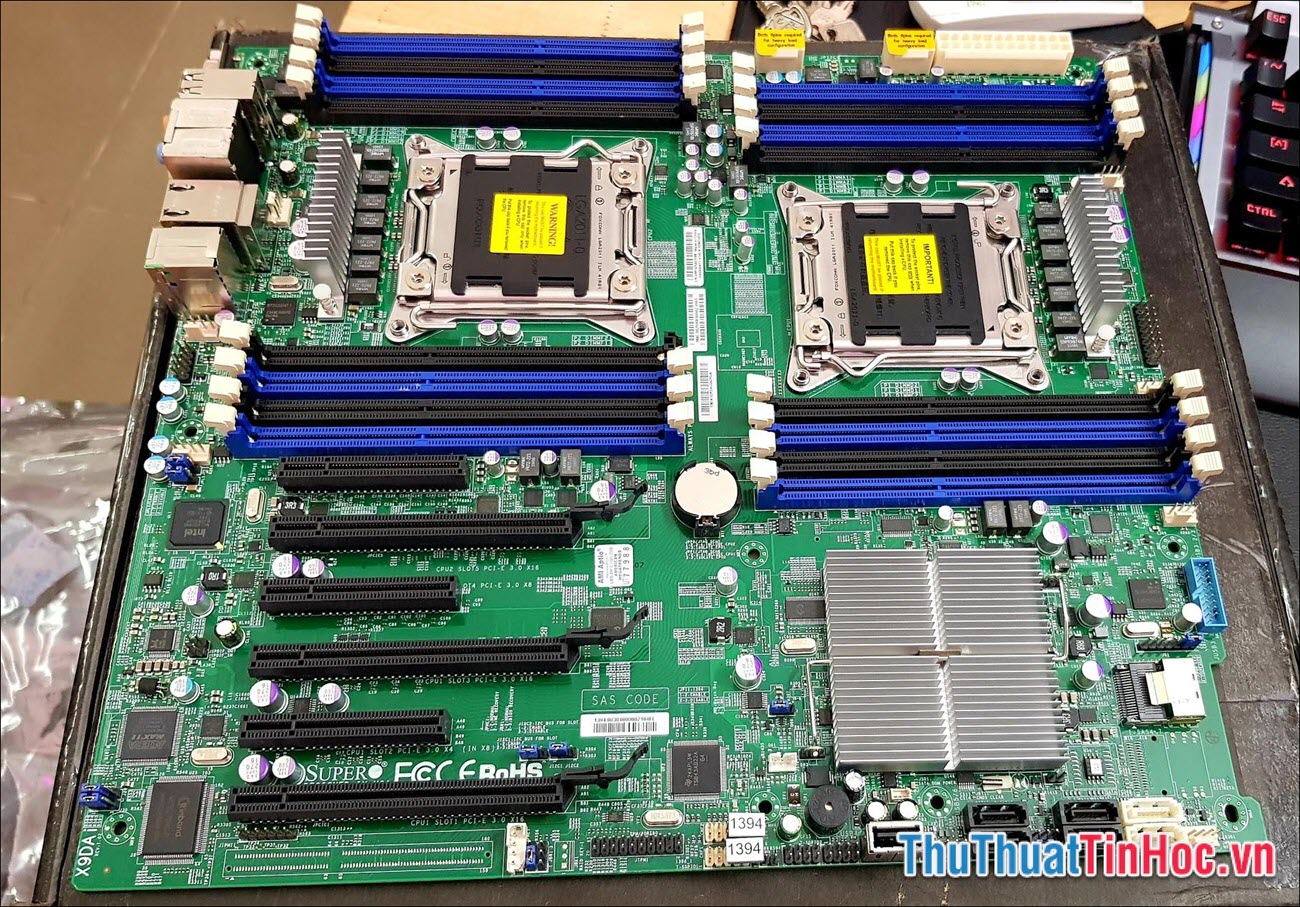
Mainboard X9DAi is one of the most appreciated mainboards for workstations.
3. RAM : Minimum RAM 4GB SDRAM 1333/1066 / 800MHz, upgradable to 32GB or even 768GB. However, the upgrade cost is not a simple thing. An important feature that should be considered when assessing RAM is the ECC feature, which helps the device to operate continuously and stably.
4. Graphics : The processing power of graphics on the workstation is divided into 4 levels: Professional 2D, Entry 3D, Midrange 3D and High-end 3D. These professional graphics cards are provided by two major manufacturers, NVIDIA and AMD.
While these professional graphics cards share the same GPU as a regular card, they come with a completely different and optimized driver.
5. Hard drive : Requires quick access and secure data storage. Depending on the work requirements that users can configure for the hard drive is RAID 0 (speed up data access) or RAID 1 (make backup copies) or RAID 10 are both features.
6. Screen
7. Keyboard and mouse
Conclusion
This is the most basic knowledge about workstations (workstations) that ThuThuatTinHoc. vn synthesized and shared for readers.
If you have experience or knowledge related to workstations, please share below to let everyone know! Good luck!
FAQ
What should I know about a Workstation? What Is a Workstation Workstation That Is Different?
Focus on the key features, requirements, limitations, and practical use cases explained in this guide.
How do I get the best results with a Workstation? What Is a Workstation Workstation That Is Different?
Follow the recommended steps, use current software or information, confirm compatibility, and review settings before major changes.
Are there any risks or limitations?
Potential limitations depend on compatibility, data quality, cost, privacy, support, and how the product or method is used.
Related Articles
 What Is a Workstation Laptop? How Is a Workstation Laptop4 minutes read
 A Workstation Explained16 minutes read
 Compare Vmware Workstation Pro and Vmware Workstation Player4 minutes read
 Top 7 Best Workstation Laptops 20207 minutes read
 Vmware Workstation Player - Download Vmware Workstation3 minutes read
 A Workstation vs. A Gaming PC: Key Differences10 minutes read
Reader Comments 0
Sign in with email or Google to join the discussion.