Table of Contents
Command Prompt and PowerShell are both command-line shells, but they are designed for different kinds of work. Command Prompt is best for traditional Windows commands and batch files. PowerShell is a scripting and automation environment whose pipeline passes structured objects between commands, making it better suited to administration and repeatable tasks.
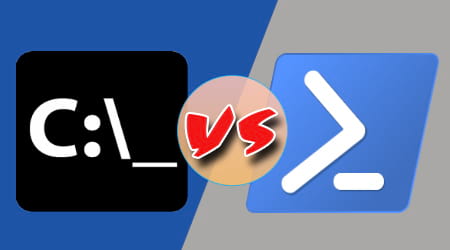
Shell, terminal, and administrator access are different things
Command Prompt (cmd.exe) and PowerShell are shells: they interpret the commands you enter. Windows Terminal is a terminal application that can host either shell in a tab. Opening a PowerShell tab in Windows Terminal does not turn it into Command Prompt, and changing the terminal app does not change command syntax.
Neither shell automatically has administrator rights. Elevation depends on how the session was opened. Use an elevated session only when a command actually requires it.
Command Prompt vs. PowerShell at a glance
| Area | Command Prompt | PowerShell |
|---|---|---|
| Primary role | Run traditional Windows commands and batch scripts | Manage systems, automate tasks, and process structured data |
| Script files | .bat and .cmd | .ps1 |
| Pipeline | Passes text from one program to another | Normally passes objects with properties and methods |
| Command style | Commands and executable programs such as dir, copy, and ipconfig | Verb-noun cmdlets such as Get-Process and Get-Service, plus scripts and executable programs |
| Best fit | Legacy tools, familiar one-off commands, and existing batch files | Filtering data, system administration, reusable automation, and configuration work |
| Learning curve | Lower for a small set of basic commands | Higher, but more consistent for larger automation tasks |
What Command Prompt does well
Command Prompt remains useful because many Windows utilities, installers, recovery instructions, and older workflows expect cmd.exe syntax. It starts quickly, works well with existing batch files, and is often sufficient for tasks such as checking network configuration or running a console program.
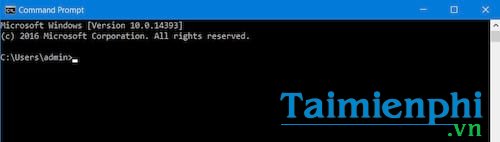
Its pipeline is text-based. In this example, dir produces text and findstr searches that text:
dir /b | findstr /i ".log"Text processing is convenient for small jobs, but it becomes fragile when output formatting changes or when a script needs a specific property such as file size, service status, or process ID. See the broader guide to using Command Prompt for common commands and customization options.
What makes PowerShell different
PowerShell combines a command shell with a scripting language. Its cmdlets generally return objects rather than display-only text. A later command in the pipeline can therefore filter, sort, or select named properties without parsing columns by hand.
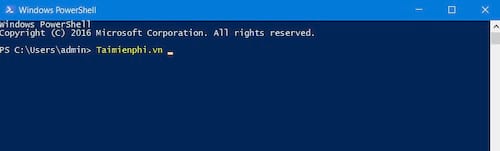
For example, this pipeline finds log files larger than 1 MB and selects two properties:
Get-ChildItem -Filter *.log |
    Where-Object Length -gt 1MB |
    Select-Object Name, Length
The Microsoft explanation of PowerShell pipelines shows how commands pass objects through a continuous pipeline. PowerShell also supports variables, functions, modules, error handling, remoting, and access to .NET APIs, which makes it suitable for repeatable administrative work.
Windows PowerShell and PowerShell 7 are not identical
Windows commonly includes Windows PowerShell 5.1. The newer cross-platform product is PowerShell 7, installed separately and launched with pwsh. Many commands work in both, but modules and behavior can differ. Before deploying a script widely, test it in the edition and version that will run it. Microsoft documents the main differences between PowerShell 7 and Windows PowerShell 5.1.
The syntax is not interchangeable
PowerShell can start many console programs that also run in Command Prompt, including ipconfig, ping, and winget. That does not mean every Command Prompt line is valid PowerShell. Built-in commands, variables, quoting, redirection, and control-flow syntax differ.
| Task | Command Prompt | PowerShell |
|---|---|---|
| Show the temporary-folder variable | echo %TEMP% | $env:TEMP |
| List files | dir | Get-ChildItem (with dir available as an alias) |
| Set a variable | set name=value | $name = 'value' |
| Get command help | command /? | Get-Help Command-Name |
When copying a command from a tutorial, check which shell it targets. A syntax error may simply mean the instruction was written for the other shell. The distinction is part of the wider difference between a graphical interface and a command-line interface.
Which one should you use?
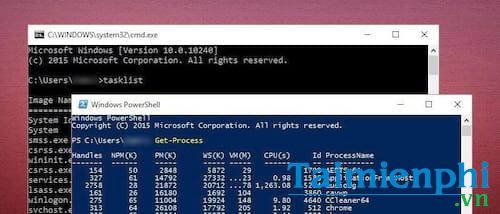
- Choose Command Prompt for an existing batch file, a legacy instruction that explicitly requires
cmd.exe, or a quick traditional Windows command you already know. - Choose PowerShell when you need structured filtering, reusable scripts, system administration, or automation across many files or machines.
- Use Windows Terminal when you want one modern interface for Command Prompt, PowerShell, WSL, and other command-line environments. It is a host, not a replacement command language.
You do not need to remove one to use the other. Keep both available and select the shell that matches the command or script. If you want a different interface around these shells, compare the available Windows terminal emulators.
A safety check before running commands
Read a command before pasting it, especially if it deletes files, changes policy, downloads code, or requests administrator rights. Confirm the shell named by the instructions, replace example paths deliberately, and test destructive scripts on nonessential data first. The greater automation power of PowerShell also means a mistaken command can make broader changes more quickly.
Related Articles
 The Difference Between Command Prompt and Windows PowerShell6 minutes read
 How Are Command Prompt (Cmd) and Powershell Different?6 minutes read
 How to Replace Command Prompt with PowerShell in the Power Menu on Windows 104 minutes read
 Should I Use Powershell or Command Prompt?7 minutes read
 Use Powershell to Download Any File on Windows 104 minutes read
 Add Command Prompt to Power User Menu on Windows 103 minutes read
Reader Comments 0
Sign in with email or Google to join the discussion.