Table of Contents
Command Prompt and Windows PowerShell are different shells with different syntax and data models. Command Prompt is the interpreter for traditional Windows commands and batch files. PowerShell is a shell and scripting language designed for object-based automation. Windows Terminal can host either one, but it does not make their commands interchangeable.

First, identify the three Windows command-line components
| Component | What it is | Typical launch |
|---|---|---|
| Command Prompt | The cmd.exe shell for interactive commands and .bat/.cmd scripts | cmd |
| Windows PowerShell | The built-in Windows-only PowerShell 5.1 product based on the full .NET Framework | powershell |
| PowerShell 7 | The separately installed, actively developed PowerShell product based on modern .NET | pwsh |
| Windows Terminal | A terminal host that displays one or more shells in tabs or panes | wt |
PowerShell 7 installs alongside Windows PowerShell 5.1 rather than replacing it. Some Windows modules still require 5.1, while newer scripts may target PowerShell 7. Check $PSVersionTable before assuming compatibility.
The core difference: text pipelines vs. object pipelines
Command Prompt normally connects programs by passing text. A later command must search or split that formatted text:
tasklist | findstr /i "notepad"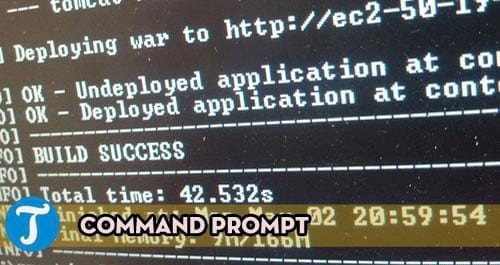
PowerShell cmdlets normally emit objects with named properties. A later cmdlet can select the property it needs:
Get-Process |
    Where-Object Name -like '*notepad*' |
    Select-Object Name, Id, CPU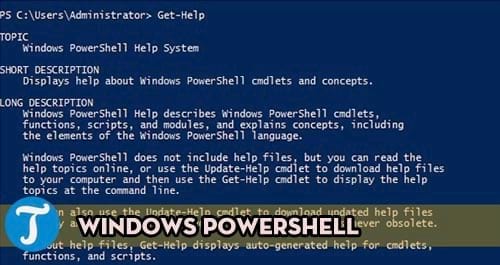
The screen still shows text, but PowerShell formats objects only for display. Use Get-Member to inspect the properties and methods flowing through a pipeline:
Get-Process | Get-MemberThis is why PowerShell is usually easier for filtering, sorting, grouping, exporting, and reusable automation.
CMD-to-PowerShell syntax cheat sheet
| Task | Command Prompt | PowerShell |
|---|---|---|
| Show current folder | cd | Get-Location |
| List files, including hidden items | dir /a | Get-ChildItem -Force |
| Change drive and folder | cd /d "D:\Work" | Set-Location "D:\Work" |
| Read an environment variable | echo %TEMP% | $env:TEMP |
| Set a session variable | set Name=Value | $Name = 'Value' |
| Find a program | where git | Get-Command git |
| Get help | ipconfig /? or help copy | Get-Help Get-Process -Examples |
| Test the previous result | %ERRORLEVEL% | $? for success state; $LASTEXITCODE for native program exit code |
| Script type | .bat or .cmd | .ps1 |
These are equivalent goals, not always drop-in translations. Quoting, wildcard expansion, variables, redirection, and error handling follow each shell's own rules.
Why familiar aliases can be misleading
PowerShell defines aliases such as dir, cd, and cls to ease interactive use. For example, PowerShell's dir points to Get-ChildItem; it is not Command Prompt's built-in dir.
Get-Alias dir
Get-Command dir
Switches therefore differ. dir /a is valid CMD syntax, while the PowerShell form is Get-ChildItem -Force. Use full cmdlet names in scripts so readers can see which command actually runs.
Native Windows programs can run in both shells
Executable programs such as ipconfig.exe, ping.exe, winget.exe, and robocopy.exe can be started from Command Prompt or PowerShell. Their own options generally remain the same:
ipconfig /all
ping -n 4 1.1.1.1
winget --version
The surrounding shell still parses variables, quotes, pipes, and redirection first. If an argument is interpreted differently, call the intended shell explicitly instead of repeatedly changing punctuation.
Run a CMD-only line from PowerShell
cmd.exe /c 'echo %TEMP% && dir /a'Run a PowerShell script from Command Prompt
pwsh -NoProfile -File "D:\Scripts\Report.ps1"Use powershell.exe instead of pwsh only when the script explicitly requires Windows PowerShell 5.1. Do not automatically add -ExecutionPolicy Bypass; inspect the script and use the organization's approved policy.
Redirection and exporting are not the same operation
Command Prompt commonly redirects formatted text:
systeminfo > system.txt
ipconfig /all | clip
PowerShell can also redirect display text, but object-aware exporters preserve structured fields:
Get-Service |
    Select-Object Name, DisplayName, Status |
    Export-Csv -Path .\services.csv -NoTypeInformation -Encoding utf8
A CSV export can be imported and filtered later. Do not put Format-Table before Export-Csv, because formatting changes the objects into display instructions.
Batch files and PowerShell scripts solve different problems
Batch files are appropriate for established CMD workflows, simple executable sequences, and compatibility with older deployment tools. PowerShell scripts offer:
- functions, modules, and advanced parameters;
- structured objects and providers;
try/catcherror handling;- remoting and management cmdlets;
- access to .NET APIs; and
- cross-platform execution when the script and modules support PowerShell 7.
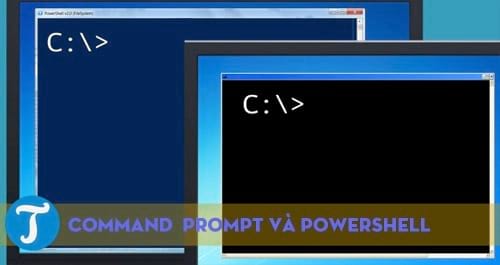
PowerShell is a language in its own right; it is not necessary to write C# to create PowerShell commands or scripts. It can access .NET types when needed, but most administration starts with existing cmdlets.
Common migration traps
- Variables:
%NAME%is CMD syntax;$Nameand$env:NAMEare PowerShell syntax. - Operators: Windows PowerShell 5.1 does not support every operator found in PowerShell 7, including modern pipeline-chain behavior.
- Aliases: an alias may share a CMD name while accepting different parameters.
- Exit state: PowerShell distinguishes cmdlet success from a native executable's exit code.
- Encoding: default output encodings vary by command and PowerShell edition; specify encoding for files consumed elsewhere.
- Modules: a module that works in Windows PowerShell 5.1 may not load natively in PowerShell 7.
- Elevation: opening either shell does not automatically grant administrator rights.
Microsoft documents the current differences between PowerShell 7 and Windows PowerShell 5.1. For the older shell itself, Microsoft's Windows PowerShell status overview explains its maintenance model.
Which shell should you choose?
- Use Command Prompt for an existing batch file, a legacy command line written specifically for
cmd.exe, or a familiar one-off Windows command. - Use Windows PowerShell 5.1 when a required Windows module or existing script depends on it.
- Use PowerShell 7 for new automation when its modules and target systems are compatible.
- Use Windows Terminal when you want one interface for all three shells.
For a high-level decision guide, read the Command Prompt vs. PowerShell comparison. The PowerShell beginner's guide covers discovery, pipelines, event logs, and exports, while the Command Prompt tips guide focuses on CMD history, redirection, paths, and chaining.
Safe translation workflow
- Identify the source shell and target shell.
- Run each command in a standard, non-elevated test session.
- Replace aliases with full command names.
- Inspect PowerShell objects with
Get-Member. - Check exit codes and output files before chaining the next action.
- Test state-changing scripts on nonessential data and use
-WhatIfwhere supported.
Related Articles
 Should I Use Powershell or Command Prompt?7 minutes read
 What Are the Differences Between Command Prompt and PowerShell?6 minutes read
 How to Replace Command Prompt with PowerShell in the Power Menu on Windows 104 minutes read
 How Are Command Prompt (Cmd) and Powershell Different?6 minutes read
 Use Powershell to Download Any File on Windows 104 minutes read
 Add Command Prompt to Power User Menu on Windows 103 minutes read
Reader Comments 0
Sign in with email or Google to join the discussion.