Table of Contents
A password manager creates and stores unique credentials so you do not have to reuse the same password across multiple accounts. The right choice is the one that works reliably on your devices, makes autofill easy, supports secure recovery and sharing, and lets you export your data if you decide to leave.
Quick answer: Bitwarden is a strong option for people who value open-source software and self-hosting flexibility; Proton Pass emphasizes email aliases; RoboForm is especially focused on form filling; NordPass combines password management with breach and password-health tools; Dashlane emphasizes credential-risk monitoring; and 1Password offers polished shared vaults and security alerts. Features and plan limits can change, so confirm the current terms before subscribing.
If you are still deciding whether you need a dedicated app, compare these tools with a browser's built-in password manager. Whichever option you choose, use it to create strong, unique passwords for every important account.
What to compare before choosing
- Device and browser support: Check every operating system and browser you use, including mobile autofill.
- Import and export: Make sure you can move existing logins in and export your vault in a usable format later.
- Account protection: Look for multi-factor authentication, passkey support, security alerts, and a clearly documented recovery process.
- Sharing: Families and teams should compare shared vaults, permission controls, emergency access, and whether recipients need an account.
- Plan limits: Confirm which features are free, which require payment, and the normal renewal price rather than relying on a temporary promotion.
- Trust and transparency: Review the provider's security documentation, audit history, privacy policy, and record of responding to incidents.
Six password managers worth comparing
| Service | Worth considering for | Feature to examine closely |
|---|---|---|
| NordPass | Simple setup and identity-protection extras | Which monitoring and sharing tools are included in your plan |
| RoboForm | Frequent form filling and one-click logins | Sharing, sync, and emergency-access terms |
| Bitwarden | Open-source flexibility and optional self-hosting | The operational work required for self-hosting |
| Proton Pass | Password storage combined with email aliases | Alias, sharing, and administrative limits |
| Dashlane | Password-health and credential-risk monitoring | Whether the current personal or business plan matches your needs |
| 1Password | Families, shared vaults, and a polished cross-platform experience | Subscription cost and account-recovery model |
NordPass
NordPass covers the core tasks expected from a password manager: generating credentials, storing them in an encrypted vault, syncing them between supported devices, and filling them into websites and apps. Its additional tools include password-health checks, breach scanning, secure item sharing, and email masking.
Choose it when: You want a straightforward interface and prefer password management and email-masking tools in one service.
Check first: Some monitoring and sharing features may depend on the selected plan. Confirm device support, export options, renewal pricing, and the exact recovery process before moving your entire vault.
RoboForm
RoboForm has long emphasized accurate form filling as well as password storage and one-click login. It supports major devices and browsers, can identify weak or compromised credentials, and provides secure sharing and emergency access for trusted contacts.
Choose it when: You regularly complete long web forms or want a password manager with mature form-filling tools.
Check first: Compare the free and paid tiers for sync, sharing, monitoring, and support. Test autofill on the websites and mobile apps you use most often before committing.
Bitwarden
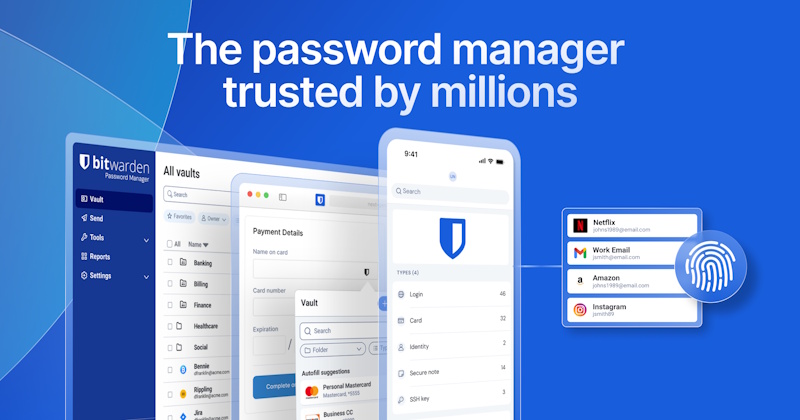
Bitwarden is open source and supports password generation, storage, sharing, autofill, passkeys, and multi-factor login options. It offers a hosted service and a self-hosted deployment path. That flexibility is useful, but self-hosting is not automatically safer: the person operating the server must handle updates, backups, monitoring, and secure configuration.
Choose it when: You value transparent source code, broad platform support, or control over where the service runs.
Check first: Identify which security reports, sharing options, and advanced authentication methods require a paid plan. For a closer look at its organization and cross-platform benefits, see this Bitwarden comparison.
Proton Pass
Proton Pass combines password and passkey management with hide-my-email aliases. An alias forwards messages to your real inbox while keeping the underlying address away from the site where you register. This can make it easier to identify unwanted mail and disable an exposed alias without changing your main address.
Choose it when: Email aliases are central to how you separate accounts or reduce exposure of your primary inbox.
Check first: Review current limits for aliases, secure-link sharing, custom domains, and organization features. Confirm that importing from your existing manager preserves the fields you rely on.
Dashlane
Dashlane provides password generation, storage, autofill, and tools that flag weak, reused, or exposed credentials. Its current product range also emphasizes in-browser phishing and credential-risk detection, particularly for organizations.
Choose it when: You want password-health feedback and risk alerts presented as part of the everyday browsing workflow.
Check first: Dashlane's personal and business offerings are not identical. Verify that the specific plan includes the monitoring, sharing, and administrative controls you need; do not assume older bundled features are still available.
1Password
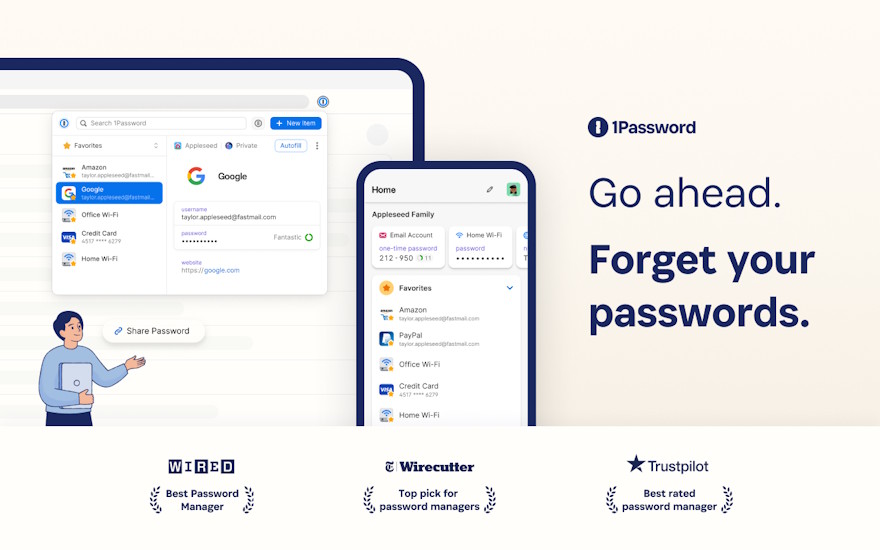
1Password organizes credentials, passkeys, payment details, and secure notes into vaults. Shared vaults are useful for households and teams, while Watchtower identifies weak, reused, or compromised credentials and highlights accounts that support stronger sign-in methods.
Choose it when: You want a polished cross-platform app, flexible vault organization, and controlled sharing with family members or coworkers.
Check first: Compare the individual and family subscriptions, decide who can recover whose account, and test how sharing works for people outside your subscription.
How to make the final choice
- List every phone, computer, browser, and operating system that must be supported.
- Pick two candidates and import a small test set rather than moving your whole vault immediately.
- Test password generation, mobile and desktop autofill, passkeys, shared items, and export.
- Read the recovery instructions before you need them, then store any recovery information offline in a secure place.
- Compare the full renewal cost and the features available at that price.
A password manager reduces the temptation to reuse credentials, but it is only one part of account security. Protect the manager itself with a long, unique master password and multi-factor authentication, keep its apps and browser extensions updated, and never approve an unexpected sign-in prompt. For more setup advice, follow this guide to creating a secure password.



Reader Comments 0
Sign in with email or Google to join the discussion.