Table of Contents
Brave, Proton VPN, and Bitwarden can form a practical privacy setup, but they protect different things and do not make a desktop anonymous or immune to phishing and malware. Brave reduces web tracking, Proton VPN encrypts traffic between the device and VPN server, and Bitwarden helps keep account credentials unique and encrypted.
What each tool protects
| Tool | Main benefit | Does not solve |
|---|---|---|
| Brave | Blocks many third-party trackers and ads, limits fingerprinting, and upgrades eligible connections to HTTPS | Malicious downloads, account tracking after sign-in, or every fingerprinting technique |
| Proton VPN | Hides traffic contents and destinations from the local network and ISP beyond the VPN connection; changes the public IP seen by sites | Tracking through accounts, cookies, browser fingerprinting, or malware on the device |
| Bitwarden | Generates and stores unique passwords and passkeys in an encrypted vault | Credentials exposed while the unlocked device is compromised, or approval of a fraudulent login prompt |
Why this combination is reasonable
All three products publish client code and document external security reviews. Each also offers a usable free tier. Those facts improve transparency, but open source and audits are signals—not guarantees that a product or configuration has no vulnerabilities.
Brave: tracker blocking in the browser
Brave is built on Chromium and includes Shields, which blocks many cross-site trackers, third-party cookies, and fingerprinting techniques by default. It also attempts to upgrade connections to HTTPS. Because it supports most Chromium extensions, the Bitwarden extension fits the same workflow used in Chrome or Edge.
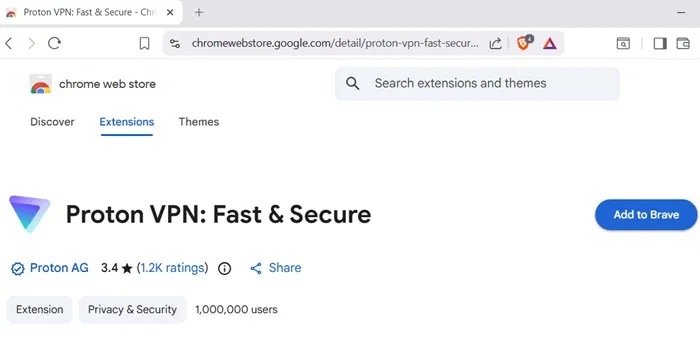
Do not treat Shields as malware protection. A convincing phishing page can still open, and a user can still download and run a harmful file. Sites may break under aggressive blocking; if a shield must be lowered, change only the minimum setting for that trusted site.
Proton VPN: protection for the network path
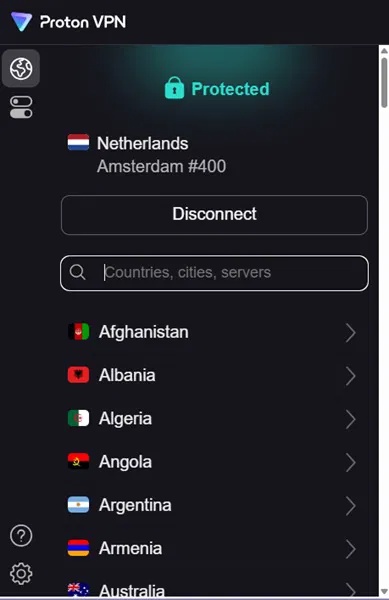
A VPN is useful on an untrusted network and can keep an ISP from seeing individual destination connections, although the ISP can see that a VPN is being used. Websites still see activity from the VPN exit address and can recognize logged-in accounts, cookies, or browser characteristics. Trust is shifted from the ISP to the VPN operator.
Proton states that its apps are open source and independently audited, and its free plan has no data limit. Free and paid features, selectable locations, simultaneous connections, and Secure Core availability can change, so check the current plan page instead of assuming every server feature is free.
Bitwarden: unique credentials and passkeys
Bitwarden encrypts vault data and offers browser extensions, desktop apps, password generation, and passkey support. It is not the only audited password manager, but it is a strong open-source option. A long, unique master password and multi-factor authentication are still essential; brute-force resistance is high when configured well, never “impossible.”
Set up the three layers safely
- Install from official sources: use Brave, Proton VPN, and Bitwarden. Verify the publisher in the app or extension store.
- Update automatically: keep the browser, VPN client, extension, and operating system current.
- Configure Brave: keep Shields enabled, block third-party cookies, and use HTTPS upgrades. Review search, telemetry, rewards, and synchronization features according to your privacy needs.
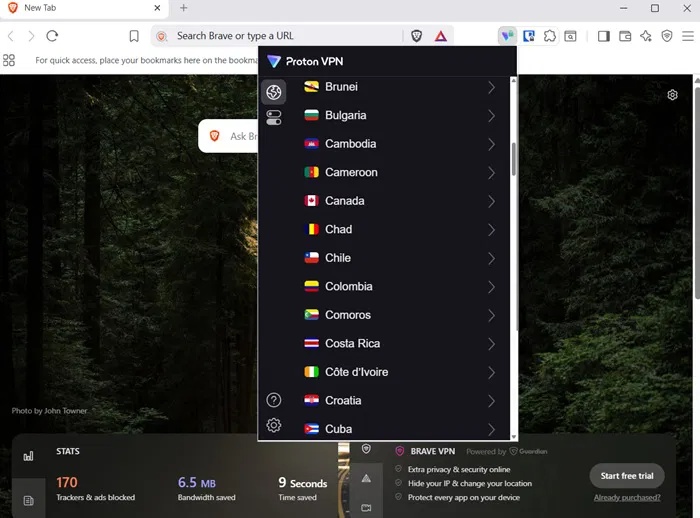
- Configure Proton VPN: enable the kill switch if loss of the tunnel must stop traffic. Use auto-connect on untrusted networks. Understand that some local-network services may need an explicit allowance.
- Configure Bitwarden: create a unique master password, enable multi-factor authentication, choose a sensible vault timeout, and save the recovery method offline.
- Migrate gradually: replace reused passwords with unique generated ones, starting with email, financial, work, and recovery accounts.
Avoid overlapping or misleading controls
- Use the standalone Proton VPN app for device-wide coverage; a browser extension alone may not cover other programs.
- Choose one password manager for autofill and disable competing password-saving prompts to reduce confusion.
- Do not install numerous privacy extensions. Each extension adds code and permissions and can make the browser more distinctive.
- Private browsing does not hide activity from websites, the network, or the VPN provider; it mainly limits local history and cookies after the window closes.
- A VPN does not replace HTTPS. HTTPS protects content end to end between the browser and site; the VPN protects the path to the exit server.
Who should choose something else?
Firefox with hardened settings may suit users who want a non-Chromium engine. KeePassXC can suit people who prefer a locally managed vault. A corporate device should follow the organization’s browser, VPN, and password-manager policy rather than installing a personal stack. High-risk users need an individualized threat model, separate identities, hardened operating systems, and professional guidance—not just three consumer apps.
Compare options in TipsMake’s 2026 browser guide and password-manager overview.
Bottom line
This combination is a useful baseline for reducing routine tracking and password reuse. Its value comes from layered, clearly separated controls. It does not prevent every phishing page, conceal signed-in activity, or protect secrets from malware already running on the desktop.
Related Articles
 Learn Brave Browser, What Makes Brave Special?9 minutes read
 How to Manage Passwords Using the Bitwarden Utility6 minutes read
 Brave - Fast and Secure Personal Web Browser: What You Need to Know16 minutes read
 Brave Search Will Now Let Users 'Downvote' Bad Website Results6 minutes read
 Brave Vs Chrome Comparison: Which Browser Is Better?6 minutes read
 Learn Brave Search, a Formidable Competitor of Google4 minutes read
Reader Comments 0
Sign in with email or Google to join the discussion.