Table of Contents
This guide provides a clear, practical overview of "Reasons to Use Bitwarden Instead of Apple Passwords". It organizes the most useful details, explains important considerations, and highlights the steps or choices that matter most.
1. Ability to store payment information
One of the most frustrating things about Apple Passwords is that you can't organize your payment information. While you can use Apple Pay on many devices, not all online retailers accept it, so it would be nice to be able to store your card information in the Passwords app.
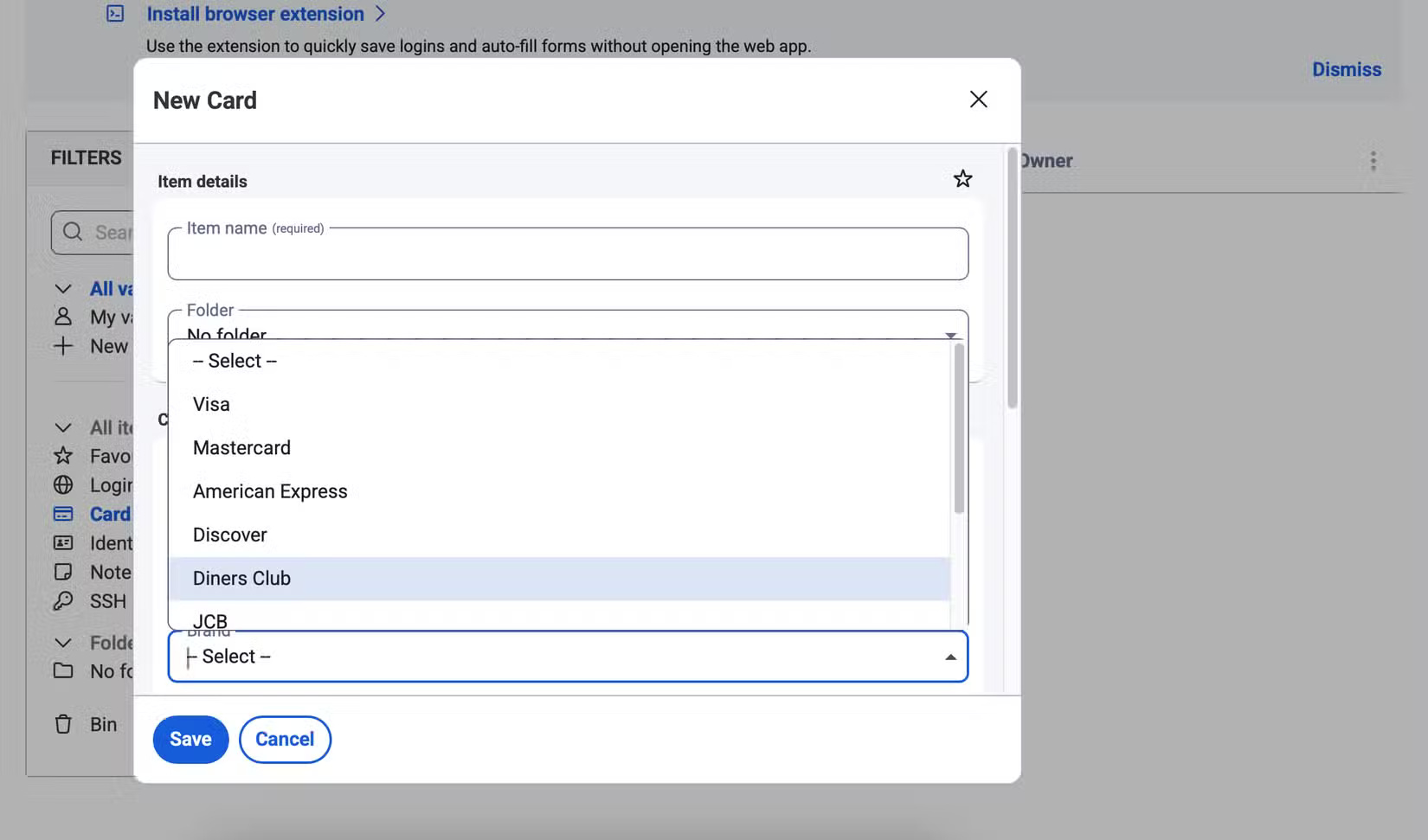
Bitwarden eliminates this issue right away. You can add your card number, name, and security number without any problems. Furthermore, you have the option to choose your brand; in addition to Visa and Mastercard (you can choose American Express and many other providers).
2. Easier Password Organization
Apple Passwords has some useful organizational features, like sorting Wi-Fi codes and other credentials. You can also filter by newest and oldest passwords, as well as by individual websites that have saved login information. But beyond that, the app is pretty limited.
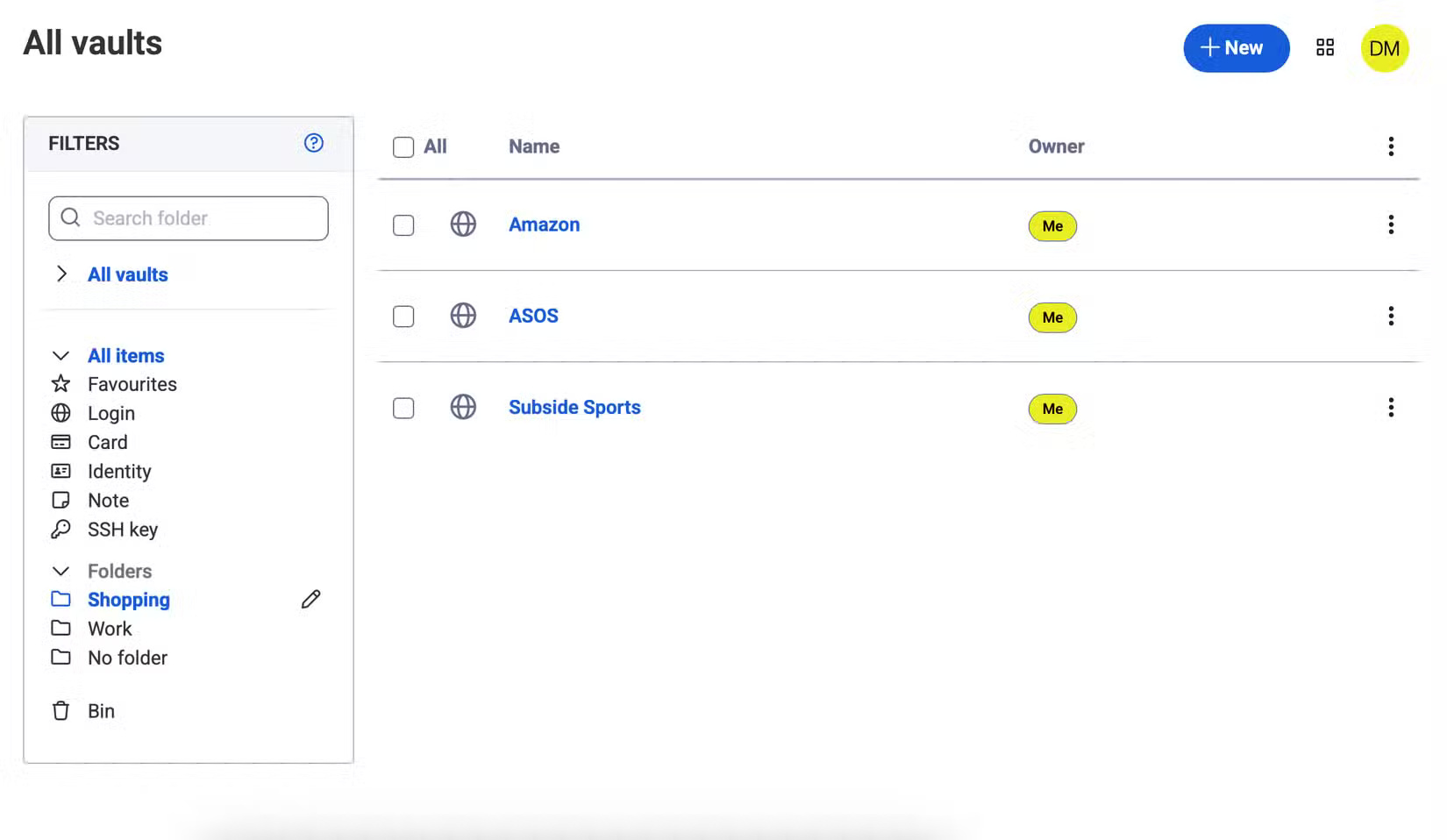
Bitwarden's password organization tools are much more advanced. You can mark your most frequently used credentials as favorites, meaning you can always access them whenever you need them.
3. Better interface
App design is important. Apple Passwords looks nice, obviously, since most Apple tools are aesthetically pleasing, but functionality and navigation are just as important. Passwords isn't the worst tool you'll ever use, but Bitwarden is better.
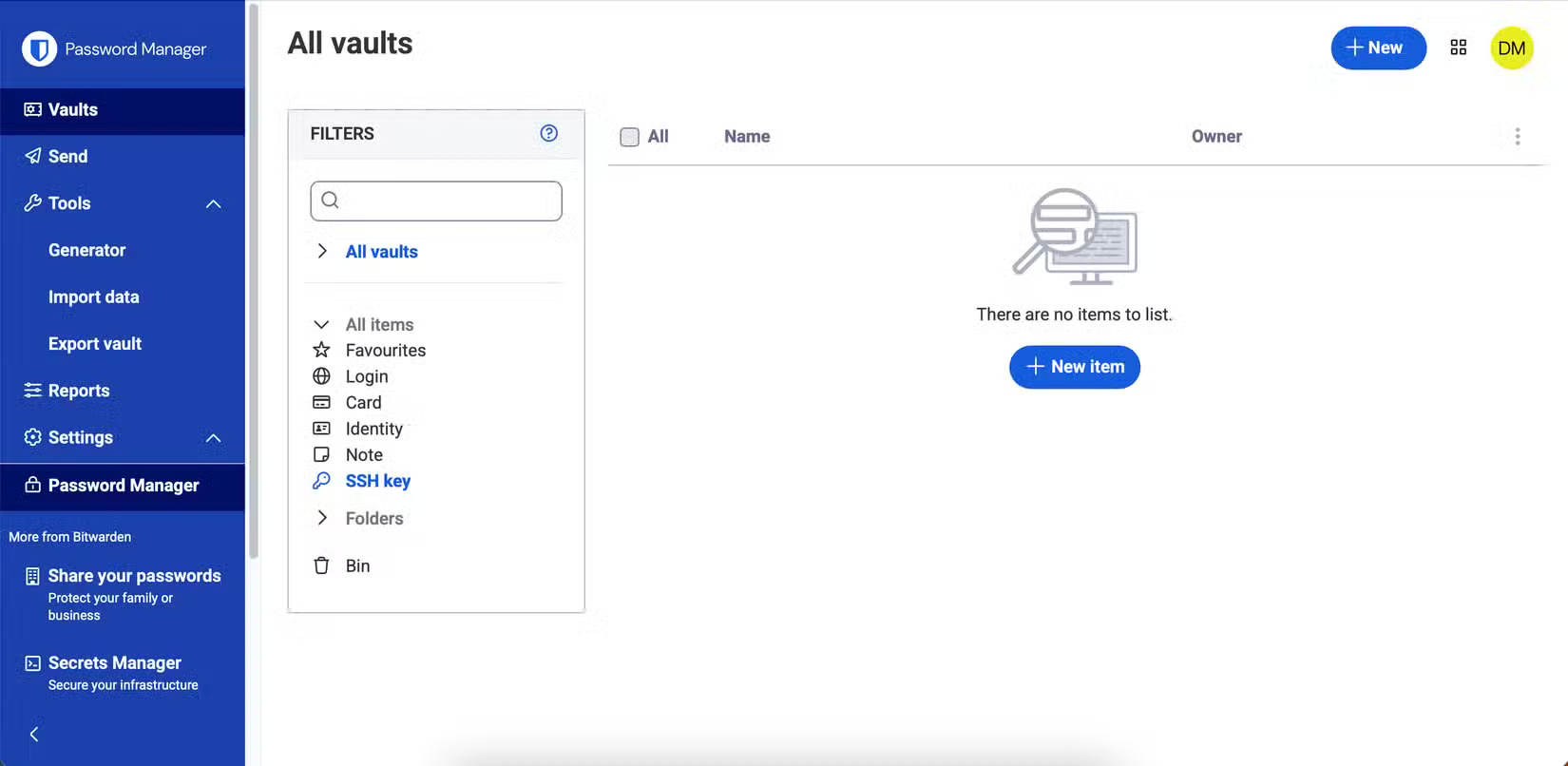
Bitwarden's interface is easy to navigate, with clear signage and bold text. Plus, the blue and white contrast means it's less tiring on the eyes.
4. Can be used on non-Apple devices
Apple Passwords is great if you're already in the Apple ecosystem, but it becomes a pain if you have to use any other device. It's hard to feel confident sharing your passwords from Apple Passwords to a non-Apple device, so you'll need to find an alternative.
Bitwarden works on any device, whether Apple, Android, Windows, or anything else. It's also available on your web browser, giving you more control over how you manage your passwords.
5. Customize your new password better
Using Apple Passwords, you can easily create new passwords. The app lets you choose strong credentials based on whether you want special characters or not, making it much easier to ensure strong logins. Plus, you can make sure you don't use the same password everywhere — improving your online security without doing much.
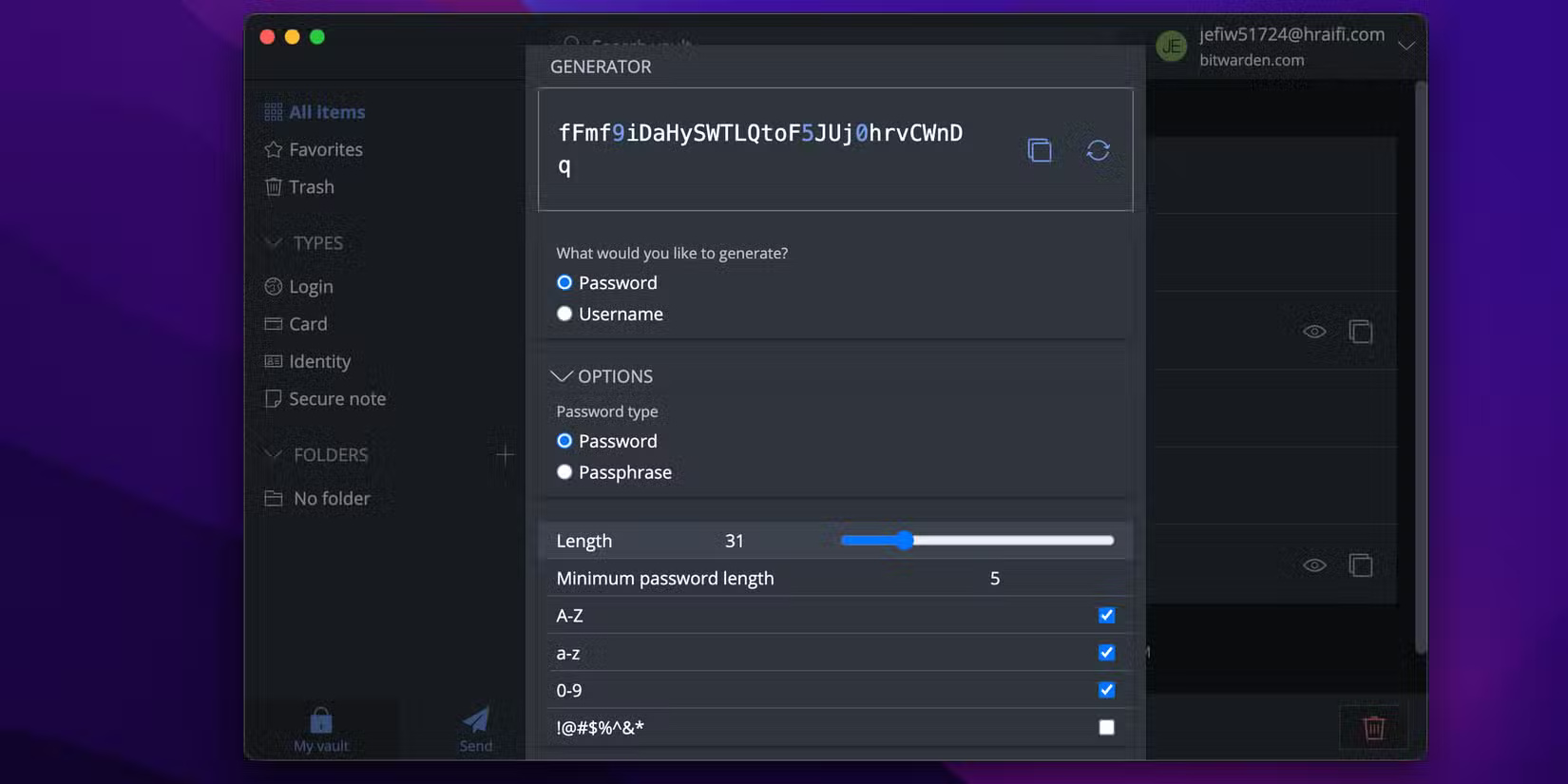
But while there's nothing wrong with Apple Passwords' customization features, Bitwarden is simply better in this regard. When creating a new password in the app, you can choose from:
- Password length
- Minimum number and special characters
- Want to keep or delete ambiguous characters?
There's also the option to choose whether to use special characters or not. However, unlike Apple Passwords, you can mark and delete specific categories.
6. In-app note options
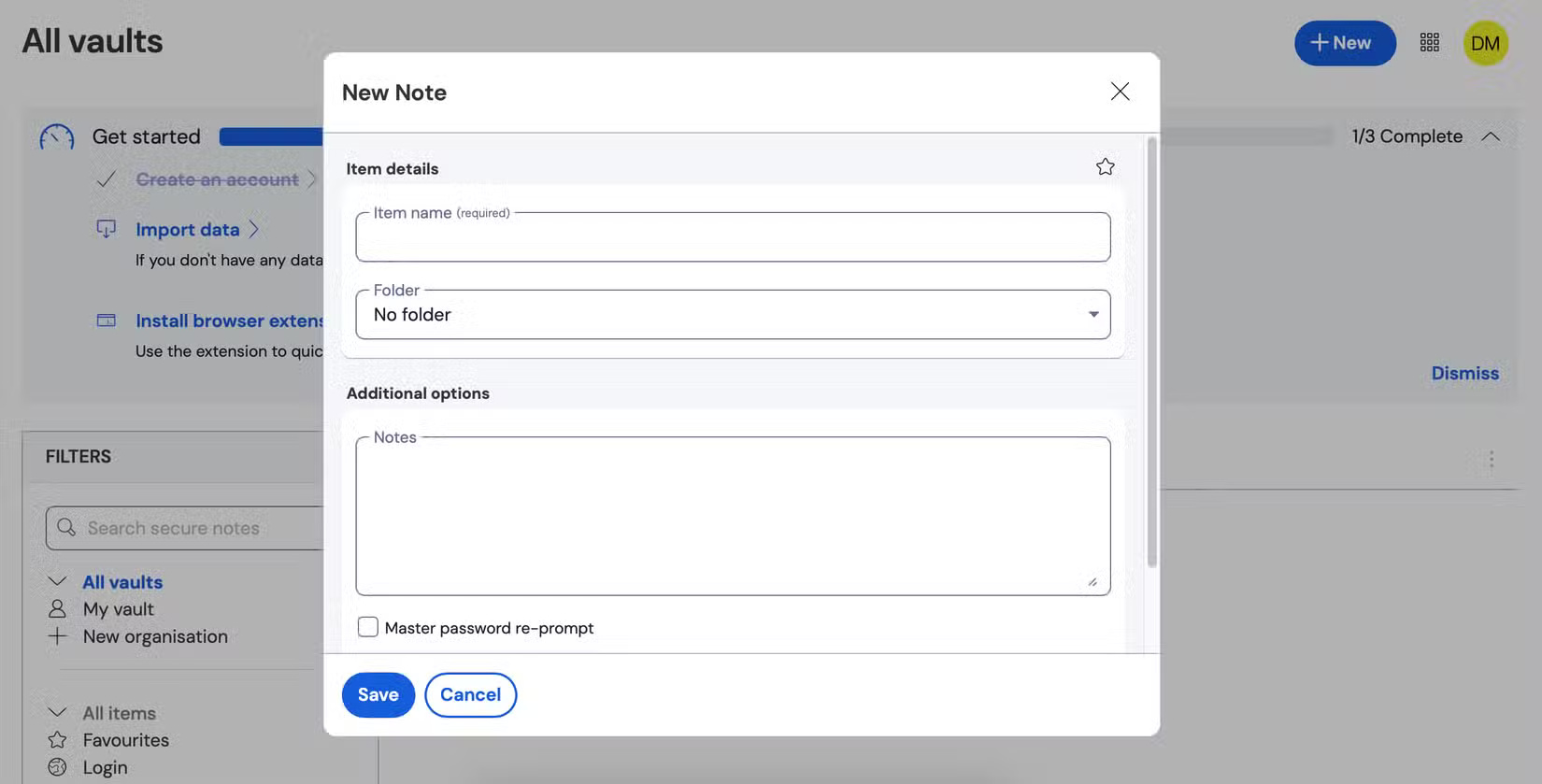
People can use a variety of note-taking apps, such as Apple Notes and Notion, to take notes. However, sometimes you want to add extra security to what you write. Keeping these in Bitwarden is not only a great way to centralize everything; it also means that no one else can access your content.
With Bitwarden, you can add any notes you want and also divide them into different folders. So it seems more organized than some note-taking apps you might have used before. Like other note-taking tools, you can add your most important notes as favorites.
FAQ
What should you know about 1. Ability to store payment information?
One of the most frustrating things about Apple Passwords is that you can't organize your payment information. While you can use Apple Pay on many devices, not all online retailers accept it, so it would be nice to be able to store your card information in the Passwords app.
What should you know about 2. Easier Password Organization?
Apple Passwords has some useful organizational features, like sorting Wi-Fi codes and other credentials. You can also filter by newest and oldest passwords, as well as by individual websites that have saved login information. But beyond that, the app is pretty limited.
What should you know about 3. Better interface?
App design is important. Apple Passwords looks nice, obviously, since most Apple tools are aesthetically pleasing, but functionality and navigation are just as important. Passwords isn't the worst tool you'll ever use, but Bitwarden is better.
What should you know about 4. Can be used on non-Apple devices?
Apple Passwords is great if you're already in the Apple ecosystem, but it becomes a pain if you have to use any other device. It's hard to feel confident sharing your passwords from Apple Passwords to a non-Apple device, so you'll need to find an alternative.
Related Articles
 How to Manage Passwords Using the Bitwarden Utility6 minutes read
 Why Should You Store Passwords in Bitwarden: What You Need to Know6 minutes read
 Why Bitwarden Is the Favorite Free Password Manager?8 minutes read
 Reasons to Switch to Apple's Password Manager6 minutes read
 Why Use Bitwarden Instead of Google Password Manager?7 minutes read
 7 Best Bitwarden Features You Probably Didn't Know About8 minutes read
Reader Comments 0
Sign in with email or Google to join the discussion.