Table of Contents
Orbs in Roblox Heavyweight Fishing are passive items that strengthen a matching skill family. Depending on the Orb, the possible bonuses include damage, cash, cooldown reduction, and item drop chance. An Orb does not boost every skill, so pairing it with the skill named in its description is essential.
Quick answer: The six Orbs covered here are obtained through quest lines or the game's banner-based summoning system. Start by checking the Orbs tab to identify what is missing, then follow the related NPC quest or use the appropriate banner. Heavyweight Fishing changes through updates, so treat the in-game description and update notes as the final authority if a requirement or value differs from this guide.
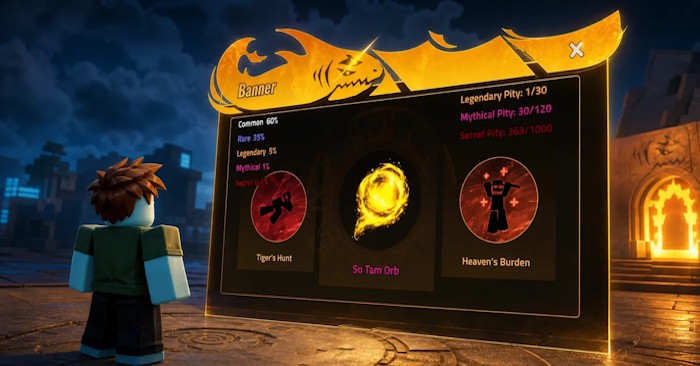
What each Orb does
The percentages below are the value ranges shown in the source material for this guide. The exact value on an Orb can vary within its range, and a future balance update may change the numbers.
| Orb | Matching skill family | Possible effects |
|---|---|---|
| Execution Orb | Execution | 5–150% damage 10–40% cash 5–25% cooldown reduction |
| Sage Yijiu Orb | Sage Yijiu | 50–200% damage 5–25% cash |
| Maoshan Orb | Maoshan | 25–200% damage 5–10% cooldown reduction 1–50% item drop chance |
| Cloud Ascension Orb | Cloud Ascension | 10–120% damage 1–25% cooldown reduction 5–15% item drop chance |
| Taoist Orb | Apex Eagle Hunt | 25–200% damage 5–25% cash 5–10% cooldown reduction 1–50% item drop chance |
| Qian Gate Orb | Qian Gate Dao | 20–100% damage 5–10% cooldown reduction 1–100% item drop chance |
How to get Orbs in Heavyweight Fishing
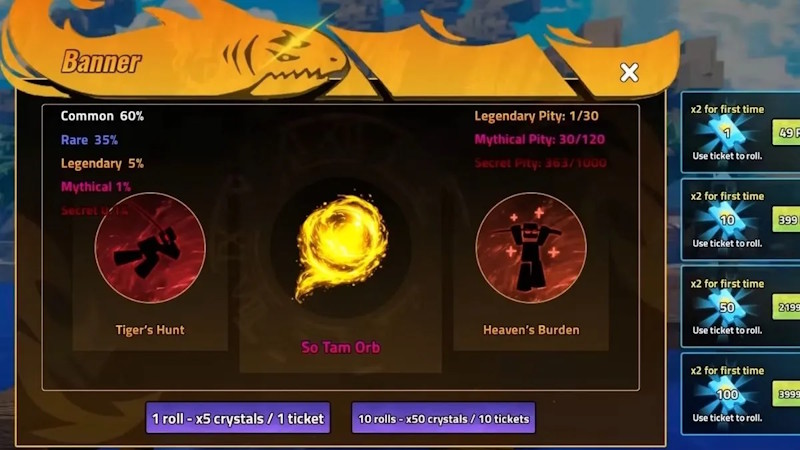
There are two documented routes: completing quests and summoning from a banner. The game may connect a quest Orb to an NPC, area, progression milestone, puzzle, or required item rather than placing it directly on the map.
1. Check the Orbs tab first
Open the Power or inventory interface and select the Orbs section. Note the name of the missing Orb and the skill family it supports. This prevents you from following an unrelated quest or spending summoning currency on the wrong objective.
2. Review quests, NPC dialogue, and item descriptions
Read active quest objectives and speak to relevant NPCs again. Also inspect quest items, keys, tokens, discs, and other unusual inventory objects for clues. Some interaction points remain inactive until an earlier stage of the chain is complete.
3. Search the area named by the clue
Once the quest points to a location, check its NPCs, signs, doors, caves, docks, platforms, and buildings. Do not rely only on a remembered location from an older video: an update may move an NPC or alter the required sequence.
4. Use the Summon menu for banner Orbs
Open the Summon interface and inspect the currently available banners and their displayed reward pool before spending Crystals or Tickets. If the Orb is not shown in the banner's pool, save the currency and check again after a rotation or update. A random summon is not a guaranteed reward unless the game explicitly displays a guarantee or pity condition.
5. Confirm the unlock
After completing the quest or summon, reopen the Orbs tab and verify that the item is registered. Equip it with the corresponding skill family, then compare the displayed stats to confirm the bonus is active.
If an Orb does not appear
- Confirm that every earlier quest objective is complete and that you spoke to the correct NPC after finishing it.
- Keep required quest items in your inventory and leave room for a reward.
- Check whether the Orb belongs to a banner that is currently active.
- Reopen the menu or rejoin a server if the interface has not refreshed.
- Compare the in-game update notes with the guide; new patches may add Orbs or change acquisition steps.
For more Roblox fishing coverage, see the guide to getting and using Enchant Relics in Fisch. You can also browse the latest TipsMake game guides for other progression and item-unlock walkthroughs.



Reader Comments 0
Sign in with email or Google to join the discussion.