Table of Contents
An AI workspace combines generative AI with the documents, tasks, messages, and workflows people already use. The products in this comparison are not interchangeable: Google Workspace and Notion are broad collaboration suites, Taskade combines projects with agents and automation, Sintra packages role-based business assistants, and Saner.AI focuses on personal knowledge and planning.
Choose the platform that removes a real bottleneck without creating a second, disconnected source of truth. A short pilot with your own data and permissions is more useful than comparing long feature lists.
AI workspace comparison
| Platform | Best fit | Primary context | Main tradeoff to test |
|---|---|---|---|
| Sintra AI | Small businesses wanting packaged, role-based helpers | Curated Brain AI knowledge plus connected actions | How much manual knowledge setup and review the workflows require |
| Google Workspace with Gemini | Teams already centered on Gmail, Drive, Docs, Sheets, Slides, Meet, and Chat | Workspace apps and content the user is permitted to access | Plan, admin controls, and whether Studio covers the required external systems |
| Notion AI | Teams using Notion as a wiki, document system, and database workspace | Notion pages and databases, connected apps, and selected web research | Knowledge quality, connector availability, and Business or Enterprise plan needs |
| Taskade | Small teams building projects, agents, and automations together | Projects, uploaded knowledge, agent instructions, and integrations | Governance and reporting for larger or more complex portfolios |
| Saner.AI | Individuals organizing notes, tasks, email, and calendar context | Personal notes and connected information sources | Team administration and structured project-management depth |
What to compare before buying
- Source of truth: identify where approved documents, tasks, and decisions live. The AI should read the right source without creating uncontrolled copies.
- Permission behavior: verify that search and agents respect existing file, page, channel, and account permissions.
- Actions and approval: distinguish drafting from sending, editing, publishing, or deleting. Consequential actions should have clear scopes, previews, logs, and human confirmation.
- Retrieval quality: test whether answers cite the correct internal source and handle conflicting or outdated documents.
- Automation model: compare triggers, conditions, schedules, failure handling, retries, and what happens when the AI is uncertain.
- Collaboration: check real-time editing, comments, ownership, version history, guest access, and handoff between people and agents.
- Administration: review identity management, data retention, audit logs, regional controls, export, deletion, and offboarding.
- Total cost: include the required plan, connector or automation limits, model usage, implementation time, and ongoing review—not only the advertised seat price.
Sintra AI: packaged helpers for business functions
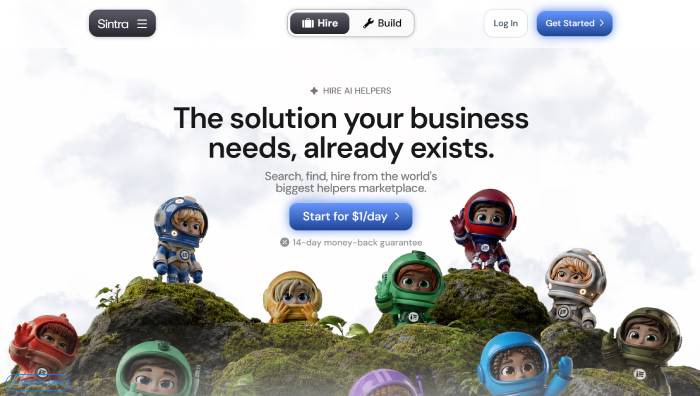
Sintra organizes its product around specialized Helpers for tasks such as email, social content, support, analysis, and business operations. Brain AI is the shared knowledge area where users can add text, links, files, images, video, structured information, and brand context for Helpers to reference.
This model suits a freelancer or small business that wants guided assistants rather than a blank automation canvas. A team can separate knowledge into Brain AI profiles and share a workspace.
The important implementation detail is that connecting an integration does not necessarily add all of that service's data to the Helpers' standing knowledge. Sintra's Brain AI documentation says content consistently used as knowledge must be explicitly saved in the knowledge area; integrations can enable actions without automatically becoming contextual memory. Test both retrieval and action behavior before assuming a connection does both.
Choose Sintra when: packaged roles match your recurring work and the team can curate a compact business knowledge base.
Test carefully: approval before external actions, factual consistency across Helpers, knowledge maintenance, and whether a specialized assistant is genuinely better than a shared prompt template.
Google Workspace with Gemini: AI inside an existing office suite
Gemini is embedded across Google Workspace applications, so users can draft in Gmail and Docs, work with data in Sheets, create content in Slides, summarize meetings, and search permitted Workspace information without moving everything into a separate product.
Google Workspace Studio extends that approach to agents and automations. Users can describe a workflow in natural language, combine steps across Workspace apps, and share agents with colleagues. This is compelling when Gmail, Drive, Calendar, Chat, and Docs already contain the team's daily work.
Do not assume every employee can access every Gemini or Studio feature. Availability can depend on the Workspace edition, administrator settings, rollout, region, and service-specific limits. Start with Google's Workspace Studio overview, then verify the current admin and licensing documentation for your domain.
Choose Google Workspace with Gemini when: the organization already standardizes on Workspace and wants AI in the same identity, sharing, and document environment.
Test carefully: permission-aware retrieval, external integrations, agent approvals, spreadsheet accuracy, and whether generated content preserves required document controls.
Notion AI: documents, databases, search, and agents
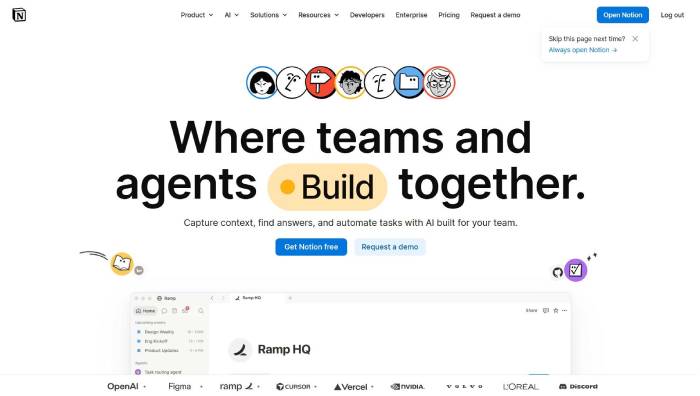
Notion AI works inside a workspace built from pages, databases, wikis, projects, and meeting notes. Notion Agent can create and edit pages or databases using workspace and connected-app context. Enterprise Search can answer questions across Notion and supported connectors, cite its sources, and narrow a search to a specific page, teamspace, person, or connected source.
Custom Agents add background workflows triggered on a schedule or by workspace events. This makes Notion a strong candidate when the team already treats its wiki and databases as an operating system for work.
The benefit depends on information architecture. Duplicate pages, unclear ownership, broad permissions, and stale policies produce weak answers no matter how capable the AI is. Notion's Enterprise Search documentation also notes that the feature is tied to specific paid plans, so verify connector and agent availability before a pilot.
Choose Notion AI when: knowledge, project context, and structured databases already live in Notion.
Test carefully: source citations, database edits, page permissions, connector coverage, agent triggers, and recovery from an incorrect bulk update.
Taskade: projects, AI agents, and automation
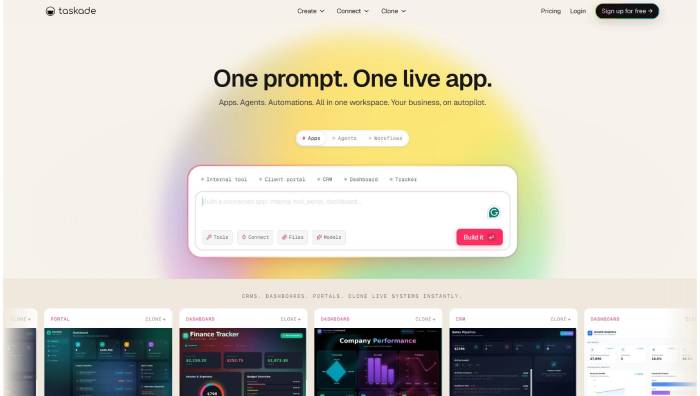
Taskade combines projects, shared knowledge, custom AI agents, and automations. Projects can be viewed in formats such as lists, boards, calendars, tables, and mind maps. Agents can use project knowledge and invoke tools exposed by automations, while Taskade Genesis can generate an app structure with agents, data, and workflows from a prompt.
This can work well for a small team that wants task coordination and AI execution in one place. It is also useful for prototyping an internal workflow without assembling a separate project tool, agent builder, and automation service.
High integration counts do not guarantee that the action your workflow needs is supported. Inspect each connector's triggers, actions, authentication scopes, limits, and failure behavior. Taskade's agent documentation explains how projects, agents, and automations fit together.
Choose Taskade when: the team wants a flexible project space with custom agents and cross-app automation.
Test carefully: role permissions, automation retries, agent-tool approval, project reporting, and whether the workspace remains understandable as the number of agents grows.
Saner.AI: personal knowledge and planning
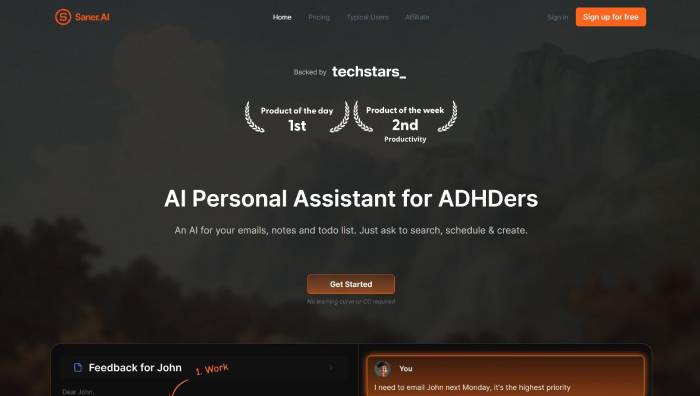
Saner.AI is positioned as a personal assistant for capturing and finding notes, managing tasks, and working with email and calendar information. Its appeal is reducing context switching for a person whose work is spread across notes, messages, and schedules.
That focus makes it different from the team suites above. An individual consultant, researcher, founder, or knowledge worker may value fast capture and conversational recall more than portfolio reporting or complex workspace governance.
The vendor's public material is more detailed about personal workflows than enterprise administration. Before storing client or employer information, verify current policies for data use, retention, exports, account deletion, connectors, and workspace sharing. Test how it distinguishes an original source from an AI summary.
Choose Saner.AI when: the central problem is personal information retrieval and planning rather than multi-department process automation.
Test carefully: import and export, source links, duplicate handling, calendar and email permissions, mobile capture, and collaboration needs.
Run a useful pilot
Use the same small set of real tasks for every finalist:
- Select 20 to 50 representative documents with known owners and permissions.
- Define five questions whose correct source and answer are known.
- Choose one drafting task, one structured update, and one external action.
- Include failure cases: missing data, conflicting policies, expired credentials, and a user without access.
- Record answer accuracy, citation quality, completion time, manual corrections, and whether the action was reversible.
- Ask a non-administrator to perform the normal workflow and an administrator to review logs, permissions, export, and offboarding.
- Estimate the monthly cost at realistic usage, including the plan needed for connectors and agents.
Do not connect an entire drive or production account merely to make a demo impressive. Start with least-privilege test data and expand only after permission and audit behavior are understood.
Which platform should you choose?
- Choose Google Workspace with Gemini when work already lives in Google's office suite and minimizing context switching is the priority.
- Choose Notion AI when a Notion wiki and databases are the team's central knowledge and project system.
- Choose Taskade when a small team wants projects, custom agents, and automations in one flexible product.
- Choose Sintra AI when ready-made business-role Helpers and a curated shared context are more useful than designing workflows from scratch.
- Choose Saner.AI when the requirement is primarily an individual's notes, tasks, email, calendar, and recall.
The best AI workspace is the one that fits the current source of truth, respects permissions, and improves a measurable workflow. If a pilot cannot demonstrate those three things, adding more AI features will not solve the underlying process problem.
Related Articles
 How to Work with Workspace in GNOME5 minutes read
 How to Disable Automatic Workspace in GNOME4 minutes read
 7 Essential Google Workspace Features to Help You Work Faster8 minutes read
 Little-known Nextcloud Features That Will Make You Consider Paying For7 minutes read
 Google Workspace Adds Anti-phishing, Client-side Data4 minutes read
 Google Workspace Security Vulnerability Caused Thousands of User5 minutes read
Reader Comments 0
Sign in with email or Google to join the discussion.