Table of Contents
This guide compares 10 leading Best Data Recovery Software, focusing on useful features, compatibility, ease of use, and overall value.
1. Disk Drill
Disk Drill is the best free data recovery software for computers because it easily recovers up to 500 MB of data lost or deleted from all internal and external storage devices. It can also recover compressed, hidden, or encrypted files. Disk Drill can work on Windows and Mac.
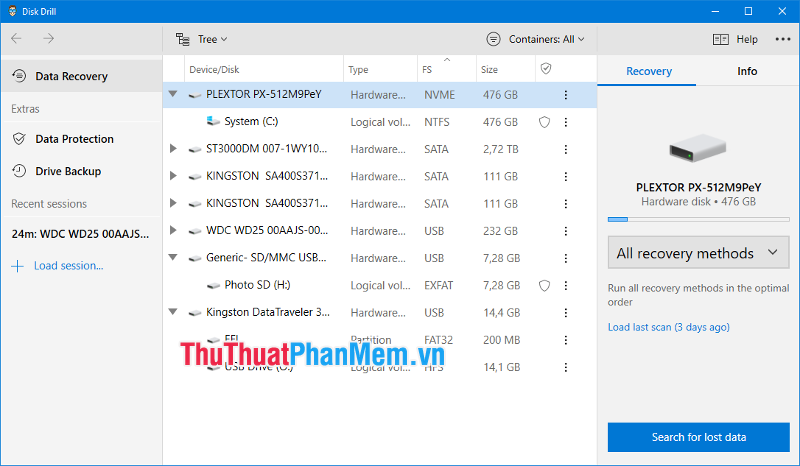
Salient features:
- Support hundreds of popular file formats;
- Can recover any storage device;
- Full support for FAT, NTFS, HFS +, EXT4.
- Data protection and backup features;
- Intuitive user interface;
- Free recovery up to 500 MB of data;
- Ability to extract scan results to a folder.
2. PhotoRec
PhotoRec has powerful data recovery and cross-platform support. Whether it's a digital camera or a traditional hard drive, PhotoRec will always protect you, as long as you know how to use it.

Salient features:
- Compatible with all major operating systems;
- Can recover photos, videos, documents and hundreds of other files;
- Support for multiple file systems;
- Can operate with hard disk and CD-ROM;
- Can recover lost images from digital camera memory.
3. Recuva
For simple data recovery jobs, Recuva is still a solid option. It can recover from corrupted or formatted drives. Recoverable data includes photos, music, videos, documents, emails, and many other types of files deleted from Windows computers, trash cans, digital camera cards or MP3 players.

Salient features:
- Easy to use interface;
- Feature previewing detected files for recovery;
- Unsaved Word documents can also be restored;
- Perform a deep scan;
- The feature to safely delete files, can permanently delete traces of deleted files.
4. Wondershare Recoverit
One of the best data recovery programs in its price range, Wondershare Recoverit works perfectly with a wide range of storage devices, including camcorders, hard drives, memory cards and USB flash drives.

Salient features:
- Support many file formats;
- Nice interface and excellent usability;
- Feature previewing detected files for recovery;
- Perform a deep scan;
- Recover data from a corrupted computer.
5. EaseUS Data Recovery Wizard
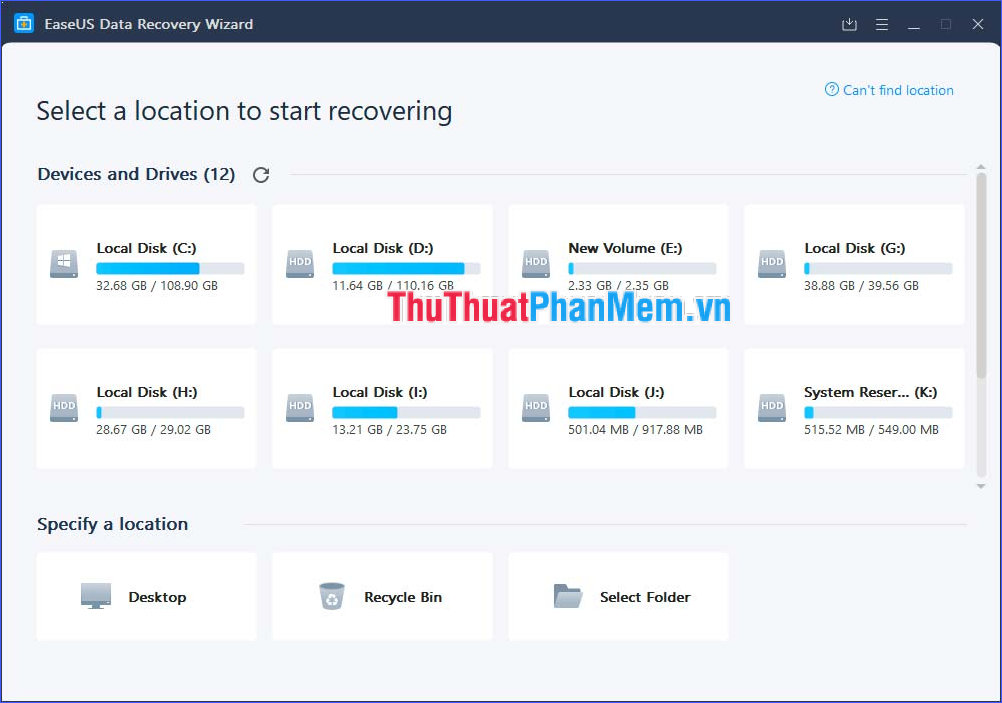
EaseUS Data Recovery Wizard has many powerful recovery functions such as accidentally deleted files recovery, format recovery, virus attack recovery, data recovery from damaged hard drive, trash data recovery, recovery Supported operating systems crash recovery, lost partition recovery and RAW partition recovery.
It can recover data from a variety of devices such as computers, hard drives, digital cameras or video players, etc.
Salient features:
- Can recover data from various loss situations: after deletion, formatting errors, partition loss, Supported operating systems problems, virus attacks.
- Can recover photos, videos, documents, emails and many other file formats;
- Supports FAT, exFAT, NTFS, NTFS5, ext2 / ext3, HFS +, ReFS file systems;
- Reliable data recovery performance;
- Allow users to sort and filter deleted files.
6. Stellar Data Recovery Professional
Stellar Data Recovery is the best choice for consumers and businesses. It can work with desktop computers, laptops, mobile phones, flash drives, memory cards and other external memory. 24 * 5 customer support service. It can recover files lost due to emptying the trash, shutting down an unwanted system, virus attacks and almost all other data loss situations.

Salient features:
- Recover data from all storage devices, support NTFS, exFAT and FAT formats;
- Recover files of all formats, allowing data preview after scanning;
- Recover data from corrupted partitions, system errors, encrypted partitions;
- Recover lost or deleted emails;
- Create drive image for quick recovery;
- Can work with iPhone and iPad to recover photos, videos, contacts, messages, calendars and call history.
7. Advanced Disk Recovery
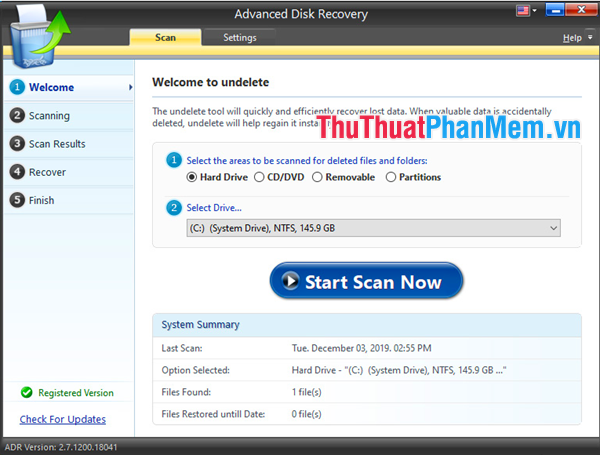
Advanced Disk Recovery can quickly recover deleted, formatted or lost data. It can retrieve photos, videos, audio, documents lost from hard drive, USB, memory card or a lot of other storage media. This is an easy and 100% safe solution. All deleted data will be restored without overwriting the original data.
Salient features:
- Compatible with all types of file formats;
- Data from external memory card, USB, SSD or hard drive can be restored.
- To locate and recover files by time, size. the software lets you use filters;
- Ability to recover files and folders in case of an unwanted format.
8. R-Studio Data Recovery
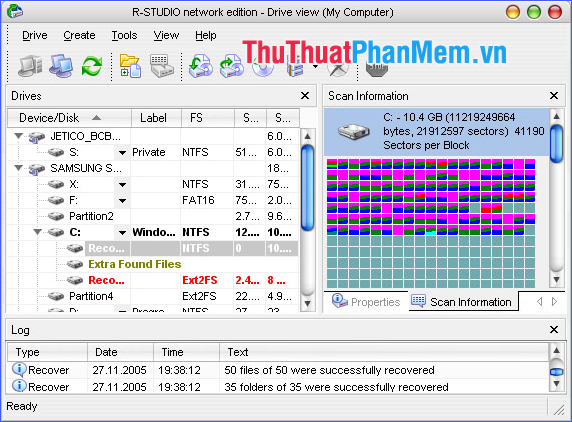
R-Studio is available for Windows, Mac and Linux. It can perform data recovery from local drives, removable disks, corrupted disks, unbootable disks or clients connected to the LAN or Internet. This tool is well suited for small to large data recovery options.
Salient features:
- Support a wide range of file systems: FAT / exFAT, NTFS / NTFS5, HFS / HFS +, APFS, UFS1 / UFS2. ;
- Recover via LAN and Internet;
- Create drive image;
- Allow to preview files;
- There is an emergency boot version (used in case of system failure);
- Use an advanced recovery algorithm
9. PC Inspector File Recovery
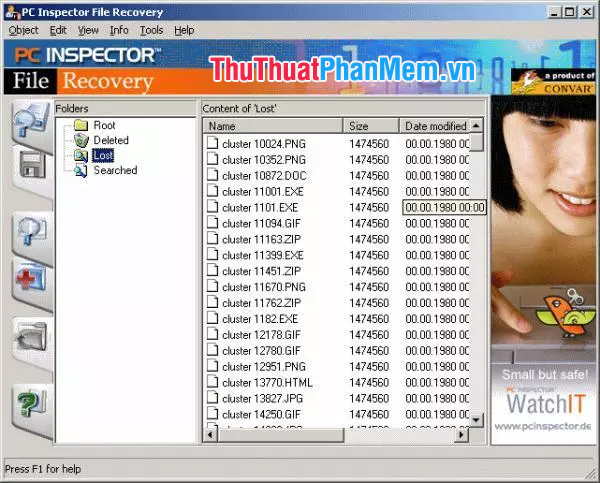
PC Inspector File Recovery is a freeware program. It supports FAT12 / 16/32 and NTFS file systems. Many different languages are supported by this tool. The software lets you save data to a networked drive, and is extremely effective in organizing recovered files by placing them in the correct file structure.
Salient features:
- Automatic partition search, even if the boot or FAT components are corrupted or deleted;
- Allow to store recovered files on network drive;
- Can recover files even when the header is no longer available (most competing products do not do this);
10. Wise Data Recovery
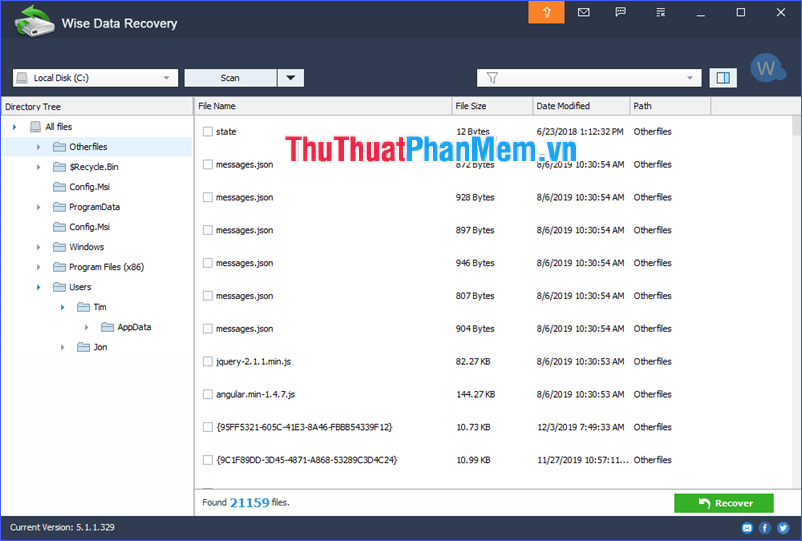
Wise Data Recovery can recover data in case of unintended deletion, formatted drive or system failure. It can work with hard drives, USB drives, memory cards, digital cameras, mobile phones, MP3 players or a lot of other storage media. The software supports FAT12 / 16/32, exFAT and NTFS file systems.
Salient features:
- Fast scan speed by using advanced algorithms;
- There are indicators for data quality;
- Clear interface;
- Provide convenient filters.
Through the above article, I have introduced you to the top 10 best data recovery software today. Please refer and choose the most appropriate software for you. Wishing you a successful salvage of your important data!
FAQ
How should I choose among Best Data Recovery Software?
Compare compatibility, essential features, ease of use, security, support, and total cost rather than choosing only by popularity.
Are free options suitable for everyday use?
Free tools can be sufficient for basic needs, but advanced features, commercial use, or priority support may require a paid plan.
What should I check before installing or using one?
Verify the official source, system requirements, recent updates, privacy practices, and support for your device and file types.
Related Articles
 Effective Data Recovery Software on Computers16 minutes read
 21 of the Best Data Recovery Software Programs to Effectively Retrieve Deleted29 minutes read
 5 Best Best Data Recovery Software7 minutes read
 Top 5 Data Recovery Software, Computer Data Rescue, Hard10 minutes read
 IBeesoft Data Recovery: the Best Data Recovery Software6 minutes read
 Data Recovery Wizard - the Most Powerful Data Recovery Software6 minutes read
Reader Comments 0
Sign in with email or Google to join the discussion.