Table of Contents
Zalo launched the Digital Citizen Assistant application to support people 24/7 with all administrative and legal procedures.
Zalo has just launched the Digital Citizen Assistant application to support people 24/7 with all administrative and legal procedures. People only need to enter a request to complete a document procedure, or need to ask about each step of the administrative procedure, and the AI assistant will answer in detail. Below are instructions for using the Digital Citizen Assistant on Zalo.
Instructions for using digital citizen assistant on Zalo
Step 1:
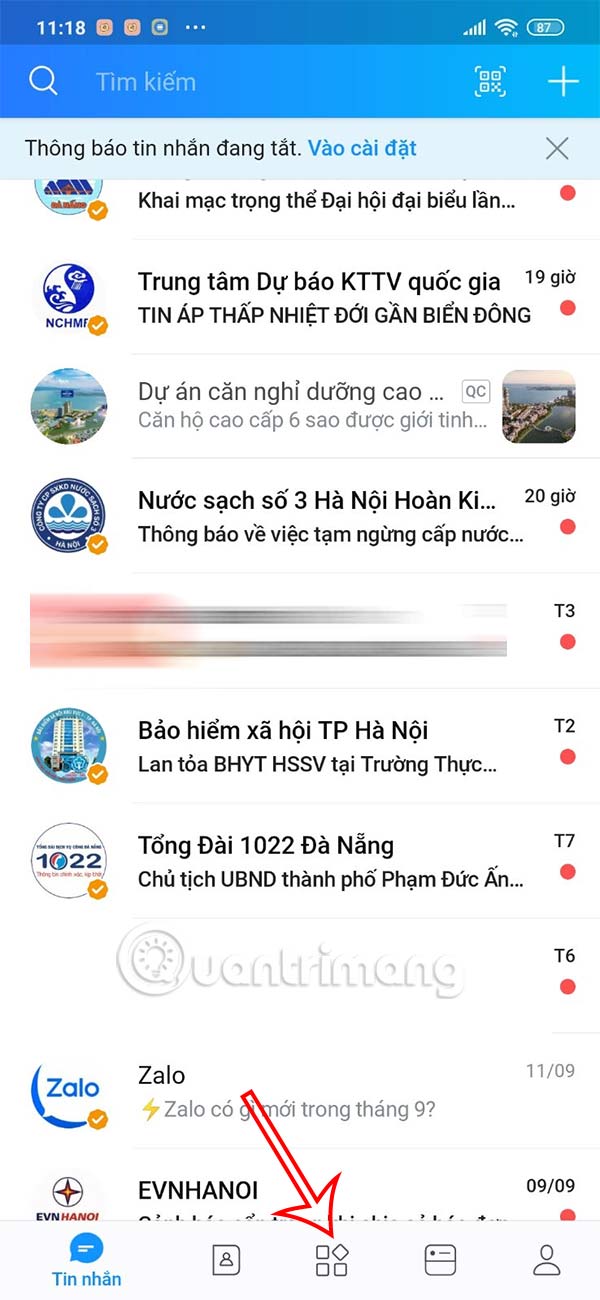
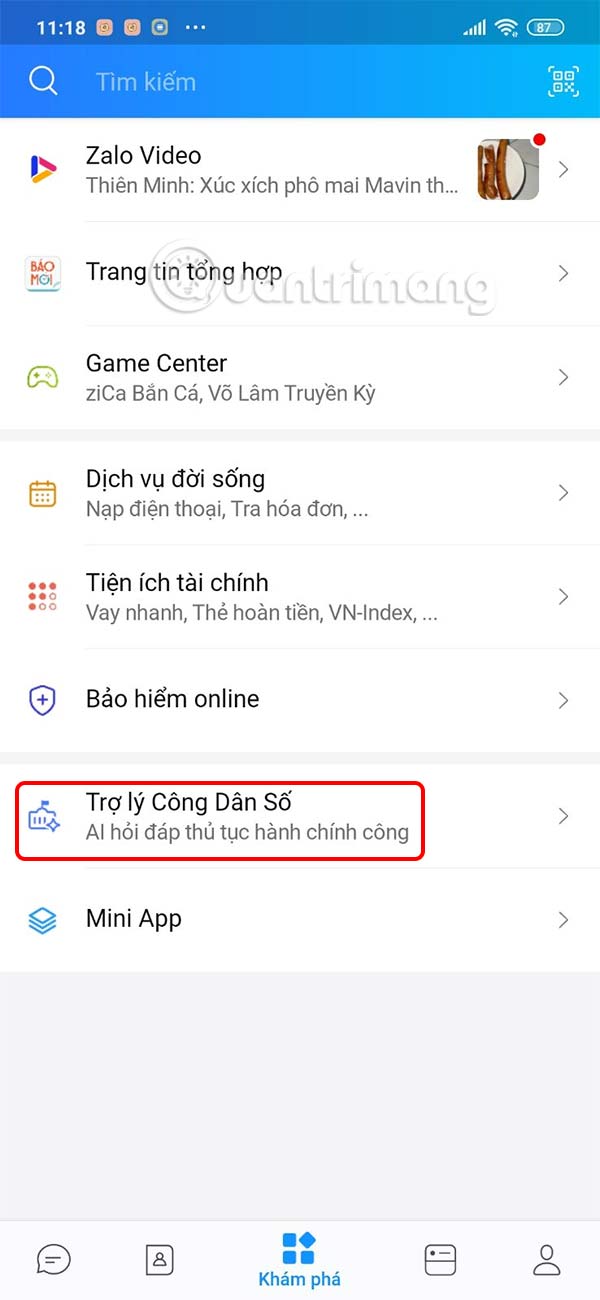
First of all, You should update the Zalo application to the latest version. Then click on The Explore section Below to do so. Now you will see The Digital Citizen Assistant section .
Step 2:
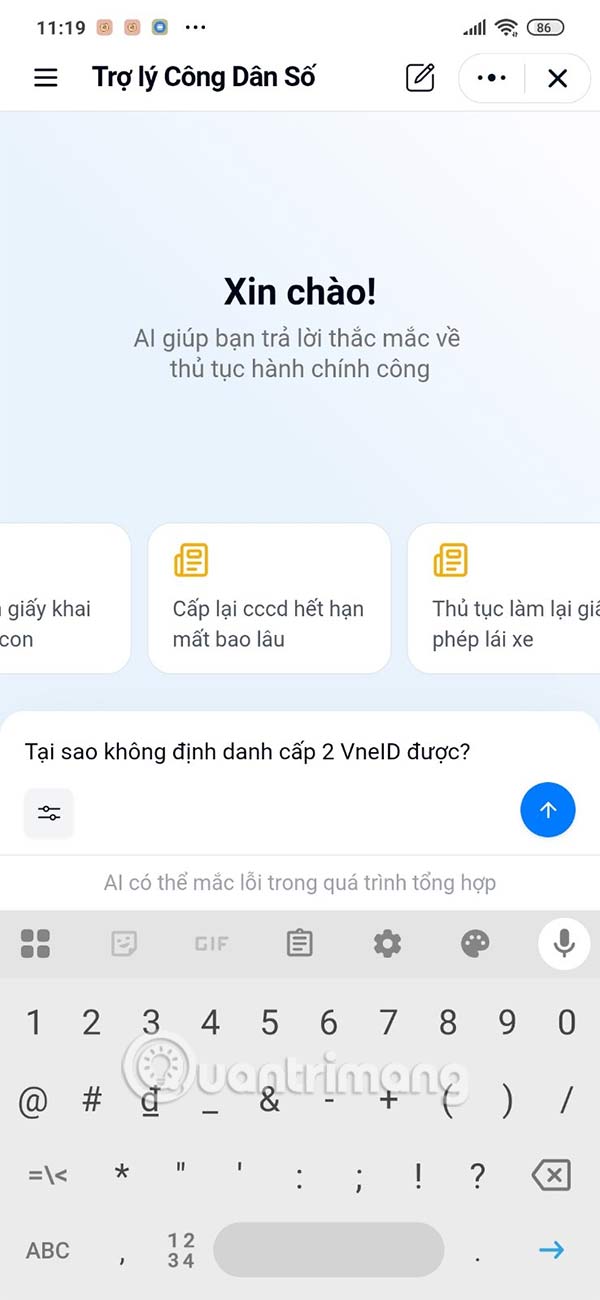
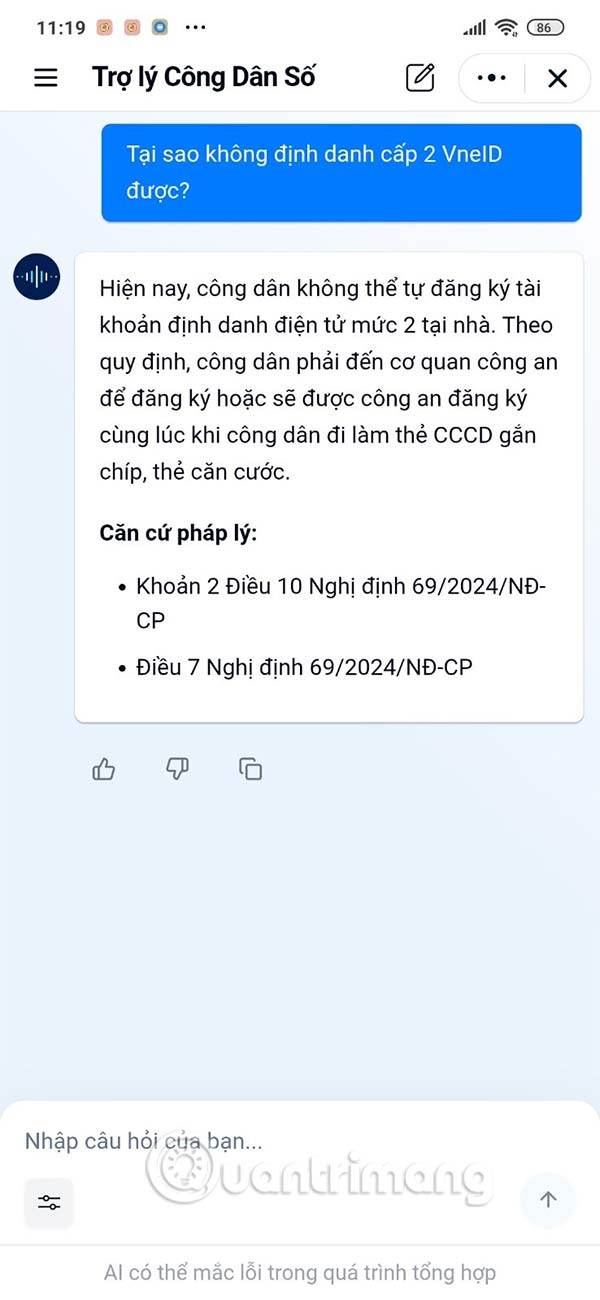
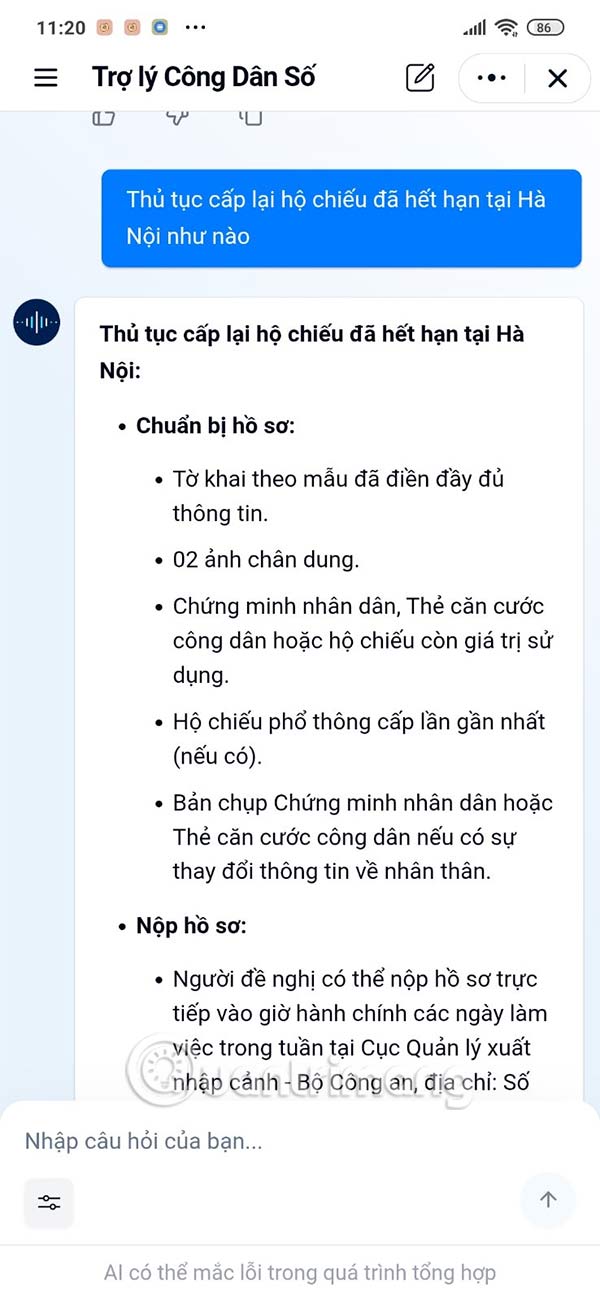
Go to the assistant interface, this guide will enter the question about the administrative procedure you want to learn about, or what procedure you are stuck on for the assistant to answer. The digital citizen assistant will base on all official information and provide you with the answer.

Step 3:
The Digital Citizen Assistant on Zalo will fully support you with all procedures, each step is detailed and specific so that You can easily follow each process. In addition, when clicking on the 3- Dash Icon In the upper left corner, you can access the Q&A history on Zalo's Digital Citizen Assistant.

FAQ
What should you know about digital citizen assistant on zalo?
In practical terms, zalo launched the Digital Citizen Assistant application to support people 24/7 with all administrative and legal procedures.
Why does digital citizen assistant on zalo matter?
The article highlights that instructions for using digital citizen assistant on Zalo Step 1: First of all, you need to update the Zalo application to the latest version.
What is the main takeaway?
The main takeaway is that step 3: The Digital Citizen Assistant on Zalo will fully support you with all procedures, each step is detailed and specific so that people can easily follow each process.
Related Articles
 An AI-powered Administrative Document Drafting Assistant4 minutes read
 How to Comment, See the 2018 World Cup News Right on Zalo5 minutes read
 Siro - Vietnamese Virtual Assistant Exclusively for Android5 minutes read
 Google Assistant Surpasses Siri, Alexa and Cortana, Becoming the Smartest Virtual Logic Today3 minutes read
 What Is the Virtual Assistant on TV, Which TV Streams Are8 minutes read
 Microsoft Raised the White Flag, Accepted to Turn Virtual Assistant Cortana into Assistant3 minutes read
Reader Comments 0
Sign in with email or Google to join the discussion.