Table of Contents
Xingtu (醒图) is a Chinese photo editor whose domestic Android release may not appear in Google Play outside China. The safest choices are to use the download offered on Xingtu's official site, obtain the package from a recognized Chinese app store, or install the international version, Hypic, from Google Play. Avoid random APK links and modified “premium” builds.
Choose the safest available version
- Official Xingtu: start at the Xingtu website and use its Android download option. The Chinese package is commonly identified as
com.xt.retouch. - Recognized Chinese store: the Tencent App Store maintains an Xingtu listing. Check that the package name and publisher details match the official release.
- International alternative: Hypic on Google Play is the overseas version and is easier to update through Google's normal app process.
If Xingtu is unavailable in your region, Hypic is safer than downloading an APK from an unknown file host. Features are similar but not necessarily identical.
Install an official Xingtu APK
Sideload only when the file came directly from an official or verified source.
- Download the APK from the official site or a recognized store. Do not open advertising buttons that mimic the real download control.
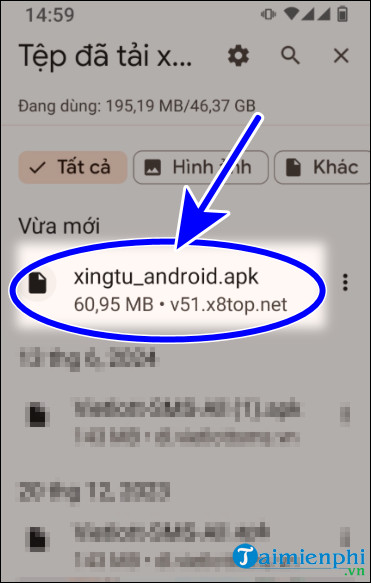
- Open the completed download from the browser's download list or the Files app.
- If Android blocks the installation, open the prompt for Install unknown apps and allow the specific browser or file manager to install this one package.
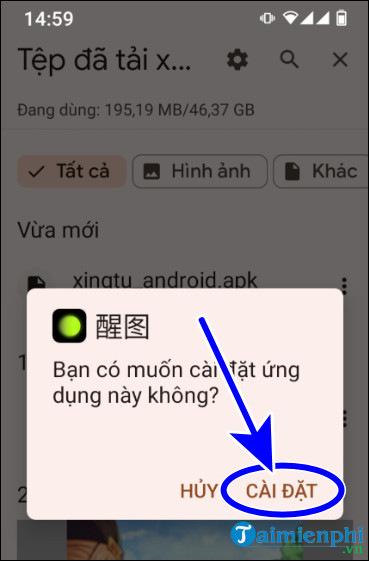
- Return to the APK, tap Install, and wait for Android to finish verification.
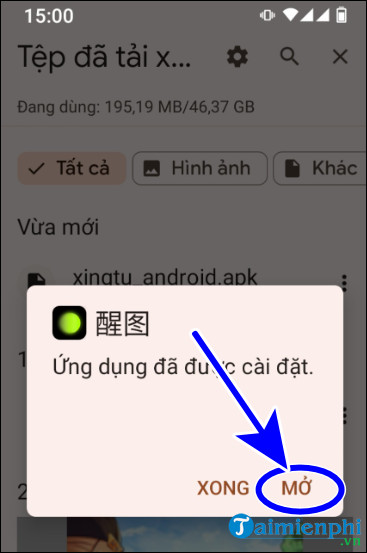
- After installation, return to the app's Install unknown apps setting and turn Allow from this source off again.
Security checks before opening the app
- Do not install a package that asks you to disable Play Protect or another security feature.
- Cancel if the package name or app label is unrelated to Xingtu or 醒图.
- A photo editor may reasonably need access to selected photos and the camera, but it should not need SMS, call logs, accessibility control, or device-administrator privileges.
- Keep the APK so you can record its version and source, or delete it after installation if storage is limited.
- Sideloaded apps may not update automatically. Recheck the official source before installing a later version.
Start editing a photo in Xingtu
The screenshots below show an older Chinese-language version, so wording and button positions may differ.
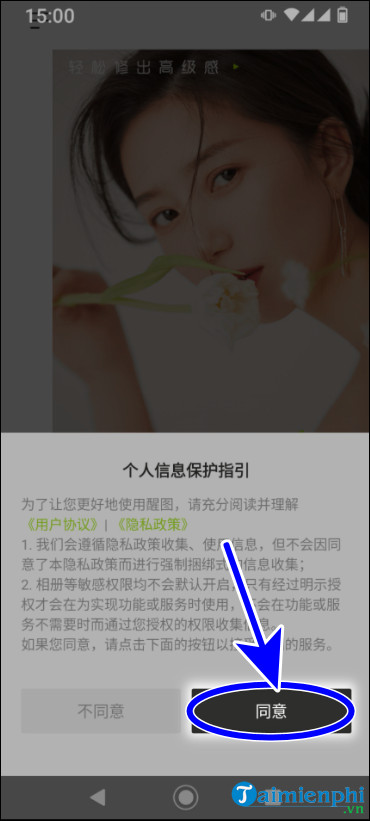
- On the first launch, read the privacy and terms screen. In the illustrated version, the dark button on the right proceeds.
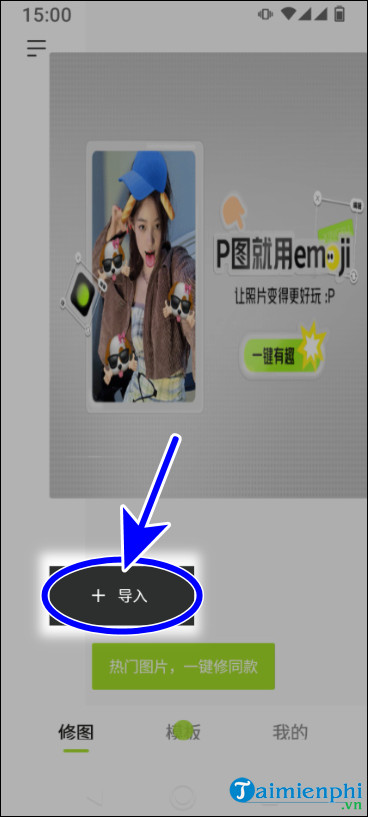
- On the home screen, tap the large + button to begin a project.
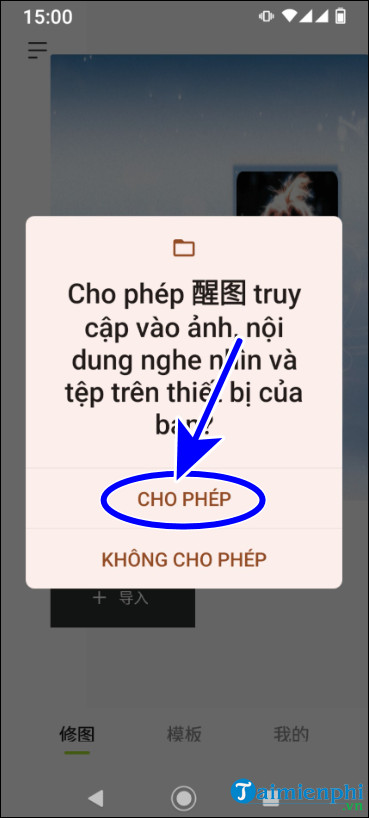
- When Android asks for photo access, choose selected-photo access if available, or allow the minimum access needed to import the image. You can change the permission later in Android Settings.
- Select a photo and wait for the editor to load.
Understand the main editing tools
The bottom toolbar groups common editing functions. Icons and order change between releases, but the categories typically include:
- stickers, overlays, and decorative elements;
- portrait retouching, makeup, and reshaping controls;
- filters and adjustments such as exposure, contrast, saturation, and sharpness;
- crop, blur, removal, and other detail tools.
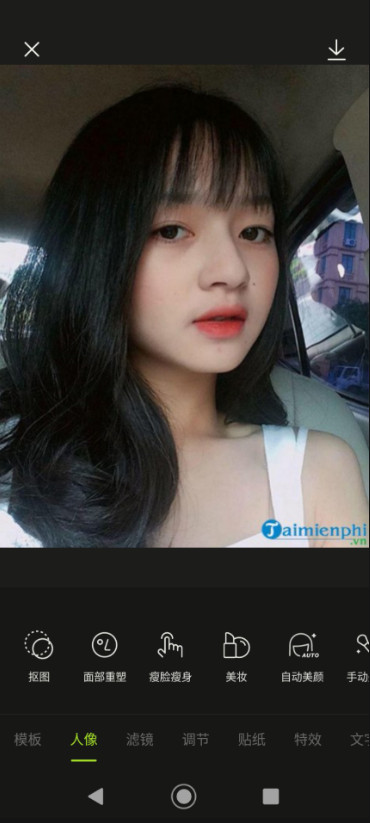
Use portrait reshaping conservatively and keep an untouched copy of the original. Before sharing, inspect edges, background distortions, and skin texture at full size.
Manage privacy and permissions
A beauty editor processes personal photos, which may include faces and location metadata. Review Xingtu or Hypic's current privacy policy, avoid importing sensitive images, and revoke camera or photo access when it is no longer required. TipsMake's guide to managing Android app permissions explains additional controls.
If you choose Hypic instead, install it through the normal workflow described in how to use Google Play.
Related Articles
 How to Use Xingtu 醒图 on the Computer5 minutes read
 How to Download Marvel Super War for iOS and Android4 minutes read
 How to Download and Play Super Mario Run Game on Android7 minutes read
 3 Best Software That Supports Super Fast Download Instead of IDM3 minutes read
 Scientists Create Cockroach Robots That Run Super Fast, Step Back3 minutes read
 How to Download and Play Super Mario Run on Android Phones5 minutes read
Reader Comments 0
Sign in with email or Google to join the discussion.