Table of Contents
This guide provides a clear, practical overview of summary of errors on the iPhone 12 series, with useful context, important details, and straightforward takeaways for everyday readers.
This is the latest generation of iPhone, of course it is among the top best smartphones on the market today. Part of the power of iPhone 12 also comes from iOS 14, the latest operating system version with many new features and upgraded and improved old features.
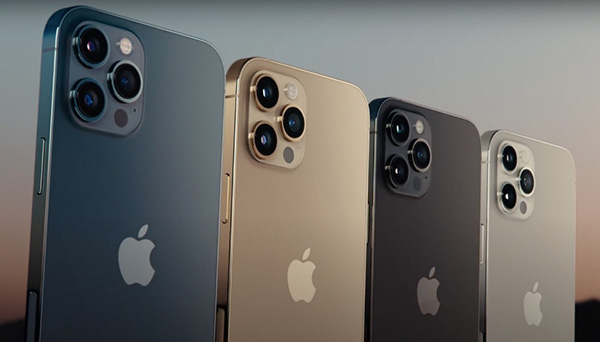
However, no matter how good a product is, there are still downsides to it. The iPhone 12 is no exception. Up to now, iPhone 12 users have reported errors in use, such as battery drain, hot machine, problematic activation. In addition, the iPhone 12 also has many problems that do not appear simultaneously on devices but are also worth attention. Make a list below for your convenience and will have additional information updated if any.
- Users of the iPhone 12 series have had problems with a broken microphone when using it on video calling apps.
- Videos recorded on iPhone when sharing to Instagram, Snapchat or other platforms have problems with overexposure and glare when viewed on these apps. However, when viewed on the Photos app of the device is normal.
- Some users of Verizon, AT&T and a few other carriers reported that they are not getting good reception when using mobile data, sometimes not even on iPhone 12.
- Some iPhone 12 users reported experiencing slow and unstable Wifi speeds. Apple has not responded to this issue.
- Apple is aware of the problem of wireless charging on the iPhone 12 series, so it has worked to resolve it on the iOS 14.3 update.
- Some people iPhone 12 Pro Max also has some problems when taking pictures or recording videos including the focus is unstable, there is a vertical line appearing on the screen.
- IPhone 12 users of the Verizon network report having a 'Call failed' error while calling.
- Many iPhone 12 users find that the distance between the device's screen and the frame is larger than usual, so dust easily gets inside that gap.
- Some iPhone 12 users are sure that videos captured on their devices are sent as blue boxes on iMessage. Currently it is not clear whether the feature or the error, do not know if the next iOS update will fix this problem.
Key Takeaways
Use the information above as a practical reference for summary of errors on the iPhone 12 series. Review each step carefully, confirm any requirements, and choose the option that best fits your situation.
FAQ
What does this guide explain about Summary of Errors on the iPhone 12 Series?
It explains the main concepts, practical considerations, and useful steps related to summary of errors on the iPhone 12 series without requiring advanced knowledge.
Who can benefit from learning about Summary of Errors on the iPhone 12 Series?
This information is useful for readers who want a clear overview, practical guidance, and reliable steps related to summary of errors on the iPhone 12 series.
What should I check before applying this information?
Review the requirements, confirm that your device, software, or situation matches the instructions, and back up important data before making major changes.
Related Articles
 Summary of Common Errors on iPhone 6, 6 Plus and How to Fix Errors17 minutes read
 Summary of Common Iphone X Errors and How to Fix Them7 minutes read
 Iphone 11 Error: Common Errors on Iphone 11 and How to Fix Them4 minutes read
 The Most Serious Series of Errors on iPhone Ever: What to Know6 minutes read
 iPhone 12 Is Still Not Perfect, Still 'Many Bugs, Many Bugs'7 minutes read
 Ways to Fix Face ID Error on iPhone9 minutes read
Reader Comments 0
Sign in with email or Google to join the discussion.