Table of Contents
A convincing vintage portrait needs a consistent combination of clothing, setting, lighting and image texture. Instead of asking Gemini for a “retro photo,” describe those choices together. The ten prompts below offer distinct starting points, from a soft studio portrait to a dramatic black-and-white close-up.
How to use these prompts with your photo
In Gemini's image workflow, upload a clear photo you have permission to use and paste one prompt. If you want a fictional subject instead, replace “the person in the reference photo” with your own description.
For a personal portrait, add this instruction before the selected prompt:
Use the uploaded photo as the identity reference. Preserve the person's recognizable facial features, approximate age, skin tone and natural proportions. Change only the clothing, setting, pose and photographic treatment requested below.
This is a request, not a guarantee of an exact likeness. Check the result carefully. Image editing availability depends on account and regional requirements; see Google's Gemini image guidance if the option is missing.
1. Soft 1980s studio portrait
Use this for a formal head-and-shoulders image with gentle color and low-contrast lighting.
Create a studio portrait inspired by the 1980s of the person in the reference photo, looking directly at the camera with a relaxed expression. Dress them in a cream turtleneck and brown corduroy blazer. Use soft, even frontal lighting and a smooth pastel background blending pale pink with muted blue-green. Frame the head and shoulders in a vertical composition. Add subtle film grain and slightly softened contrast while keeping the eyes and natural skin texture clear.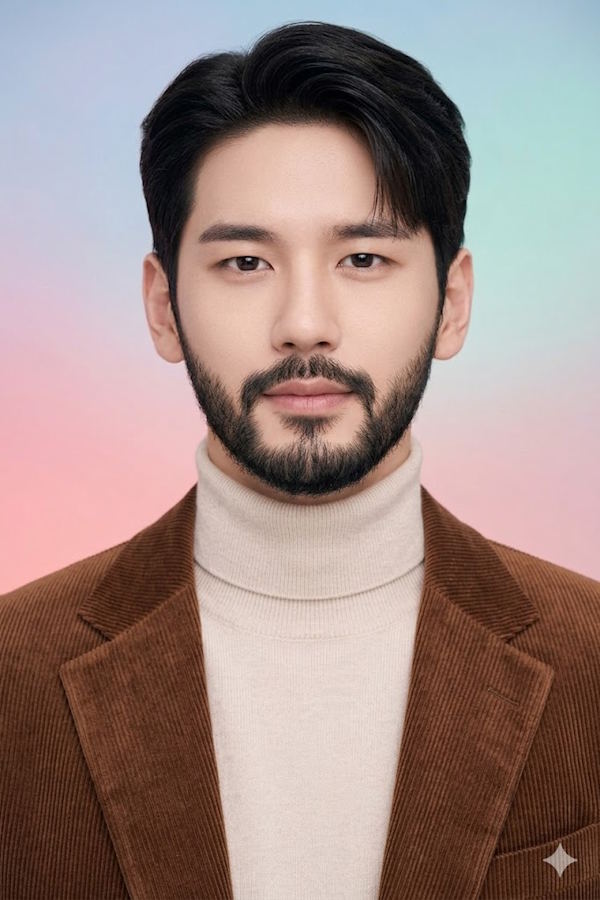
2. Late-1990s instant-photo snapshot
Choose this for a casual outdoor portrait rather than a polished studio result.
Create a late-1990s-style instant-film portrait of the person in the reference photo. Give them a friendly, natural smile and a striped collared shirt. Place them outdoors in late-afternoon light, with softly blurred greenery behind them. Use gentle fading, modest grain and slightly imperfect snapshot framing. Add a simple off-white instant-photo border, with no printed words or date. Keep the subject's face recognizable and avoid heavy skin smoothing.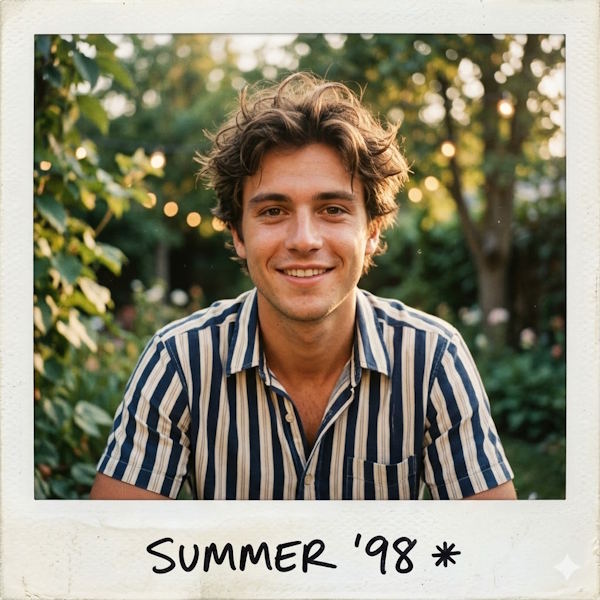
3. Mid-century portrait beside a radio
The radio, furniture and warm tones establish the setting without requiring excessive aging effects.
Create a mid-century-inspired portrait of the person in the reference photo, seated comfortably in a brown leather armchair. Dress them in a tailored tweed suit with a waistcoat and tie. Place a wooden tabletop radio with fabric speaker cloth and simple dials beside the chair, with a small stack of records below. Use muted geometric wallpaper and soft window light. Apply restrained warm, sepia-like tones. Keep the face in focus and the room details secondary.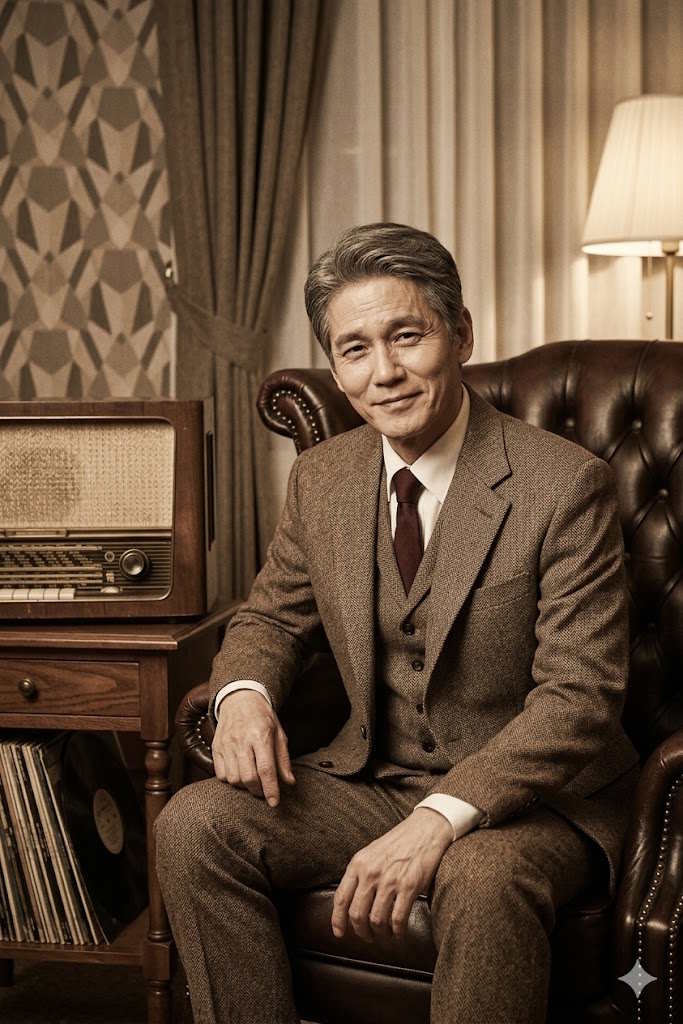
4. 1970s Bollywood-inspired studio glamour
This prompt draws on colorful costume and theatrical studio lighting, without asking for a particular actor's likeness.
Create a full-length, 1970s Bollywood-inspired studio portrait of the person in the reference photo. Use a confident hands-on-hips pose, an orange-and-brown paisley shirt and high-waisted light-colored flared trousers. Place rich red velvet curtains with restrained gold accents behind the subject. Use warm theatrical lighting with a subtle spotlight effect. Keep the anatomy natural, the outfit clearly visible and the face recognizable. Avoid extra people, logos and film-title text.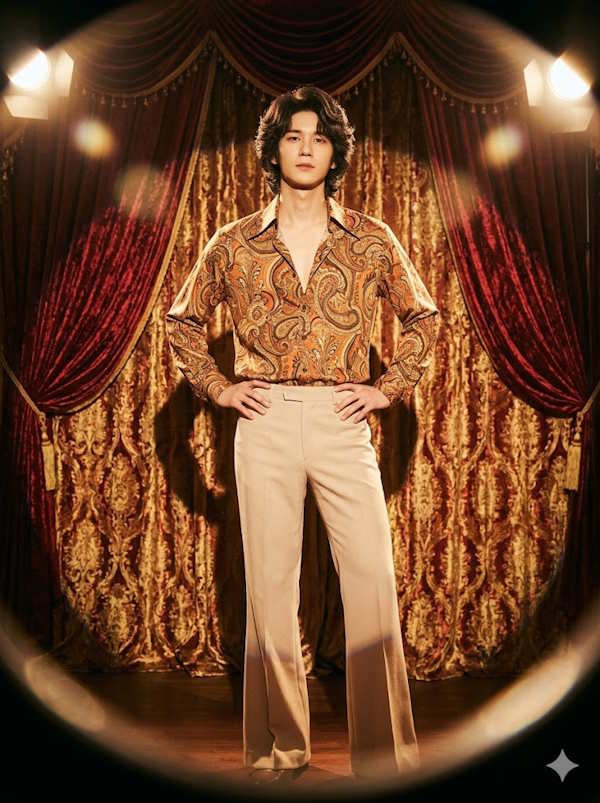
5. Casual 1990s studio portrait
A plaid shirt and pastel fabric backdrop suit the single-person example better than a “family photo” label.
Create a casual 1990s-style studio portrait of the person in the reference photo, seated and facing the camera with a small, relaxed smile. Use a red-and-blue plaid overshirt over a plain white T-shirt, with light blue jeans. Set the scene against softly blurred vertical fabric panels in pastel blue, green, pink and yellow. Use broad, even lighting, modest contrast and a slightly faded color-print finish. Keep the pose comfortable and the clothing proportions realistic.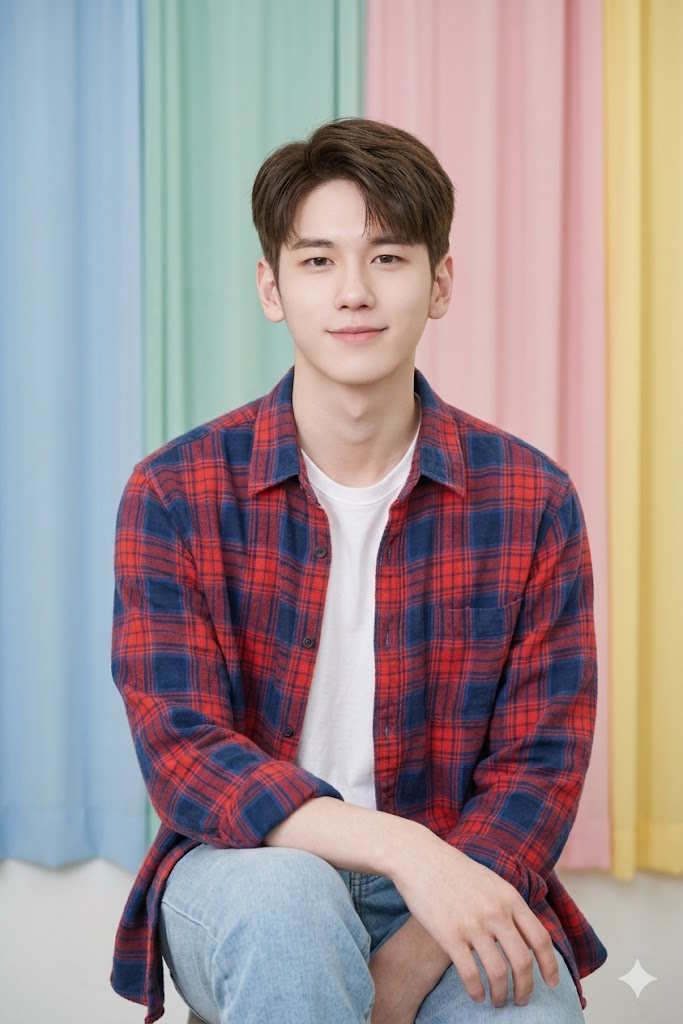
6. Black-and-white film close-up
Use directional light and tonal contrast to create depth while retaining detail in the skin and shadows.
Create a black-and-white film portrait of the person in the reference photo, framed closely from the chest upward. Dress them in a dark jacket and shirt, looking slightly off-camera with a thoughtful expression. Light the face from one side so the cheekbones and skin texture remain visible. Use a plain dark-gray gradient background, fine film grain and a full range of grays. Preserve shadow detail rather than making half the face completely black.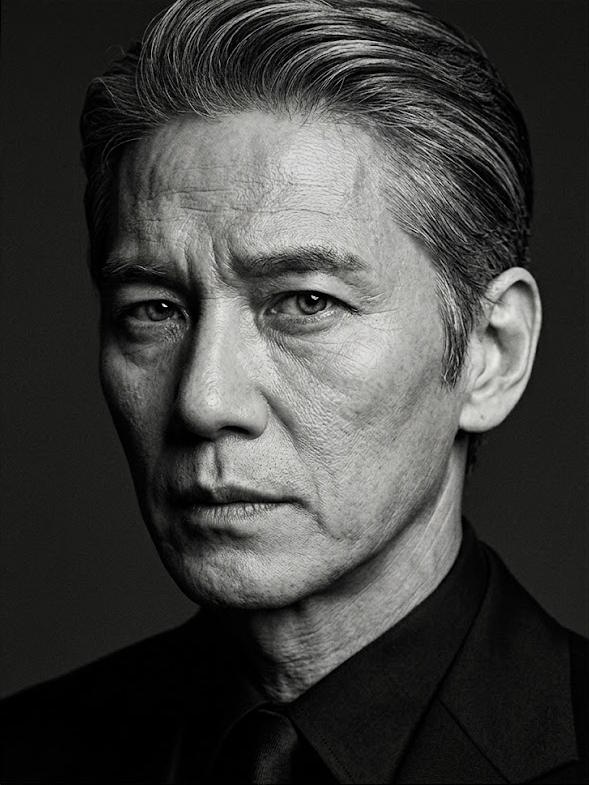
7. Warm café portrait
Keep the window light as the main visual feature; too many props can distract from the subject.
Create a warm vintage-style portrait of the person in the reference photo sitting at a small wooden café table. Dress them in an earth-toned knitted sweater, holding a ceramic cup and looking toward a window. Let late-afternoon sunlight pass through venetian blinds, casting soft bands of light across the table and background. Include dark wood paneling and a few understated vintage posters. Keep the face gently lit, the hands natural and the overall color palette warm but not orange.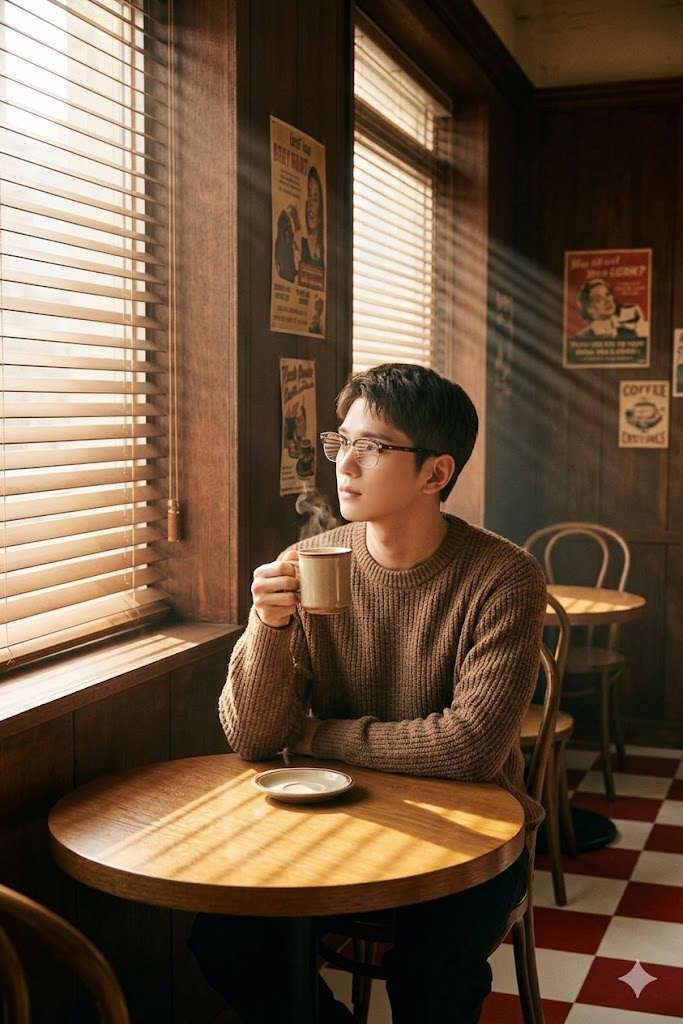
8. Romantic portrait with a book
This version uses soft daylight and a quiet pose for an understated, nostalgic mood.
Create a soft vintage portrait of the person in the reference photo seated in an upholstered armchair. Dress them in a cream blouse or shirt with light trousers, holding a closed book naturally in their lap. Use a slight off-camera gaze and a relaxed expression. Place sheer curtains and a pale pastel wall in the background. Light the scene with diffused window light and a small amount of warm background bokeh. Keep the face clear and avoid excessive haze or beauty retouching.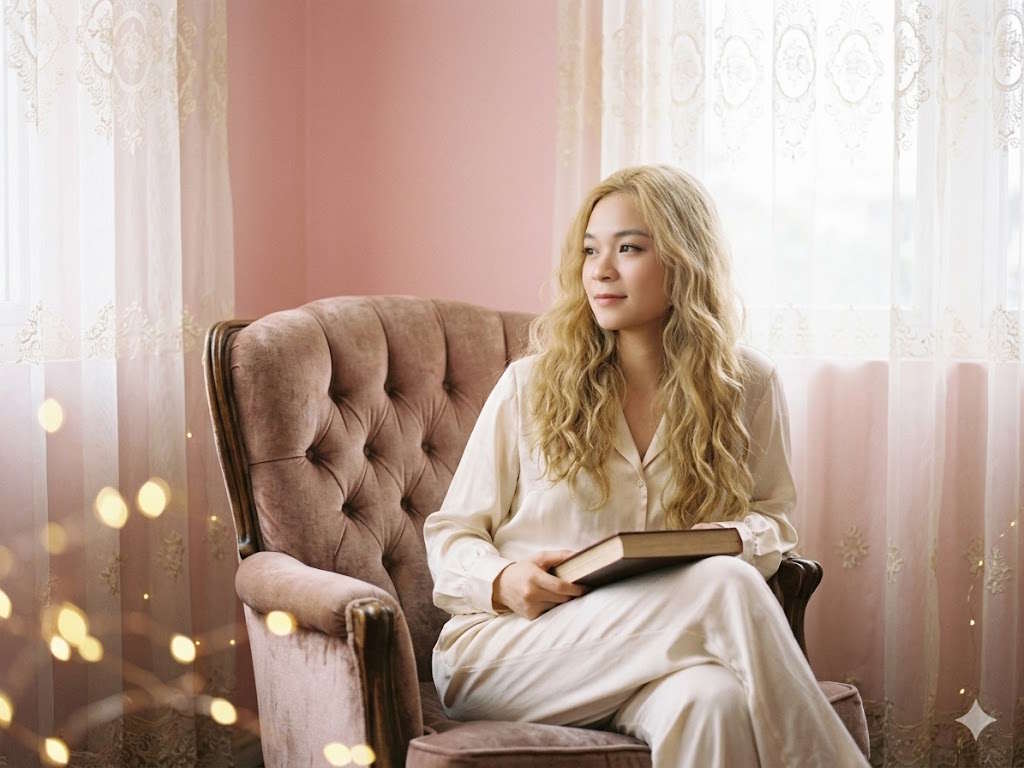
9. Gentle window-light portrait
The original example is an indoor window portrait, so this prompt matches that scene rather than describing street photography.
Create a gentle, classic window-light portrait of the person in the reference photo. Dress them in a relaxed off-white linen shirt and position them beside a large window with lace curtains. Have them look slightly to one side with a natural, subtle smile. Use the curtains to diffuse the daylight across the face. Keep the background quiet, with a few softly blurred warm highlights. Preserve the subject's age and facial character, with restrained grain and muted colors.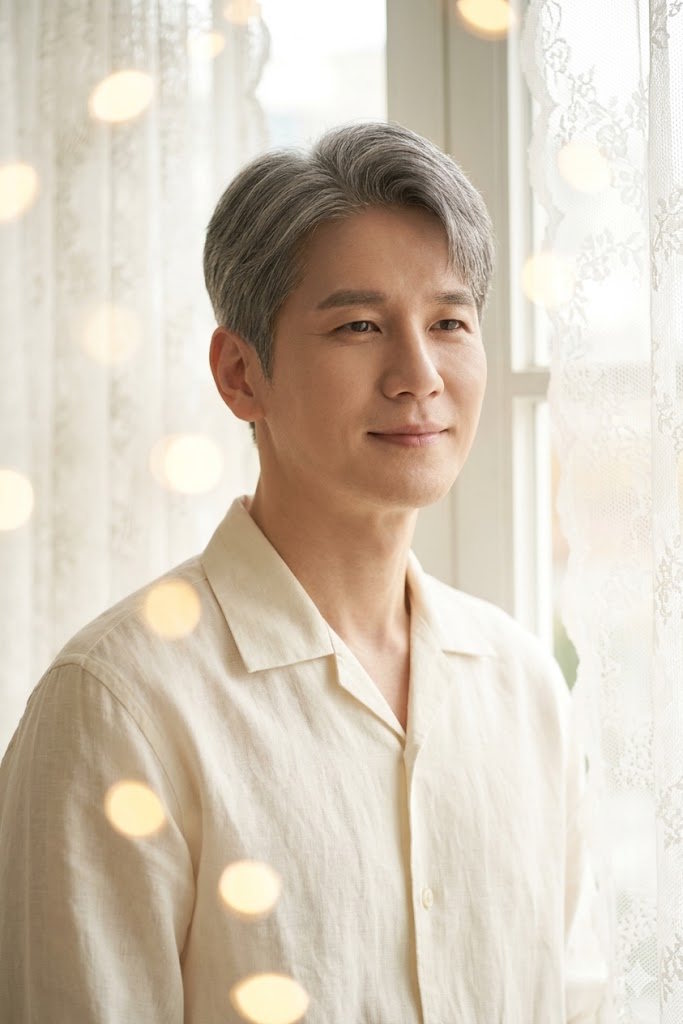
10. Dramatic portrait on a black background
This is the strongest-contrast option. Keep the dark backdrop while preserving enough facial detail for the portrait to remain readable.
Create a dramatic black-and-white studio portrait of the person in the reference photo against a completely dark background. Dress them in a white shirt, dark suspenders and dark trousers. Use a direct gaze and a composed expression. Place one controlled light to the side for strong light-and-shadow modeling, with a little fill so the darker eye remains visible. Frame from the waist upward, preserve natural proportions and use crisp fabric detail with subtle film grain.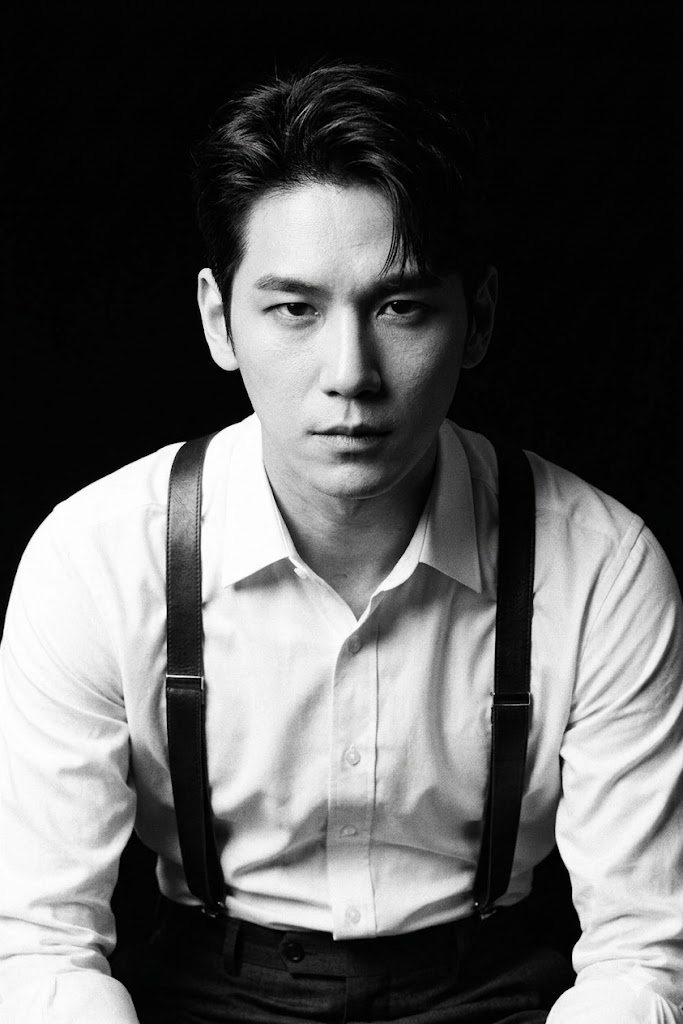
Refine the result one change at a time
If the face changes too much, repeat the identity instruction and simplify competing style requests. If the effect looks artificial, reduce grain, haze and color fading before adding more detail. For awkward hands or props, request a simpler pose.
A focused follow-up might be: “Keep the current face, clothing and framing. Reduce the background blur, soften the highlight on the forehead and remove the extra cup.” Changing only a few attributes makes it easier to judge what improved.
Inspect the eyes, teeth, hands, clothing edges and background text before sharing. Describe the result as AI-generated or AI-edited where viewers might mistake it for an authentic historical photograph. For further editing, compare AI photo editors; for workplace profile images, see AI headshot tools.
Related Articles
 TOP AI Tools for Creating Professional Portrait Photos11 minutes read
 The Gemini Prompt Creates Black and White Images in the Style of Film Noir9 minutes read
 What Is Portrait Mode? What Is Portrait Lighting?5 minutes read
 How to Restore Old Photos with AI Gemini: Step-by-Step Guide5 minutes read
 How to Take Portrait Photos on Android4 minutes read
 How to Create Games on Gemini Extremely Quickly4 minutes read
Reader Comments 0
Sign in with email or Google to join the discussion.