Table of Contents
Restore old photos with AI Gemini in just a few simple steps.
Artificial Intelligence (AI) has become an important tool in many fields today, and old photo restoration is one of the prominent applications. If in the past, restoring damaged photos had to rely on the skillful hands of editing experts, taking many time and effort, now AI has helped shorten this process, while improving the quality of restoration.
This guide shows you how to restore old photos with Gemini following the steps below.
How to restore old photos with AI
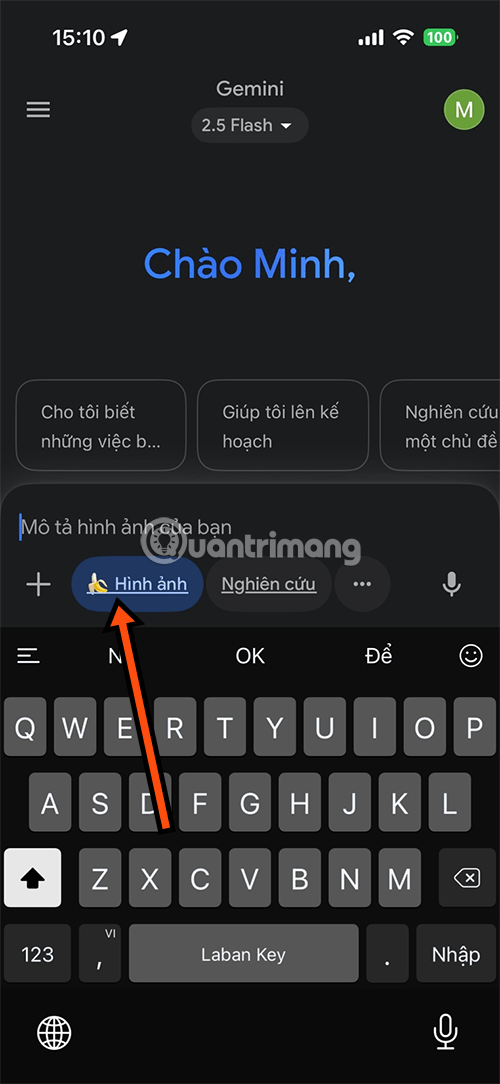
Step 1: On your phone, use the Gemini app. If you don't have it, you can download it from the link below. Or you can also use the Gemini version on your mobile web browser.
You can select the Banana AI image generator to let Gemini recreate images for you better, then select the plus sign next to the chat box and choose the image source including from the Files app, Albums and capture directly from the Camera.
- Download Gemini iOS
- Download Gemini Android
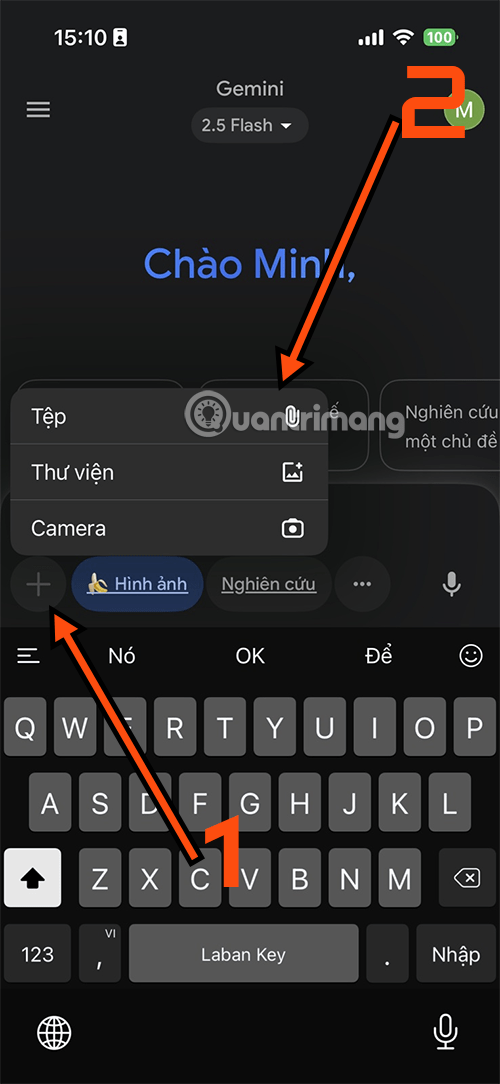
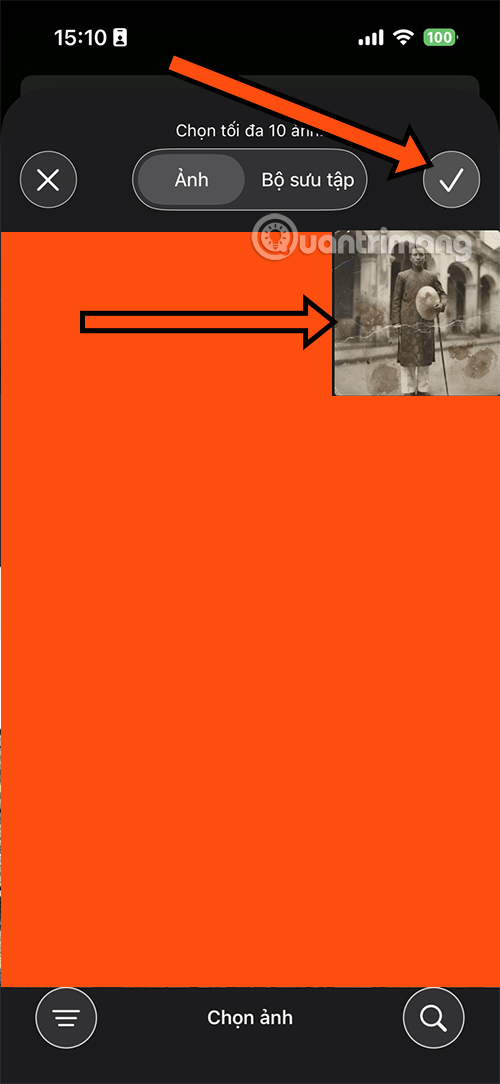
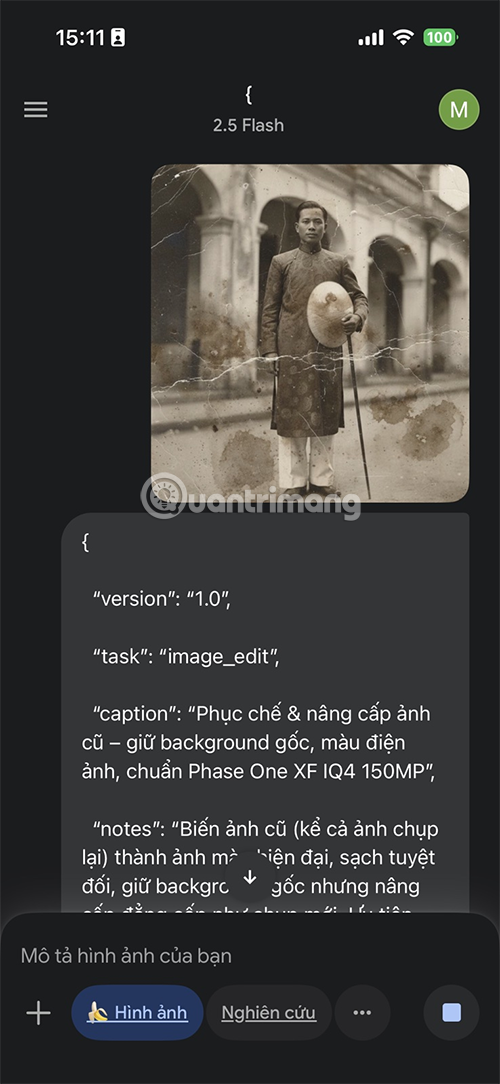
Step 2: Take a photo first and save it to the album, then select the photo you want to restore. Next, copy the prompt below and paste it into the description and select the request icon for Gemini to restore the photo for you.

Step 3: Once the photo is restored by Gemini, you can add new requests, including removing more folds of the photo, changing the background, or changing the color of the outfit. If you want to change anything in the photo, give Gemini another command.
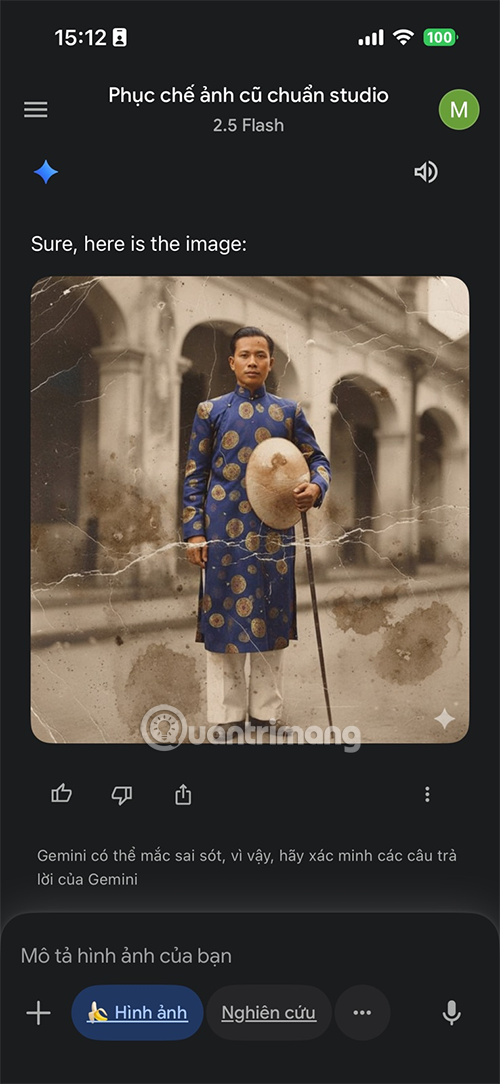
Step 4: To restore another photo, you can upload it and ask Gemini to do the same. After restoring it, save the photo to your photo album.
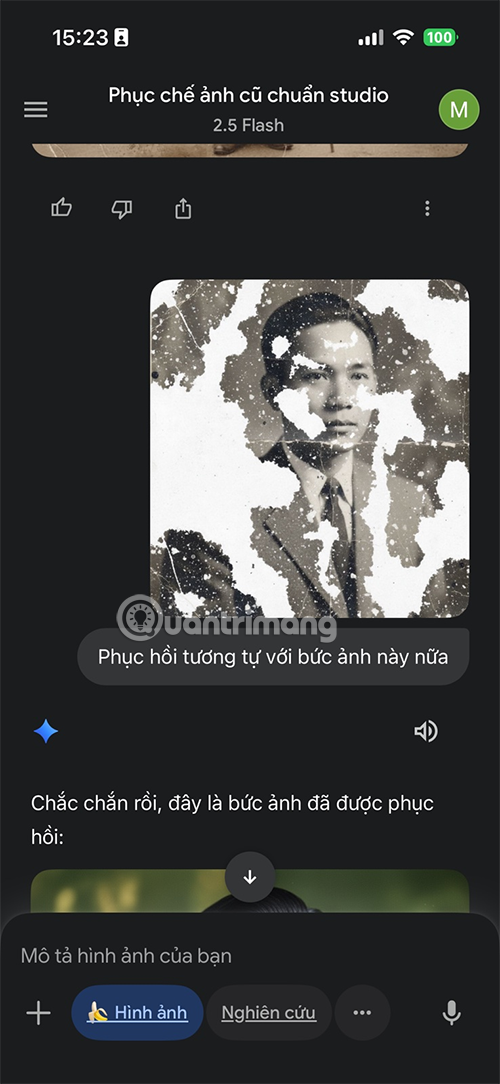

Photo before Gemini restoration.
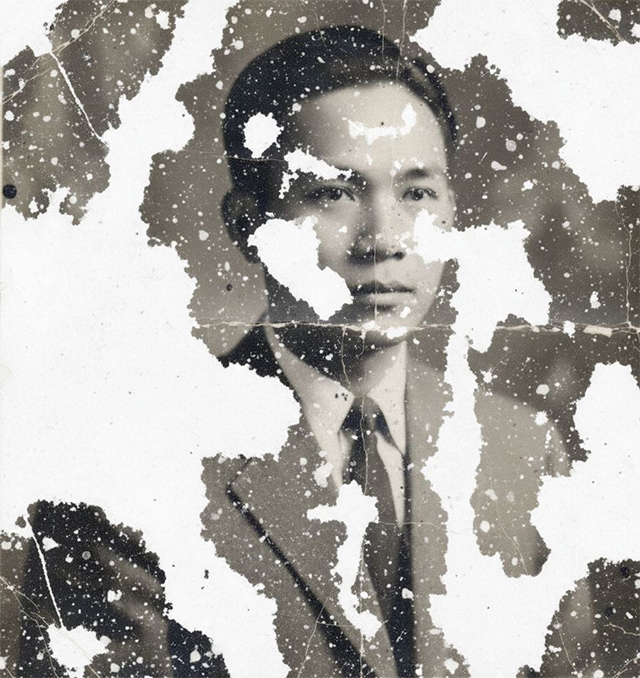
And here is the photo after Gemini restored it.
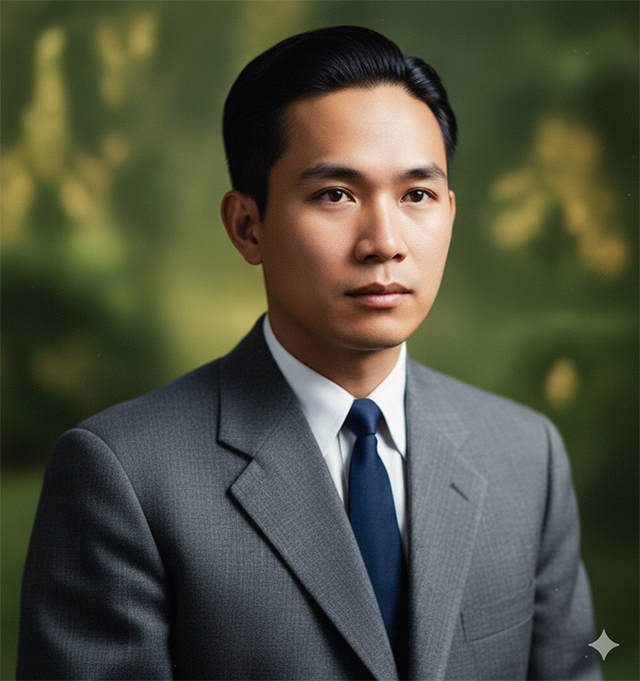
How does AI restore old photos?
First of all, AI has the ability to automatically analyze and recognize image details. When a photo is blurry, smudged, or underexposed, AI will learn from a huge database to predict and recreate facial features, clothing, or scenery appropriately. This is especially useful for old photos that are faded or have many scratches.
Second, AI supports natural and vivid coloring of black and white photos. While in the past this was entirely dependent on human imagination, now AI can rely on machine learning data to provide colors closer to reality. For example, skin color, hair color or clothing color will be suggested by AI more accurately, helping the photo feel more 'real'.
Also, AI can also increase resolution (upscale) and restore small details. A small photo, when enlarged, often becomes blurry, but with AI, the details are reproduced softer and clearer. This is a strength that is difficult to achieve with manual editing.
That said, the role of AI does not stop at saving time. More importantly, it opens up opportunities for many ordinary people, without deep expertise, to restore family memories themselves. With just a few operations on the phone or computer, AI has helped bring 'new life' to photos that seemed to have lost their value.
In short, AI is acting as a 'smart assistant' in restoring old photos. It helps to recreate memories faster, more accurately and more conveniently than ever before. However, human sensitivity and emotion are still needed to ensure that the restored photo is both beautiful and retains its original soul.
FAQ
How do you restore old photos with AI Gemini: step-by-step guide?
In practical terms, restore old photos with AI Gemini in just a few simple steps.
What should you check before getting started?
Review the requirements, compatible device or software version, and any warnings described in the guide before making changes.
What should you do if the steps do not work?
Repeat the steps in order, confirm that your app or system is up to date, and review the troubleshooting details provided above.
Related Articles
 How to Connect Canva to Gemini and Edit Designs15 minutes read
 How to Remove the Gemini Watermark from Photos: Step-by-Step Guide8 minutes read
 Gemini 3.1 Pro or Gemini 3 Pro: Better?8 minutes read
 How to Restore Old Photos in Photoshop5 minutes read
 How to Restore Old Family Photos with Luminar Neo9 minutes read
 Use Gemini Canvas to Transfer Photos to Google Docs: How-To Guide3 minutes read
Reader Comments 0
Sign in with email or Google to join the discussion.