Table of Contents
This updated guide explains how to register for automatic bill payment on zalopay with clear steps, practical tips, and useful context. Automatic bill payment on ZaloPay is an automatic payment utility that allows ZaloPay account holders to pay periodic bills from service providers using funds including e-wallet balance, payment cards, and bank accounts linked on ZaloPay.
How to Pay Bills Automatically on ZaloPay
Step 1:
In the ZaloPay application interface, users choose on Invoice . Now you select the Automatic Payment utility.
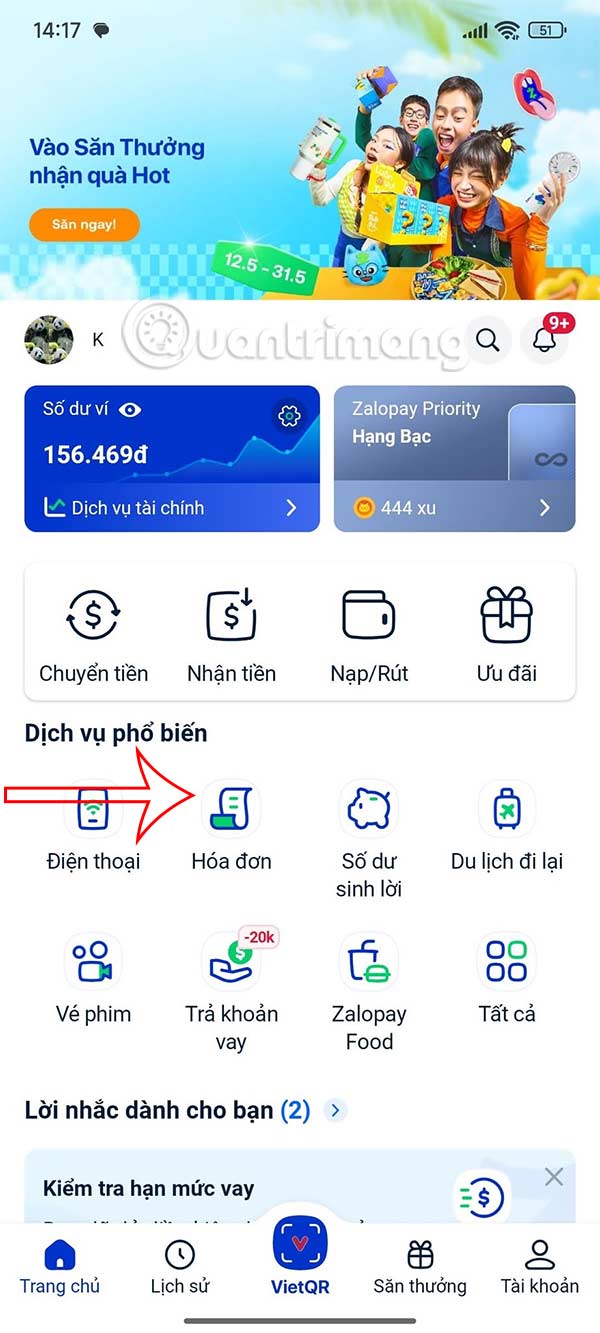
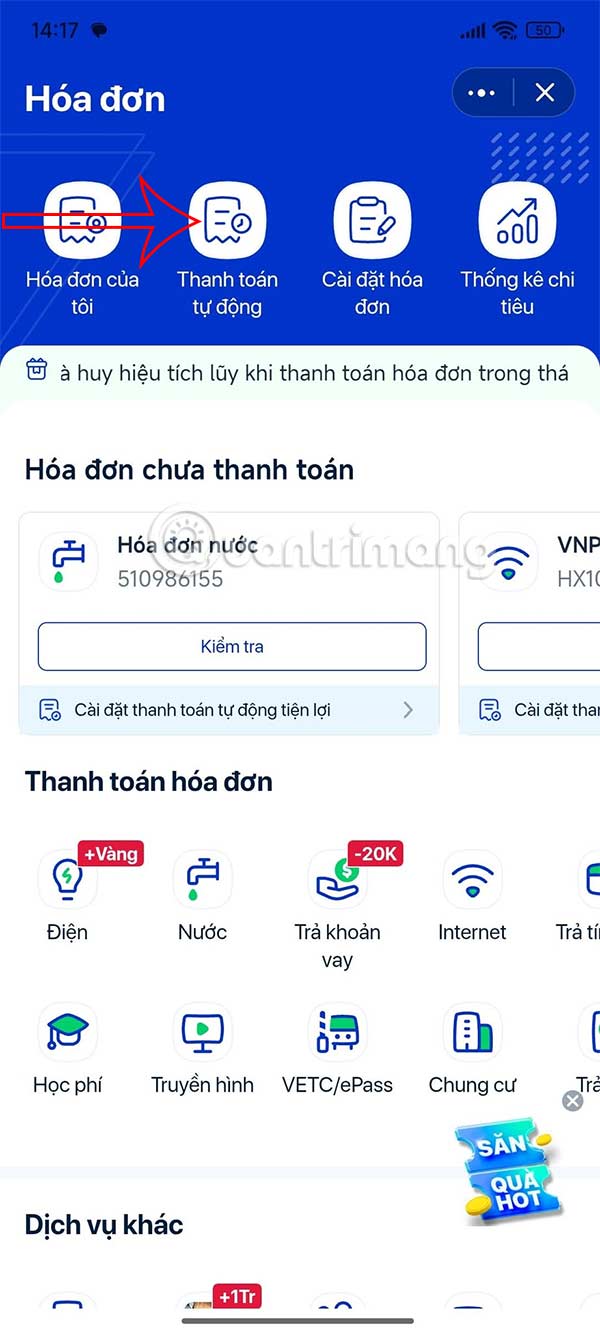
Step 2:
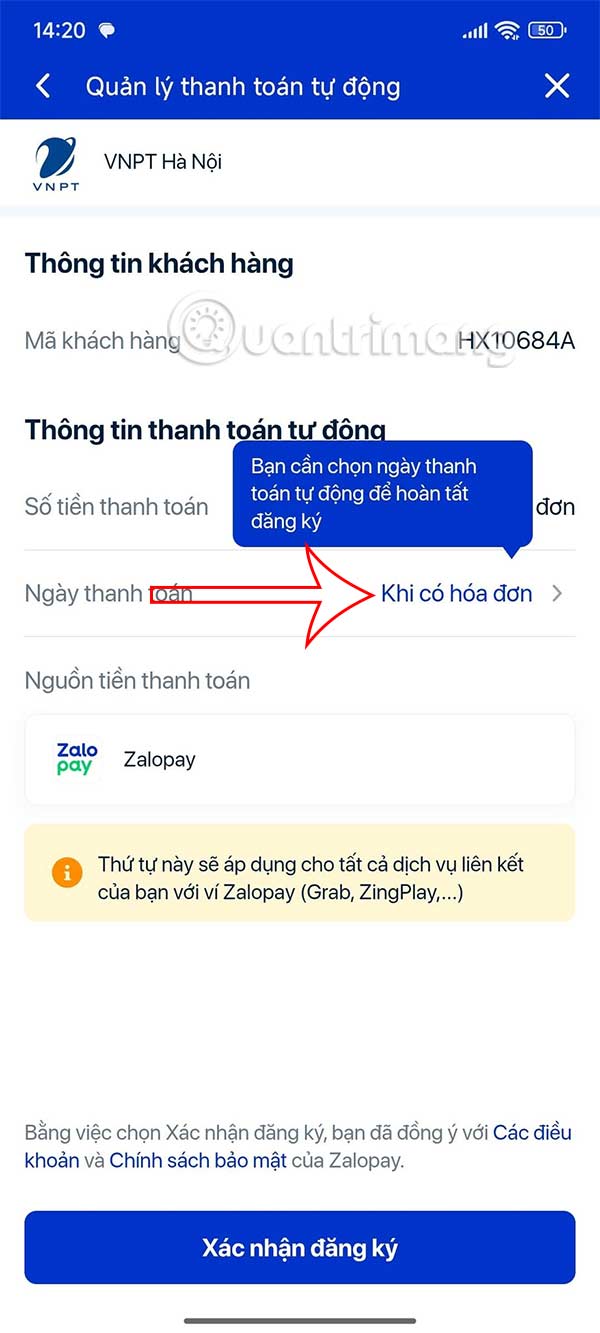
List of bills made on ZaloPay, you choose the Register button on the bill you want to pay automatically. In the interface for setting up automatic bill payment on ZaloPay, you need to select the payment time and choose Payment date .
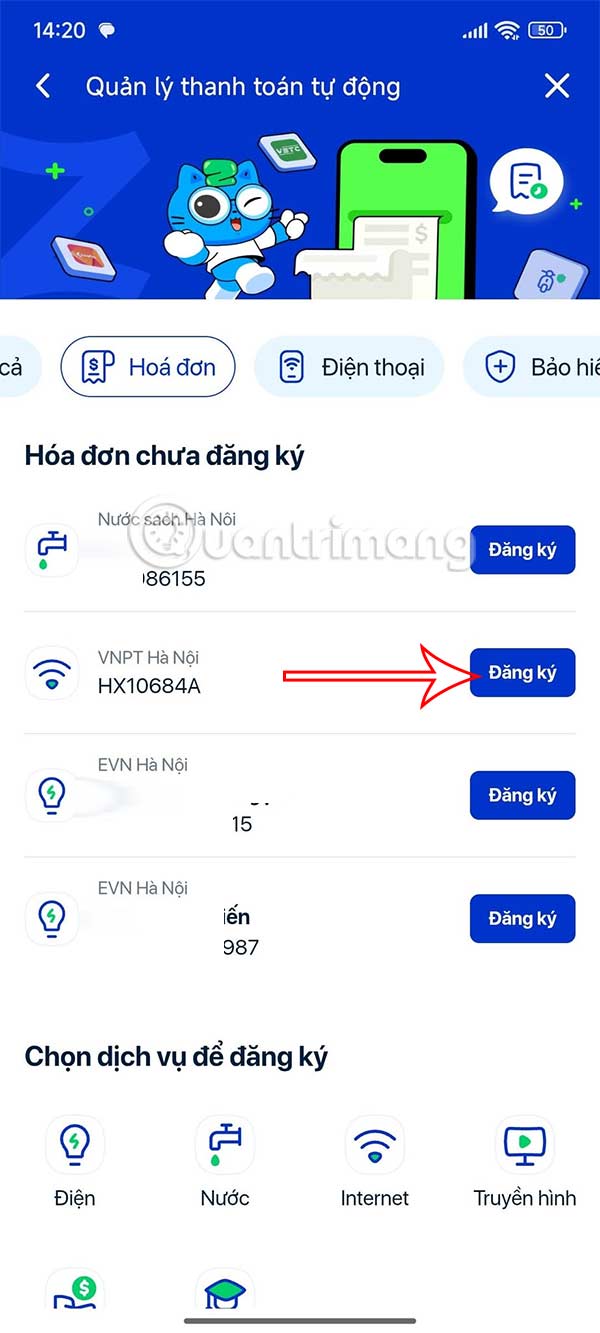
Step 3:
By default, the application selects the automatic payment time Once the bill arrives. But you can choose Select the specific date you want. The monthly calendar is displayed for you to select the date you want to automatically pay the bill on ZaloPay , then choose Select.
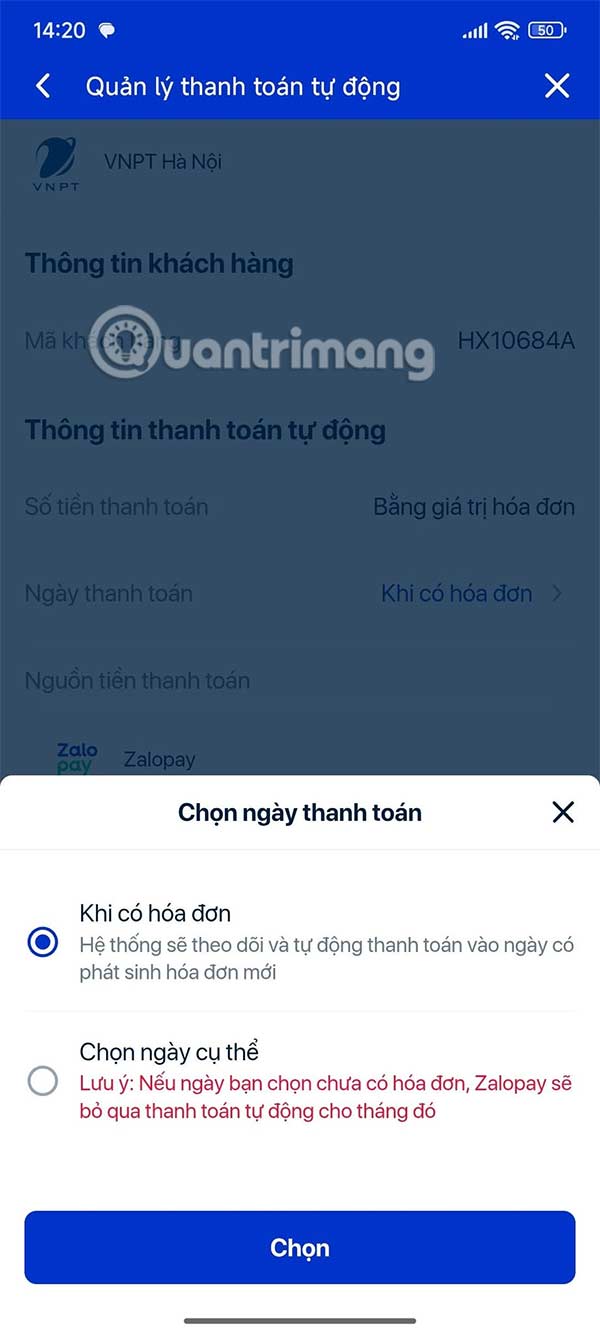
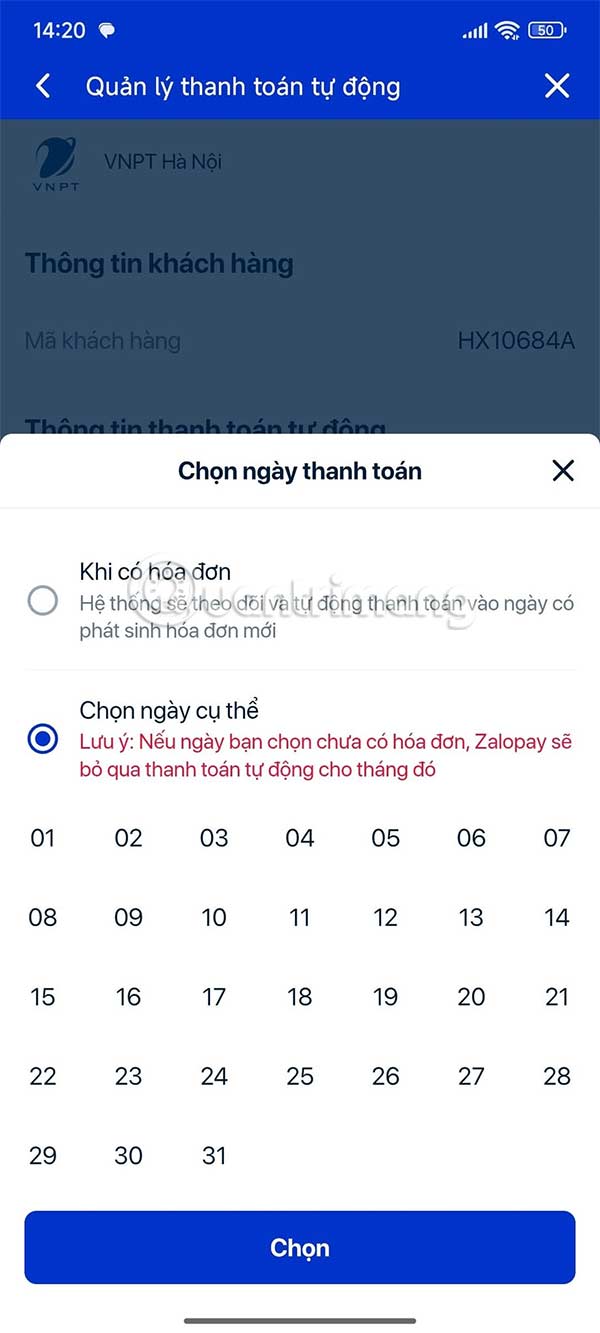
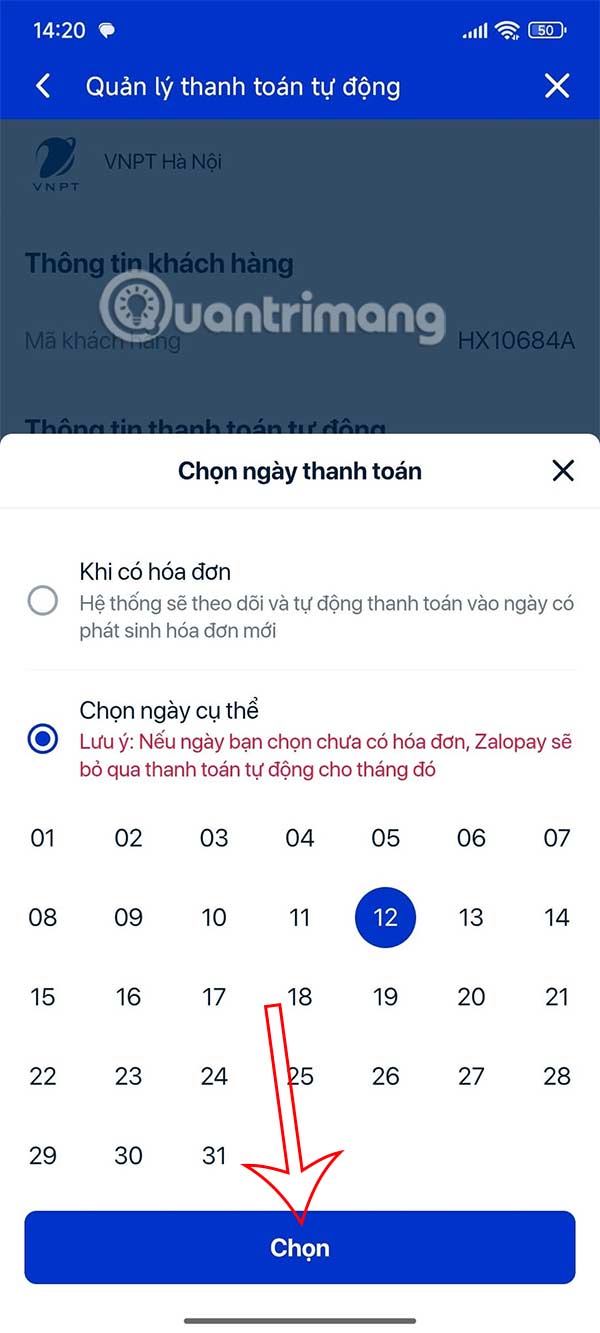
Step 4:
Finally, you select Confirm Registration below. We need to enter the security code to complete the registration.
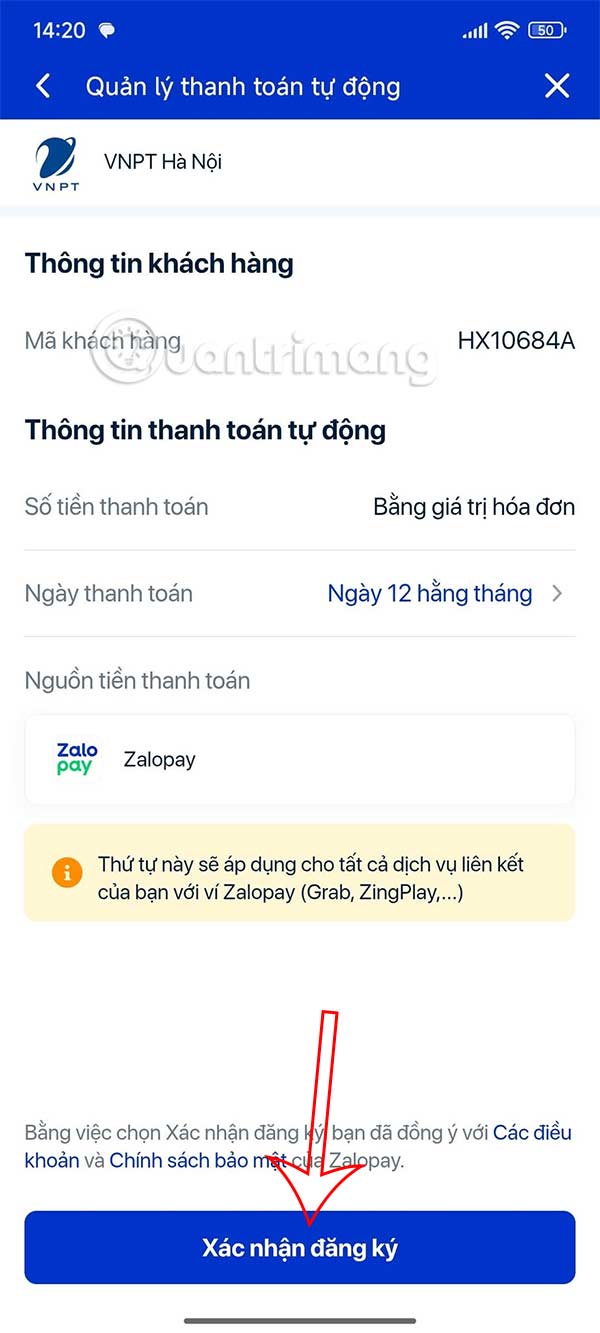
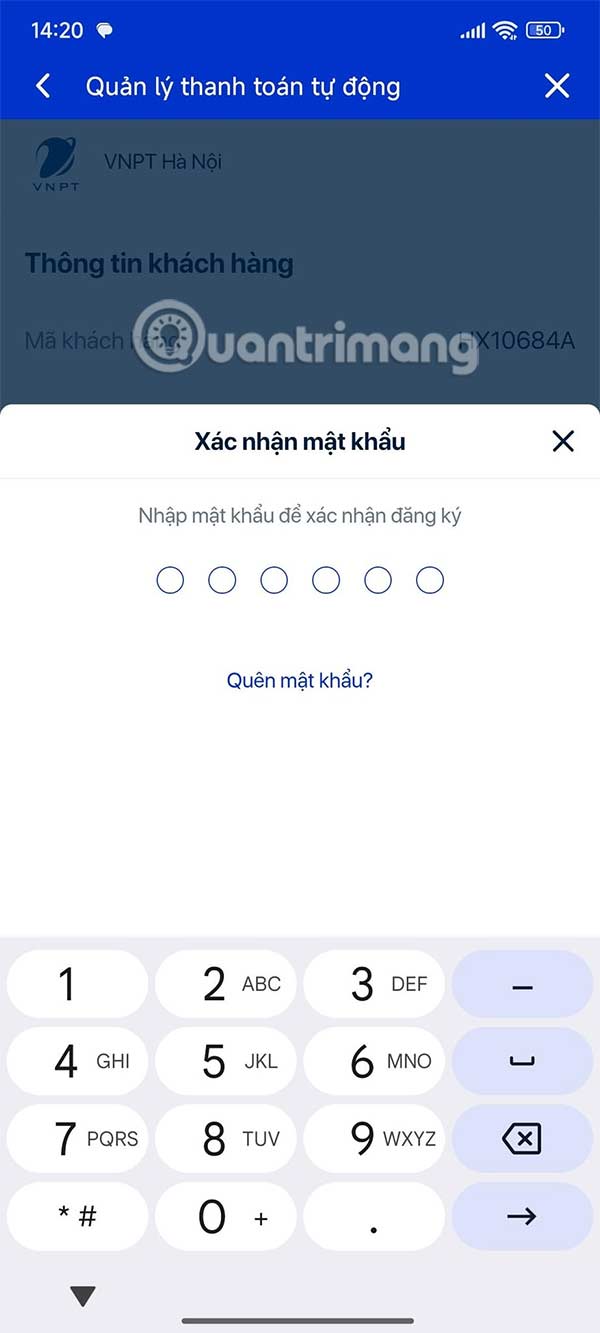
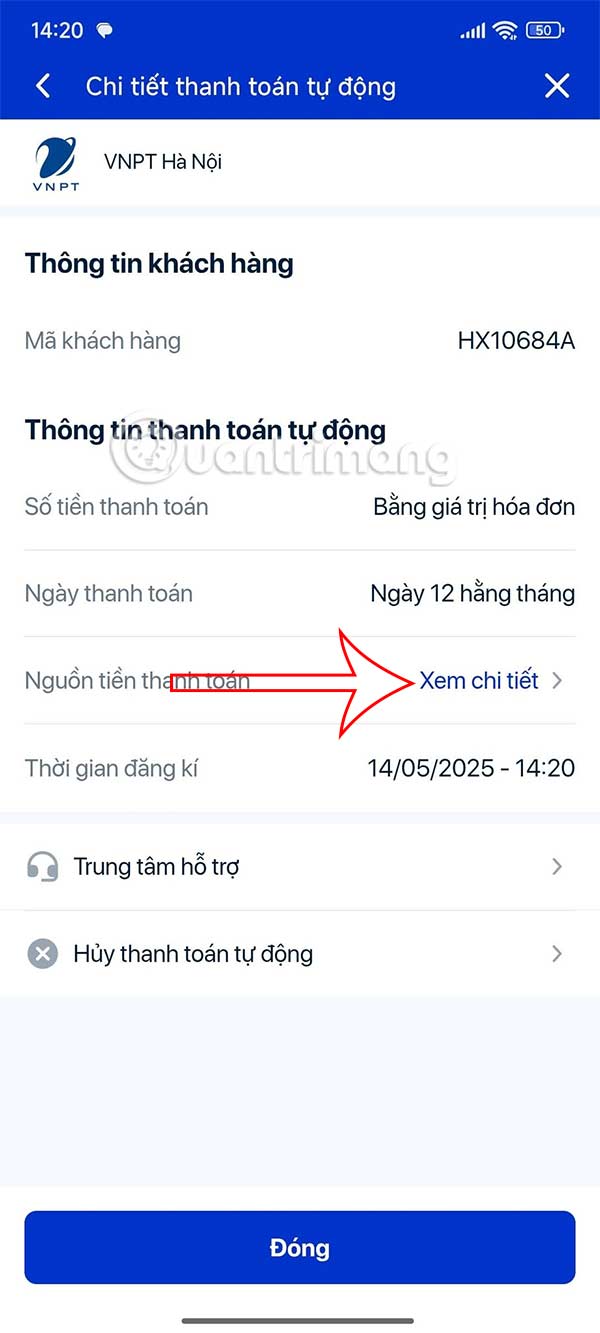
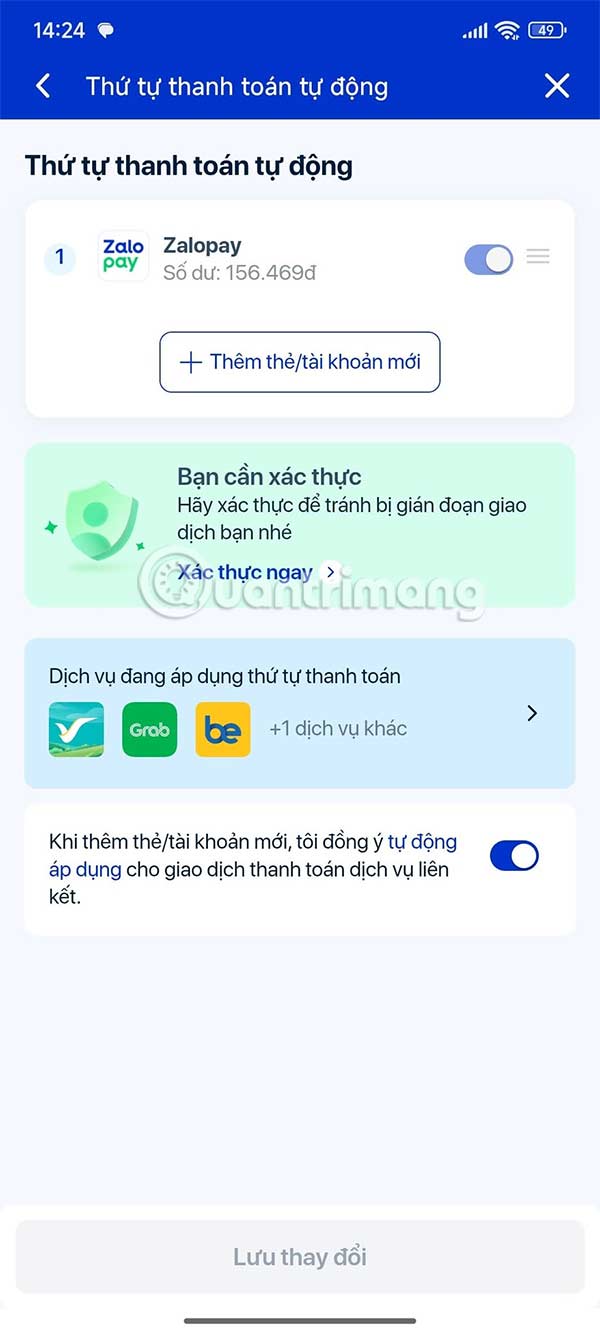
Also, users can choose the priority order for automatic payment sources, choose Payment Source. If you have added multiple payment sources, select the order of those sources.
FAQ
What should I prepare before I register for automatic bill payment on zalopay?
Review the requirements and options in the guide first. Having the correct device, app version, account access, or materials ready helps prevent avoidable errors.
How long does it take to register for automatic bill payment on zalopay?
The time depends on the task and your setup. Most basic steps can be completed quickly, while downloads, updates, scans, or troubleshooting may take longer.
What should I do if the steps do not work?
Repeat the instructions in order, confirm that your software or device is supported, and check permissions, connectivity, and available updates before trying again.
Related Articles
 Instructions to Cancel Automatic ZaloPay Payment to Avoid Losing Money3 minutes read
 How to Pay Bills and Services on ACB Online6 minutes read
 Instructions for Paying Postpaid Mobile Bills on Momo Wallet6 minutes read
 Instructions for Payment of Electricity by Momo Wallet5 minutes read
 How to Link Bank Cards with Zalopay to Transfer / Receive Money7 minutes read
 Chrome V71 Makes Online Payment More Secure3 minutes read
Reader Comments 0
Sign in with email or Google to join the discussion.