Table of Contents
This guide provides a clear, practical overview of notable changes and additions in debian 11 'bullseye', with useful context, important details, and straightforward takeaways for everyday readers.
With the major update Debian 11 'Bullseye' just released in beta, this long-standing operating system has become a name that has received a lot of attention in the Linux world lately. Take a closer look at the most notable major changes, additions, and improvements on Debian 11 below.
New interface theme
The first thing that you will notice on Debian 11 Bullseye is the arrival of a new theme called Homeworld. This theme pack is inspired by the Bauhaus movement of the early 20th century, with a minimalist philosophy and the main color is dark blue, combined with geometric motifs that are simple but not monotonous.
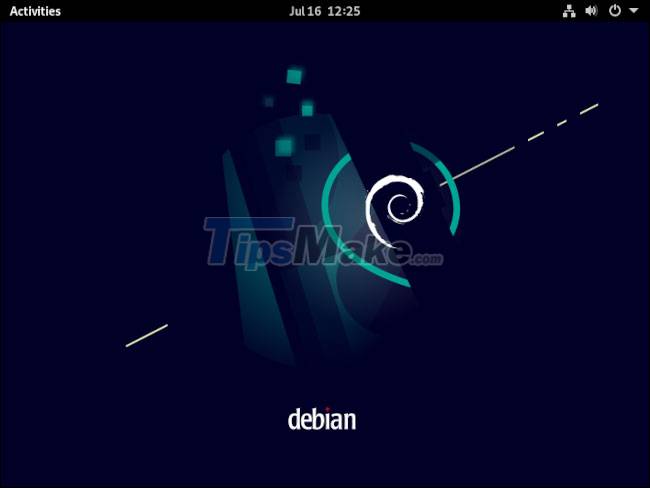
You will see the new theme integrated not only in the installer and on the desktop, but also in the GRUB menu and the Debian web pages.
Upgrade Kernel
The Linux kernel (Linux kernel) in Bullseye has been upgraded from 4.19 to 5.10. This is an impressive leap for Debian, especially considering the fact that so many other distributions have been at or above kernel 5.4 for a while.
Newer Linux kernels often offer better hardware support, especially if users are also using next-generation hardware setups. Besides, the ability to manage the system's resource usage will also be more efficient, along with many small bug fixes.
Update base package
Debian 11 Bullseye includes an updated base package, with more than half of the packages present in its predecessor Buster having been upgraded. The total number of packages rounds up to a whopping 58,000.
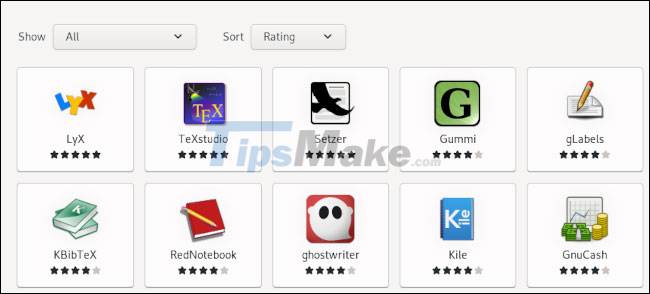
Popular packages updated include LibreOffice moving to 7.0, Calligra moving to 3.2 and GIMP moving to 2.10.22. Notably, you'll find the GNOME (DE) desktop environment currently at version 3.38, while modern distributions like Fedora 34 and Ubuntu 21.04 are offering GNOME 40.
Other standard Debian DEs are also being upgraded, including Xfce to 4.16, LXDE to version 11, LXQt to 0.16, MATE to 1.24 and KDE Plasma to 5.20.
Improvements in print and scan features
Printing and scanning will become easier on Debian 11 thanks to improvements in the CUPS and SANE utilities.
Some printers and scanners require special, sometimes proprietary, drivers to work with any given device. Such requests can turn into problems.
CUPS and SANE, the printer and scanner management utilities on Debian, are now upgraded to better handle the above problems, especially for commercially available scanning or printing devices. in the past 5 years or so.
Improved password security
Debian 11 is replacing the default encryption algorithm for local account passwords with yescrypt. Earlier Buster versions used SHA-512 by default and did not support yescrypt. This change addresses some of the security and efficiency concerns seen in SHA-256 and SHA-512.
ExFAT . file system support
Previous Debian versions relied on a special solution, Filesystem in Userspace (FUSE), to mount and use exFAT-formatted drives. With the new kernel, exFAT partitions are being supported exclusively on Debian 11 Bullseye.
This will help those who regularly deal with formatted removable hard drives on Windows or macOS devices. You should see your exFAT drives mounted without any problems. Additionally, the 'exfatprogs' package will also allow you to create your own exFAT partitions.
This article covers only a small portion of the notable changes in Debian 11. For a complete overview, Review the update's official release notes HERE. If you are using Debian 10 and want to upgrade, follow the official instructions from the development team HERE.
Key Takeaways
Use the information above as a practical reference for notable changes and additions in debian 11 'bullseye'. Review each step carefully, confirm any requirements, and choose the option that best fits your situation.
FAQ
What does this guide explain about Notable Changes and Additions in Debian 11 'Bullseye'?
It explains the main concepts, practical considerations, and useful steps related to notable changes and additions in debian 11 'bullseye' without requiring advanced knowledge.
Who can benefit from learning about Notable Changes and Additions in Debian 11 'Bullseye'?
This information is useful for readers who want a clear overview, practical guidance, and reliable steps related to notable changes and additions in debian 11 'bullseye'.
What should I check before applying this information?
Review the requirements, confirm that your device, software, or situation matches the instructions, and back up important data before making major changes.
Related Articles
 How to Upgrade from Debian 11 ''bullseye'' to Debian 12 ''bookworm''5 minutes read
 Linux Mint Debian Edition 4: Noteworthy Changes and3 minutes read
 Youtube Web Version Receives Major Updates with Many Notable4 minutes read
 How to Install Debian on a Computer9 minutes read
 How to Upgrade Debian9 minutes read
 How to Install Gradle on Debian 106 minutes read
Reader Comments 0
Sign in with email or Google to join the discussion.