Table of Contents
ShellGPT is a command-line assistant, invoked as sgpt, that turns natural-language requests into explanations, shell commands, or code. It can reduce trips between a terminal and documentation, but generated commands still need review. The tool does not guarantee that a command fits your system or is safe to execute.
Install ShellGPT on Ubuntu or Debian
The following package-manager commands apply to compatible Ubuntu/Debian systems. Other Linux distributions use different package names or installation methods.
sudo apt update
sudo apt install python3-full python3-venv pipx
pipx ensurepath
pipx install shell-gpt
A normal pipx install installs the application for your user in an isolated environment; it is not a system-wide installation. Open a new terminal if sgpt is not found after updating PATH.
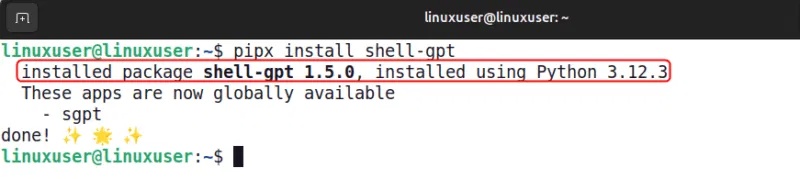
Check the installed command's options:
sgpt --help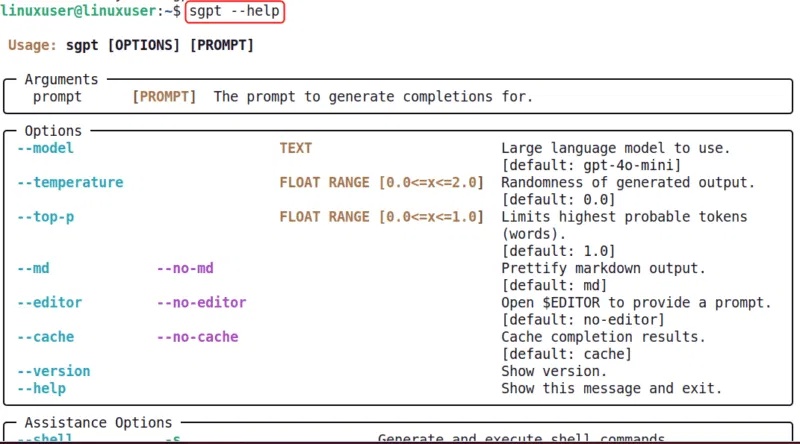
Configure the model provider
Follow the setup instructions in the official ShellGPT repository. The project supports an API-backed workflow and documents local-model configuration, while noting that local models may not behave as expected.
If your setup uses an API key, treat it as a secret. Avoid putting the real key in a command that will be saved in shell history, screenshots, or a shared script. A hidden-input prompt can set it for the current Bash session without typing its value as a command:
read -r -s -p "API key: " OPENAI_API_KEY
printf 'n'
export OPENAI_API_KEY
This example is for Bash. It does not encrypt the environment or make the key safe to expose in logs. Follow your provider's recommended credential handling and check how the installed tool stores configuration.
Provider charges and local hardware costs are separate from installing ShellGPT. Verify your model access and usage settings before sending a large request.
Ask for an explanation
Use an ordinary prompt when you want prose:
sgpt "Explain how df and du differ when checking disk usage on Linux"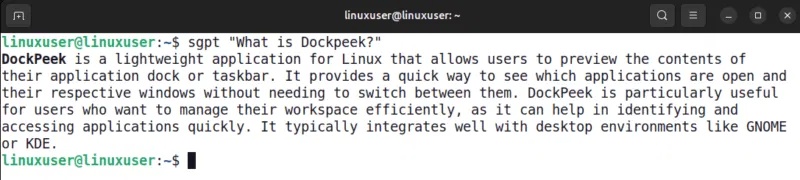
Give the operating system and constraints when they matter. For a basic disk-space question:
sgpt "Explain a read-only command to show free filesystem space on Ubuntu"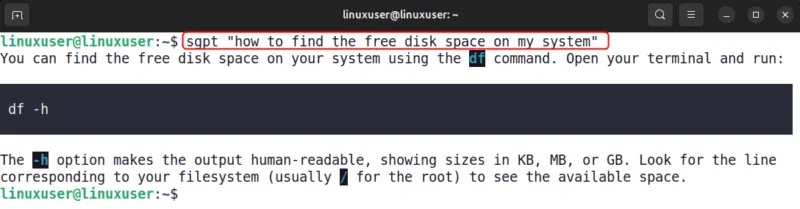
For familiar tools, consult their manual pages to check flags. A model response is not necessarily a live lookup of the latest documentation.
Generate a shell command and choose whether to run it
Use --shell, abbreviated -s, for a shell-command request:
sgpt --shell "show free filesystem space in human-readable units without changing anything"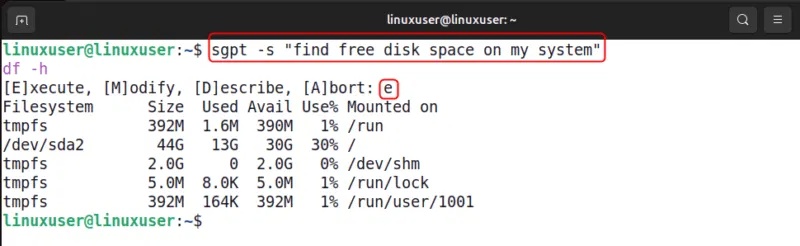
The documented interactive workflow presents Execute, Describe, or Abort after generating a command. -s does not inherently mean “execute immediately.” Read the proposed command and use Describe or Abort when needed.
To print a shell suggestion without the interactive choice in a version that supports it:
sgpt --shell "list files in the current directory without modifying them" --no-interactionDo not pipe unreviewed output into a shell. Check paths, wildcards, redirections, privileges, and commands that delete or overwrite data before execution.
Generate code with the correct option
--code, or -c, requests code output. It is different from shell mode and is not a special command for deleting Docker images.
sgpt --code "Write a Python function that returns the square of a number"
Review generated code before running it, and try it in a small test environment first. If your goal is a shell command, use shell mode so the request and workflow are clear.
Keep a follow-up conversation
Start a named interactive conversation with:
sgpt --repl disk-info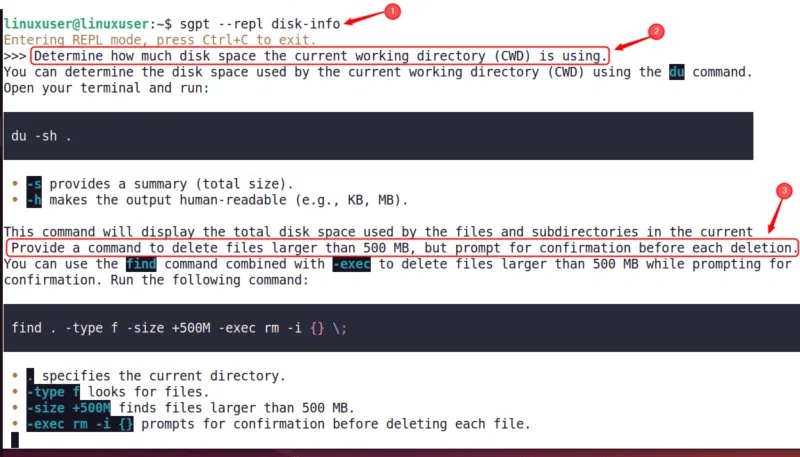
Ask follow-up questions about the same issue, but remember that conversation context does not give the model direct knowledge of your machine's current state. Provide only the relevant, redacted output when needed.
Check the installed version's help for ending or managing sessions. Do not include credentials or private logs merely to make a prompt more detailed.
Troubleshoot the first request
- Command not found: reopen the terminal and check that pipx's application directory is on PATH.
- Authentication failure: verify provider configuration without printing the key.
- Model or quota error: check the configured model and provider allowance.
- Wrong command for your system: specify your distribution and shell, then verify the result against local help.
Related Articles
 How to Use Chatgpt from Ubuntu Terminal Using Shellgpt8 minutes read
 How to Use Terminal on a Mac6 minutes read
 6 Interesting Terminal Commands on Mac5 minutes read
 Memorize These 5 Commands So You Won't Be Afraid of Linux Terminal Anymore8 minutes read
 How to Use Commands and Some Tips for Mac OS X10 minutes read
 How to Run 2 or More Terminal Commands at the Same Time on Linux6 minutes read
Reader Comments 0
Sign in with email or Google to join the discussion.