Table of Contents
Microsoft announced MAI-Image-1 on October 13, 2025, describing it as its first image-generation model developed entirely in-house. The model generates images from text prompts and marked an expansion of Microsoft AI's own model development.
This is a look at that model's launch and role, rather than a claim that it remains Microsoft's newest image model. Check the current product interface for the models actually offered to your account.
What Microsoft designed it to do
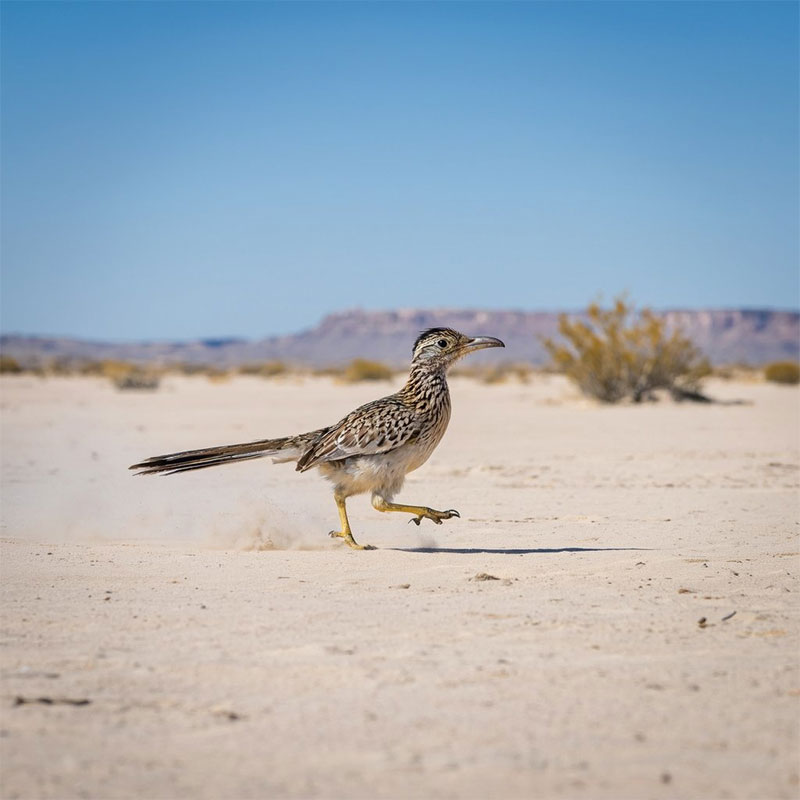
In its announcement, Microsoft emphasized photorealistic scenes, landscapes, lighting, and reflections. The company said its training and evaluation process aimed to reduce repetitive or generically styled output, using feedback from creative professionals.
Microsoft also promoted the balance of speed and image quality. Those are the developer's stated goals and claims, rather than proof that the model is faster or better than every competing system.
What the initial ranking tells you
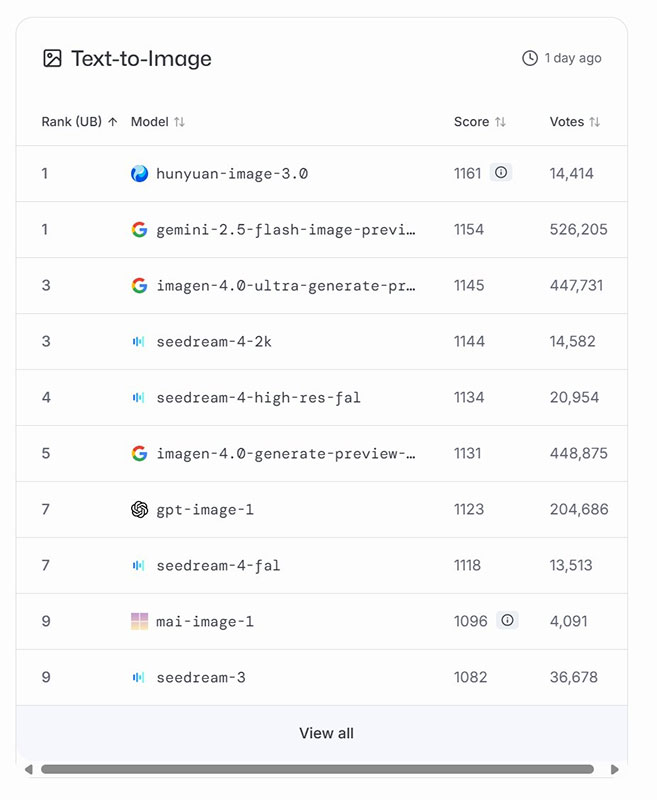
Microsoft reported that MAI-Image-1 debuted among LMArena's top ten text-to-image models. That is a result from its launch period, not a permanent ranking or a guarantee for a particular creative task.
For a useful comparison, test the same brief across available models. Assess whether each follows the requested composition, handles objects and text correctly, and produces something you can edit into a final deliverable.
Where it appeared
In a November 4, 2025 update, Microsoft announced MAI-Image-1 as an option in Bing Image Creator and as a visual component of Copilot Audio Expressions' Story Mode. Product availability and model menus can change, so confirm the selected model before comparing results.
How to evaluate it for your work
- Use a specific prompt describing the subject, composition, lighting, and intended format.
- Inspect small details, object relationships, and any generated lettering.
- Compare several outputs rather than judging a model from one successful example.
- Check the service's current usage terms and any editing or export requirements.
For other options, see TipsMake's AI image-generator comparison. If you mainly need to revise an existing picture, the AI photo-editor comparison is a better starting point than a launch ranking alone.
Related Articles
 Google’s Nano Banana Pro: Gemini 3 Pro Image features and limits
 MIT's imaging techniques shed light on brain activity
 How to fix Windows 10 image with DISM
 Prompt to create toy models with Gemini
 Baidu launches a new version of Ernie AI that competes with GPT-4
 Microsoft officially launched a new Edge browser for global users
Reader Comments 0
Sign in with email or Google to join the discussion.