Table of Contents
This guide provides a clear, practical overview of "Instructions to Block Automatic Driver Installation on Windows 11". It organizes the most useful details, explains important considerations, and highlights the steps or choices that matter most.
How to block automatic driver installation on Windows
Step 1:
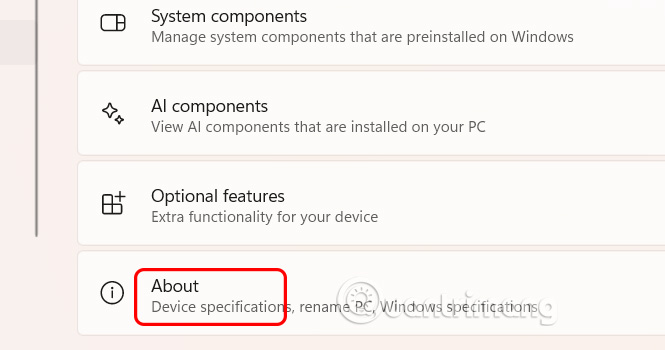
Open Settings on Windows, then select System and click About to continue.
Step 2:
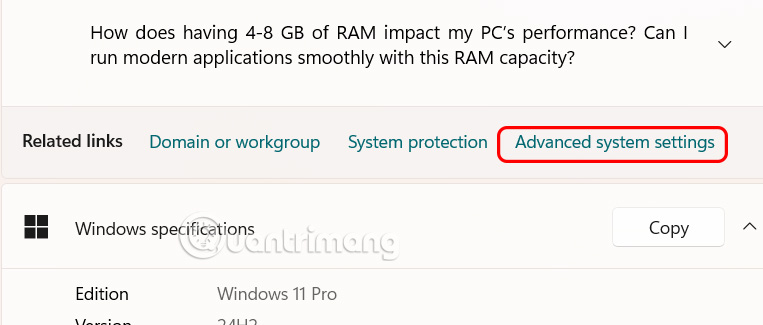
In the new interface, select Advanced system settings as shown below.
Step 3:
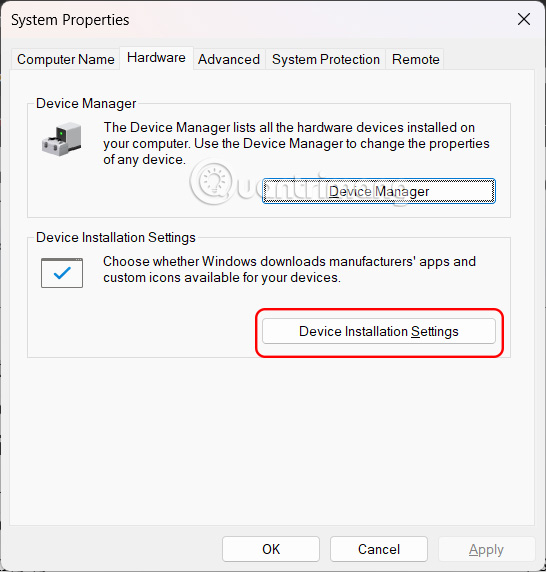
In the new interface, select the Hardware tab , then select Device Installation Settings .
Now you just need to click No (your device might not work as expected) then click Save Changes to save the changes.
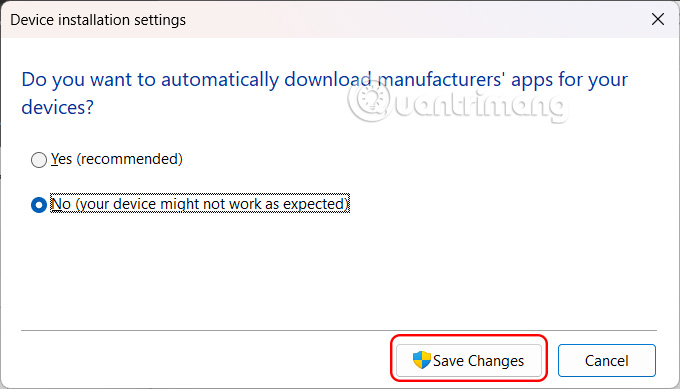
Windows will not install the driver automatically then. If you add a new graphics card or printer, you will install the driver manually.
How to block automatic driver installation via Group Policy
Step 1:
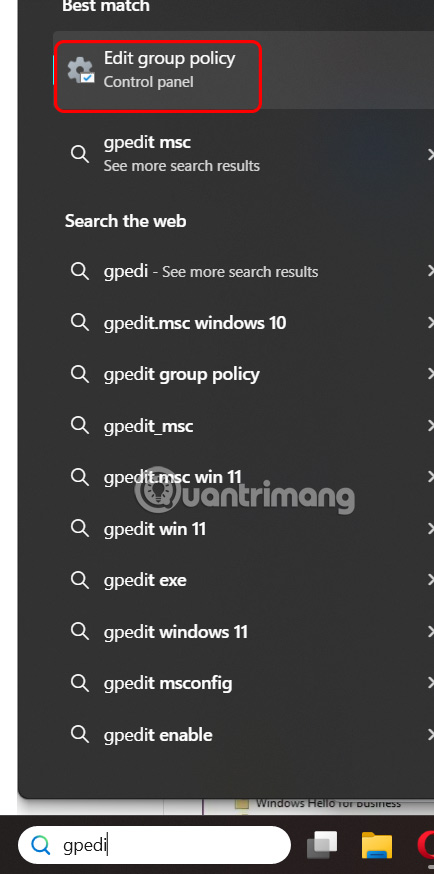
You type gpedit in the search bar and then click Local Group Policy Editor to access.
Step 2:
Now you need to access the link below.
Computer Configuration > Administrative Templates > Windows Components > Windows Update > Manage updates offered from Windows Update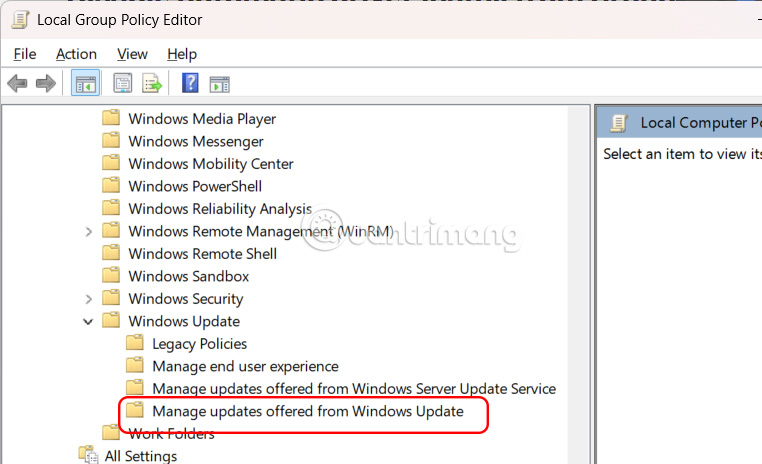
Step 2:
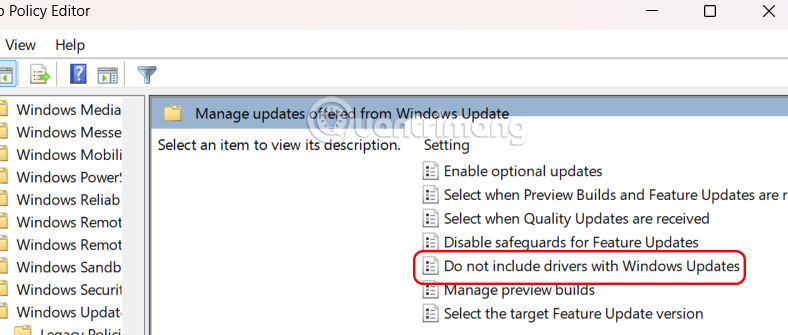
Look to the side and select Do not include driver with Windows Update .
Step 3:
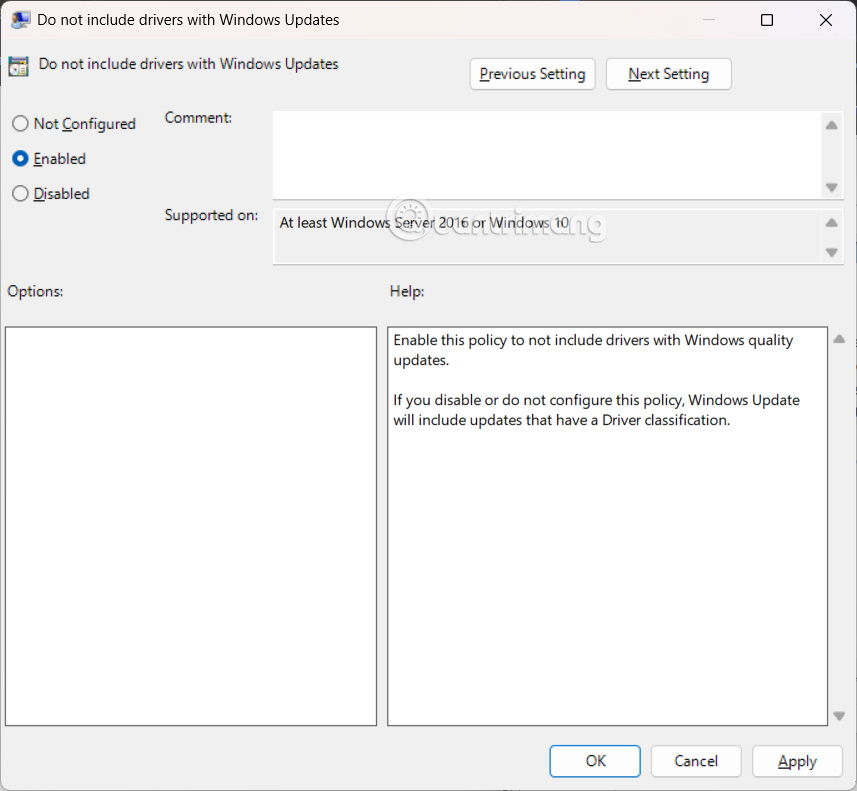
Finally, click Enabled to enable automatic driver installation blocking on Windows.
How to block automatic driver installation via Windows Registry
Step 1:
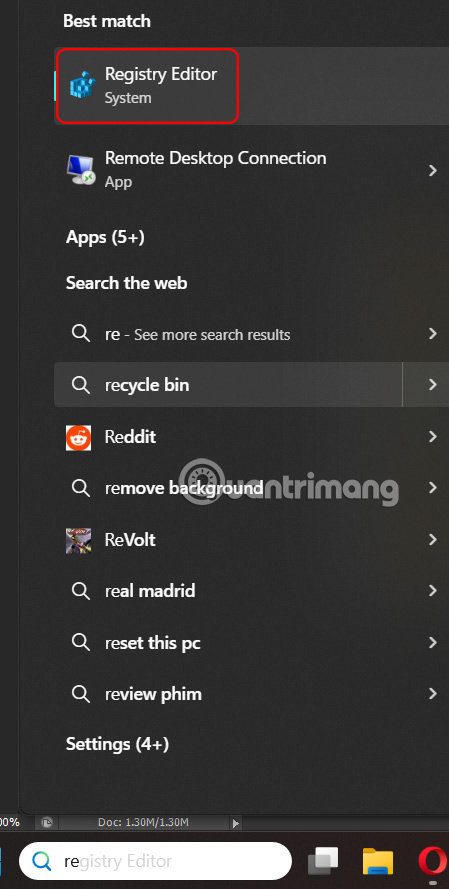
Type regedit in the search bar , then click Registry Editor to access.
Step 2:
Then you access the link below.
HKEY_LOCAL_MACHINESOFTWAREMicrosoftWindowsCurrentVersionDriverSearching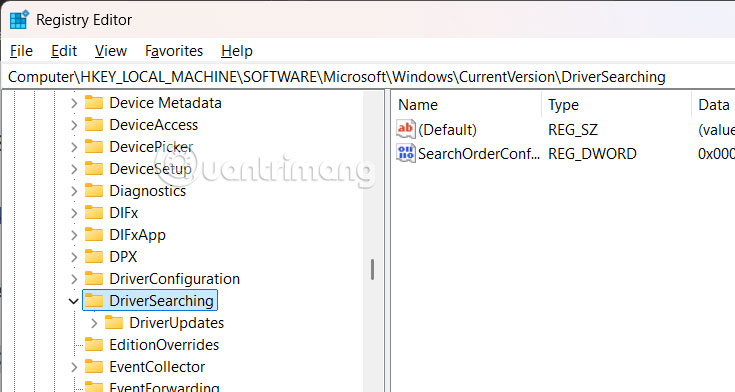
Step 3:
Look to the side and double select the SearchOrderConfig value and change it from 1 to 0 .
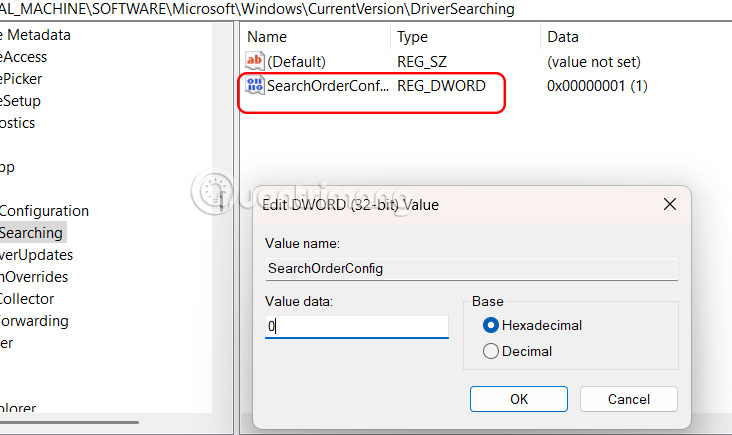
Restart your computer for the changes to take effect.
Once you complete the steps, setting SearchOrderConfig to 0 will block the update driver every time Windows 11 checks for new updates.
FAQ
How to block automatic driver installation on Windows?
Open Settings on Windows, then select System and click About to continue.
How to block automatic driver installation via Group Policy?
You type gpedit in the search bar and then click Local Group Policy Editor to access.
How to block automatic driver installation via Windows Registry?
Type regedit in the search bar, then click Registry Editor to access.
Related Articles
 3 Way How to Install Driver Windows 105 minutes read
 The Best Driver Update Software for Computers10 minutes read
 How to Block Chrome Automatically Updating on Windows 104 minutes read
 Offering Driver Easy Pro, the # 1 Driver Installation Tool for3 minutes read
 How to Disable Driver Updates via Windows Update: Step-by-Step Guide5 minutes read
 Update the System Driver with Windows 7 Device Installation4 minutes read
Reader Comments 0
Sign in with email or Google to join the discussion.