Table of Contents
This guide provides a clear, practical overview of instructions on how to properly charge the apple watch, with useful context, important details, and straightforward takeaways for everyday readers.
1. Set up the charger
- For watchOS 5, 6, 7
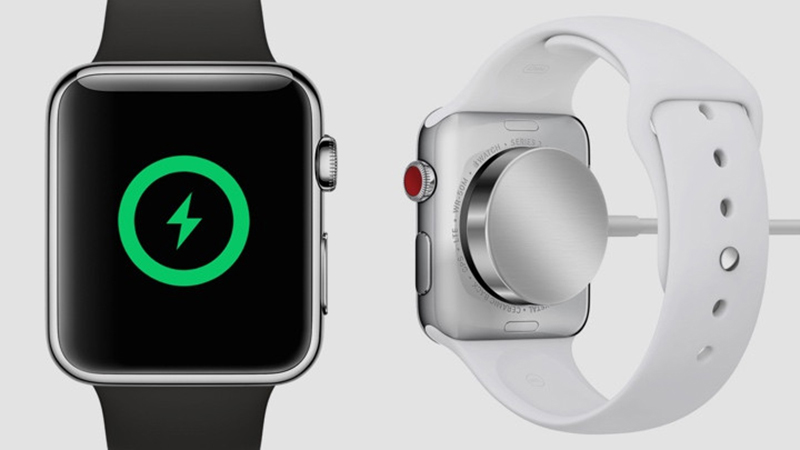
Step 1: Place the Apple Watch magnetic charging cable , the MagSafe Duo charger, or the Apple Watch magnetic charging dock on a flat surface in a well-ventilated area.
Step 2: Plug in the power adapter.
Step 3: Plug the adapter into the power outlet.
- Some note when charging Apple Watch
Charge Apple Watch in a flat, stable place.
+ Do not let Apple Watch charge new charger, should charge as soon as the battery is at 10%.
+ Avoid overnight charging, if you charge too long after the battery is full, it will lead to battery bottle phenomenon, overheating, reducing battery life.
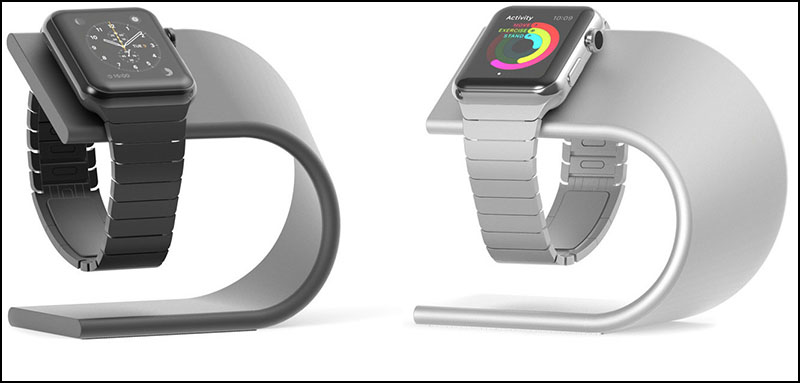
Charging Apple Watch requires only 90 minutes to fully charge 80% of the battery and 2 hours to charge Apple Watch to 100%.
+ Should use original Apple charger to avoid battery bottle or explosion.
2. Instructions on how to charge Apple Watch properly
Step 1: Place the Apple Watch charger on a flat, well-ventilated surface.
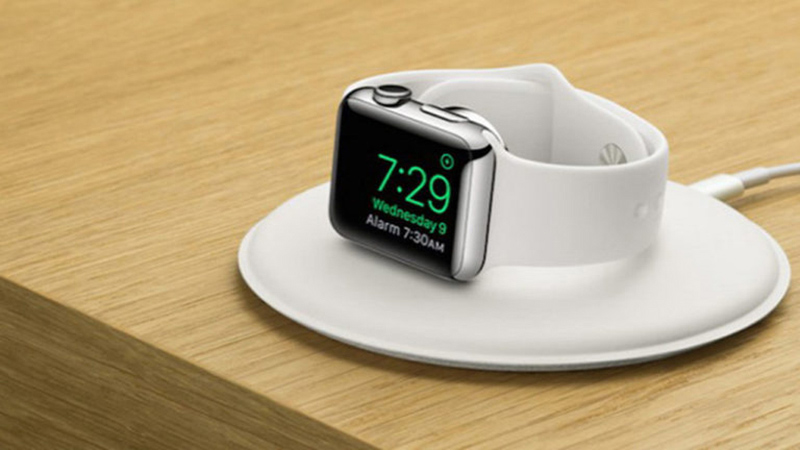
Step 2: Connect the charging devices together (depending on your charger type), then plug into a power outlet or power bank.
Step 3: Point your Apple Watch face up and place it down on the concave side of the charging tray. Wait for the screen to show the battery level is successful.
Key Takeaways
Use the information above as a practical reference for instructions on how to properly charge the apple watch. Review each step carefully, confirm any requirements, and choose the option that best fits your situation.
FAQ
What does this guide explain about Instructions on How to Properly Charge the Apple Watch?
It explains the main concepts, practical considerations, and useful steps related to instructions on how to properly charge the apple watch without requiring advanced knowledge.
Who can benefit from learning about Instructions on How to Properly Charge the Apple Watch?
This information is useful for readers who want a clear overview, practical guidance, and reliable steps related to instructions on how to properly charge the apple watch.
What should I check before applying this information?
Review the requirements, confirm that your device, software, or situation matches the instructions, and back up important data before making major changes.
Related Articles
 We Have Been Charging the Wrong Way for a Long Time5 minutes read
 Charging Apple Watch and How to Check Battery Life on Apple5 minutes read
 What to Do If the Apple Watch Cannot Charge the Battery6 minutes read
 Instructions on How to Charge the Battery to Best Protect the Phone Battery4 minutes read
 Steps to Check Your Macbook's Battery Charge Cycle3 minutes read
 How to Charge the Smartphone Battery Properly the Battery Is5 minutes read
Reader Comments 0
Sign in with email or Google to join the discussion.