Table of Contents
This article clearly separates differences between one UI and tizen so readers can understand how each option works, where important differences appear, and when each choice is most useful.
The About Watch section of the Settings menu on the Galaxy Watch will tell you which versions of both One UI and Tizen are available. Each software layer plays a different role in the system. Let TipsMake find out what they are.
What is Tizen?
Tizen is similar to Android, which is an open source operating system based on Linux. The first version of Tizen appeared in 2012, but it was not available to actual users until the Samsung Gear 2 smartwatch released in 2014.
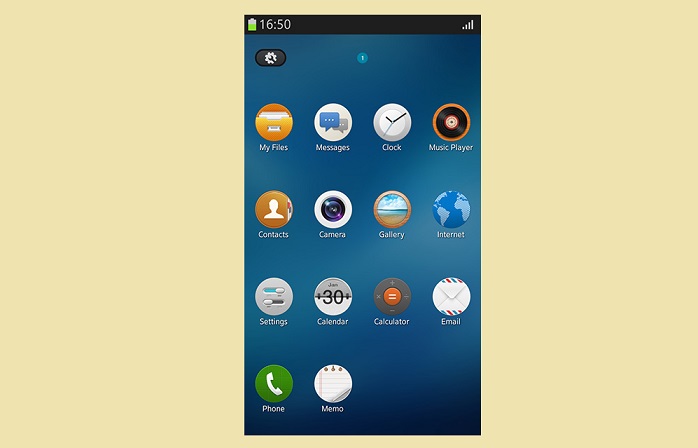
There are a lot of similarities between Android and Tizen. Both have OS firmware updates that can be used on a variety of devices, and app developers can build apps for free on these two operating systems.
Since Tizen is an open-source operating system, any manufacturer can use it on their device. However, unlike Android, which is available on dozens of devices from many different manufacturers, Tizen is only used on Samsung products.
Samsung has since intended to use Tizen on smartphones and tablets. The company launched a series of Tizen phones, but over time that plan was 'abandoned' and the operating system is mostly used exclusively on Samsung's smart watches and TVs.

Just like any other operating system, Tizen is only useful for apps that can run on this platform. On a Samsung device running Tizen, the app can be downloaded from the Galaxy Apps store. App must be developed specifically for Tizen To be used by Tizen devices.
What is One UI?
Samsung's One UI is the user interface that is responsible for the visual appearance of the software. One UI runs simultaneously with Android on Samsung smartphones and at the same time with Tizen on its watches.
If you think Tizen or Android is the frame, the raw part, One UI is the exterior paint of the house. The main operating system is responsible for internal functions, the user interface completes the appearance, interacting directly with the user. An operating system can run well without a user interface, but the user interface cannot exist without the operating system.
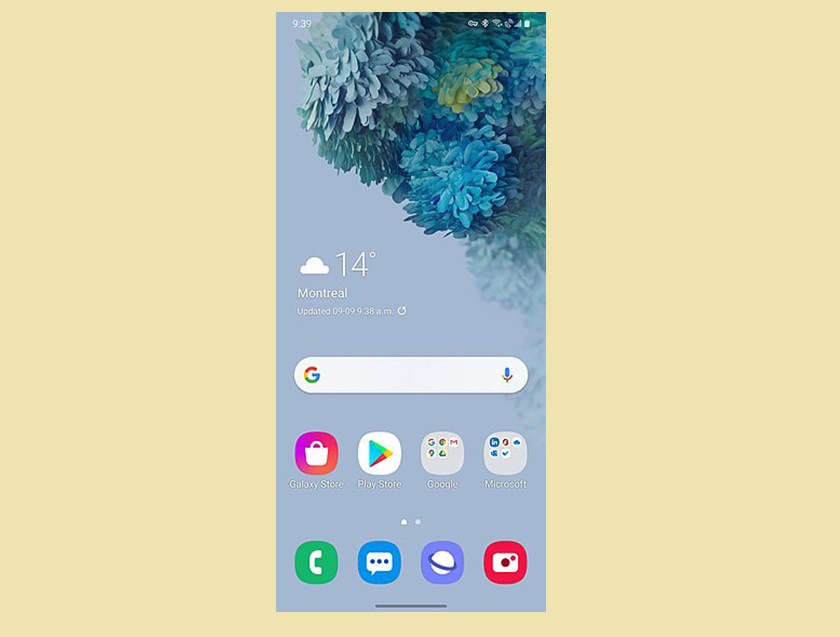
One UI is Samsung's 3rd largest user interface. Previously, Samsung Android phones had TouchWiz UI, then moved on to Samsung Experience. In 2019, the interface was redesigned and renamed to One UI.
Another difference of One UI compared to previous versions is that it is already available on smartwatches. Previously Samsung watches only ran the pure Tizen operating system, without any interface layers. In 2019, Samsung added One UI to its smartwatch models.
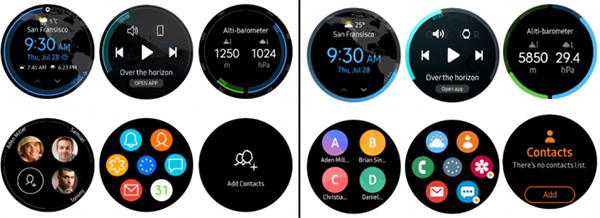
How Tizen and One UI work together
As mentioned above, One UI can only exist with the operating system. That operating system is either Android (on phone, tablet) or Tizen (on smartwatch).
See the example on the Samsung Galaxy smart watches. When a notification appears on the watch, Tizen is mainly responsible for the interaction between the watch and the phone, and how One UI does the display of them to the user.
Tizen and One UI coexist on the Galaxy smartwatch, but they can also work independently. Each software is updated separately, so in the About Watch section , you'll see the software versions of both.
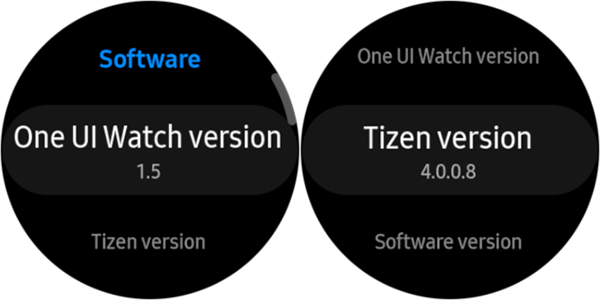
Tizen updates are often focused on features, while the improved One UI focuses on the visuals and user interface adjustments (exceptions, of course). While it is possible to update separately, usually Samsung rolls out the two's updates together.
Both Tizen and One UI have a lot of features, combining them together will bring the best software experience to users.
Key Takeaways
Use the information above as a practical reference for differences between one UI and tizen. Review each step carefully, confirm any requirements, and choose the option that best fits your situation.
FAQ
What does this guide explain about Differences Between One UI and Tizen?
It explains the main concepts, practical considerations, and useful steps related to differences between one UI and tizen without requiring advanced knowledge.
Who can benefit from learning about Differences Between One UI and Tizen?
This information is useful for readers who want a clear overview, practical guidance, and reliable steps related to differences between one UI and tizen.
What should I check before applying this information?
Review the requirements, confirm that your device, software, or situation matches the instructions, and back up important data before making major changes.
Related Articles
 Samsung's Tizen OS Programmed Badly, Containing 27,000 Bugs?4 minutes read
 Samsung Celebrates Tizen on Gear over 1000 Apps3 minutes read
 Differences Between 'Men' and 'Boys'11 minutes read
 Intel Launched a New Definition of Netbooks3 minutes read
 List of Samsung Galaxy Watches Models That Will Stop Being Supported3 minutes read
 Samsung: Complete Guide and Key Details4 minutes read
Reader Comments 0
Sign in with email or Google to join the discussion.