Table of Contents
A Dell laptop that beeps during startup may be reporting a hardware or startup problem. The meaning of a beep pattern is not universal: it can vary by model and generation, and some computers use LED or on-screen diagnostic codes instead. Record the exact pattern before troubleshooting.
What to do first
- Write down how many beeps occur in each repeating sequence, whether the beeps vary in length, and whether any power or battery LEDs flash.
- Disconnect docks, USB devices, memory cards, and other accessories, then try one normal restart.
- Note whether the Dell logo, an error message, or a diagnostic screen appears. Avoid repeatedly forcing shutdown during a firmware or system update.
- Find the laptop's exact model or Service Tag and look up the beep or LED pattern in Dell's support information for that model.

Do not assume a beep count identifies one part
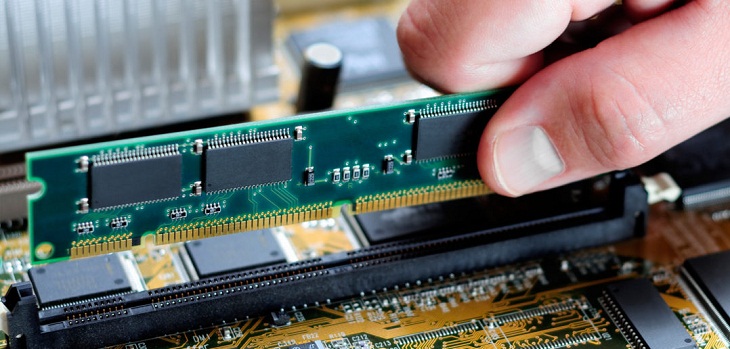
Older guides sometimes map a fixed number of beeps to RAM, the motherboard, processor, or screen. Such lists may not apply to your Dell model. A pattern alone is not enough to prove that a particular component has failed, so do not replace parts or flash the BIOS based only on a generic beep-count table.
When to contact support
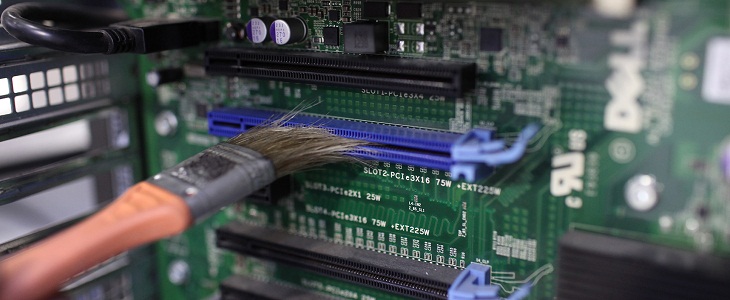
If the beep pattern continues, the laptop will not start, or Dell Diagnostics reports an error, use the model-specific support instructions or contact a qualified repair provider. Avoid opening a laptop or cleaning connectors with liquid unless you are trained and following the service manual. Share the exact model and recorded pattern to help identify the correct next step.
Related Articles
 CES 2020: Dell launches G5 15 SE, a mid-range gaming laptop
 The best Dell laptops 2020
 Dell laptop beeps 5 times, what is the phenomenon? How to handle?
 Should I plug in the laptop charger continuously?
 Dell Vostro 3578 Review: High-performance laptop for business people
 Detailed instructions for checking Dell Laptop warranty
Reader Comments 0
Sign in with email or Google to join the discussion.