Table of Contents
YouTube’s Shorts feed limit lets you set a daily time allowance, including zero minutes where available. For a personal account, it is a reminder you can dismiss. A parent-managed limit on a supported supervised account can prevent further Shorts-feed scrolling for the day. Neither should be described as removing every Shorts video from YouTube.
Set a limit on your own account
- Sign in to the YouTube mobile app.
- Open the You tab, then select Settings.
- Choose Time management.
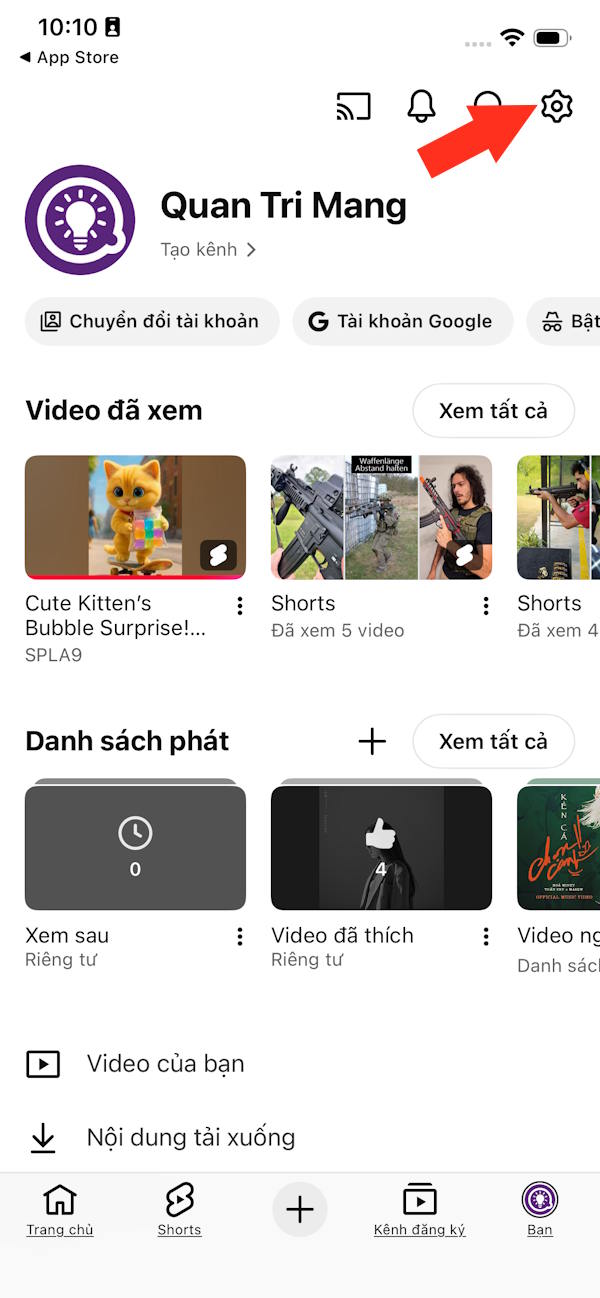
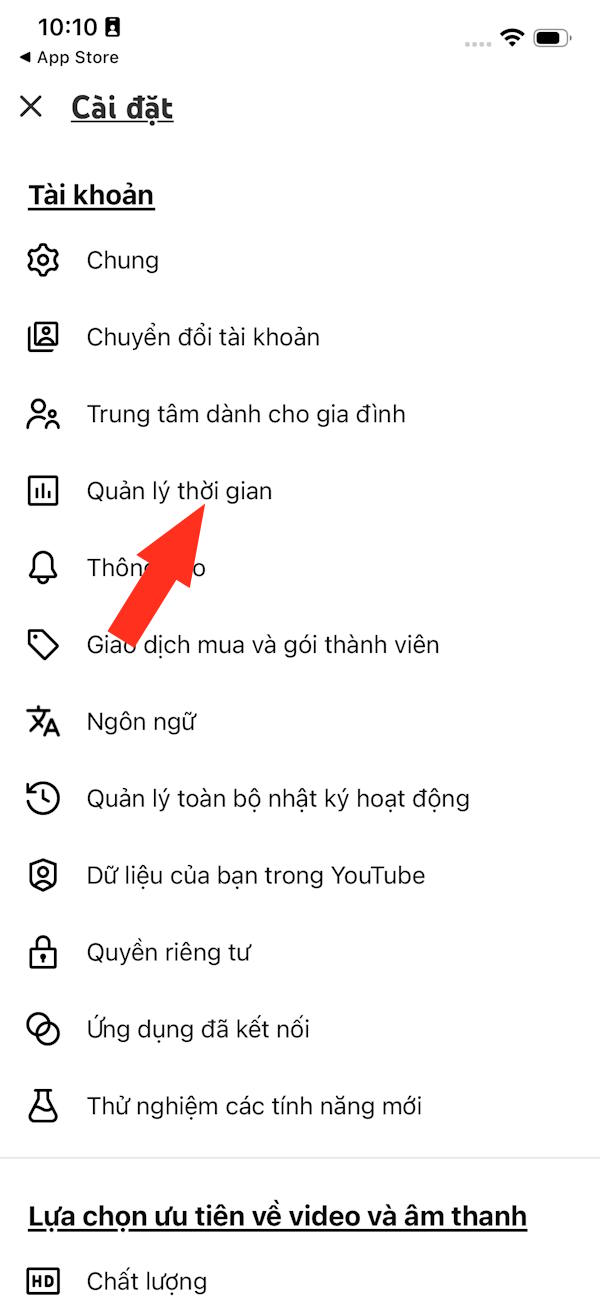
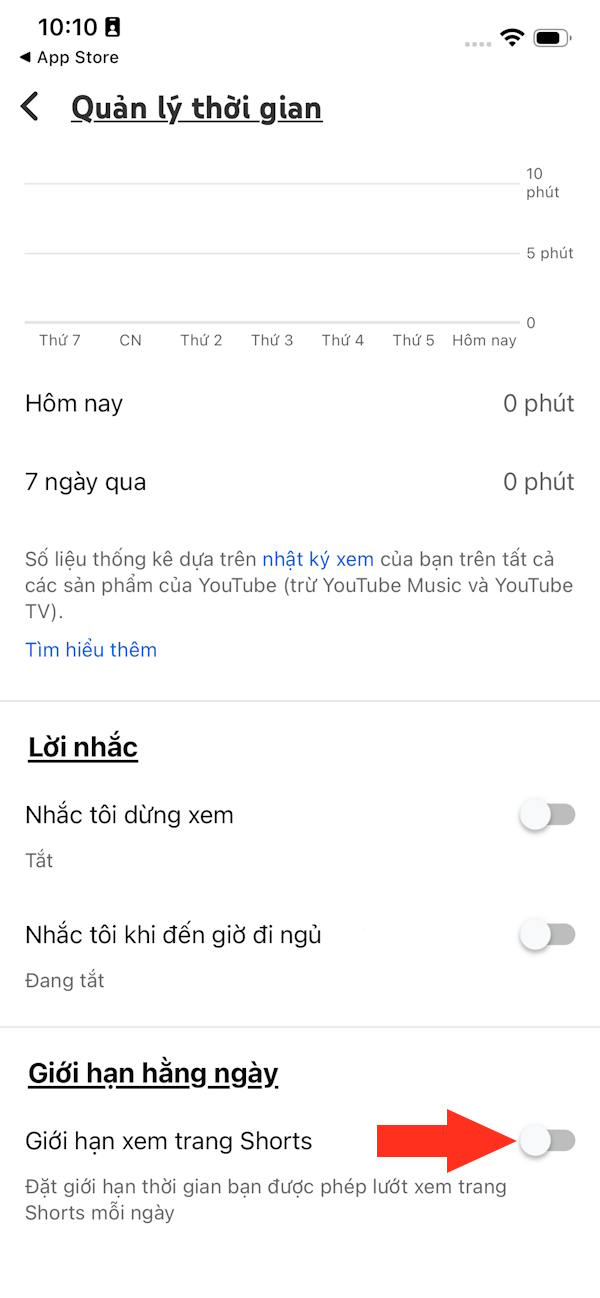
Open Shorts feed limit. Older layouts may place it under daily limits or use slightly different wording.
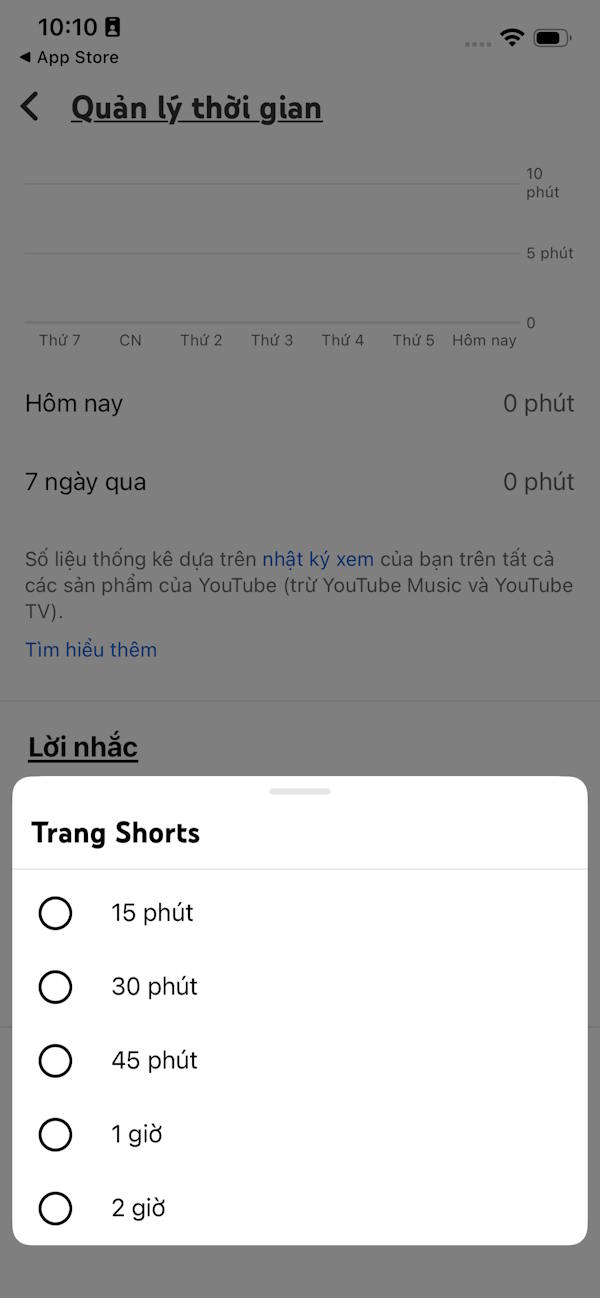
Select the daily allowance you want. Choose 0 if your goal is to avoid scrolling the feed and that option appears.
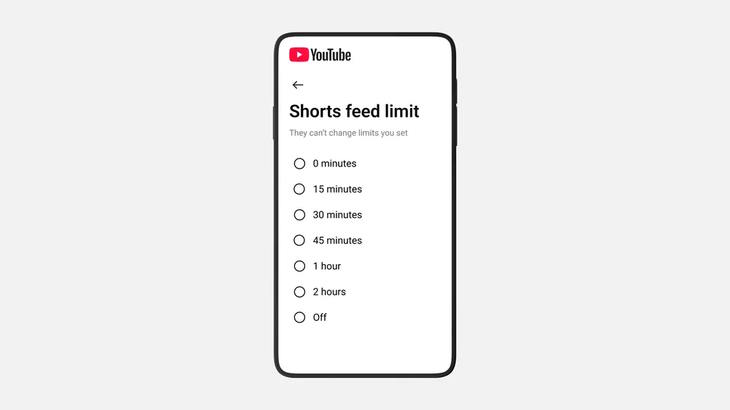
When the allowance is reached, YouTube shows a message. On a personal account, you can dismiss or ignore it, so this is a self-management tool rather than an enforced parental block.
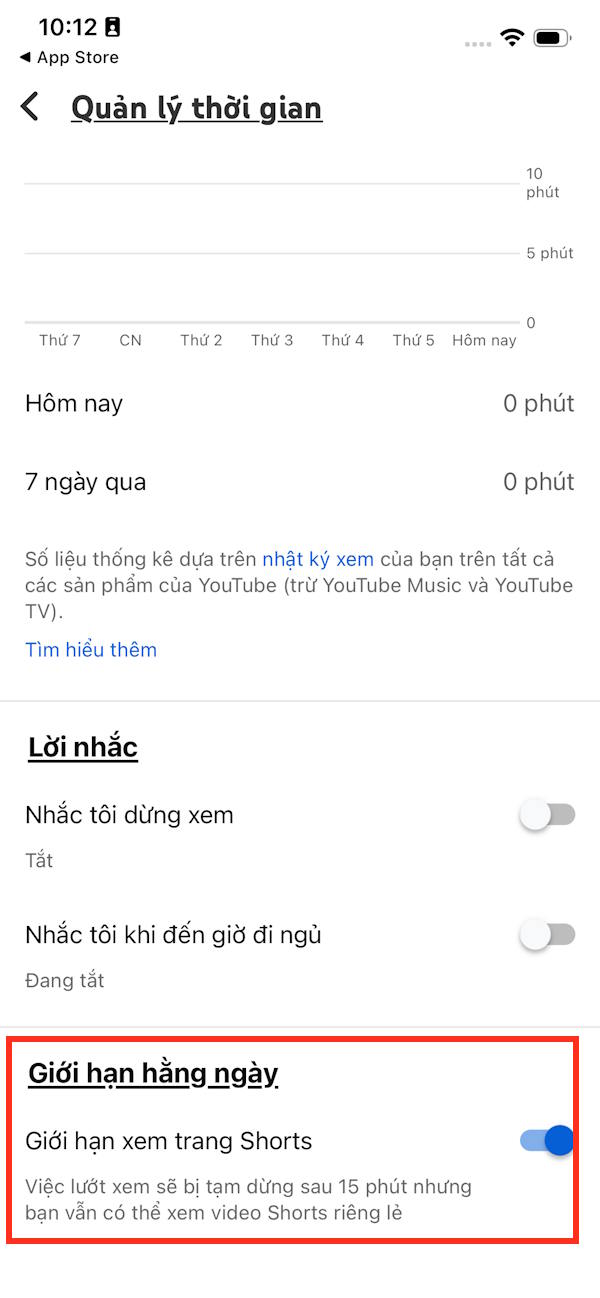
YouTube’s Shorts feed limit instructions describe the current controls. If you do not see the setting, update the app and check that you are signed in to the intended account.
Set a parent-managed limit
For a supported supervised child or teen account, use the linked parent account’s Family Center, select the child’s account and open Time management. Set the daily Shorts feed allowance there, rather than relying on the child’s dismissible personal reminder.
Google’s supervised-account guidance explains the available parent controls. Check what the setting covers for your child’s account and device; account supervision and an ordinary time reminder are different.
If you also need device-level controls, see Google Family Link setup and how to review Android screen time. A limit tied to one account will not manage viewing through another account or every other video app.
Related Articles
 How to Add YouTube Shorts Video Effects3 minutes read
 What Is YouTube Shorts? Can You Become a Rival of TikTok?3 minutes read
 How to Download YouTube Shorts5 minutes read
 How to View YouTube Shorts in Landscape Mode2 minutes read
 How to Hide YouTube Shorts Videos on Computer3 minutes read
 YouTube Shorts Adds TikTok-style Artificial Voices3 minutes read
Reader Comments 0
Sign in with email or Google to join the discussion.