Table of Contents
When a Windows PC shows “Connected, no internet,” cannot obtain an IP address, or loses connectivity after an update, start with the least disruptive checks. Reset TCP/IP and the network adapters only after confirming that the router, Wi-Fi password, airplane mode, and physical connection are not the cause.
Legacy note: The original guide targeted Windows 10 version 1903, an obsolete release. The commands still apply to newer Windows versions, but menu paths differ. Use a supported Windows version and install current updates and network drivers.
Before resetting anything
- Test another device on the same router. If every device is offline, restart the modem/router and contact the internet provider if necessary.
- Restart the PC, turn airplane mode off, and reconnect Wi-Fi or reseat the Ethernet cable.
- Forget the Wi-Fi network and reconnect with the correct password.
- Temporarily disconnect a VPN or manually configured proxy.
- Run Windows network diagnostics and check for a driver update from Windows Update or the PC manufacturer.
For a fuller diagnostic sequence, see TipsMake's guide to troubleshooting Wi-Fi in Windows 11. Repeated dropouts may need the separate fixes in Wi-Fi keeps disconnecting in Windows 11.
Reset Winsock, TCP/IP, DHCP, and DNS
Microsoft recommends the following commands when ordinary checks do not restore the connection. Save open work first. The release command temporarily removes the current DHCP address, and the reset commands require a restart to take full effect.
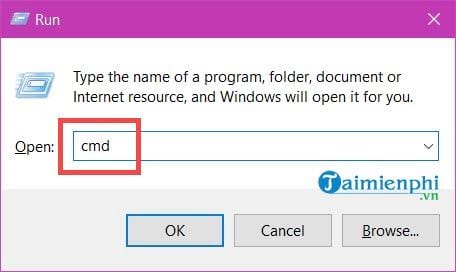
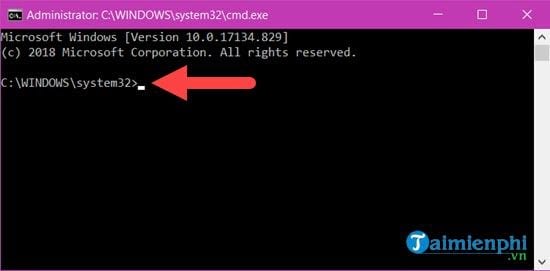
- Open Start, type Command Prompt, and select Run as administrator. You can also press Windows + R, type cmd, and press Ctrl + Shift + Enter.
- Approve User Account Control.
- Run each command below in the listed order, pressing Enter after each one.
netsh winsock reset
netsh int ip reset
ipconfig /release
ipconfig /renew
ipconfig /flushdns
The correct command is ipconfig /renew, not ipconfig /review. If the adapter reports “media disconnected,” reconnect Wi-Fi or Ethernet before trying to renew an address.
What each command does
netsh winsock resetrestores the Winsock catalog to a clean state.netsh int ip resetresets the TCP/IP configuration.ipconfig /releasereleases DHCP-assigned IPv4 addresses on connected adapters.ipconfig /renewrequests fresh DHCP addresses.ipconfig /flushdnsclears the local DNS resolver cache.
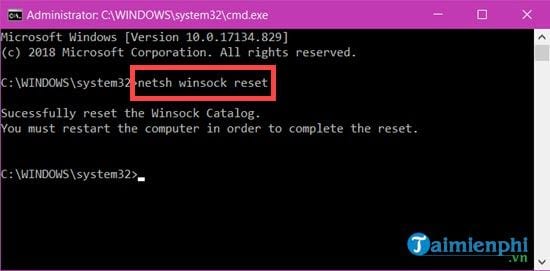
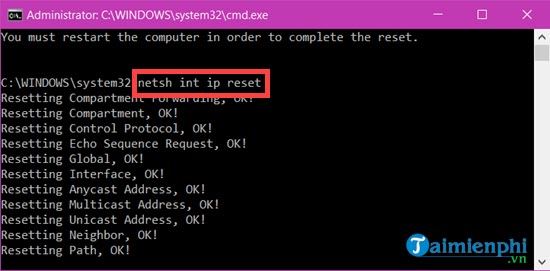
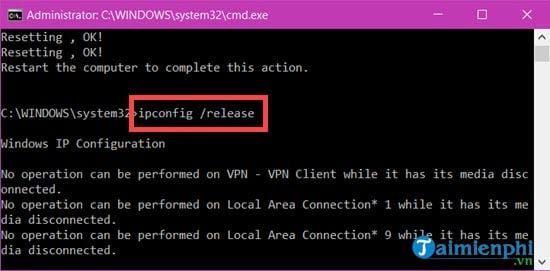
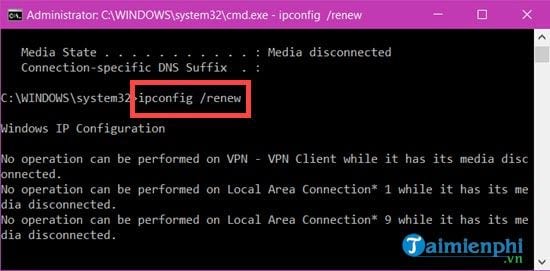
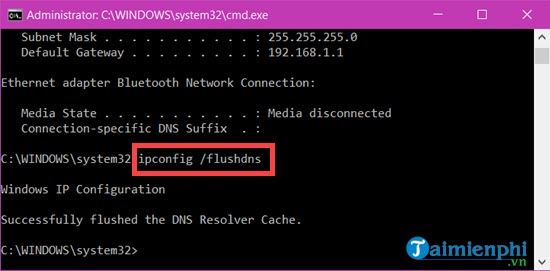
Restart Windows, reconnect to the network, and test again. Microsoft's Windows Wi-Fi troubleshooting guide documents the same command order.
Use Network Reset only as a last step
Network Reset removes and reinstalls network adapters and restores their settings. It can remove custom adapter configuration and may require VPN clients, virtual switches, or other networking software to be reinstalled. Record static IP, DNS, proxy, VLAN, and VPN settings first.
Windows 10
Open Settings > Network & Internet > Status > Network reset, select Reset now, and confirm.
Windows 11
Open Settings > Network & internet > Advanced network settings > Network reset, select Reset now, and confirm.
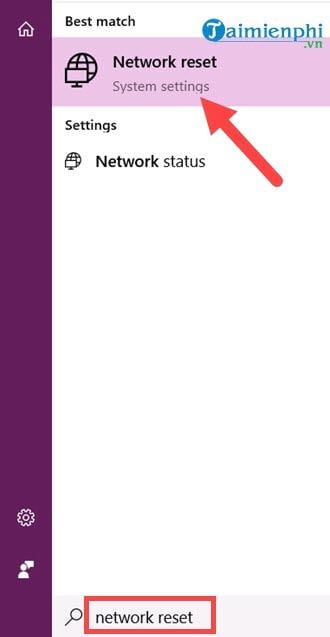
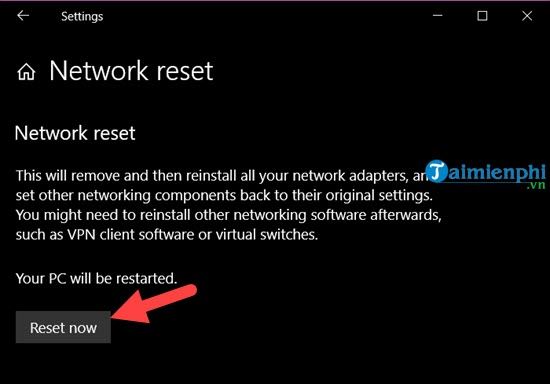
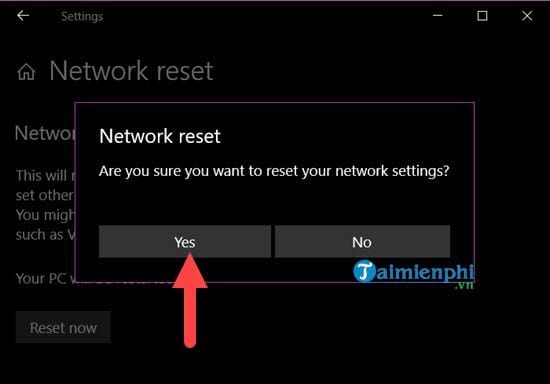

Windows schedules a restart after confirmation. Save files and restart manually if you do not want to wait. After signing in, reconnect Wi-Fi and check whether Windows has classified the network as public or private as intended.
If the connection still fails
- Run
ipconfig /alland check whether the adapter has a valid address, gateway, and DNS servers. An address beginning with 169.254 often means DHCP failed; see how to fix a 169.254 IP address. - Test both the router's IP address and a domain name to distinguish local connectivity from DNS failure.
- In Device Manager, inspect the network adapter for an error, then obtain a driver from the PC or adapter manufacturer.
- Check whether security software, a VPN, or virtualization software installed a filter driver that is failing.
- If the issue began immediately after a driver update, use the driver's Roll Back option when available.
Do not keep running network resets repeatedly. If the fault returns, identify the failing driver, DHCP service, router, VPN, or adapter hardware instead of treating the reset as a permanent fix.
Related Articles
 Instructions for Troubleshooting Windows 7 Network Errors16 minutes read
 Instructions for Setting Up and Managing Network Bridge on6 minutes read
 How to Transfer from Public Network to Private Network on Windows8 minutes read
 How to Set Up Your Internet: Clear Instructions6 minutes read
 Instructions on How to Add FTP, Network Location Drives on Windows3 minutes read
 How Do Private Network and Public Network on Windows Differ?6 minutes read
Reader Comments 0
Sign in with email or Google to join the discussion.