Table of Contents
Install Cloudflare WARP on a Windows PC by downloading the consumer client from Cloudflare, opening the installer, accepting the privacy notice, and switching the app on from the system tray. Use WARP mode to tunnel device traffic or 1.1.1.1 mode when you only want encrypted DNS queries.
WARP and 1.1.1.1 mode are different
- WARP mode: encrypts traffic leaving the computer and routes it through Cloudflare's network, including DNS traffic.
- 1.1.1.1 mode: sends encrypted DNS queries to Cloudflare's resolver but does not tunnel all device traffic.
WARP is not a conventional location-selection VPN. It does not provide a country picker and cannot guarantee access to a region-restricted service. It also cannot increase the bandwidth purchased from an internet provider, although a different route may occasionally improve performance. Read TipsMake's explanation of what Cloudflare WARP does before installing it.
Download and install WARP on Windows
- Open Cloudflare's official consumer WARP instructions and use its Windows download link.
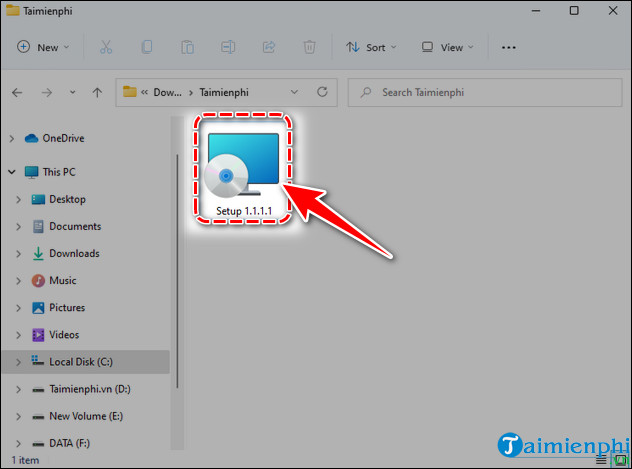
- Open the downloaded installer from the Downloads folder. Verify that the publisher is Cloudflare before approving the Windows security prompt.
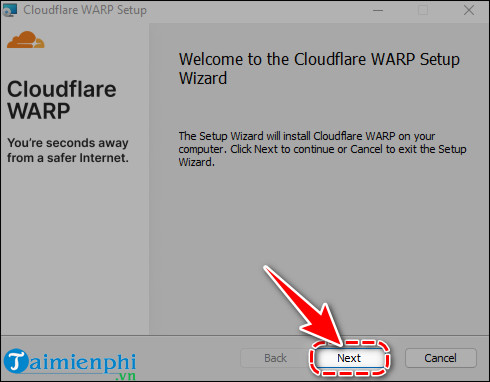
- Select Next and Install as prompted. Administrator approval may be required.
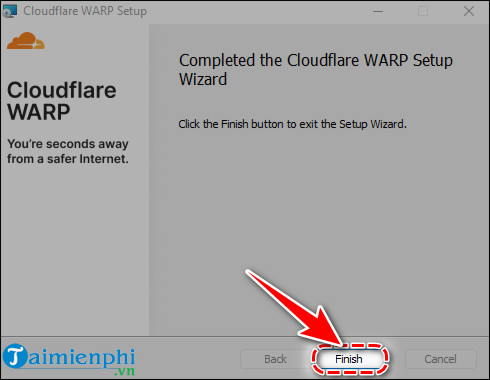
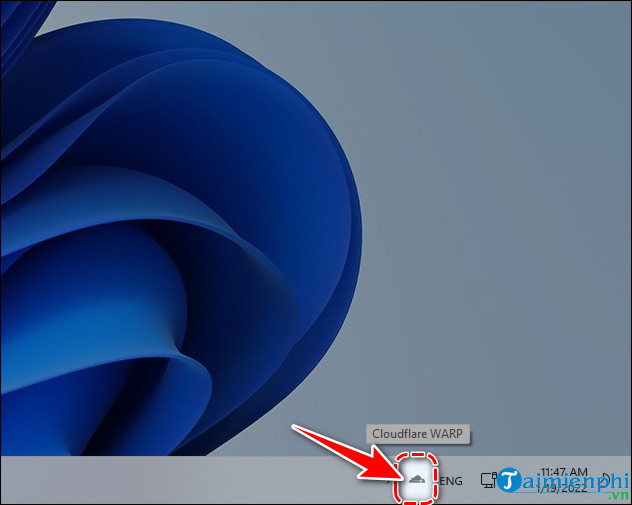
- Select Finish. The Cloudflare icon should appear in the Windows system tray; open the hidden-icons menu if necessary.
- Open the WARP panel, review the privacy notice, and select Accept only after reading it.
- Switch the connection toggle on and wait for the status to show Connected.
The screenshots below show an older Windows installer and remain useful for identifying the basic sequence. The current interface may use updated branding.
Connect and choose a mode
- Select the Cloudflare icon in the system tray.
- Use the main toggle to connect or disconnect.
- To change modes, open the cog or settings menu and choose between WARP and 1.1.1.1.
- Leave WARP selected for the broader tunnel. Choose 1.1.1.1 only if encrypted DNS is the goal.
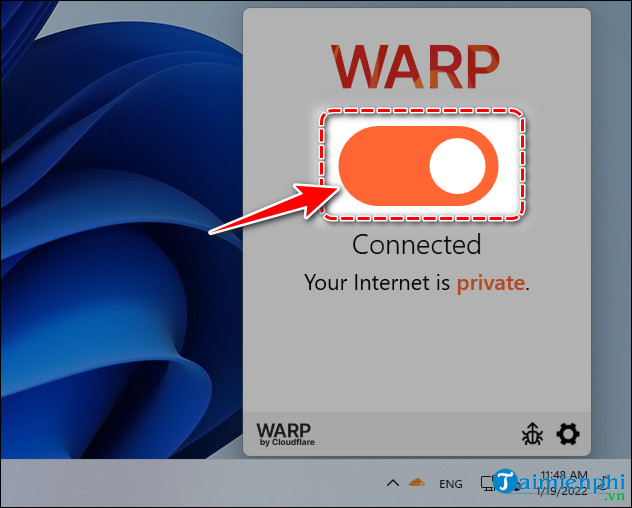
Cloudflare's documentation recommends WARP mode by default. Its consumer WARP overview distinguishes the personal client from the enterprise Cloudflare One Client used by organizations.
Install WARP on macOS or Linux
Use the operating-system link in Cloudflare's consumer documentation rather than reusing the Windows MSI file. On macOS, open the downloaded package, complete installation, accept the privacy notice, and toggle WARP on from the menu bar. Linux installation commands depend on the distribution and should be copied from Cloudflare's current repository instructions.
Do not use an unofficial “WARP+ activator.” Older third-party clients may be unsupported and can route network traffic through software you have not verified. TipsMake explains the difference in its review of the legacy APKCombo VPN client and the official WARP alternative.
How to confirm WARP is working
- Check that the app reports Connected.
- Open Cloudflare's connection-check page from the official documentation and confirm the WARP status.
- Test normal browsing, video calls, work apps, local printers, and other services you rely on.
- Disconnect WARP and compare only if you are troubleshooting performance or compatibility.
Troubleshooting
WARP connects but websites do not open
Disconnect WARP to confirm the underlying connection works. Restart the app and PC, then try again. Another VPN, security product, captive portal, proxy, or managed network policy may conflict with the tunnel.
Local devices or work resources disappear
A tunnel can affect routes to printers, network storage, or private corporate systems. Disconnect to test, and ask the network administrator before changing exclusions on a managed device.
The installer does not run
Download a fresh installer from Cloudflare, check Windows compatibility, install pending system updates, and verify administrator access. Do not disable antivirus protection permanently to force installation.
You only want Cloudflare DNS
Switch the app to 1.1.1.1 mode or configure the resolver directly. Compare DNS choices in TipsMake's guide to DNS servers for online safety and learn how DNS over HTTPS works in Windows 11.
Privacy and safety limits
Download WARP directly from Cloudflare—not from a third-party download mirror. The encrypted route protects traffic between the device and Cloudflare, but Cloudflare still operates the network handling that traffic. WARP does not block every malicious site, remove malware, protect a password entered into a phishing form, or provide complete anonymity.
Related Articles
 How to Install WARP 1.1.1.1 on Your Computer to Speed Up Web Browsing8 minutes read
 How to Download and Install Warp 1 1 1 1 on Computer5 minutes read
 The Fastest Way to Download and Install Apkcombo VPN on Your PC3 minutes read
 What Is Cloudflare WARP? Should I Use It?6 minutes read
 How to Install 1.1.1.1 on Your Computer to Access the3 minutes read
 How to Install WARP 1.1.1.1 on Your Computer to Access Blocked Websites8 minutes read
Reader Comments 0
Sign in with email or Google to join the discussion.