Table of Contents
The worksheet creation tool in Magic School helps teachers quickly create worksheets based on any material or even topic, and adjust them to suit the grade level or standards...
The worksheet creation tool in Magic School helps teachers quickly create worksheets based on any material or topic, and adjust them to suit the grade level or standards they need. Teachers can choose to create fill-in-the-blank, multiple-choice, open-ended worksheets, or a combination of all. Step-by-step instructions for creating worksheets in Magic School will be provided in this article.
How to create worksheets on Magic School
Step 1:
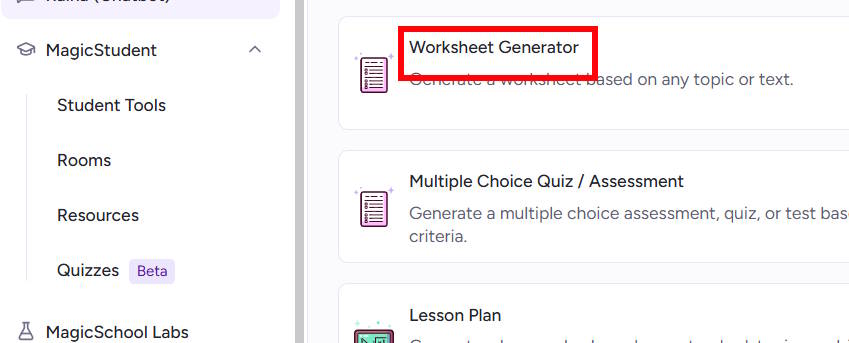
If you don't already have one, register for a Magic School account, then access the main interface. Click on the Worksheet Generator tool.
Step 2:
Switching to the new interface, we enter the topic for which we want to create the worksheet, or you can upload reference data and specify the type of worksheet you want to create.
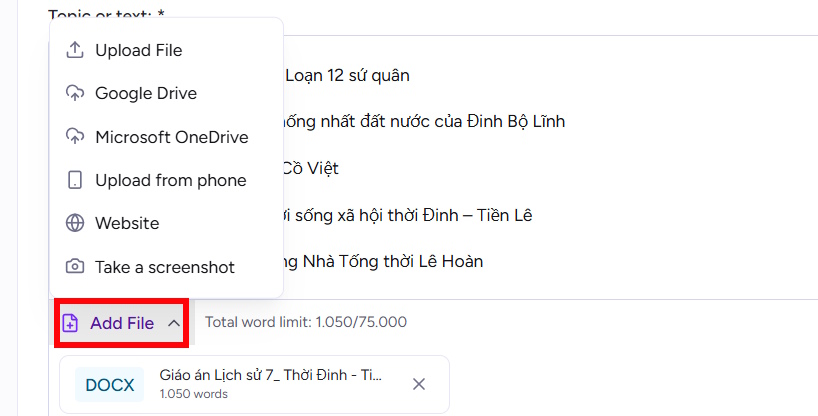
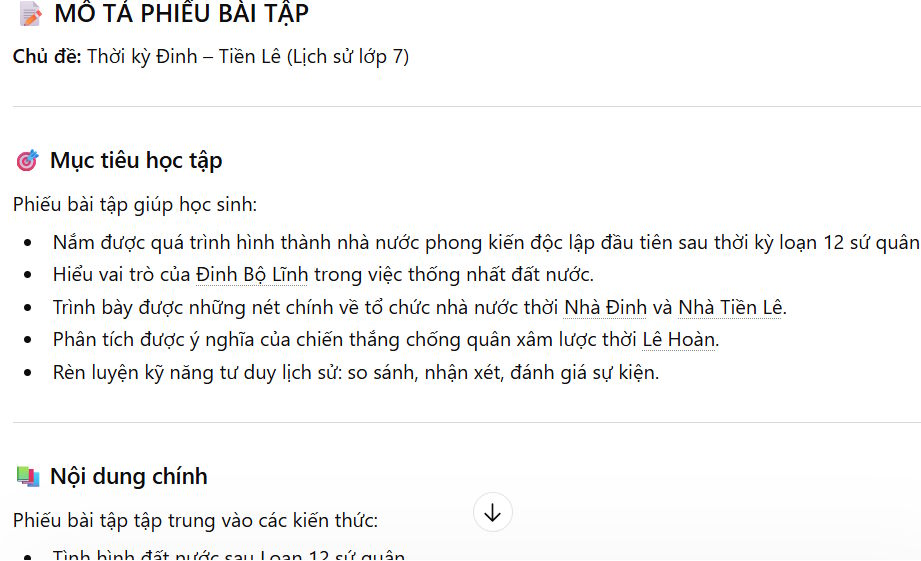
You can use ChatGPT to write a description of the assignment sheet on the topic you need, to create a standard prompt for generating assignment sheets.
Finally, click Generate to start creating the worksheet on Magic School.
Step 3:
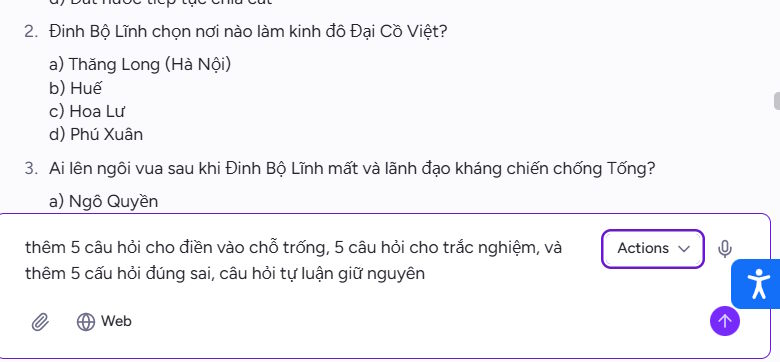
Immediately afterwards, we will have the content of the worksheet based on the topic or data source you uploaded. Below will be the answers to each exercise above.
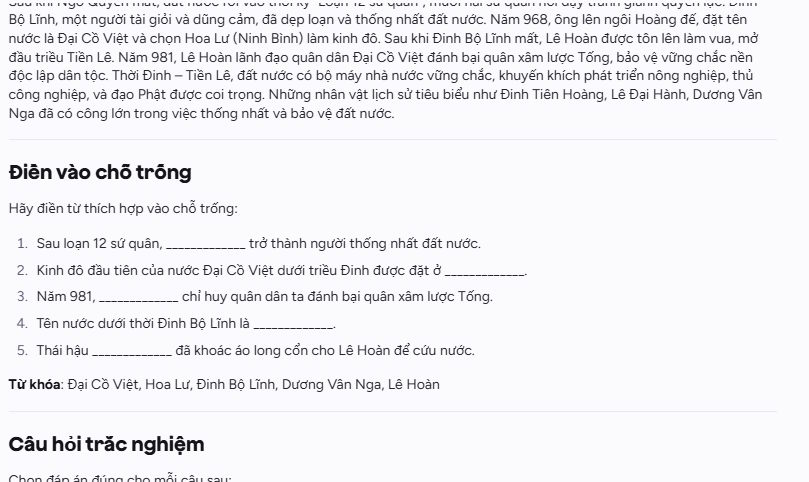
If you want to edit any content in the worksheet, enter the command to create a new worksheet.
Step 4:
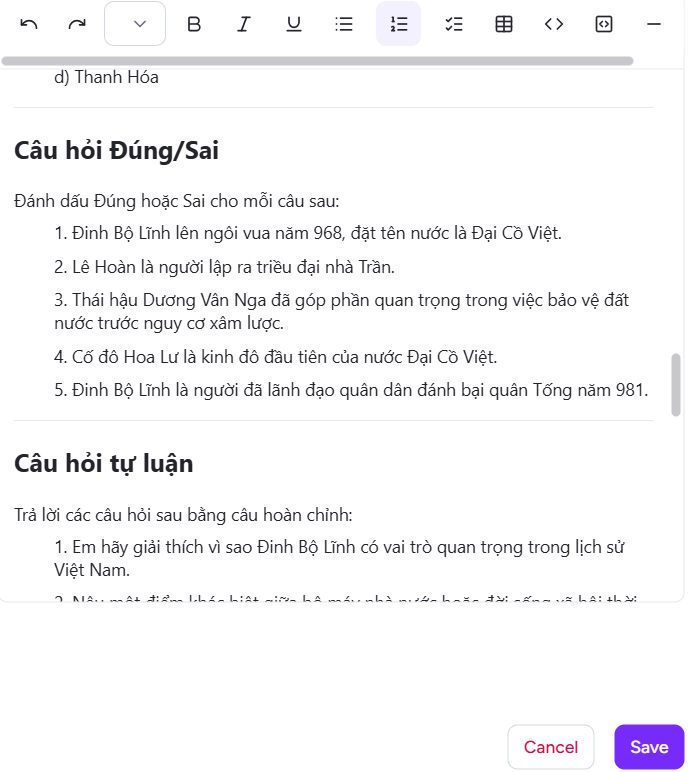
If you need to edit the content of the worksheet, click the pen icon and then edit the content using the available tools. After making changes, click Save to save the changes.
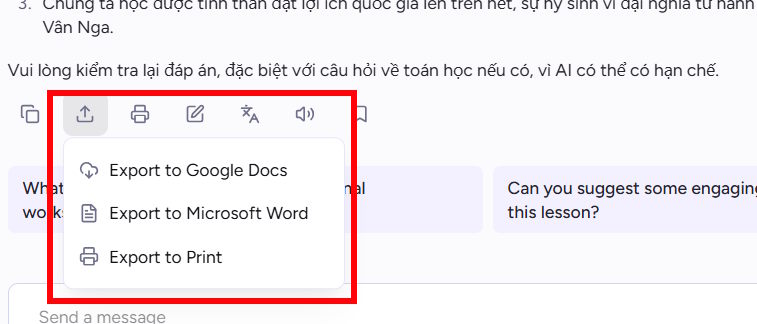
To download the worksheet content, click the Export icon, then choose to export to Docs or Word.
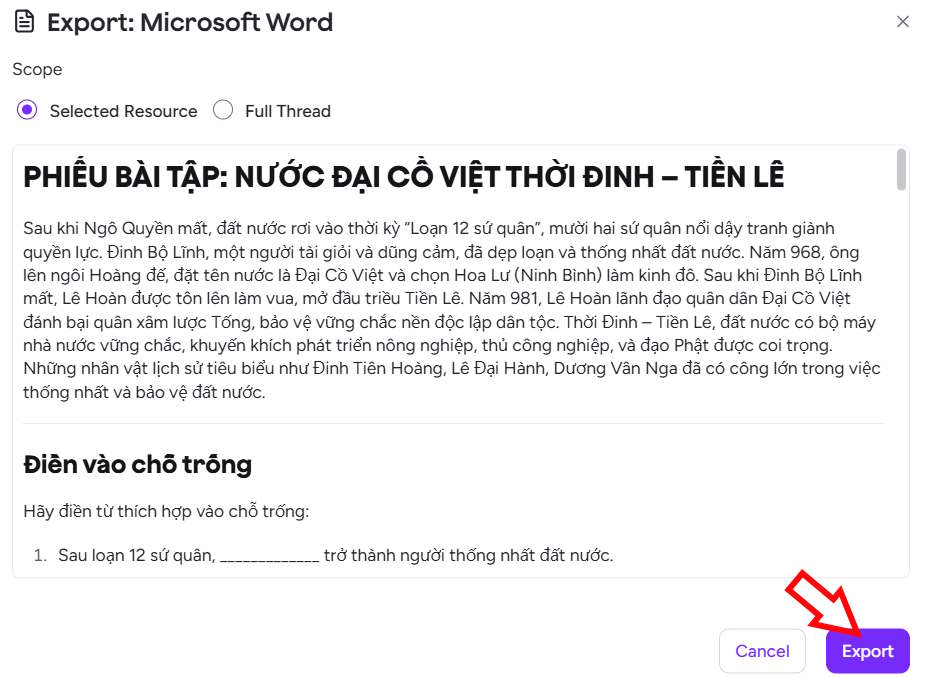
Then select Export to download the worksheet, and you're done.
Related Articles
 Instructions on Creating Worksheets in Canva4 minutes read
 Quickly Create Multiple-choice Quizzes from Videos Using Magic School AI5 minutes read
 Create a Q&a Review Chatbot for Students Using Magic School5 minutes read
 Deciphering the Magic Screen Matchstick Knows Dancing Is2 minutes read
 Instructions on Creating Worksheets on Gemini: Explained3 minutes read
 Create a Table of Contents for a List of Worksheets in Excel5 minutes read
Reader Comments 0
Sign in with email or Google to join the discussion.