Table of Contents
This guide provides a clear overview of play games on telegram, including how to Play Games on Telegram with Friends. Use it to understand the topic, compare the available options, and make a more informed decision.
How to Play Games on Telegram with Friends
Step 1:
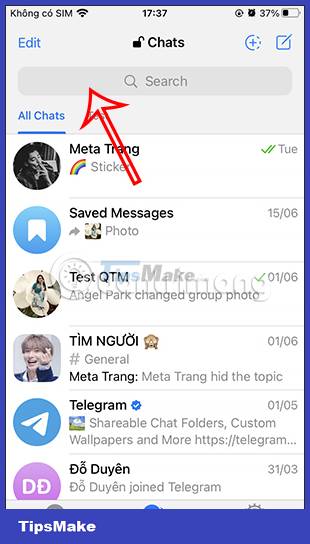
At the interface on Telegram, we click on the search bar and then enter the keyword Gamee bot . Immediately then display the result interface according to the keyword you enter. We click on the @Gamee bot below.

Step 2:
Switch to the Gamee chat interface on Telegram. Here you click Start to join the game with this Gamee bot. Now the chat bot will message you, we click Yes to play the game on Telegram.


Step 3:
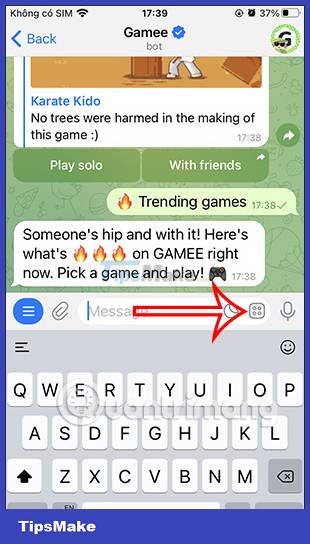
The Gamee Bot will offer any game for you to try. We can play alone with Play solo or challenge with friends when pressing With Friends.
Below is the menu used in this Gamee bot for you to choose to access. For example, clicking on the trending game will display the interface as below.


Step 4:
To collapse the menu interface of this bot, just click on the square icon as below, click again to display the Gamee menu. Now you choose the game on Telegram and the game mode you want.

Step 5:
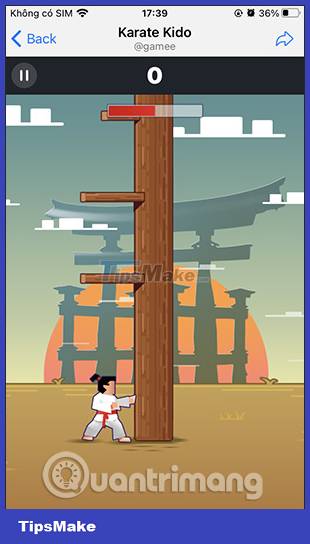
At this point, the game screen will start up for you to try your hand at. If playing with friends, there will be a score comparison table.

Conclusion
Understanding Play Games on Telegram makes it easier to compare options, avoid common mistakes, and apply the information in this guide more effectively. Review the relevant requirements before making changes or choosing a solution.
FAQ
What is Play Games on Telegram?
Below is the menu used in this Gamee bot for you to choose to access.
Why is Play Games on Telegram important?
Understanding Play Games on Telegram helps you evaluate features, compatibility, performance, and potential limitations before you choose a product or follow a procedure.
What should you consider when using or choosing Play Games on Telegram?
Consider your specific goal, compatibility requirements, available features, cost, security, and the practical recommendations described in this guide.
Related Articles
 Instructions for Using Free Chat Software Telegram on Your Computer4 minutes read
 Detailed Guide on How to Quickly Integrate the Telegram API into N8n9 minutes read
 How to Create a Telegram Bot and Connect to N8n Quickly8 minutes read
 Delete Group on Telegram: Instructions for Deleting Groups on Telegram4 minutes read
 A Guide to Creating a Telegram Bot That Anyone Can Do6 minutes read
 Instructions for Sending Gifs on Telegram3 minutes read
Reader Comments 0
Sign in with email or Google to join the discussion.