Table of Contents
TikTok saves all your activities from saving TikTok videos you have watched, comments you have tried to show,. or adjusting certain permissions. All of these activities are managed in the Activity Center interface. If you are concerned about your privacy and personal activities on TikTok being known by others, you can lock your activity history with Face ID according to the article below.
How to Lock Your TikTok Activity History Using Face ID
Step 1:
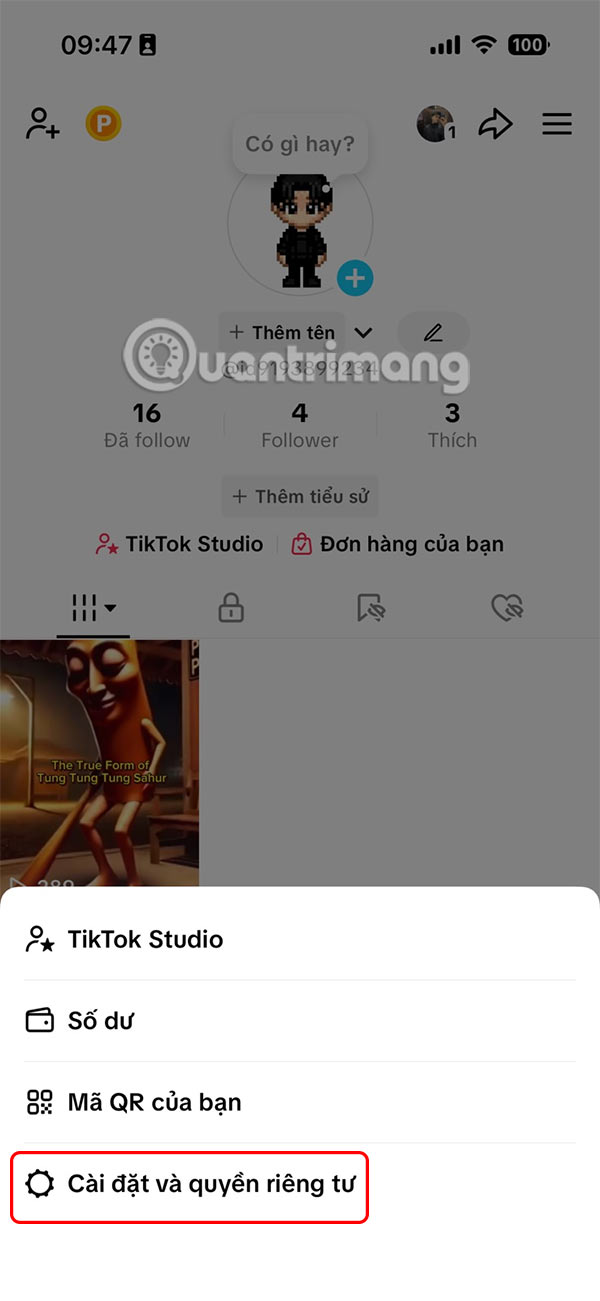
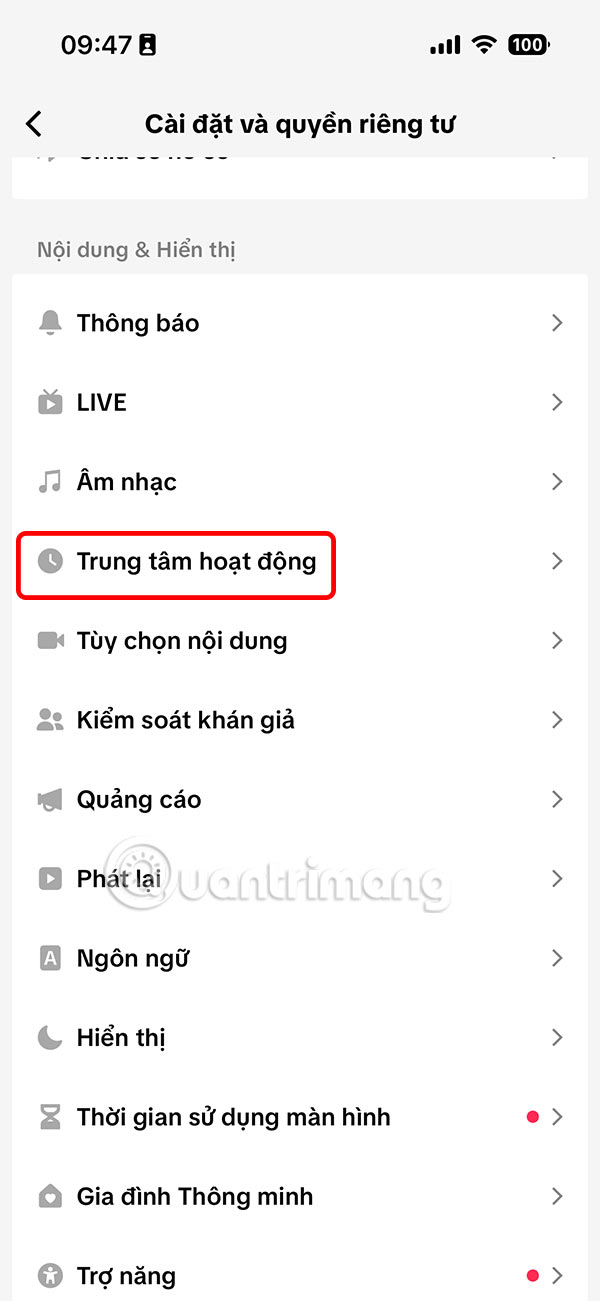
You select the 3 dashes icon in the top right corner and select Settings and privacy to adjust. Switch to the new interface, select Activity Center .
Step 2:
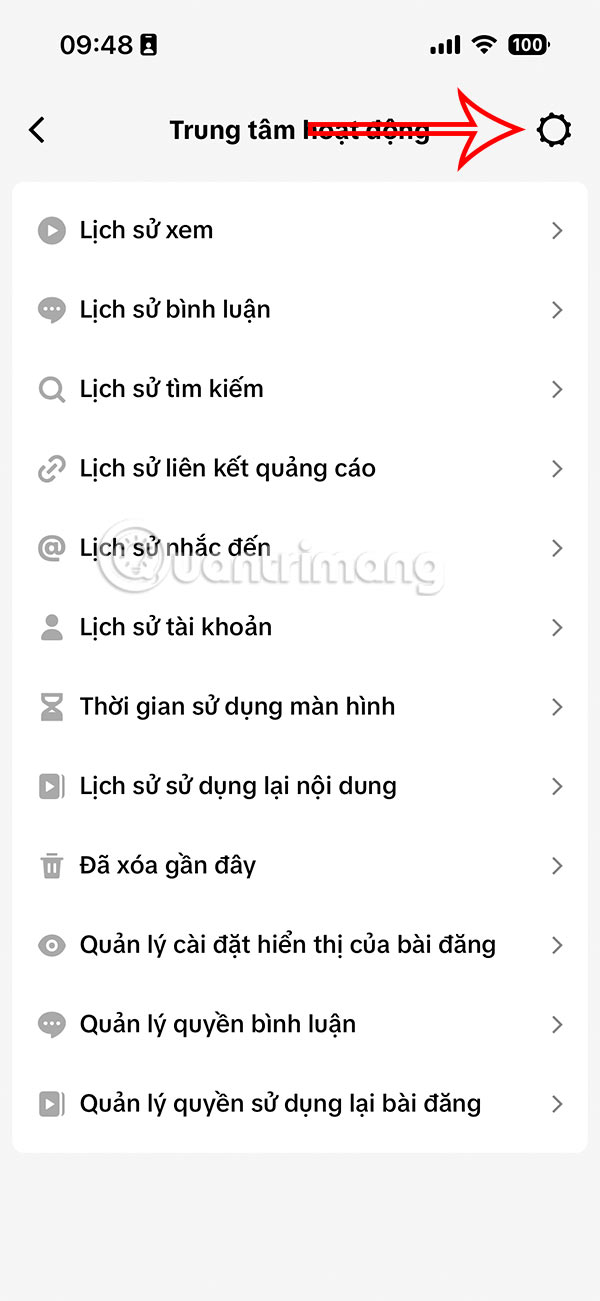
Switch to the new interface, we select the gear icon in the top right corner.
Step 3:
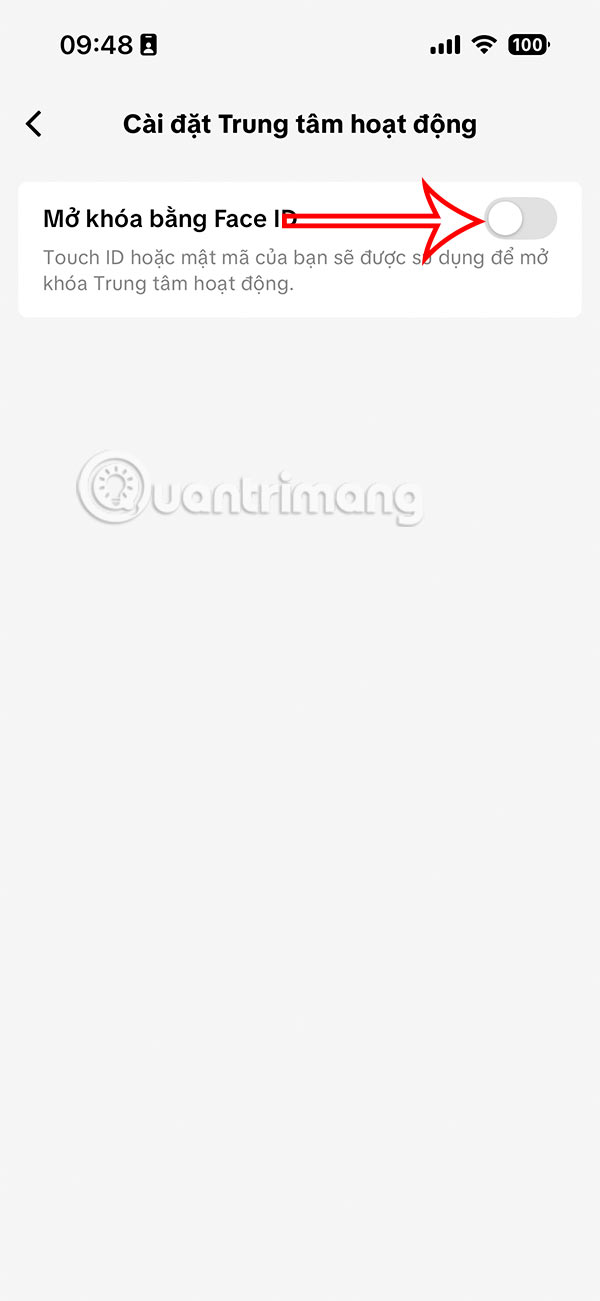
Here you will turn on Unlock with FaceID mode to activate the activity history lock mode on TikTok. Here you continue to select Settings on the device .
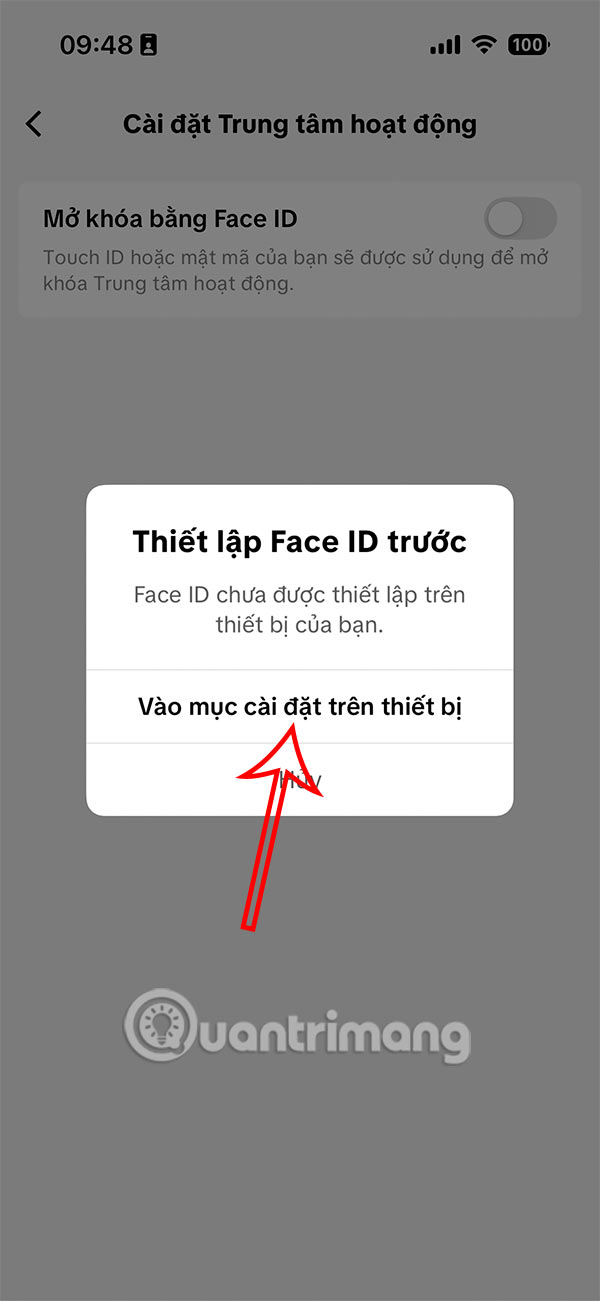
Step 4:
Now we need to enable Face ID for the TikTok app to use this setting. Finally, the Activity Center on TikTok has been locked with Face ID as shown.
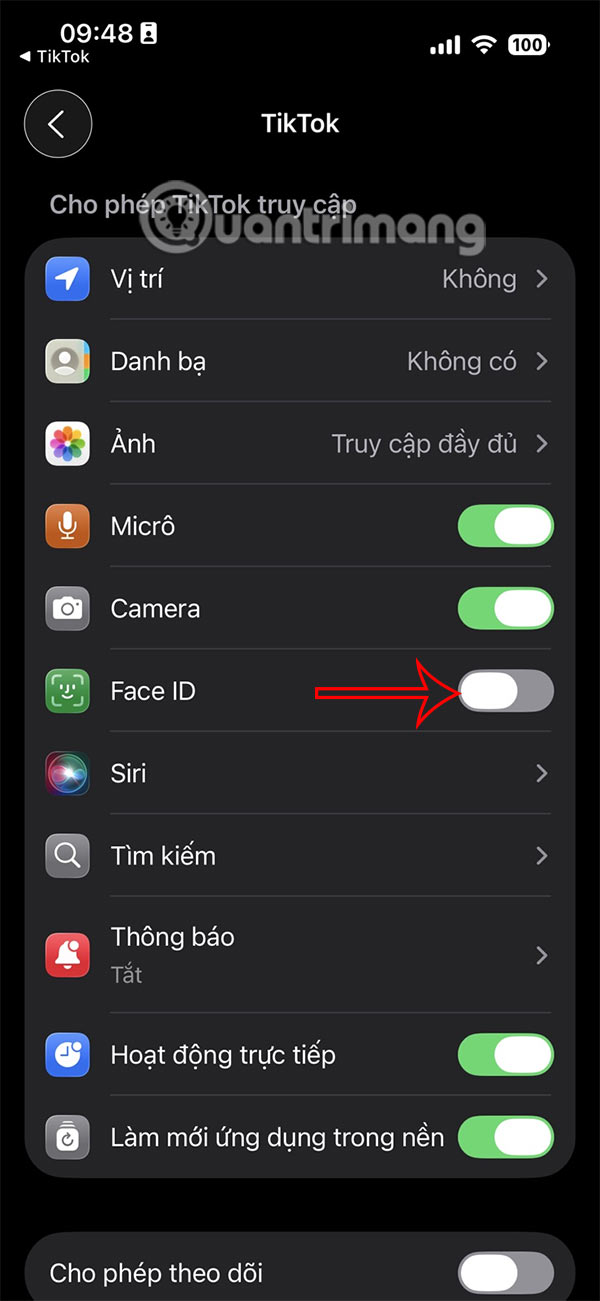

When someone wants to see your TikTok activity history, they are forced to unlock Face ID or Touch ID, depending on the mode the user has set.
Final Thoughts
Following the steps in order and checking version-specific settings should make it easier to Lock TikTok Activity History with FaceID. If an option looks different, verify the device, app, or operating-system version before changing additional settings.
FAQ
What is the best way to Lock TikTok Activity History with FaceID?
Start with the requirements described in the article and follow the steps in order. TikTok saves all your activities from saving TikTok videos you have watched, comments you have tried to show,. or adjusting certain permissions. All of these activities are managed in the Activity Center interface.
What should you know about How to Lock Your TikTok Activity History Using Face ID?
You select the 3 dashes icon in the top right corner and select Settings and privacy to adjust. Switch to the new interface, select Activity Center.
What should you do if the instructions do not match your screen?
Check the device, software version, account permissions, and regional settings. Interfaces can change after updates, so use the closest matching option and consult the official support documentation when necessary.
Related Articles
 How to View AI Activity by App in Windows 119 minutes read
 Instructions for Deleting Microsoft Copilot Activity History3 minutes read
 How to Disable Activity History on Windows 113 minutes read
 How to Lock Apps on iPhone with Password, Face ID3 minutes read
 Faceid Is Easily Bypassed with Just Plain Tape and Eyeglasses3 minutes read
 The Suspect on the Network Was Arrested After the Provider Shared VPN Access6 minutes read
Reader Comments 0
Sign in with email or Google to join the discussion.