Table of Contents
You can block comments on TikTok videos on the videos you want, or adjust the TikTok video commenting permission for all in the settings. However, if you want to turn off comments on multiple TikTok videos at the same time with the videos you choose, how do you do it? The app also has an option for you to change the commenting permission on multiple TikTok videos even if you have posted them. Here are instructions on how to turn off comments on multiple TikTok videos at the same time.
Instructions to turn off comments on multiple TikTok videos
Step 1:
You access your TikTok account, then select the 3 dash icon in the top right corner.

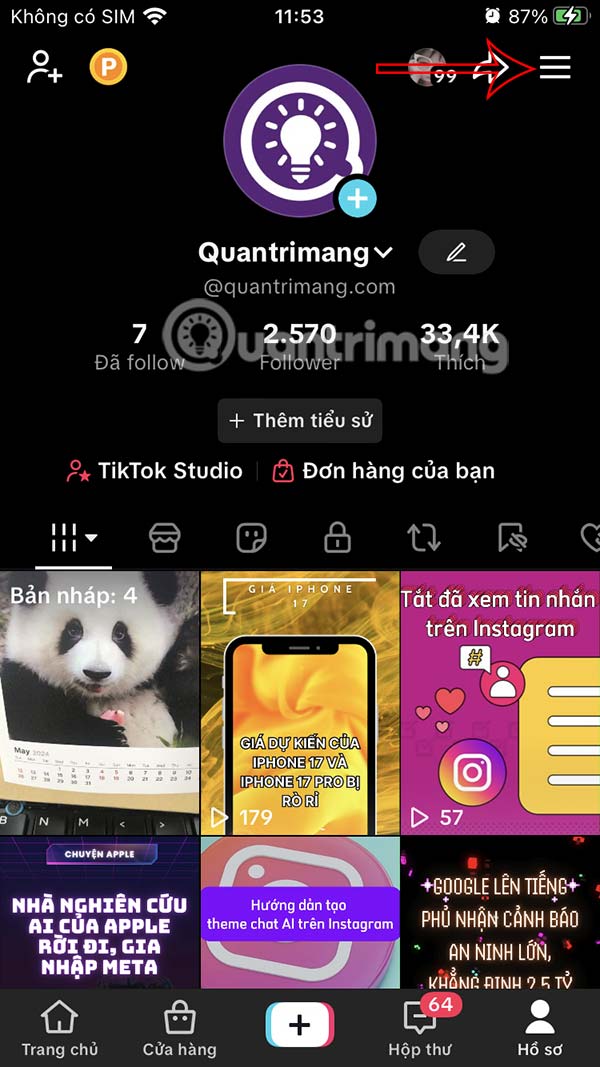
Step 2:
Display the interface below, select Settings and privacy . We select Activity Center to access.
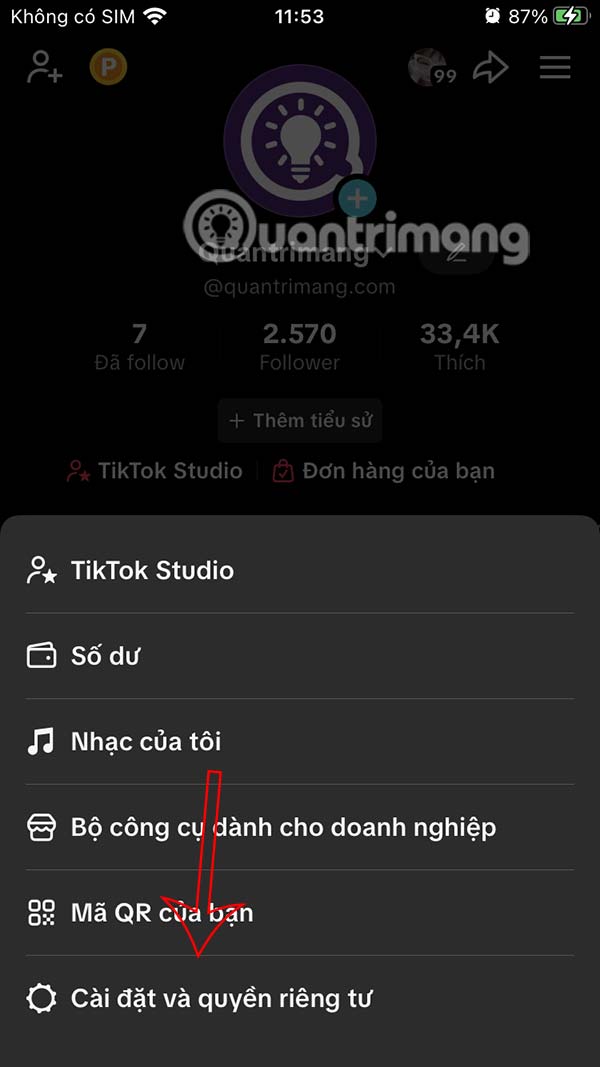
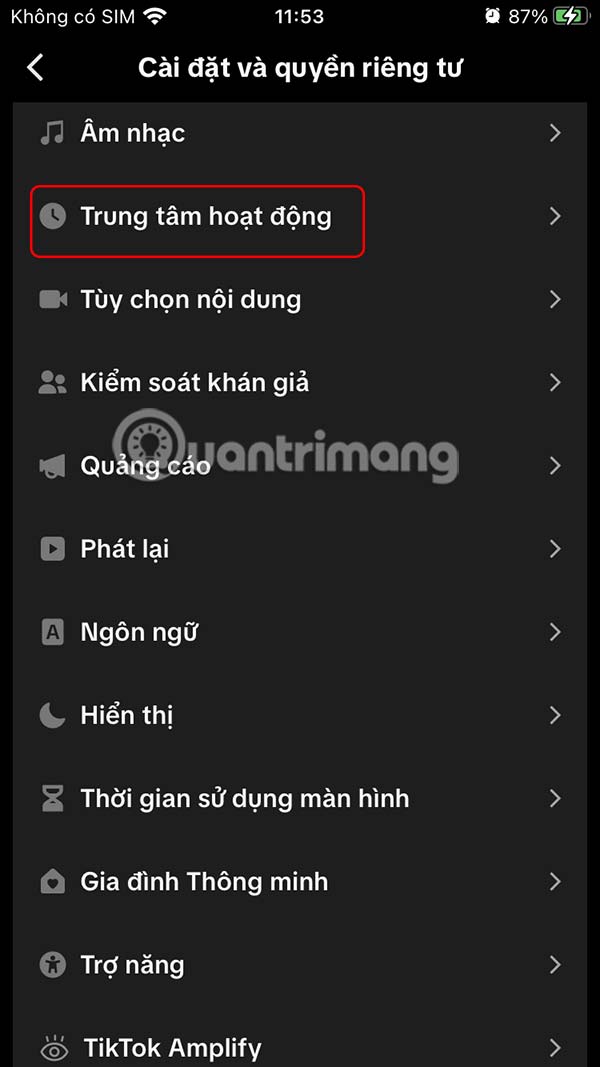
Step 3:
At this time, the user clicks on Manage comment rights . Then we select the videos we want to disable comments on in the displayed list.
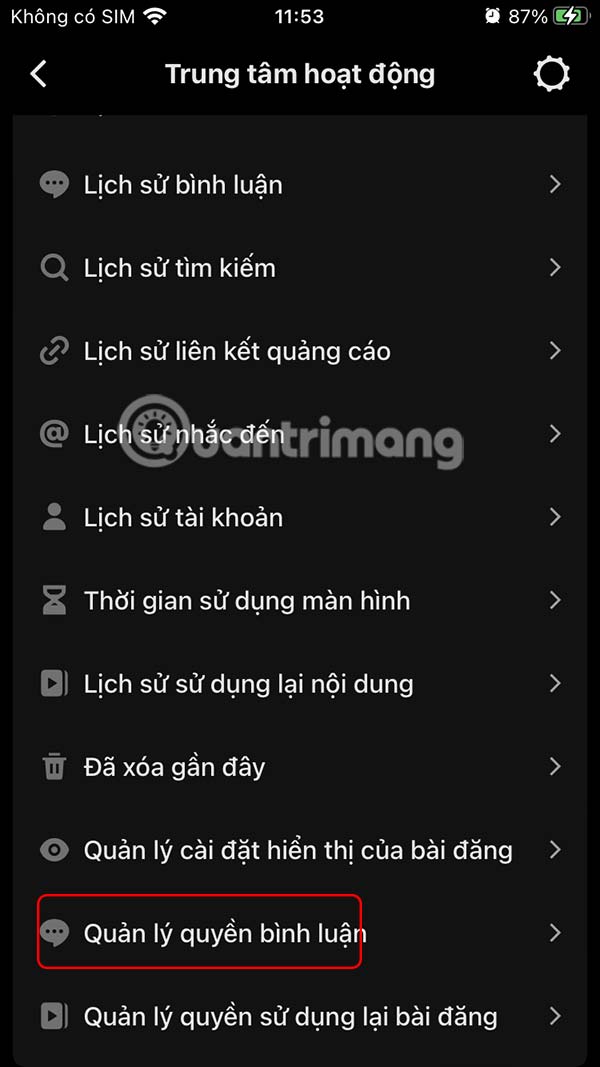
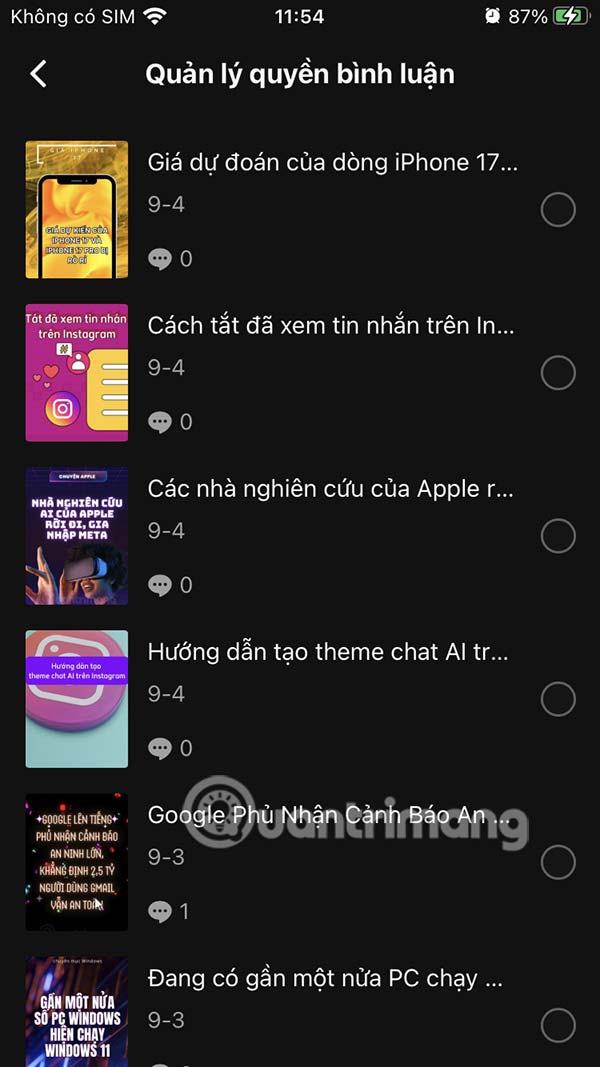
Step 3:
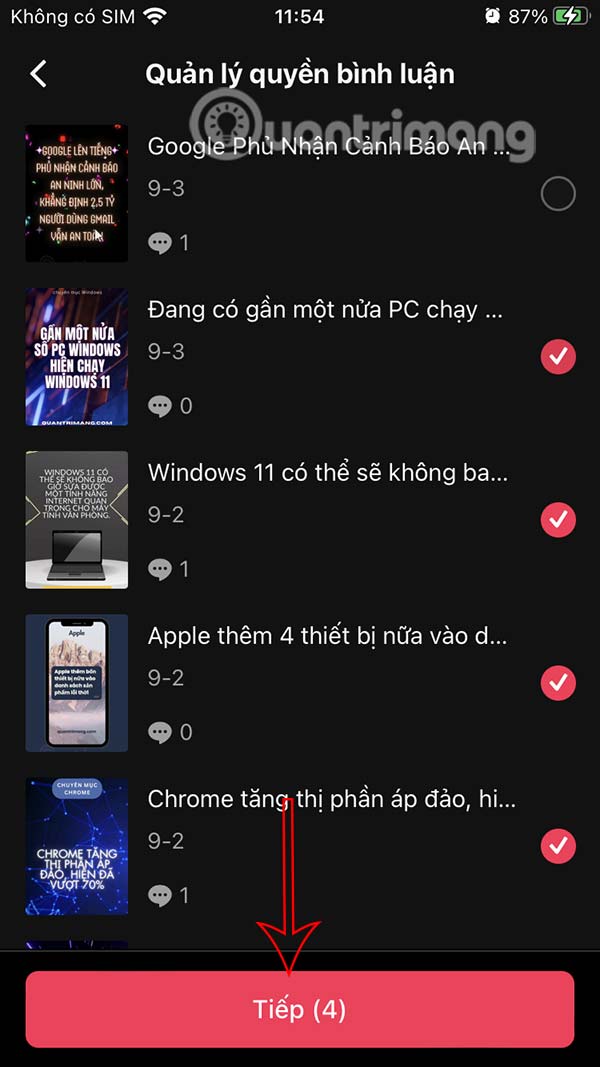
After selecting the video, click Next below and then click Don't allow comments to turn off comments on the selected TikTok videos.
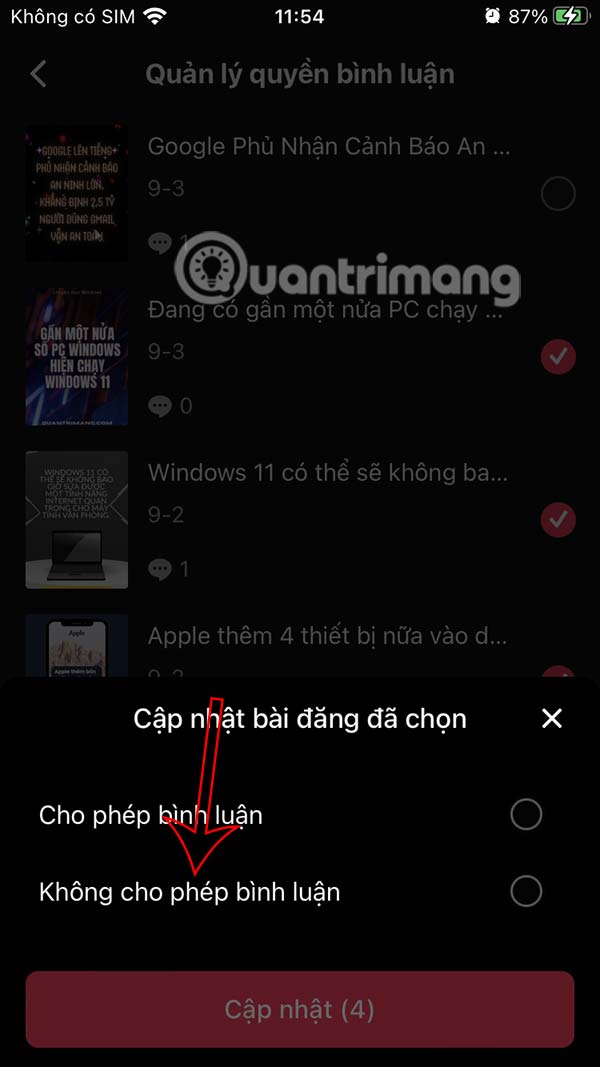
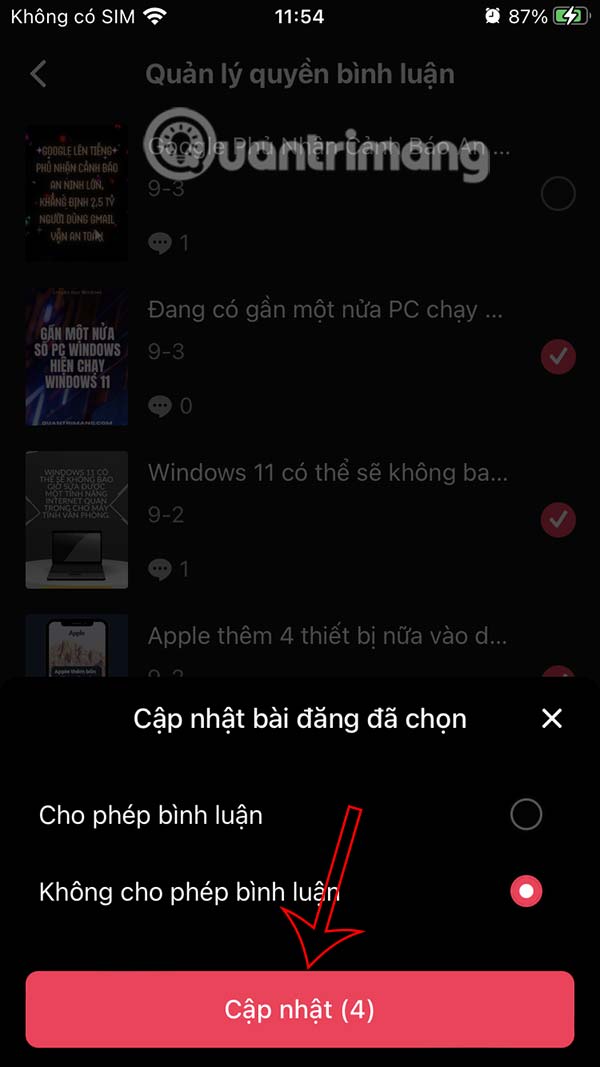
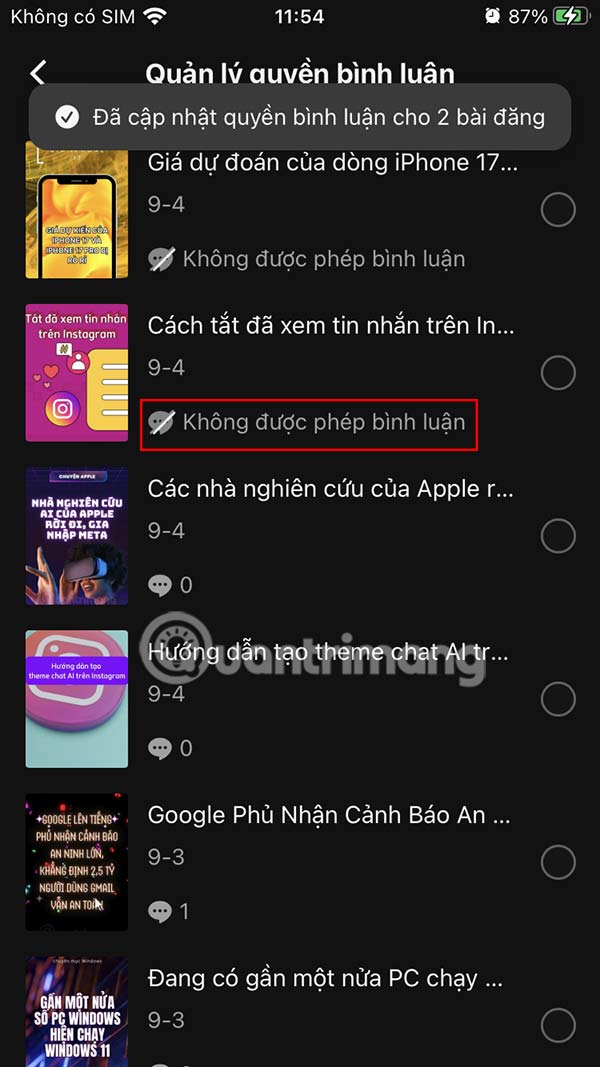
Then you click Update to apply the new changes to TikTok video comments. As a result, the selected TikTok videos have turned off comments as shown in the image.
Final Thoughts
Following the steps in order and checking version-specific settings should make it easier to Turn Off Comments on Multiple TikTok Videos at Once. If an option looks different, verify the device, app, or operating-system version before changing additional settings.
FAQ
What is the best way to Turn Off Comments on Multiple TikTok Videos at Once?
Start with the requirements described in the article and follow the steps in order. You can block comments on TikTok videos on the videos you want, or adjust the TikTok video commenting permission for all in the settings.
What should you know about Instructions to turn off comments on multiple TikTok videos?
You access your TikTok account, then select the 3 dash icon in the top right corner.
What should you do if the instructions do not match your screen?
Check the device, software version, account permissions, and regional settings. Interfaces can change after updates, so use the closest matching option and consult the official support documentation when necessary.
Related Articles
 How to Make an Anime TikTok Video2 minutes read
 Tips for Using Tiktok for Beginners8 minutes read
 How to Watch Tiktok Videos on Computers Without an Account5 minutes read
 Instructions for Scrolling Tiktok Videos Automatically3 minutes read
 How to Turn Off Likeable Post Notifications on TikTok: Step-by-Step Guide4 minutes read
 How to Check Tiktok Video Shares3 minutes read
Reader Comments 0
Sign in with email or Google to join the discussion.