Table of Contents
Windows 11 can show which apps recently requested access to its built-in text and image generation features. You can review that activity in Settings, block a specific app, or disable access for all apps from the same page.
The option is available on supported Windows 11 24H2 installations, including Build 26100.5074 and later. Because Microsoft rolls out some features gradually, the setting may not appear on every device at the same time.
View recent AI activity by app
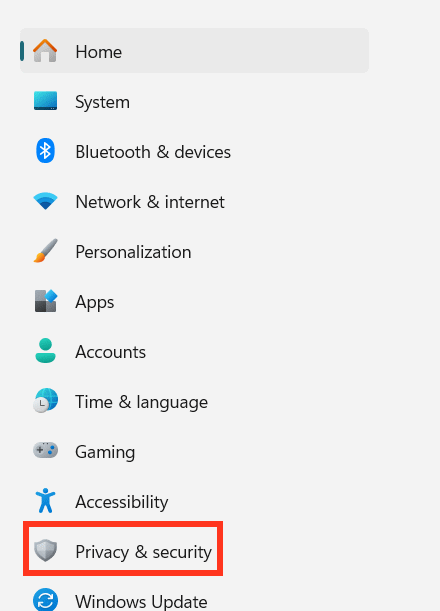
Press Win + I to open Settings. Select Privacy & security in the left sidebar.
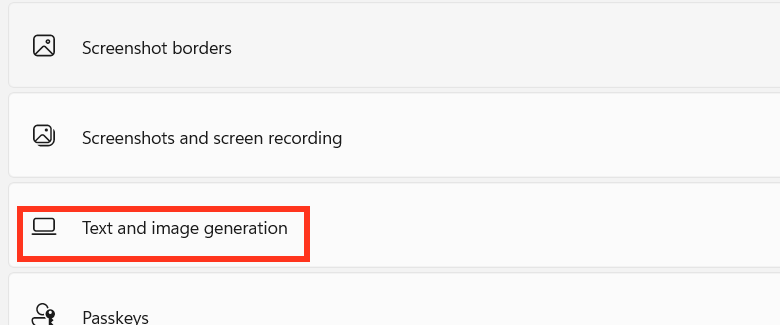
Scroll to Text and image generation and open it.
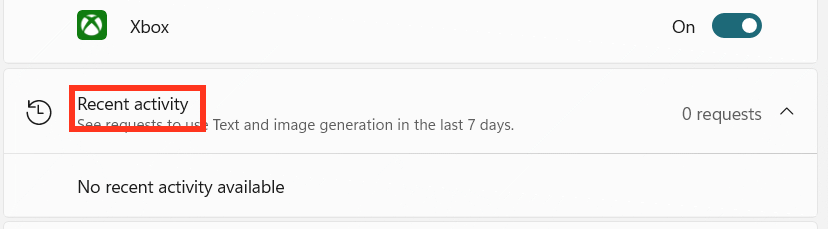
Expand Recent activity. Windows lists apps that requested text or image generation access during the previous seven days. If the page shows zero requests, no recorded app used the feature during that period.
Change AI permissions for an app
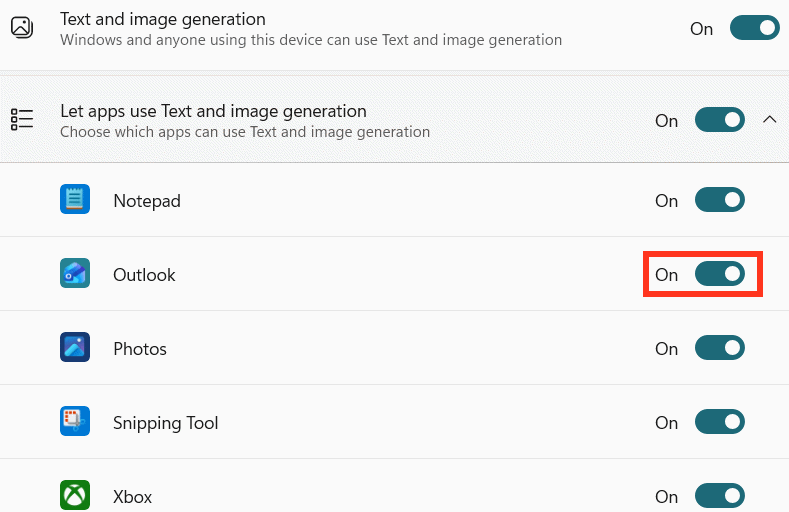
Under Let apps use Text and image generation, review the apps that can access the feature. Turn off the switch beside an app to revoke its permission without affecting other apps.
Disable text and image generation for all apps
To block every listed app at once, turn off the main Text and image generation setting. You can return to the same page and enable it again later.
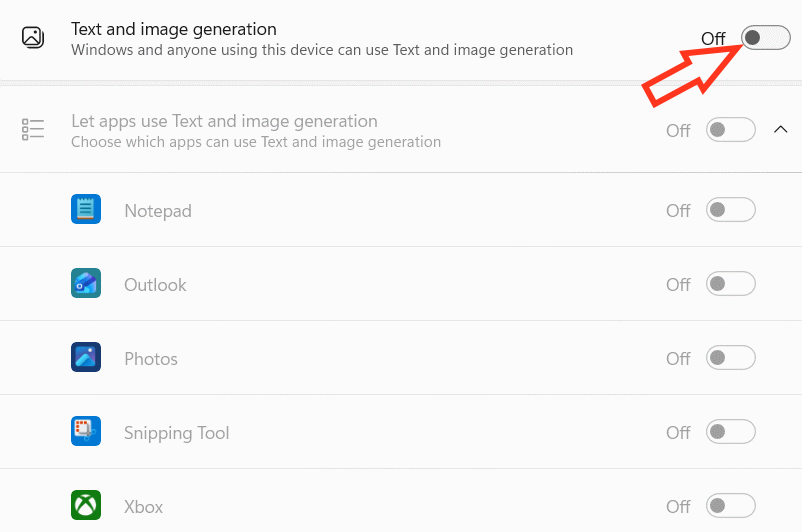
If the setting is missing
Confirm that Windows 11 is fully updated and that the device is running a supported 24H2 build. Feature availability can also depend on the device and rollout status, so the absence of the menu does not necessarily indicate a problem.
Related Articles
 Activity Launcher: App to Create Shortcuts on Home Screen6 minutes read
 How to Check Facebook User Information and Activities5 minutes read
 How to Check the Login Activity of Gmail: Gmail Security3 minutes read
 How to Use Sticker Activity on iPhone4 minutes read
 Check for Unusual Gmail Activity, Check for Signs of Gmail3 minutes read
 How to Disable Activity History on Windows 113 minutes read
Reader Comments 0
Sign in with email or Google to join the discussion.