Table of Contents
Learning how to delete Netflix account on phone, computer doesn't have to be complicated. This updated guide presents a clear workflow, practical checks, and troubleshooting advice you can use while completing the process.
Key Takeaways
- Follow the steps to delete Netflix account on phone.
- Explore instructions for deleting Netflix account on computer.
- Understand note when deleting Netflix account.
How to Delete Netflix Account on Phone
Step 1:
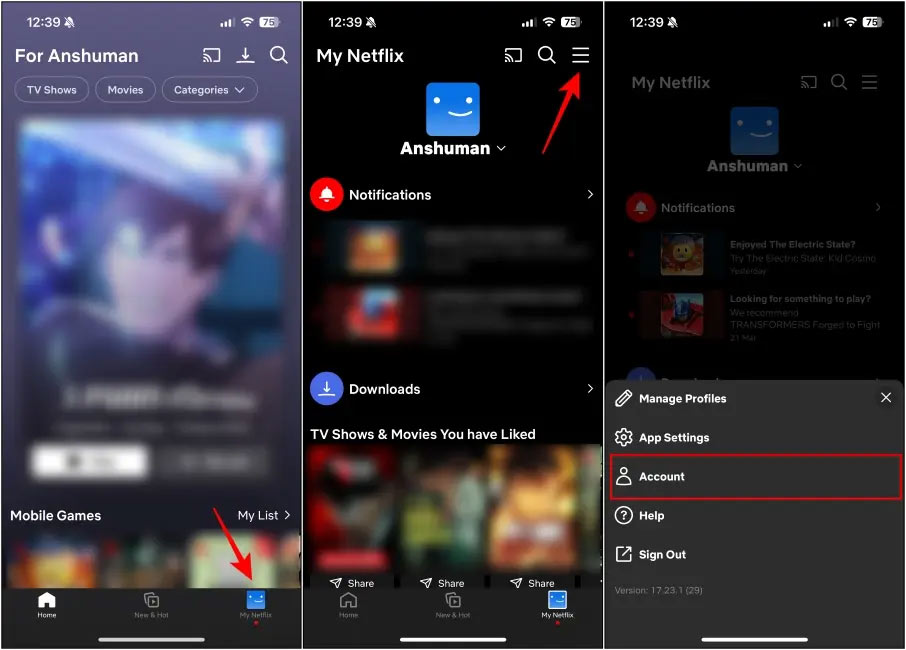
In the application interface, select My Netflix, then select the 3-dash icon, select Account in the displayed list.
Step 2:
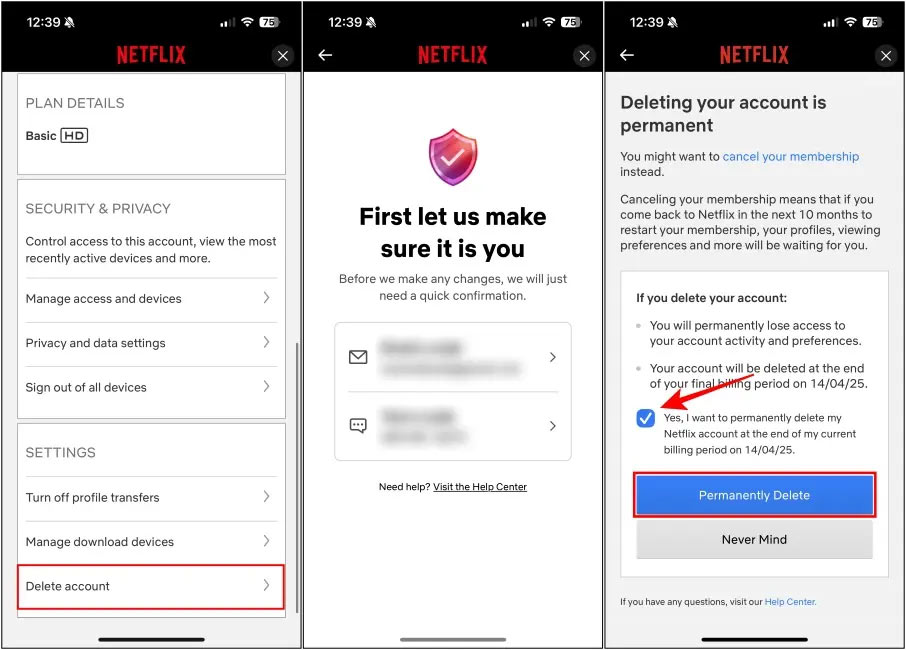
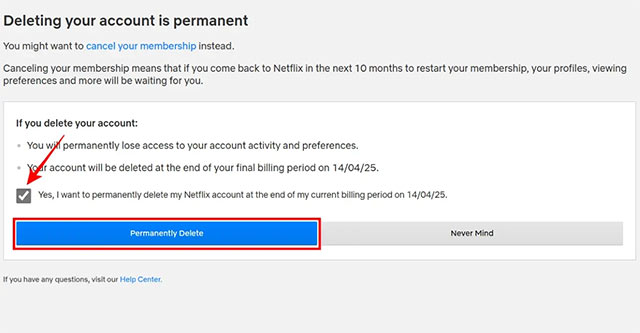
Switch to the new interface, scroll down to Settings and click Delete account. You will now be asked to enter the code. Then, click Yes, I want to permanently delete my Netflix account at the end of my current billing period. Finally, click Permanently Delete to confirm account deletion.
Instructions for Deleting Netflix Account on Computer
Step 1:
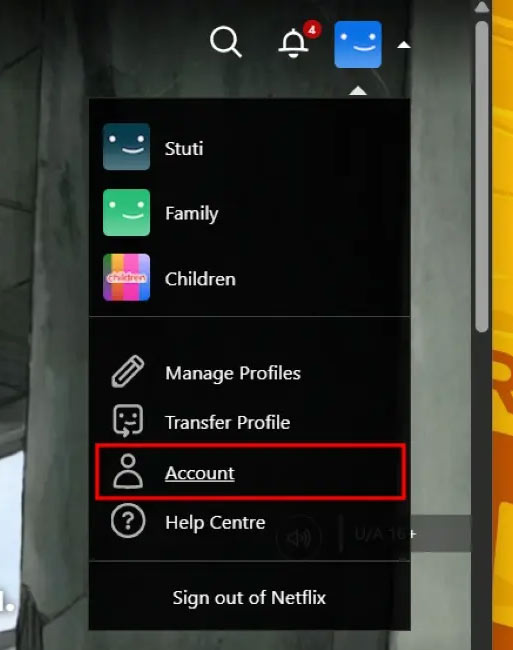
We access Netflix on the computer and log in to the account. Next, select the profile icon and select Account in the displayed list.
Step 2:
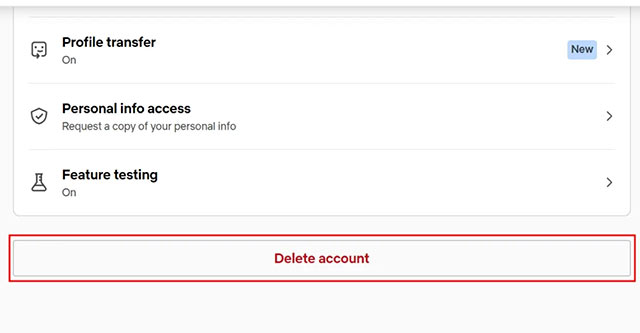
Switch to the new interface, we select Security on the left side and then look to the right to Delete account as shown below.
Step 3:
We also confirm the code sent to the email address and then click Permanently Delete to proceed to delete the Netflix account.
Note When Deleting Netflix Account
- Netflix will delete your account and all data associated with it.
- Deleting your Netflix account will delete your recommendations, watchlist, downloads, and other content.
- You won't regain access to your account and profile if you decide to re-subscribe to Netflix later.
- Netflix will delete your account immediately if you request to delete your account before your billing cycle ends.
- Once an account is deleted, there is no way to recover that account and related data.
Final Thoughts
The most reliable way to handle delete Netflix account on phone, computer is to follow the process in order, verify each important setting, and test the result before moving on. Use the guidance above as a practical reference, then adjust the details for your device, software version, or specific goal.
FAQ
What should I check before I delete Netflix account on phone, computer?
Use the latest available software, confirm that your device meets the requirements, and make sure you have the necessary permissions, account access, or backup before changing anything.
Why might I be unable to delete Netflix account on phone, computer?
Common causes include outdated software, missing permissions, incompatible settings, incomplete setup steps, or a temporary network problem. Recheck the process from the beginning and restart the app or device if needed.
Is it safe to delete Netflix account on phone, computer?
It is generally safe when you use official tools, review every permission, and back up important data before making system-level or account-level changes.
Related Articles
 How to Delete Netflix Profile Quickly3 minutes read
 How to Cancel Netflix: Complete Guide9 minutes read
 How to Secure Your Netflix Account?: Step-by-Step Guide5 minutes read
 How to Delete Netflix History3 minutes read
 Instructions to Remove the Device to Download Netflix Movies3 minutes read
 Instructions to Delete Mocha Account on the Phone4 minutes read
Reader Comments 0
Sign in with email or Google to join the discussion.