Table of Contents
This practical guide explains how to create AI chat theme on Instagram. Follow the steps in order, review the requirements first, and use the troubleshooting notes when a setting or option does not work as expected.
How to create AI chat theme on Instagram
Step 1:
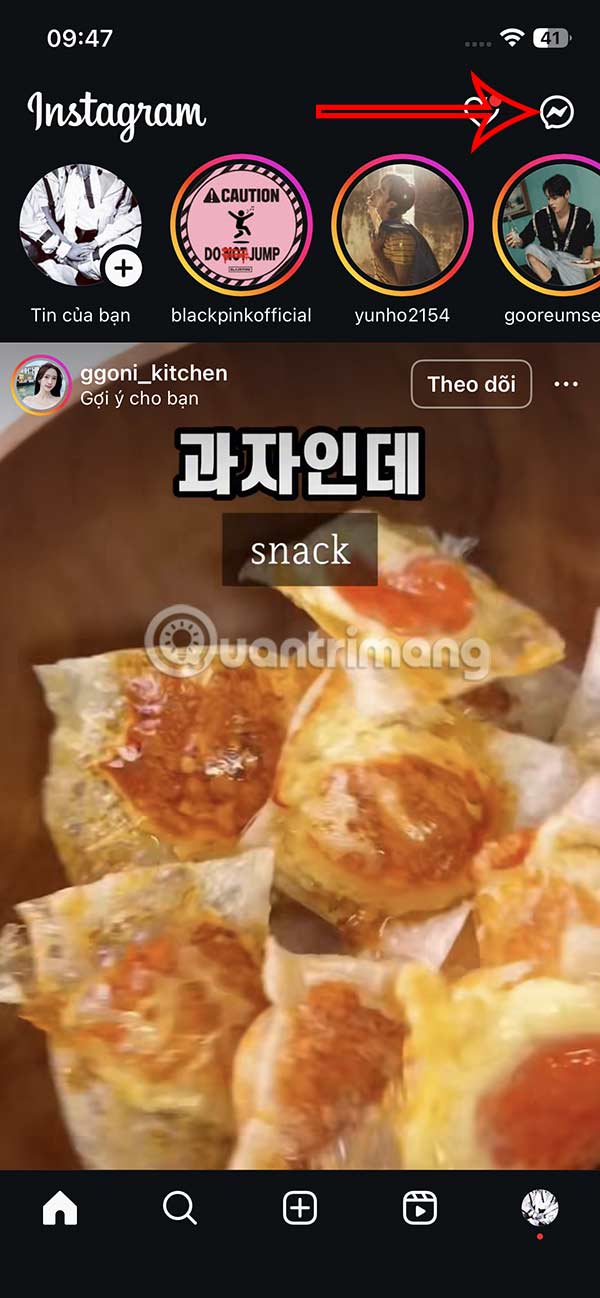
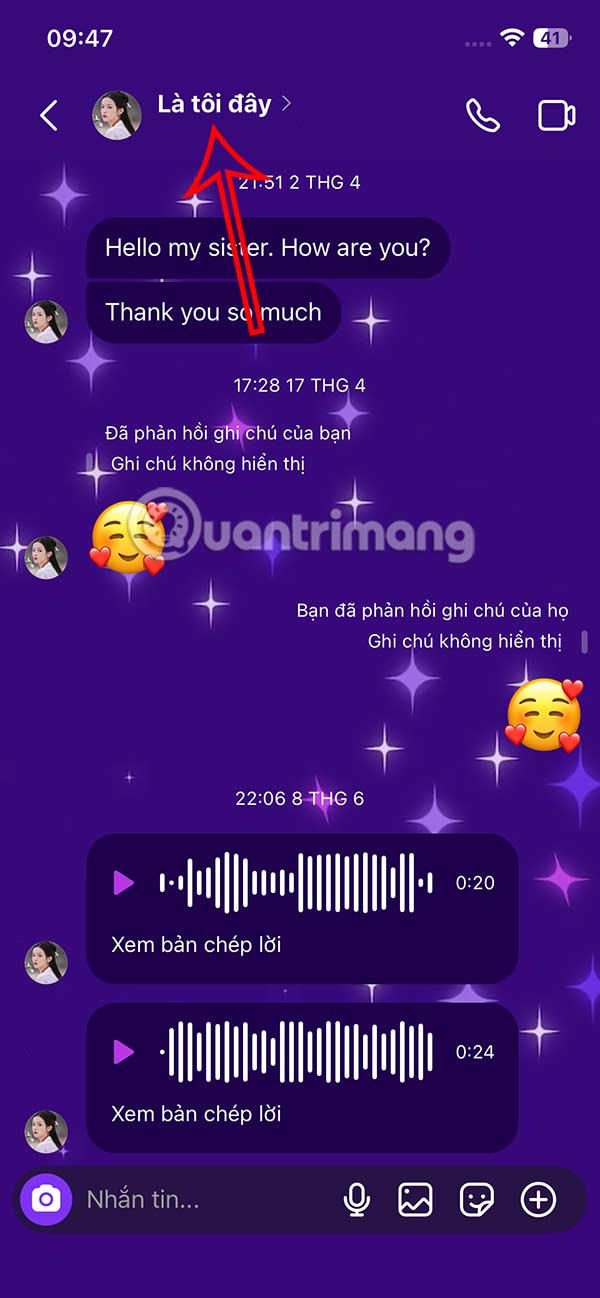
At the Instagram interface, users select the message icon to access. Then you select the conversation as usual. In the chat interface, you select the account name above.
Step 2:
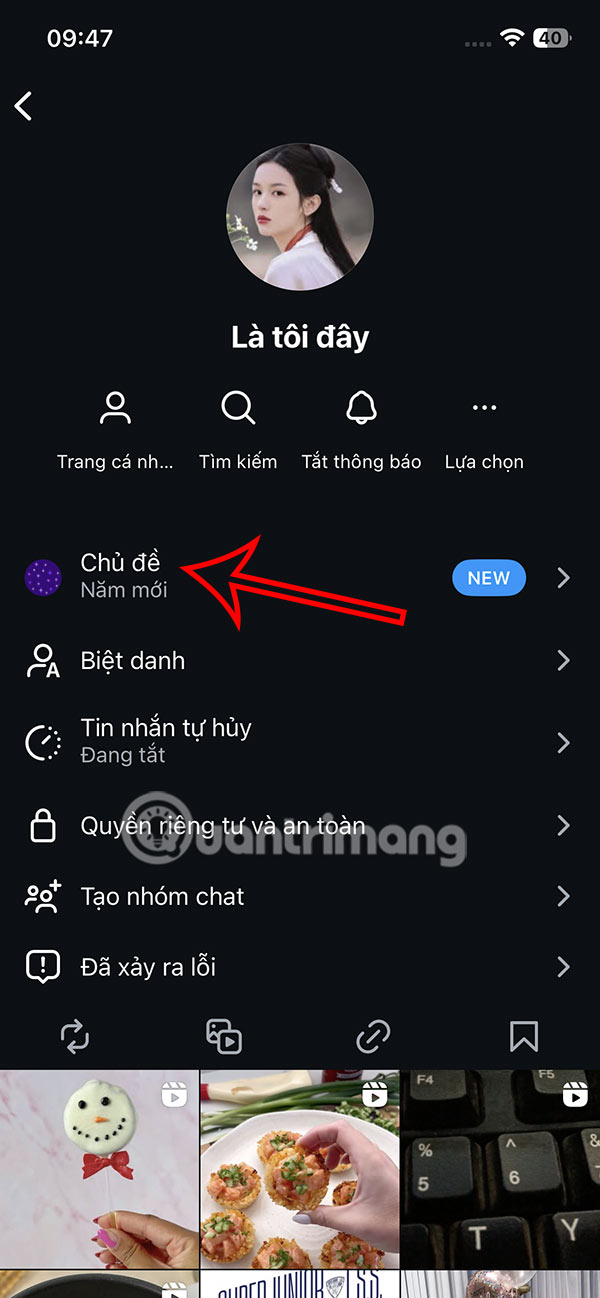
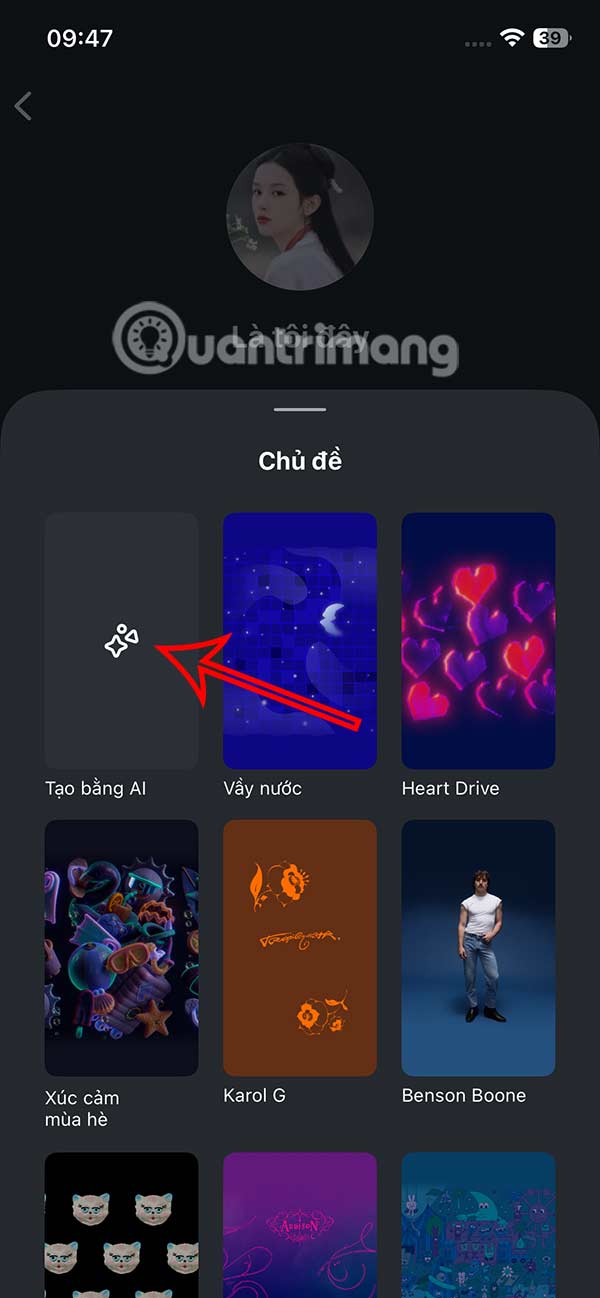
Go to the chat settings interface, we select the Theme section to install . Now you select Create with AI to perform.
Step 3:
Then the user will see a box to enter the description of the chat interface you want to create with AI. You enter the content to create the theme you want, the more detailed the image created will be more exactly as you want.
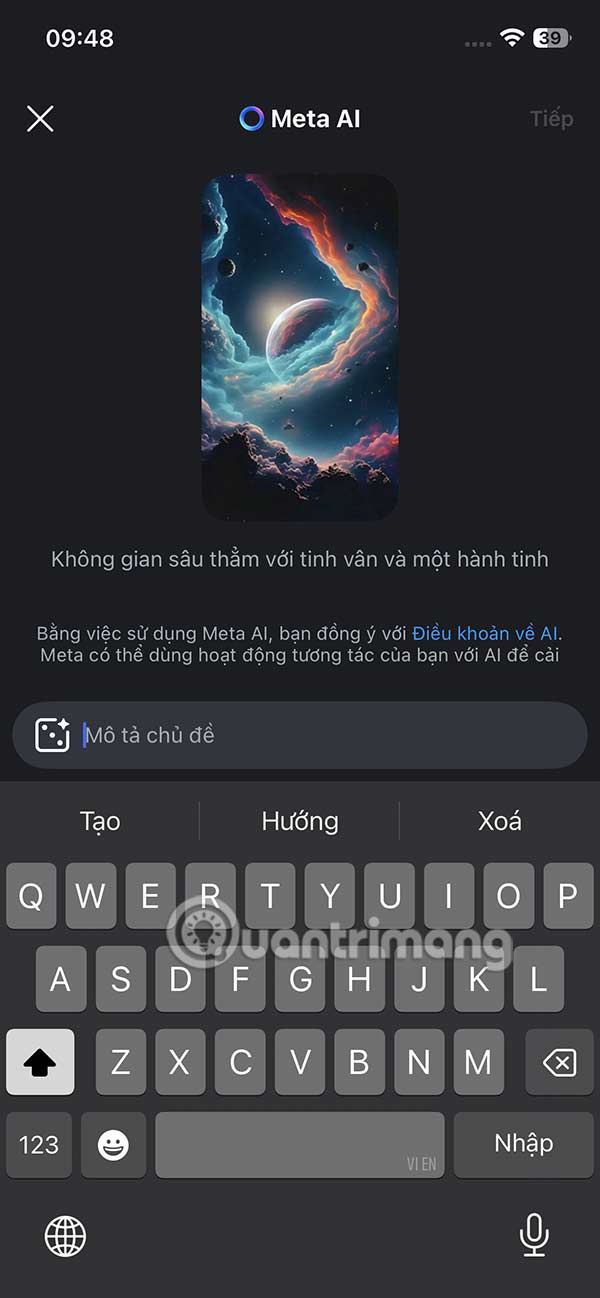
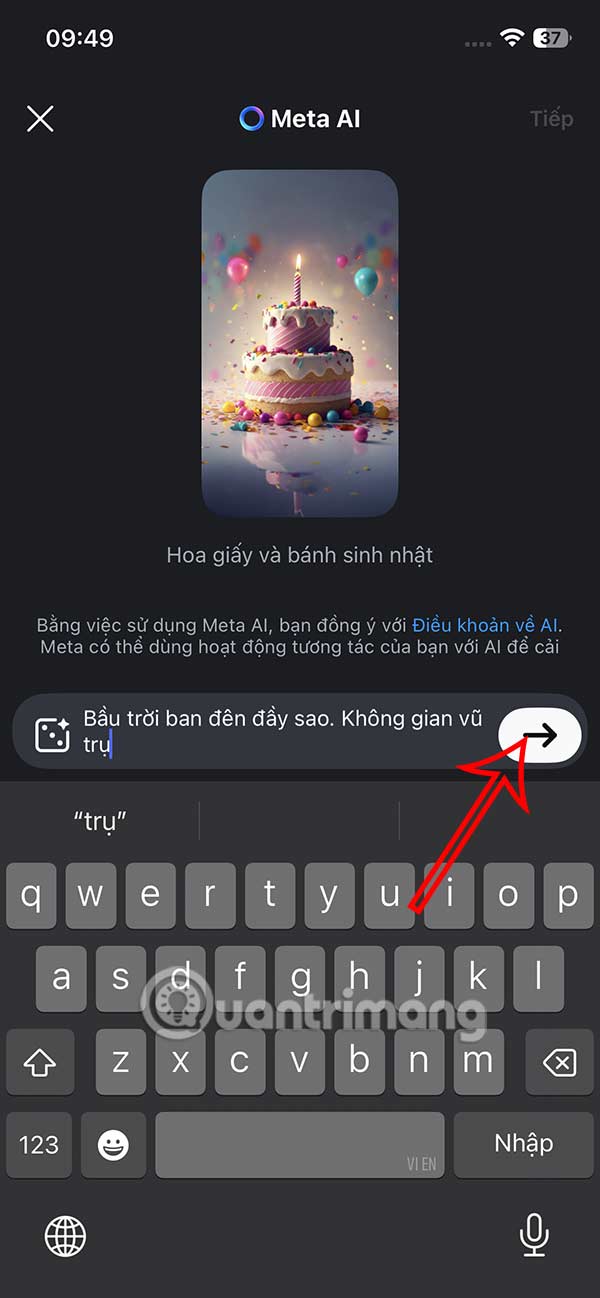
Step 4:
Wait a moment to create the AI interface, if the image is not to your liking, select the arrow icon to create another new image . If you are satisfied, click Next in the top right corner to use this image.
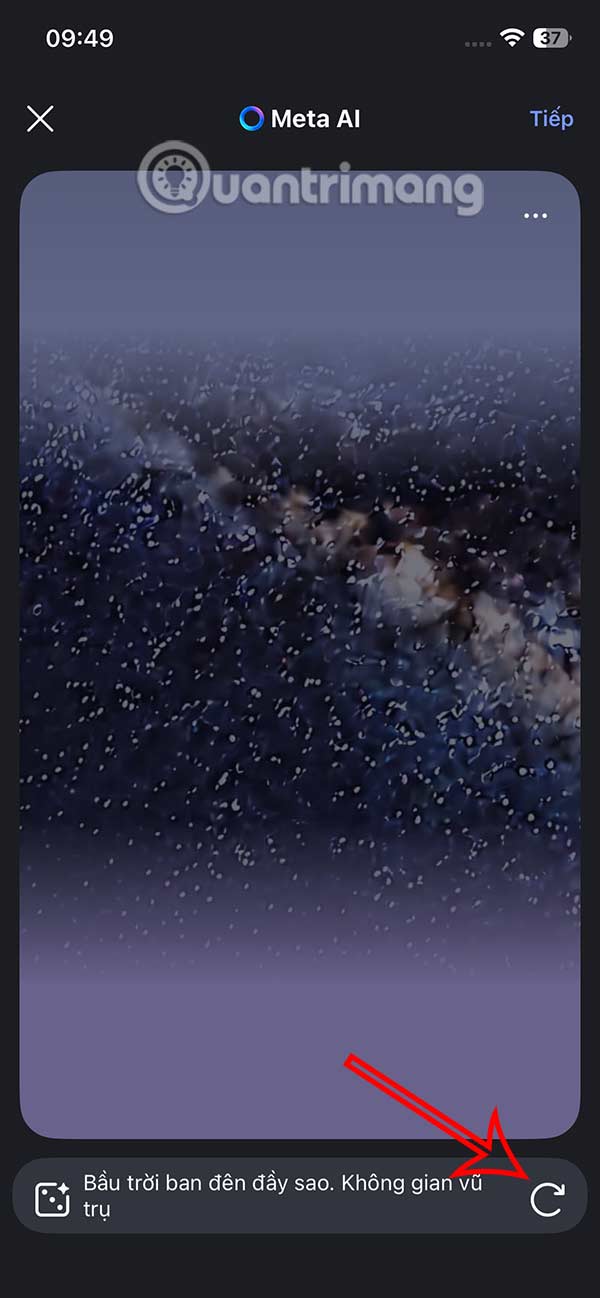
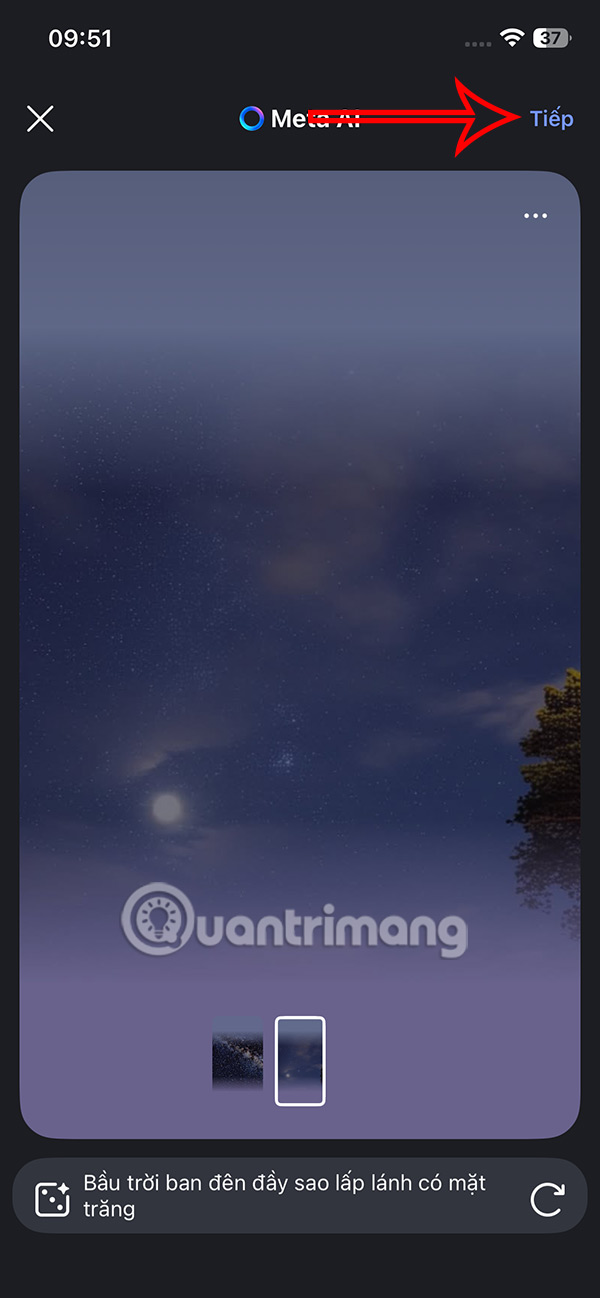
Step 5:
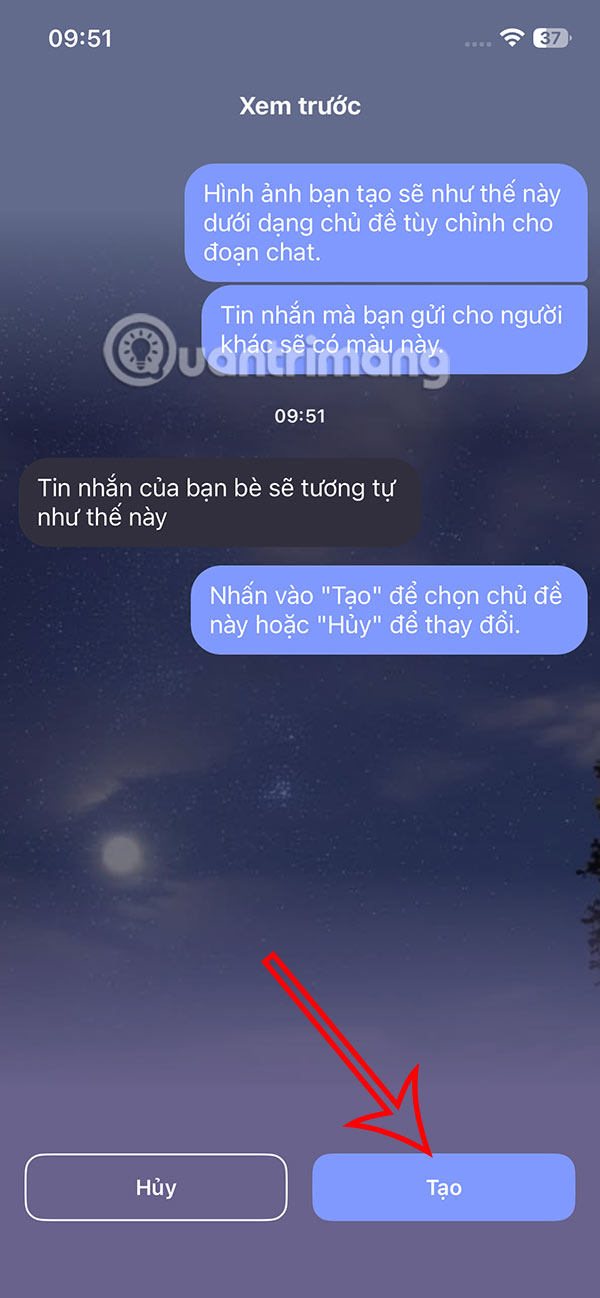
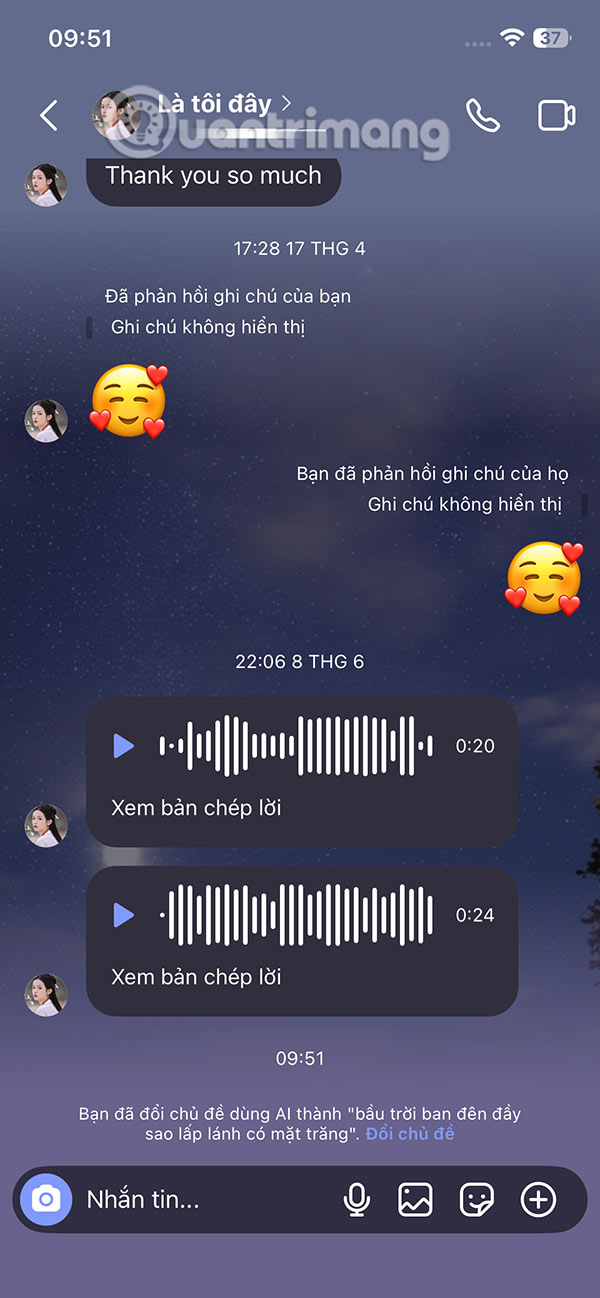
Finally, click Create and as a result, you will see that the Instagram chat interface has changed to the AI interface created by the user.
FAQ
How to create AI chat theme on Instagram?
At the Instagram interface, users select the message icon to access. Then you select the conversation as usual. In the chat interface, you select the account name above.
What does this guide cover?
This guide explains create AI chat theme on Instagram, including the main steps, important details, and practical considerations.
Who is this guide for?
It is designed for readers who want a clear, practical overview and a reliable process they can follow without unnecessary complexity.
Related Articles
 How to Create an Instagram Group Chat and Use Stickers3 minutes read
 Instagram Group Chat: Guide to Group Chat on Instagram6 minutes read
 How to Create Chat in Instagram Notes3 minutes read
 How to Create AI Chat on Instagram: Complete Guide4 minutes read
 How to Create AI Images in Instagram Chat: Step-by-Step Guide3 minutes read
 New Stickers on Instagram Allow Asking to Participate in Live3 minutes read
Reader Comments 0
Sign in with email or Google to join the discussion.