Table of Contents
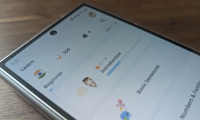
Google Translate now offers an AI-powered language-practice experience, rather than merely a rumored future feature. Google announced the experiment on August 26, 2025 and later expanded it. It supplements translation with listening and speaking exercises built around a learner's goals.
What Practice adds
You can work through everyday scenarios, such as ordering food or discussing work, instead of only translating isolated sentences. The idea is to rehearse an interaction at a suitable level and then apply that language beyond the app.

Google's launch announcement distinguishes language practice from live translation. Live translation helps people communicate across languages; practice is intended to help a learner build skills.
Start a practice session
- Update the Google Translate app on Android or iPhone.
- If available, open Practice and choose Get started.
- Select the language for explanations and the language you want to practice.
- Choose a proficiency level and describe your learning goal.
- Select a suggested scenario or create one, then choose a listening or speaking activity.
For example, describe a specific goal: “I need to ask a hotel receptionist about a late arrival.” A narrow scenario gives you vocabulary you can reuse more readily than a request to practice everything.
Check language and country support
The experience remains a limited beta in Google's current help instructions. Supported language pairs and countries are listed there. Not every language that Translate can translate is available for Practice.
For example, the documentation lists English speakers practicing French, German, Portuguese or Spanish, with a separate list of languages supported for learning English. If the button is absent, check eligibility before assuming the installation is broken.
Use the feedback without overreading it
Activity progress can help you maintain a routine, but a completed task or daily star is not a certified measure of fluency. AI-generated language and feedback can be inaccurate. Check unfamiliar expressions with a reliable dictionary, teacher or other reference.
Repeat one scenario later without reading the prompts, and try changing one detail. That tests whether you can use the language rather than simply recognize a response on screen.
Is it a Duolingo replacement?
It offers another way to practice, but the presence of AI exercises does not establish equivalence to a structured course. Choose based on the skill you need, progression, feedback and how consistently you use it. Early screenshots also do not establish a future subscription price.
For other approaches, compare English-learning apps or try a focused listening-dialogue activity. Use a mix of guided practice, real listening and human conversation when possible.
Related Articles
 Google Translate launches real-time AI translation feature and foreign language learning tools
 Why should you choose Ling language learning app instead of Duolingo?
 Review Duolingo free online language learning tool
 Prepare Japanese learning spirit on Duolingo
 Duolingo - Download Duolingo here
 How to use practice mode on Google Translate
Reader Comments 0
Sign in with email or Google to join the discussion.