Table of Contents
This updated guide examines Instagram Boomerang: How to Use Boomerang Effect on Instagram and organizes the essential facts, background, and practical takeaways in clear American English.
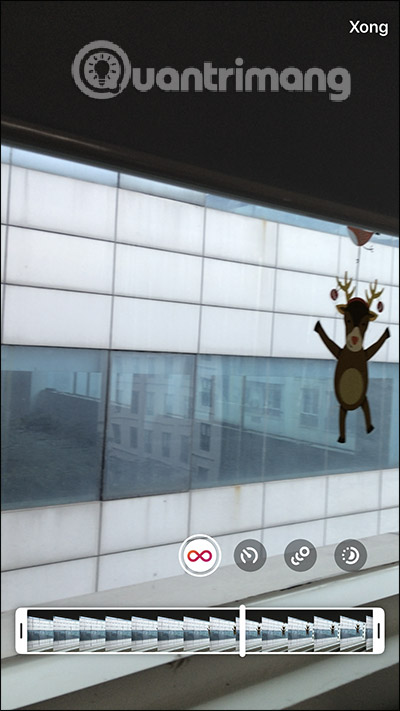
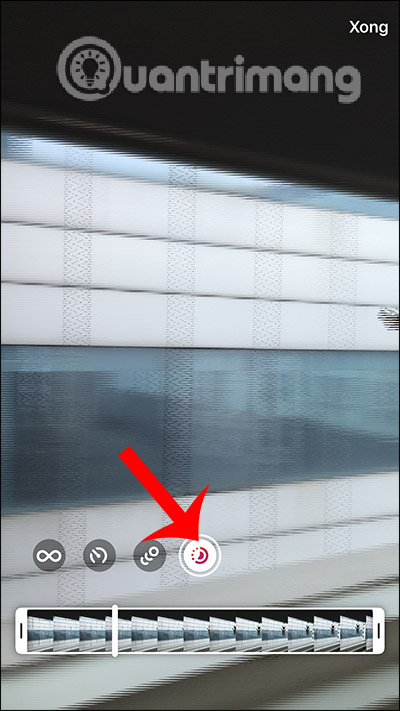
Accordingly the user has an additional video cutter backwards, then apply 3 more effects. The SlowMo effect will slow down the action, the Echo adds a motion blur effect to Boomerang, and the Duo will accelerate the reverse shots, making Boomerang rewind from the beginning faster. Each of these effects has a unique option for you to use in your video.
Videos after using the new Boomerang effect still have additional options to insert. The following article will guide you how to use the new Boomerang effects in Instagram.
Video tutorial on using Boomerang effect in Instagram
Instructions to insert Boomerang effect on Instagram
Step 1:
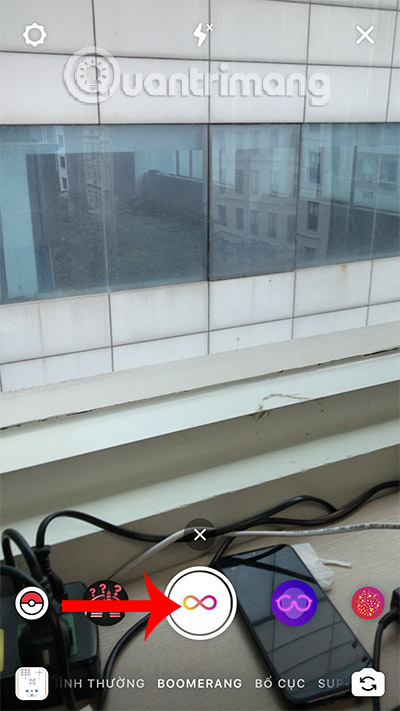
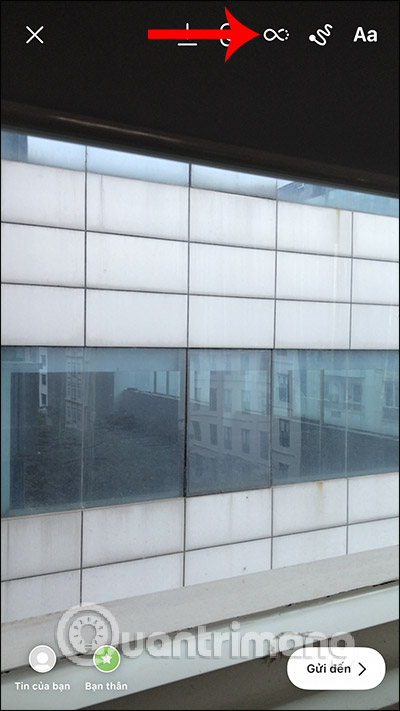
We open the video recorder on Instagram and then select the Boomerang video recording mode . Then you press the middle button to start recording video as usual. Keep clicking the infinity icon at the top to open the Boomerang effects as shown.
Step 2:
First you will see the length bar for the recorded videos . You can shorten the video if you like. Next, we click on each icon to use different effects for the Boomerang video we want.
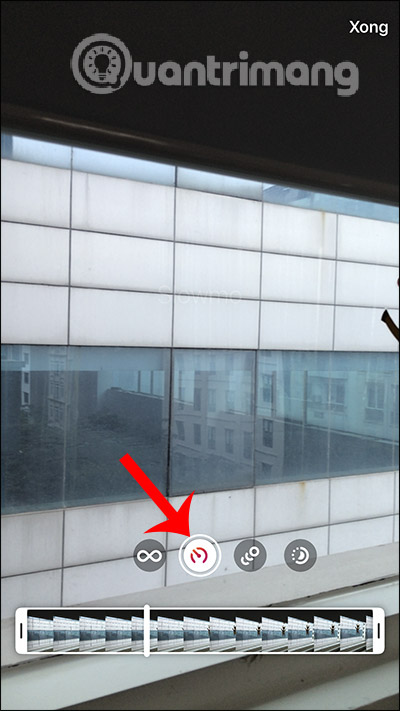
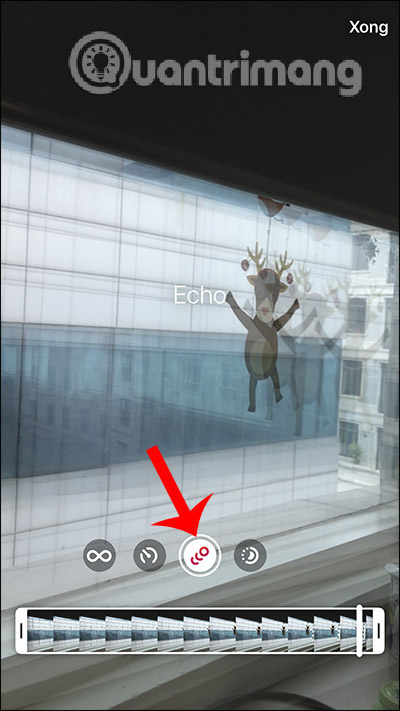
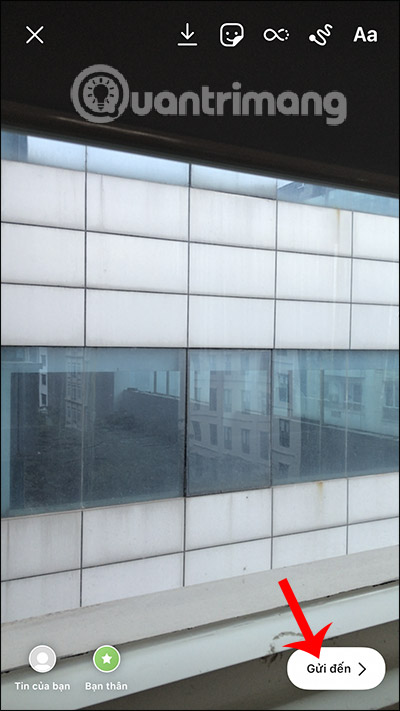
When you like the effect of the recorded Boomerang video, press the Done button in the upper right corner. In addition, you can add other content such as stickers, text, and drawings to Instagram Story as usual.
I wish you successful implementation!
FAQ
What is Instagram Boomerang: How to Use Boomerang Effect on Instagram about?
It provides a structured overview of Instagram Boomerang, explains the main context, and highlights practical takeaways for readers.
Why does this topic matter?
Understanding the main concepts helps readers evaluate the issue, avoid common mistakes, and make better-informed decisions.
How should readers use this information?
Use the guidance as a practical starting point, confirm details that may have changed, and follow current product, safety, or security recommendations.
Related Articles
 Instagram Adds New Boomerang Effect3 minutes read
 How to Use Boomerang in Instagram on iPhone4 minutes read
 How to Schedule Email with Boomerang Utility3 minutes read
 Set up Mailing Time in Gmail with Boomerang: Instructions3 minutes read
 Instagram Mirror Filter Video Tutorial4 minutes read
 Instructions for Properly Using 16 Instagram Filters: Smartphone4 minutes read
Reader Comments 0
Sign in with email or Google to join the discussion.