Table of Contents
This practical guide explains how to turn off notification to save login information on Firefox. Follow the steps in order, review the requirements first, and use the troubleshooting notes when a setting or option does not work as expected.
Turn off Firefox PC login saving notification
Step 1:
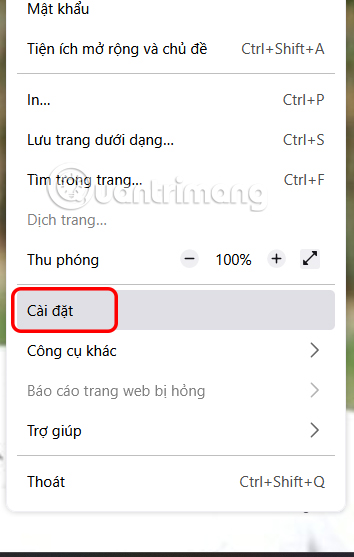
At the browser interface, select the 3 dashes icon and select Settings in the displayed list.
Step 2:
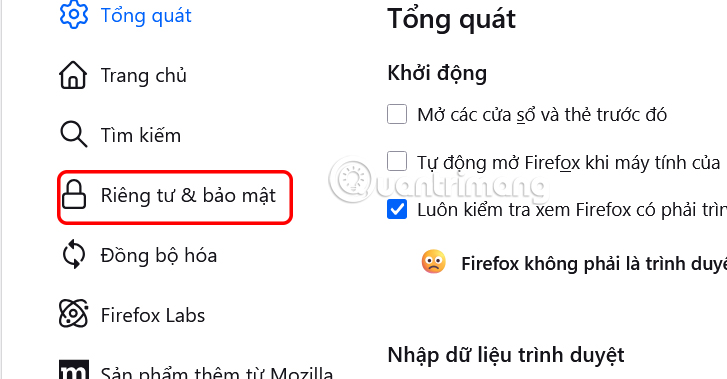
Switch to the browser settings interface, click Privacy & Security on the left side of the interface.
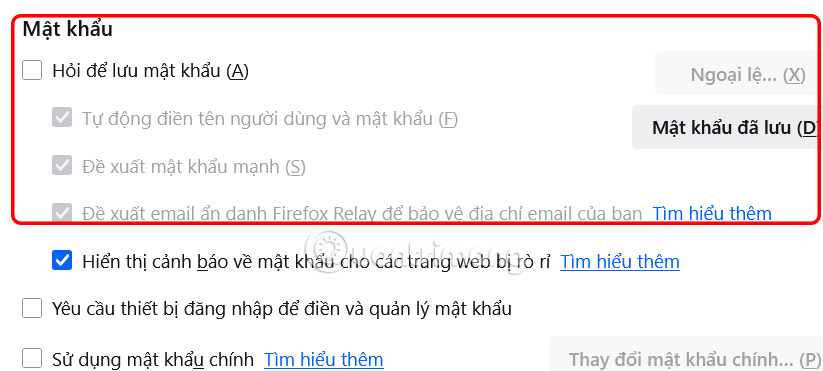
Look at the content next to you, find the Password section , then uncheck Ask to save password .
Turn off saving passwords for specific websites on Firefox
When you want Firefox to stop prompting you to save passwords only on certain websites, you can set up exceptions instead of disabling the feature completely.
Step 1:
In the Passwords section of Firefox Settings, click the Exceptions button .

Step 2:
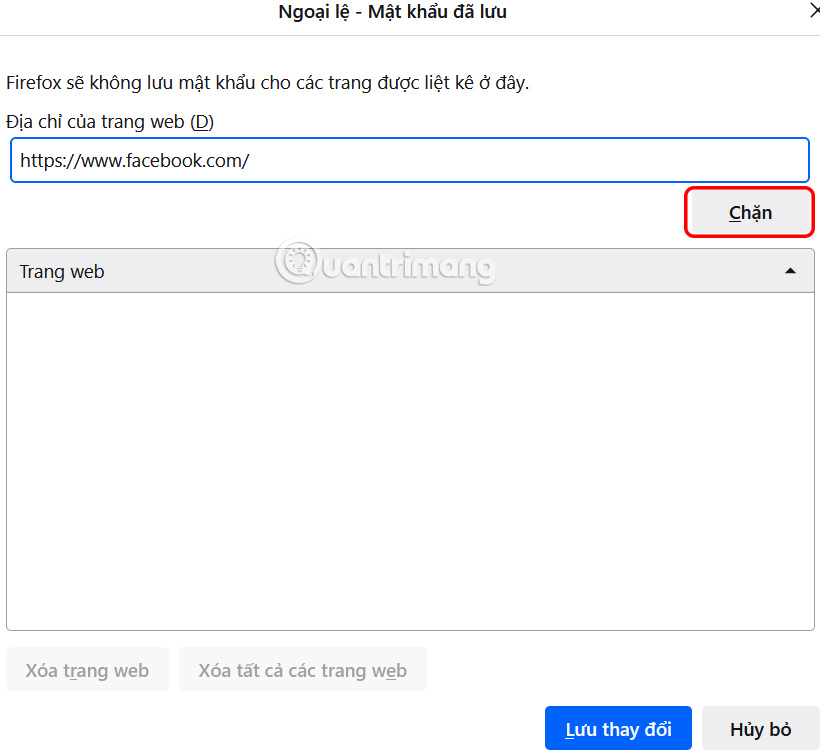
A screen appears where you can enter the URL of each site you don't want Firefox to ask to save your password for. Click Block after each entry, then click Save Changes at the bottom.
Step 3:
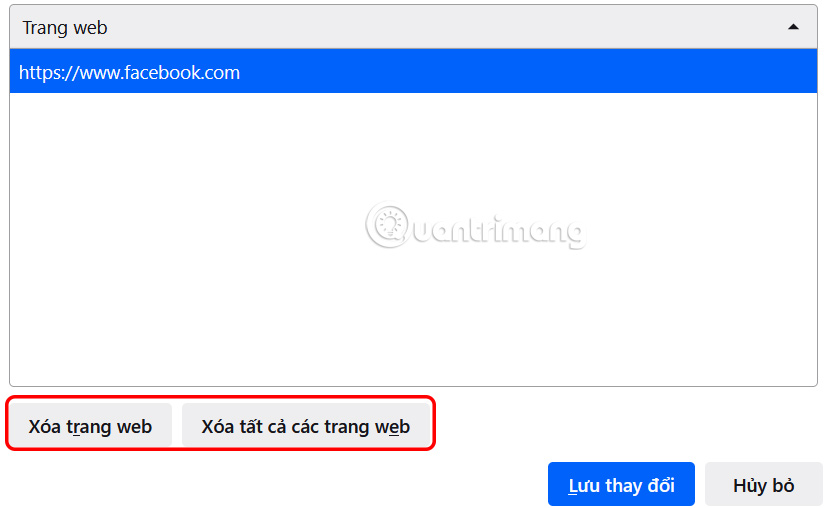
The website is now displayed below. If you want to delete it, click Delete Website , or click Delete All Websites to do so.
How to turn off saving Firefox login passwords on iPhone
Step 1:
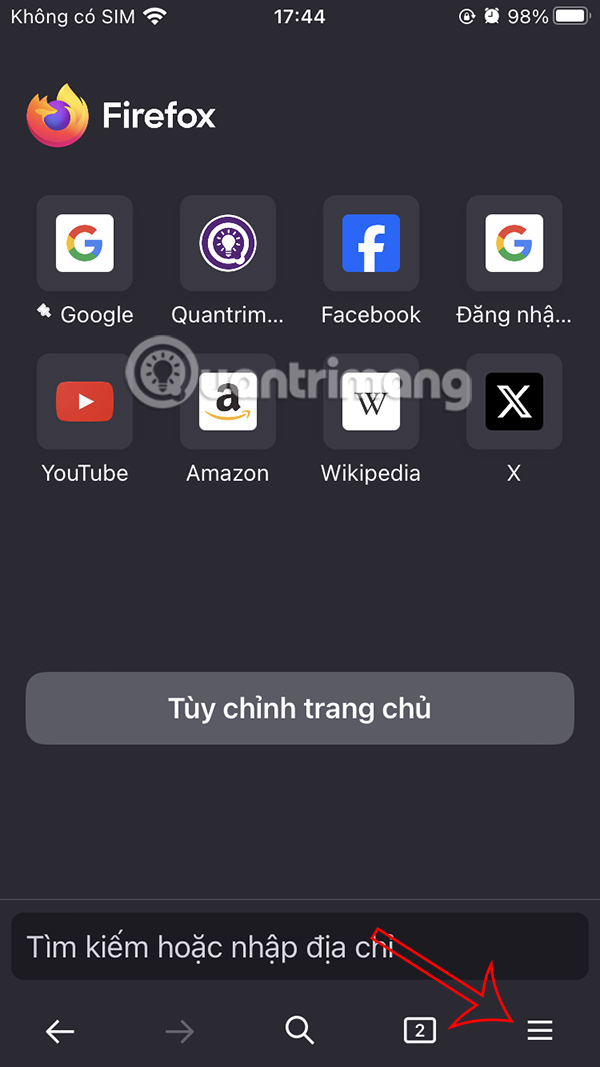
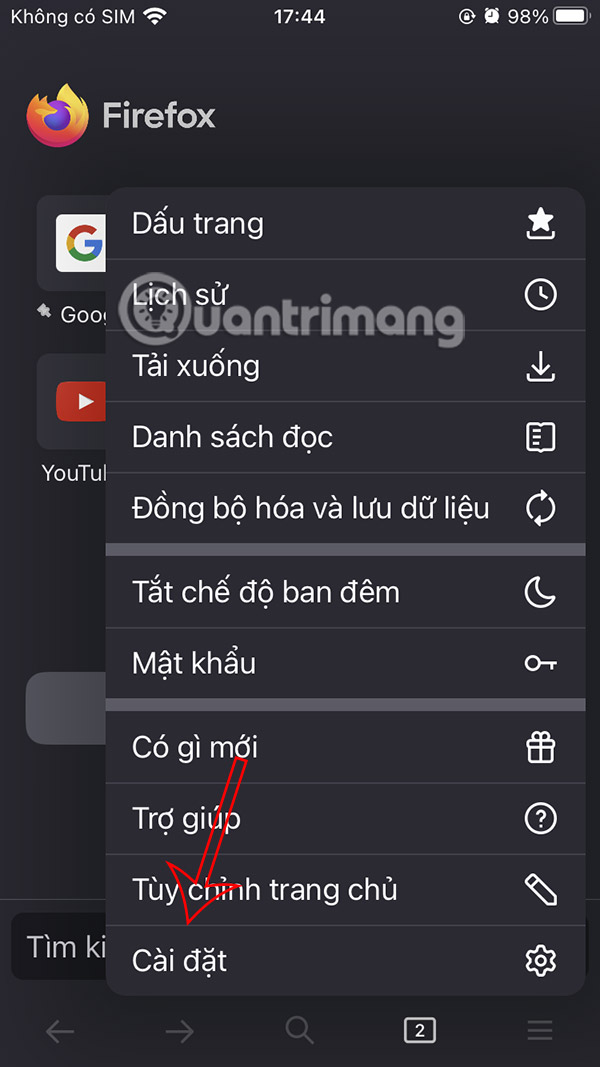
At the Firefox browser interface, select the 3-dash icon . The browser menu appears, select Settings below.
Step 2:
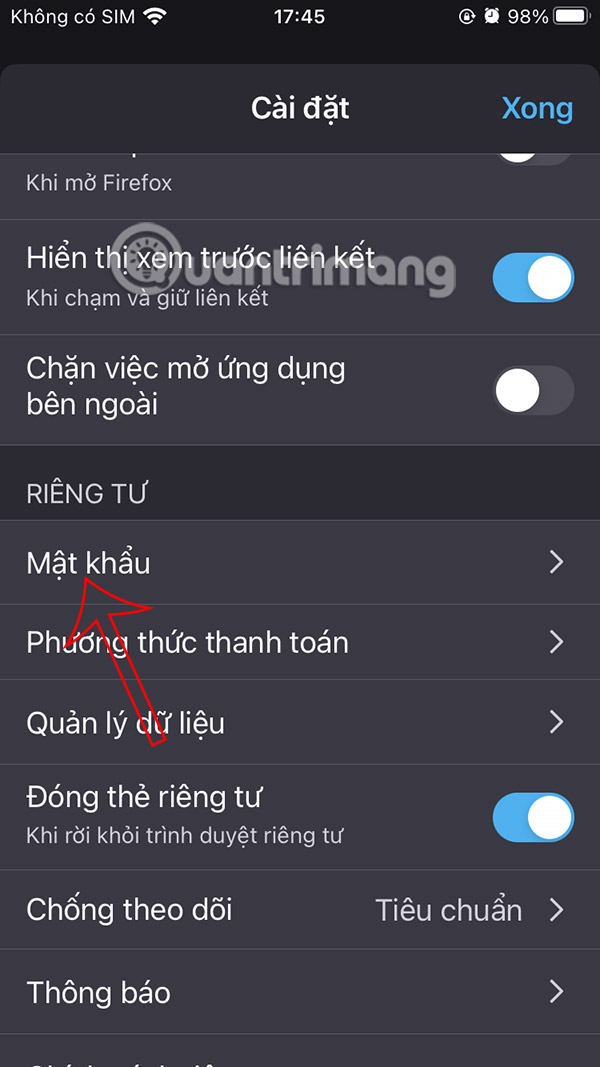
Switch to the new interface, select Password to adjust the login information saving mode on Firefox browser. Enter your iPhone login password to access.

Step 3:
Now you need to turn off Save Password mode to not save login information on Firefox browser.


FAQ
What should you know about turn off Firefox PC login saving notification?
At the browser interface, select the 3 dashes icon and select Settings in the displayed list.
What should you know about turn off saving passwords for specific websites on Firefox?
When you want Firefox to stop prompting you to save passwords only on certain websites, you can set up exceptions instead of disabling the feature completely.
How to turn off saving Firefox login passwords on iPhone?
At the Firefox browser interface, select the 3-dash icon. The browser menu appears, select Settings below.
Related Articles
 3 Great New Features on Firefox 59 You Can Use Today4 minutes read
 How to Turn Off Firefox Notifications on Action Center Windows 104 minutes read
 Create Firefox Master Password: Complete Guide3 minutes read
 How to Turn Off iOS Update Notifications4 minutes read
 How to Login to Multiple Facebook Accounts on Firefox6 minutes read
 The New Firefox AI Controls Allow Users to Disable All AI Features9 minutes read
Reader Comments 0
Sign in with email or Google to join the discussion.