Table of Contents
WhatsApp now supports sending Live photos in messages to preserve the original image format. However, you can turn off live mode when sending photos to someone if you don't want the photo to appear in this format.
Live Photos is a feature that creates moving photos on iPhone and some Android phones. And WhatsApp has supported sending Live photos in messages to keep the original image format. However, you can turn this mode off when sending photos to someone if you do not want to display the photo in this format. Below are instructions to turn off sending Live photos in WhatsApp.
How to turn off sending Live photos in WhatsApp
Step 1:
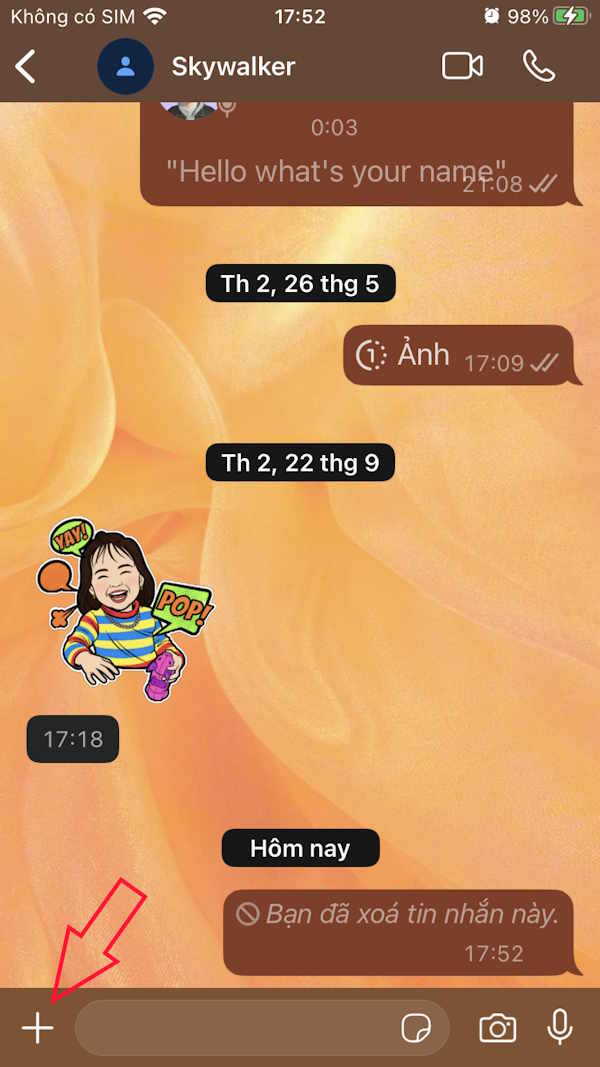
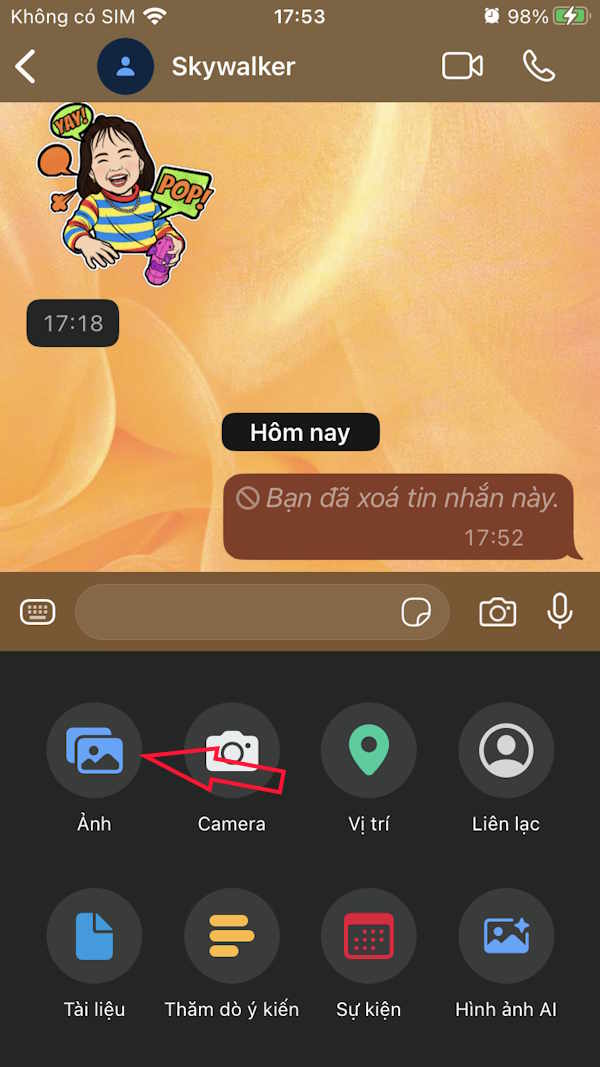
In the WhatsApp interface, Click on the messaging box And then click on Photos To open the album in your phone.
Step 2:
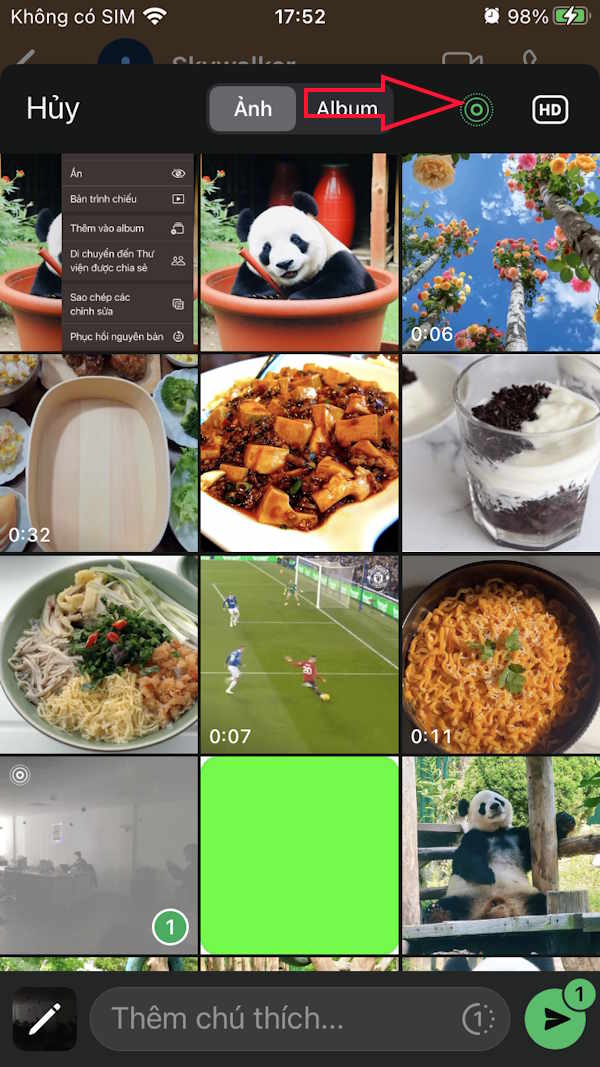
Tap on the Live photo you want to send in the message and you will see The Live icon appear . Then you Turn off the Live icon To turn off the mode of sending live photos in the WhatsApp application.
Step 3:
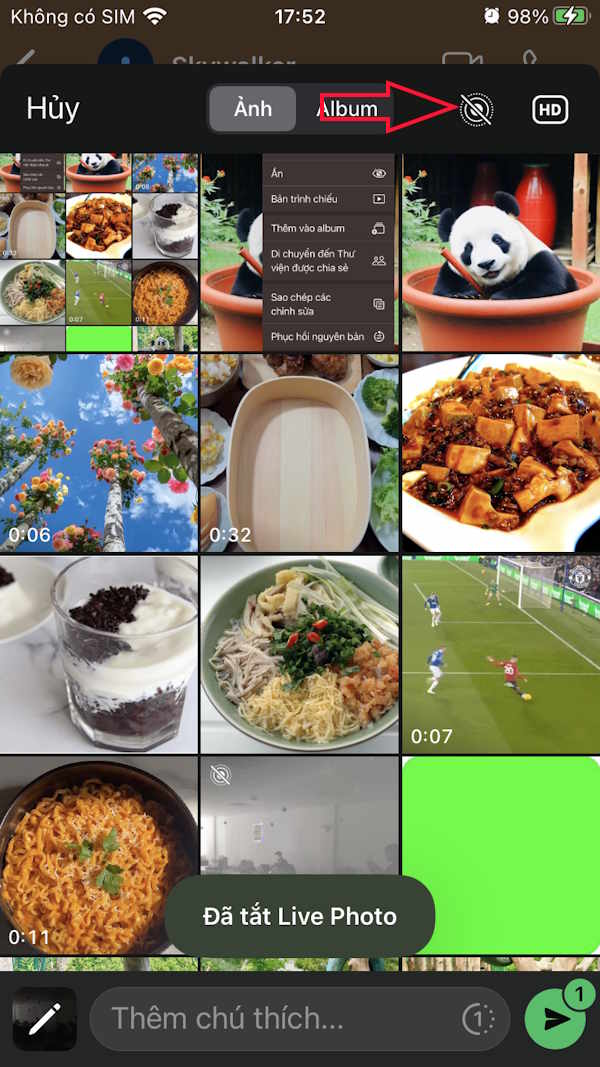
You will then see The Live icon crossed out And Live mode is turned off For this photo. Finally we send the image in normal mode on WhatsApp messages.
FAQ
How do you turn off sending live photos in WhatsApp: step-by-step guide?
In practical terms, WhatsApp now supports sending Live photos in messages to preserve the original image format. However, you can turn off live mode when sending photos to someone if you don't want the photo to appear in this format.
What should you check before getting started?
Review the requirements, compatible device or software version, and any warnings described in the guide before making changes.
What should you do if the steps do not work?
Repeat the steps in order, confirm that your app or system is up to date, and review the troubleshooting details provided above.
Related Articles
 How to Send WhatsApp Photos for Viewing Only Once: Practical Guide4 minutes read
 Instructions to Send HD Photos on Whatsapp3 minutes read
 How to Turn Off Saving Whatsapp Photos to Your Phone2 minutes read
 How to Send Multiple Photos at Once on Whatsapp3 minutes read
 How to Schedule, Schedule Sending Whatsapp Messages on Android with4 minutes read
 How to Turn on, Turn Off Taking Photos When Calling Facetime on7 minutes read
Reader Comments 0
Sign in with email or Google to join the discussion.