Table of Contents
Full-screen optimization is a feature designed to provide better performance for games and full-screen applications. This feature not only improves the gaming experience but also helps reduce input lag and improve FPS. However, in some cases, the browser's full-screen optimization feature can cause compatibility issues with some games or applications, leading to issues such as reduced frame rates, stuttering, crashes, or freezes. Here are instructions for disabling full-screen optimization on Chrome, Firefox, Edge.
How to turn off full screen optimization on Chrome
Step 1:
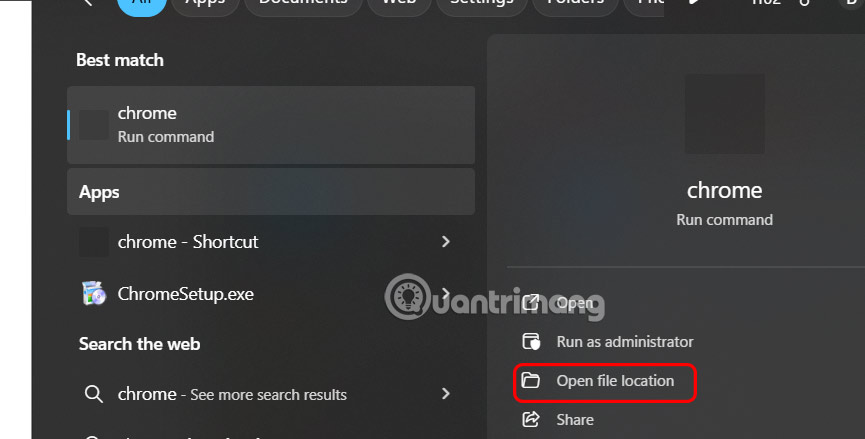
You enter the keyword Chrome in the search bar and select Open File Location .
Step 2:
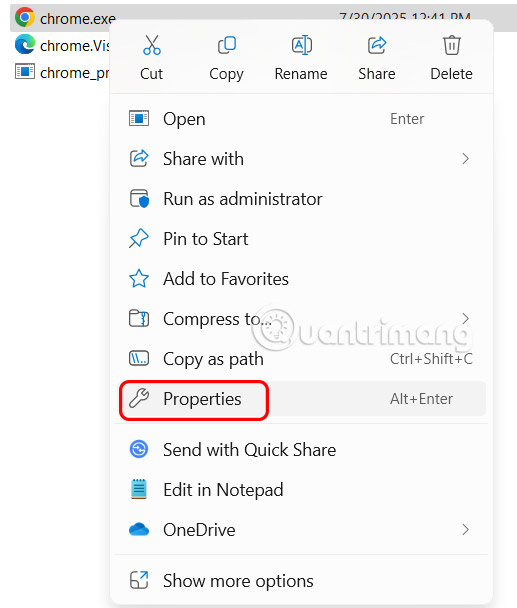
Switch to the new interface, right-select Chrome.exe and select Properties .
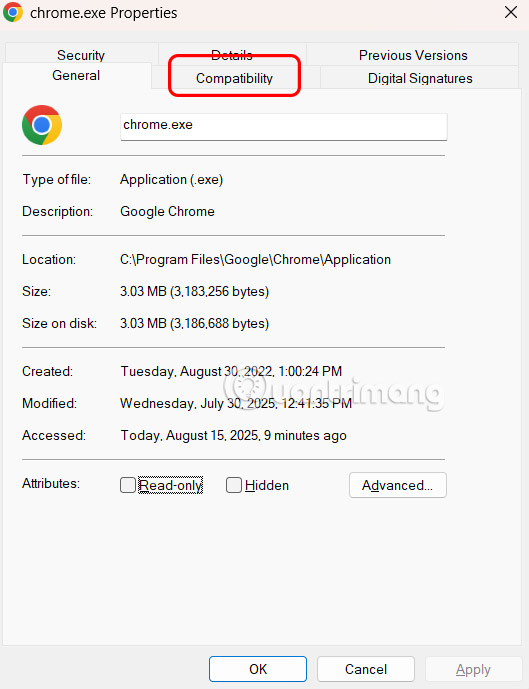
Display the new interface, the user clicks on the Compatibility tab .
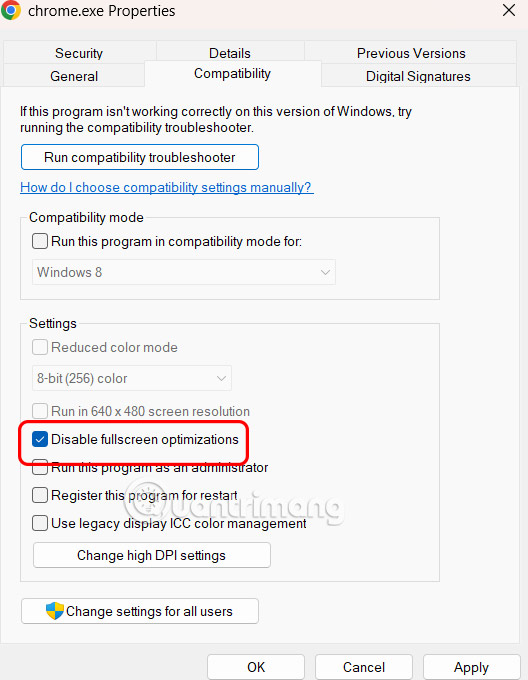
Now you need to check Disable Fullscreen Optimizations and then click Apply below to save the changes.
How to turn off full screen optimization on Firefox
Step 1:
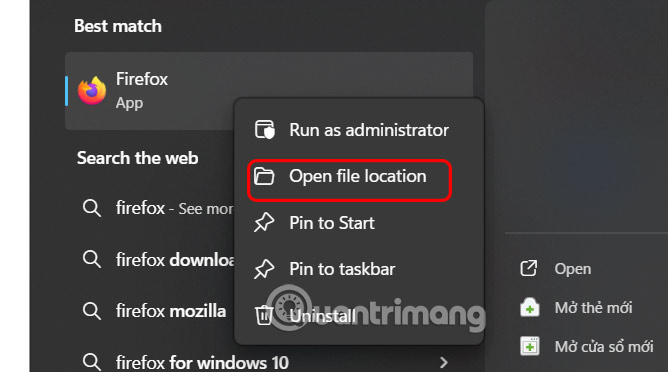
You also enter Firefox in the search bar and then right-click and select Open File Location .
Step 2:
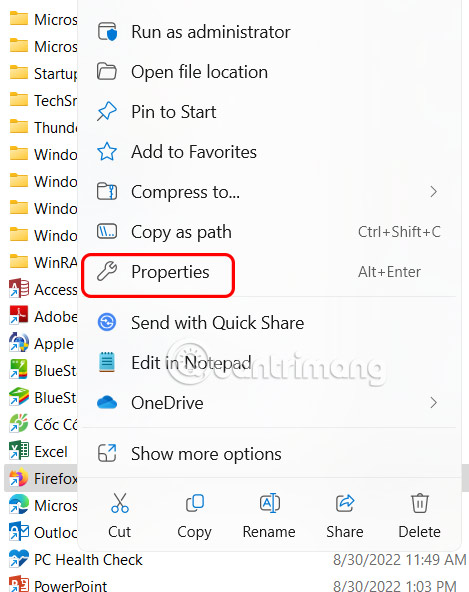
Switch to the new interface, users also right-select Firefox.exe and select Properties .
Step 3:
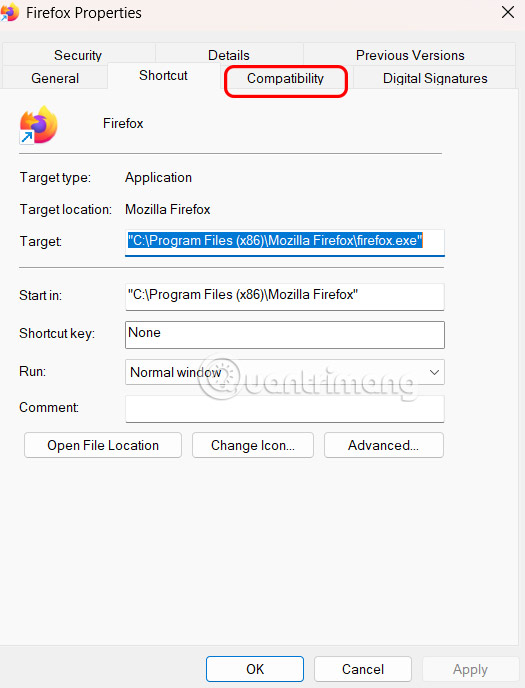
Displaying the new interface, the user selects the Compatibility tab to adjust the browser compatibility mode on the computer.
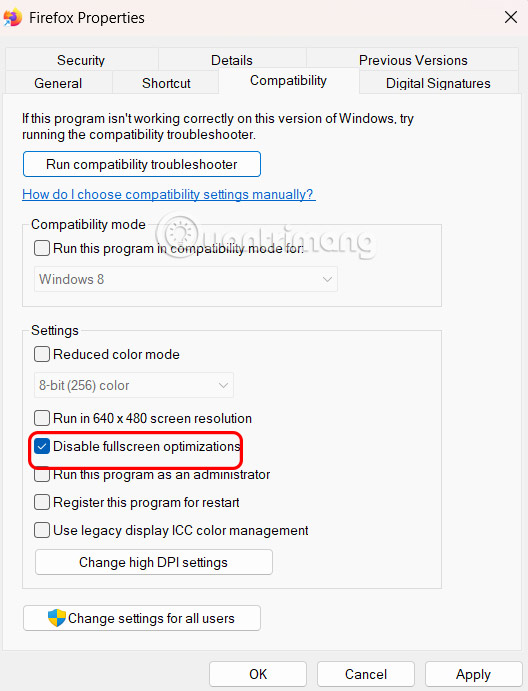
At this point, the user will select Disable Fullscreen Optimization s to disable full screen optimization on Firefox Windows.
Disable full screen optimization on Edge
Step 1:
In the search bar on your computer, right-select the Edge browser and select Open File Location .
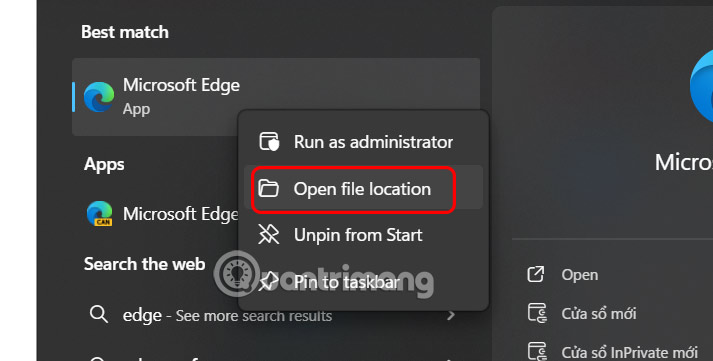
Step 2:
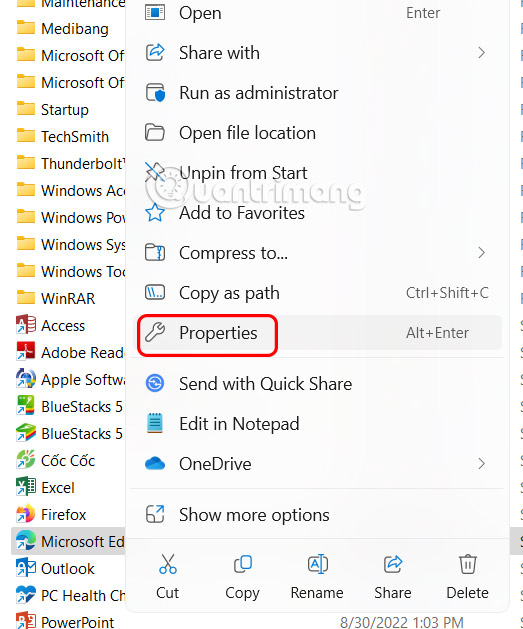
Now right-select the Edge browser and select Properties to change it again.
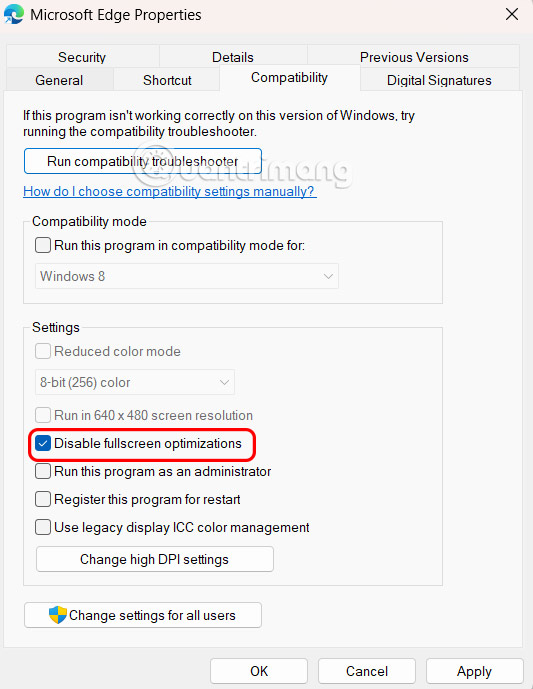
Then you select the Compatibility tab and select Disable Fullscreen Optimizations .
Final Thoughts
Following the steps in order and checking version-specific settings should make it easier to Turn Off Screen Optimization on Chrome, Firefox, Edge. If an option looks different, verify the device, app, or operating-system version before changing additional settings.
FAQ
What is the best way to Turn Off Screen Optimization on Chrome, Firefox, Edge?
Start with the requirements described in the article and follow the steps in order. Full-screen optimization is a feature designed to provide better performance for games and full-screen applications. This feature not only improves the gaming experience but also helps reduce input lag and improve FPS.
What should you know about How to turn off full screen optimization on Chrome?
You enter the keyword Chrome in the search bar and select Open File Location.
What should you do if the instructions do not match your screen?
Check the device, software version, account permissions, and regional settings. Interfaces can change after updates, so use the closest matching option and consult the official support documentation when necessary.
Related Articles
 How to Browse in Full Screen Mode, Full Screen on Chrome3 minutes read
 How to Turn Off the Request for Location When Browsing the3 minutes read
 Microsoft Edge Is the Best Browser to Prevent Phishing3 minutes read
 This Is How to Speed up Edge Browser4 minutes read
 How to Turn Off Location, Javascript, Flash, Popup, Cookies3 minutes read
 How to Enable and Disable Full Screen Mode on Google Chrome3 minutes read
Reader Comments 0
Sign in with email or Google to join the discussion.