Table of Contents
This practical guide explains how to turn off auto dubbing on YouTube. Follow the steps in order, review the requirements first, and use the troubleshooting notes when a setting or option does not work as expected.
How to turn off auto dubbing on YouTube Android, iPhone
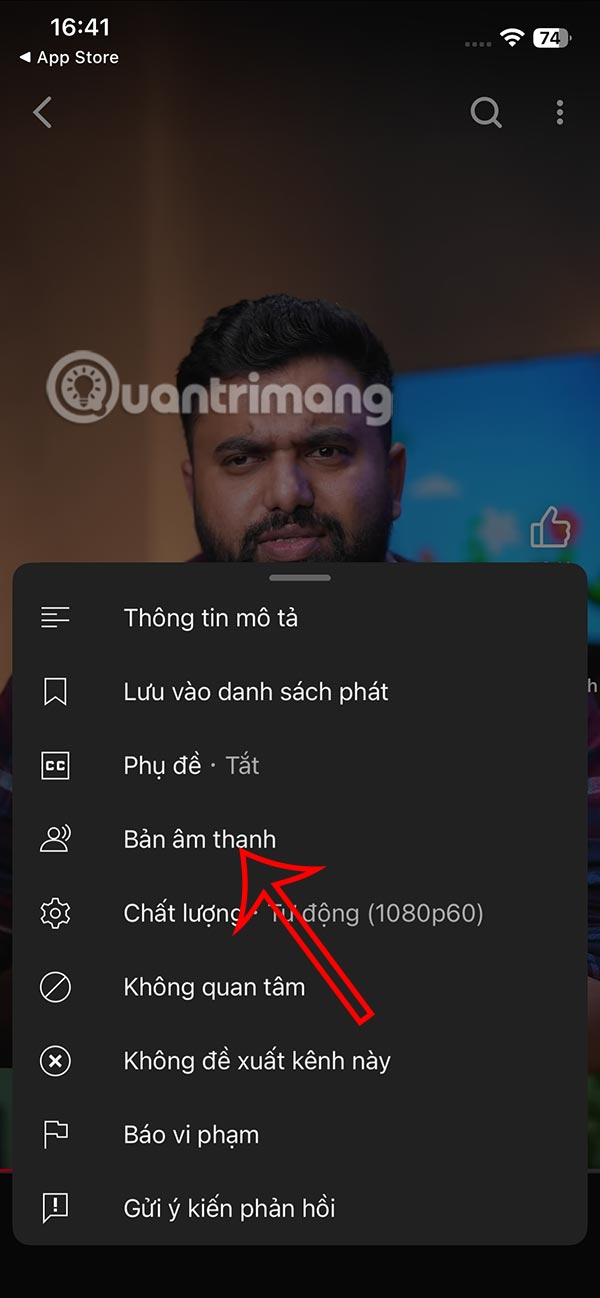
Step 1:
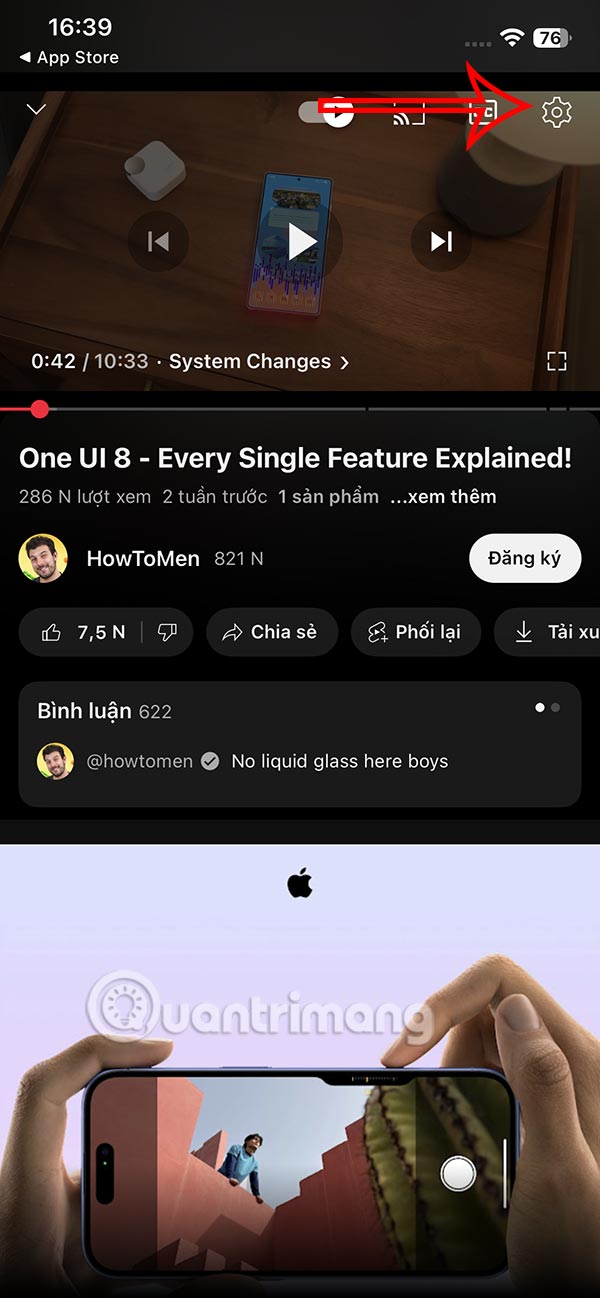
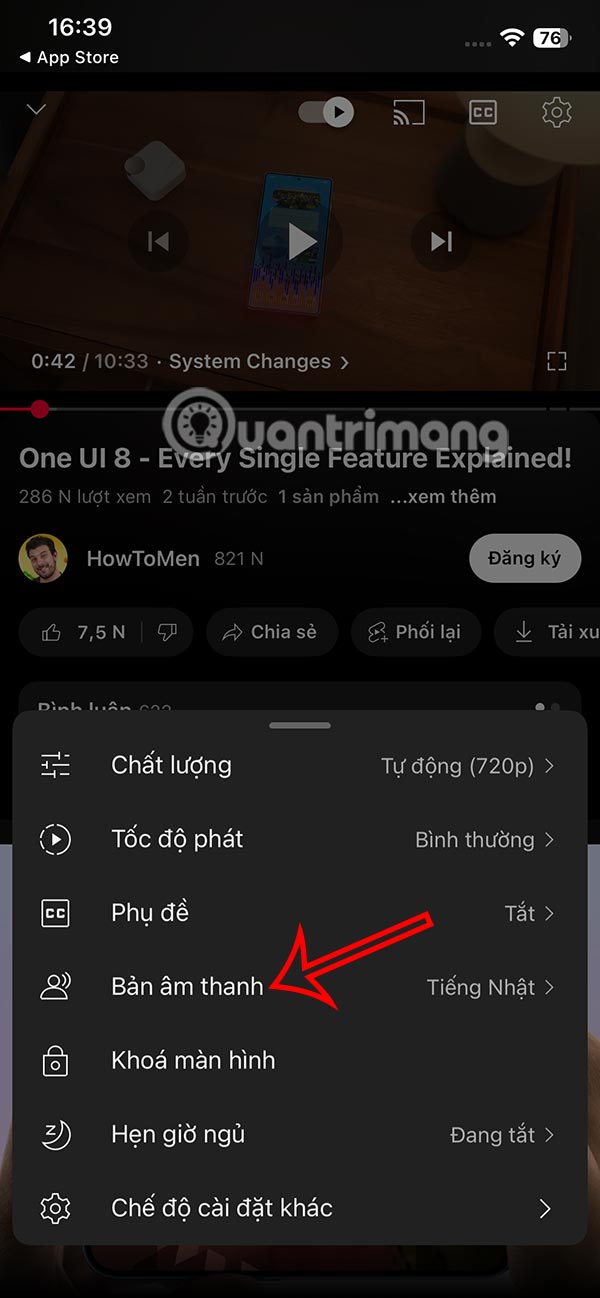
At the YouTube video viewing interface, select the gear icon . Display the video menu, select Audio track .
Step 2:
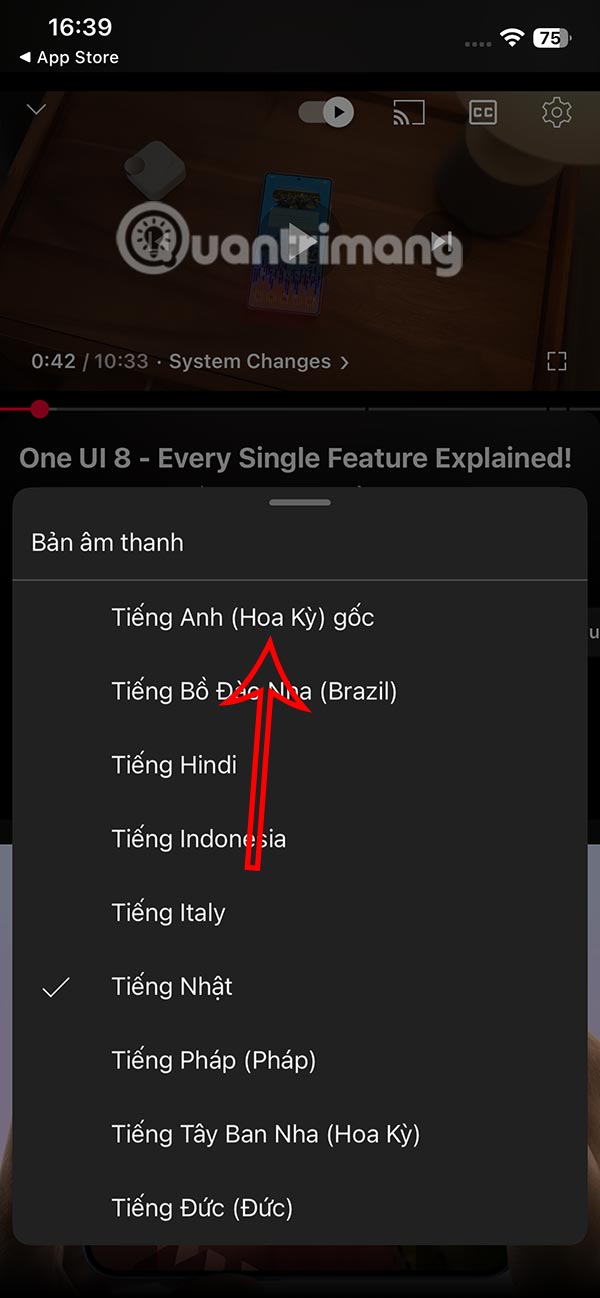
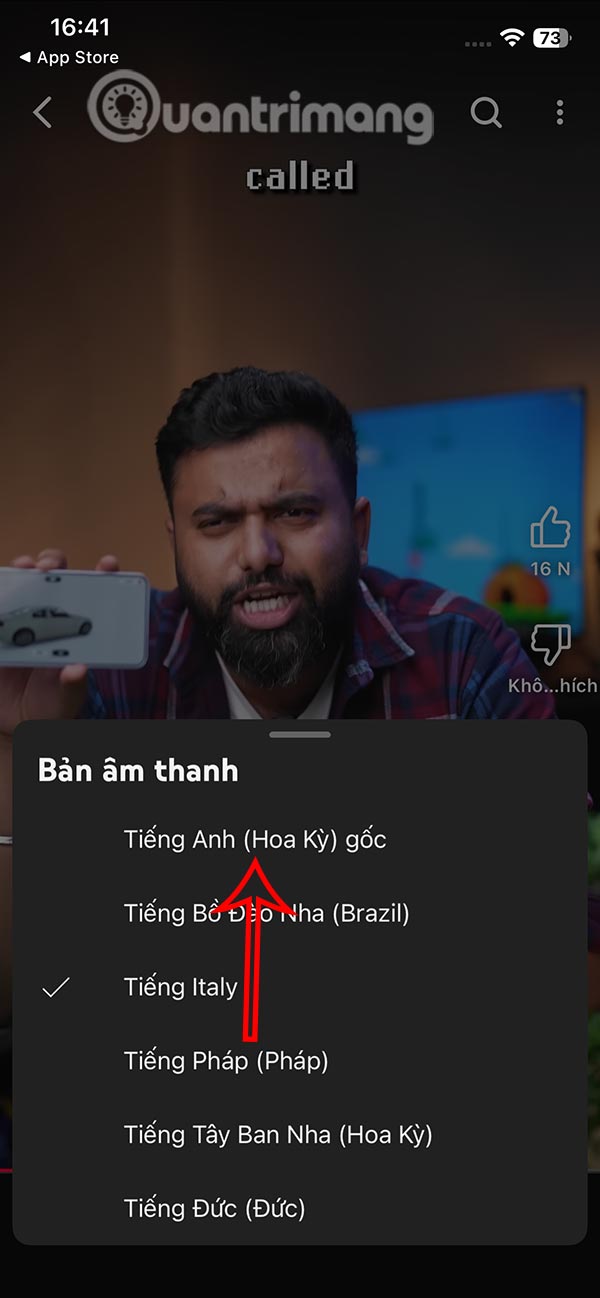
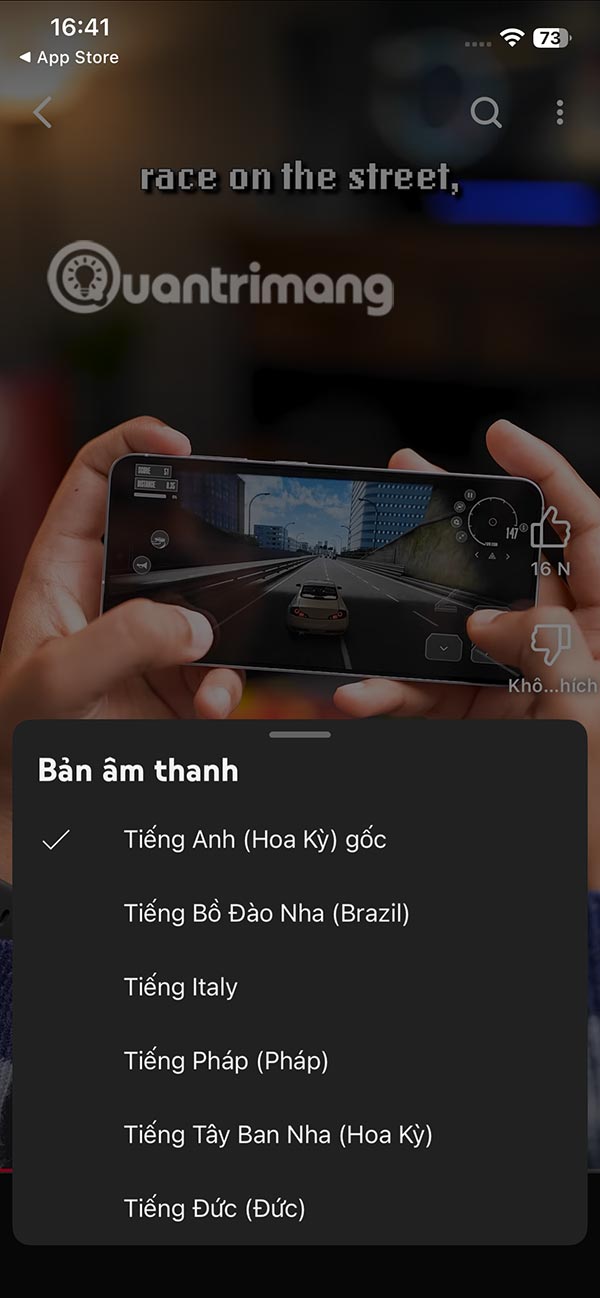
Switch to the new interface, we select the original language of the YouTube video to turn off automatic dubbing on YouTube.
Step 3:
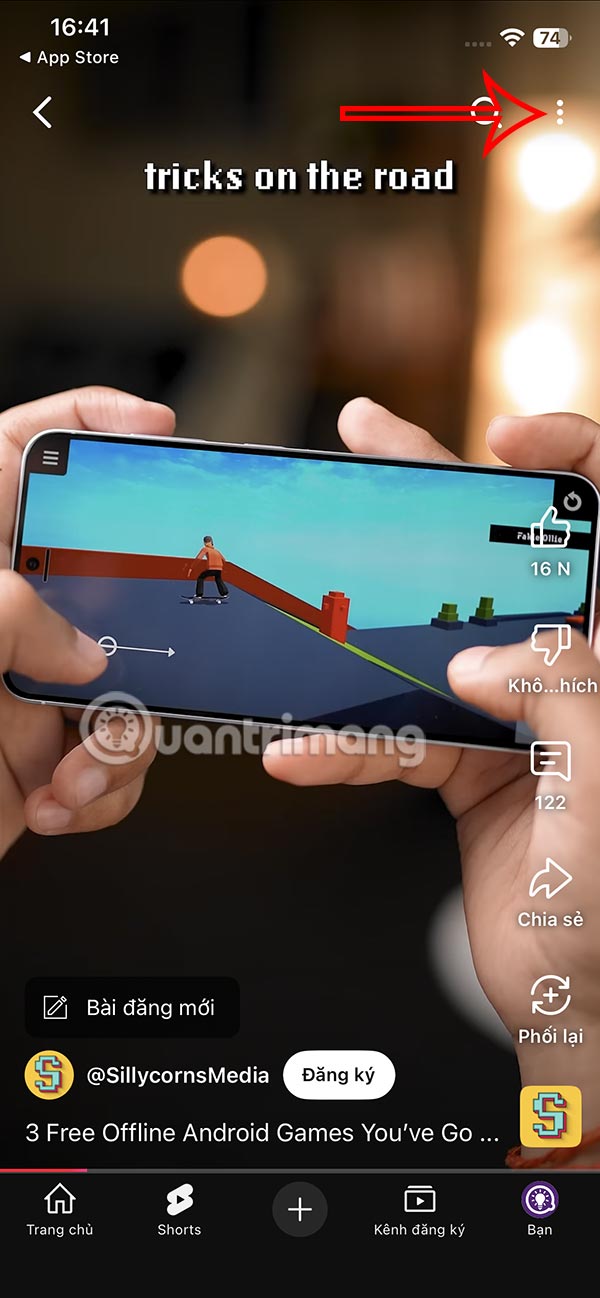
In the YouTube Shorts video , select the 3-dot icon in the top right corner and then select Audio track .
Step 4:
Now we also select the original language to turn off automatic dubbing for YouTube Shorts videos.
How to turn off automatic dubbing of YouTube videos on PC
Step 1:
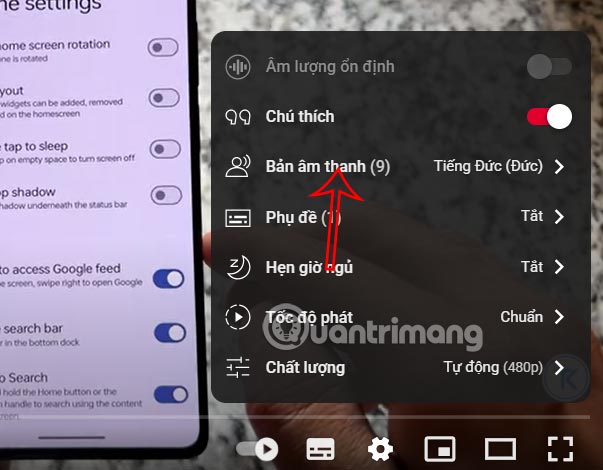
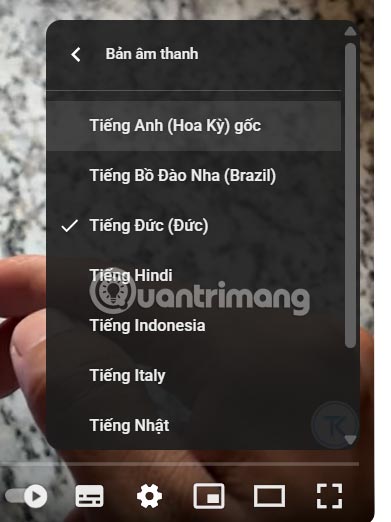
In a YouTube video on your computer, you also click the gear icon and select Audio Track .
Step 2:
Now you also choose the original audio to turn off automatic dubbing in YouTube videos on PC.
FAQ
How to turn off auto dubbing on YouTube Android, iPhone?
At the YouTube video viewing interface, select the gear icon. Display the video menu, select Audio track.
How to turn off automatic dubbing of YouTube videos on PC?
In a YouTube video on your computer, you also click the gear icon and select Audio Track.
What does this guide cover?
This guide explains turn off auto dubbing on YouTube, including the main steps, important details, and practical considerations.
Related Articles
 Youtube's Ai-powered Voiceover Feature Is Now Available to More3 minutes read
 YouTube Launches Multilingual Dubbing on Its Platform5 minutes read
 Turn Off YouTube Ads, Block YouTube Ads, Remove Ads on YouTube4 minutes read
 Turn Off Auto Refresh in the Browser4 minutes read
 How to Turn Off Auto-correct on an Android Device?4 minutes read
 How to Turn Off Automatic Text Correction on WhatsApp: Step-by-Step Guide4 minutes read
Reader Comments 0
Sign in with email or Google to join the discussion.